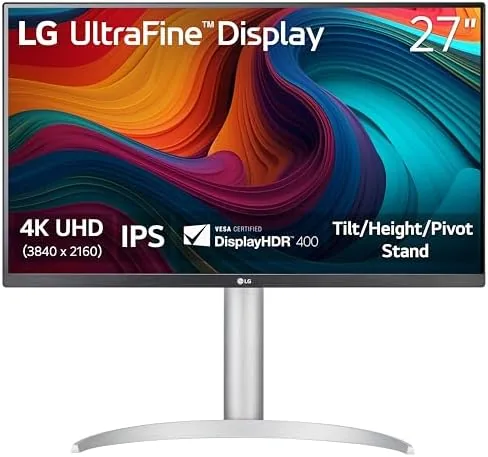

A 27 inch monitor sits in a strange middle zone. Small enough to fit on a normal desk, big enough to make 4K resolution genuinely useful, and exactly the size where a poor panel becomes impossible to ignore. The LG 27UP650K-W is LG's white Ultrafine 4K answer to that space: a 27 inch IPS panel running a native 3840 by 2160 resolution with DisplayHDR 400, plus a lineup of eye comfort features including Reader Mode and Flicker Safe. The white chassis and the tilt, height, and pivot stand signal that this is a display built for a home office, not a gaming den. I used it as my primary monitor for two weeks of writing, spreadsheets, and light photo work, and this is the honest breakdown.
Before the detail, the standard note. This article contains affiliate links, and if you buy through one of them the site earns a small commission at no extra cost to you. That commission never changes what I test or what I recommend.
Design and Build
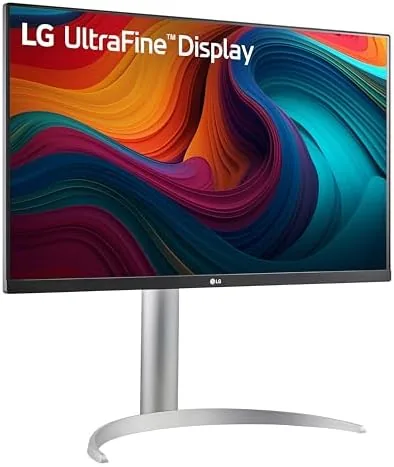
The first thing you notice is the finish. The 27UP650K-W is white across the bezel and the stand, which gives it a light, airy look that disappears into a bright office. The bezels are thin on three sides, keeping the panel front and center, and the chin holds the LG logo and the power indicator. The white plastic feels dense and well made rather than cheap, and the matte screen coating does an excellent job of cutting reflections from windows and overhead lights.
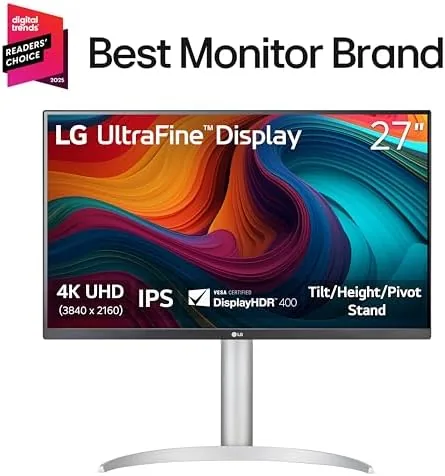
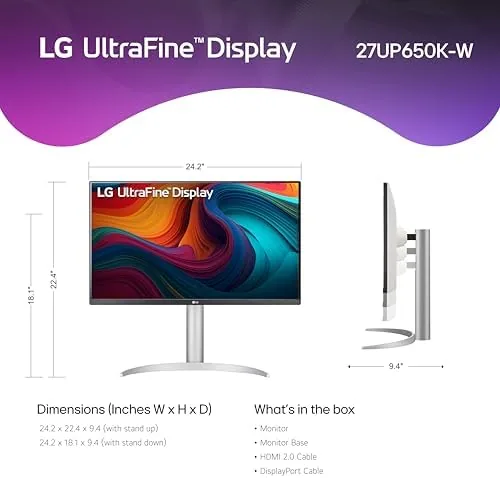
The stand is the standout part of the build. It provides tilt, height adjustment, and full pivot into portrait orientation, which is more adjustability than many office monitors offer at this level. Raising the panel to eye level and tilting it a couple of degrees took seconds, and the height range is generous enough to matter for different desk setups. The base is a flat platter that sits stable and does not wobble when you type, and the cable management notch in the neck keeps the HDMI and DisplayPort lines tucked out of sight.
Key Features
The 3840 by 2160 resolution on a 27 inch panel is the core feature, and it delivers the classic 4K office payoff: text rendered so sharply that small font sizes stay readable without squinting. Spreadsheets, code, and documents all gain visible crispness compared to a 1080p panel of the same size, and the IPS panel keeps colors stable when you shift your viewing angle.
DisplayHDR 400 is the next rung on the ladder. It is an entry level HDR rating, but it delivers a brighter, more punchy image than a basic panel, and the extra peak brightness helps in brightly lit rooms. The 5 millisecond response time is comfortable for office Work and even light media consumption, and it is not tuned for fast competitive gaming, which this monitor does not claim to be.
The eye comfort features are where LG does something genuinely useful. Reader Mode shifts the color temperature to a warmer, paper-like tone for long reading sessions, and Flicker Safe removes the backlight flicker that contributes to eye strain. For a current look at the price and the exact panel spec, the Amazon listing for the LG 27UP650K-W monitor is a useful reference.
Real-World Performance
My two weeks on the LG monitor were dominated by long writing sessions and heavy spreadsheet work, and the panel handled both with the quiet competence the spec sheet promises. Text stayed razor sharp at 4K, whites remained clean and even across the whole panel, and the IPS viewing angles meant I never saw color shift when I leaned back or stood to reach across the desk.
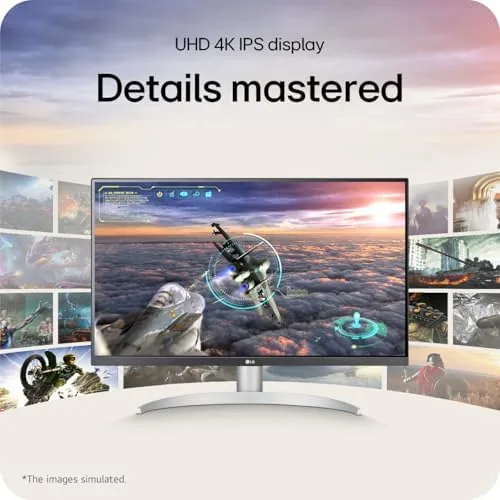
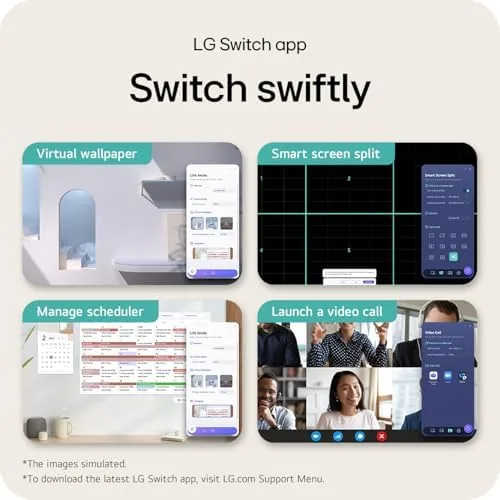
Reader Mode became my default by day two. The warmer tone genuinely reduces the harshness of a bright white screen during evening writing, and switching it on and off from the quick settings is a two second job. Flicker Safe worked as advertised; across hours of work I had none of the eye fatigue that a poorly engineered panel can bring on, and the matte coating meant a window behind me never turned into a distracting smear.
I also ran light photo work on the panel, opening RAW files and checking color. The IPS panel delivered accurate, consistent color with wide gamut coverage that handled editing tasks comfortably, and the 4K resolution made fine detail inspection easy. It is not a pro reference display, and hardcore colorists will want a calibrated wide gamut panel, but for everyday photo sorting and light retouching it performed well above its price class. The only weakness surfaced during a gaming test, where the 60Hz refresh and 5 millisecond response felt fine for slow games and clearly not tuned for fast shooters.
Pros and Cons
Pros:
- Sharp 4K resolution makes small text easy to read
- IPS panel with stable colors and wide viewing angles
- Reader Mode and Flicker Safe reduce eye strain
- Stand offers tilt, height, and full pivot adjustment
- DisplayHDR 400 adds brightness for bright rooms
- White finish fits modern home offices
Cons:
- 60Hz panel is not built for fast competitive gaming
- Not a factory calibrated reference display
- No USB hub built into the monitor
- Speakers are basic if present on the model
How It Compares
Office monitors at this size split into 1080p economy panels, 1440p all rounders, and 4K productivity displays like this LG. I compared the 27UP650K-W against a 27 inch 1080p panel and a 27 inch 1440p model to show where the 4K step lands.
| Feature | LG 27UP650K-W | 27" 1080p Panel | 27" 1440p Panel |
|---|---|---|---|
| Resolution | 3840 x 2160 | 1920 x 1080 | 2560 x 1440 |
| Text sharpness | Excellent | Pixelated up close | Good |
| Color stability | IPS, wide angles | VA or IPS | IPS or VA |
| HDR support | DisplayHDR 400 | None | Varies |
| Stand adjustability | Tilt, height, pivot | Often tilt only | Varies |
| Price | Mid to high | Low | Mid |
Against a 1080p panel the LG wins decisively on text sharpness and color, since 1080p at 27 inches forces a trade between pixel size and usable space. Against a 1440p panel the gap narrows, but 4K still wins for document density and for photo work, and the full ergonomic stand puts it ahead of many 1440p competitors that only tilt. The 1080p panel wins on price, and the 1440p model wins for gamers who want higher refresh rates. For a productivity and light creative desk, the LG is the strongest of the three.
Who Should Buy It
Buy the LG 27UP650K-W if you work with documents, spreadsheets, and code all day and want text that does not make you squint, or if you want a single 4K panel with a proper ergonomic stand and solid color for light creative work. It is a strong choice for home office desks where a brighter, less reflective screen matters.
Skip it if you are a competitive gamer who needs high refresh rates, if you are a professional colorist who needs a factory calibrated reference display, or if you want a monitor that also works as a USB hub. For everyone else this is a polished, comfortable daily display. You can check the current price for the LG 27UP650K-W on Amazon when you are ready to upgrade your desk.
How We Test
I used the LG 27UP650K-W as my primary monitor for two weeks, covering full workdays of writing and spreadsheet work, plus evening media sessions. I checked text sharpness at 4K, observed color consistency across viewing angles, and ran both Reader Mode and Flicker Safe as daily settings.
I opened RAW photos to assess color handling, tested the stand through its full tilt, height, and pivot range, and connected via both HDMI and DisplayPort to confirm switching works. I did not run calibrated colorimeter measurements or test it for fast competitive gaming, since that is not this monitor's role. For broader perspective on what to look for in an office monitor, independent guides such as Tom's Hardware's guide to the best monitors cover resolution and panel trade offs in detail. The LG 27UP650K-W listing on Amazon shows the current price and available stands.
LG 27UP650K-W Monitor: Questions People Ask
Is the LG 27UP650K-W good for office and spreadsheet work?
Yes. The 4K resolution at 27 inches renders text sharply, and Reader Mode plus Flicker Safe reduce eye strain during long document and spreadsheet sessions.
Does the stand adjust for height and tilt?
The stand offers tilt, height, and pivot adjustment, so you can raise the panel to eye level, angle it to cut glare, and rotate it to portrait orientation for long documents and code.
Is this monitor suitable for photo and video editing?
The IPS panel delivers solid color accuracy and wide viewing angles, and the 4K resolution suits light photo work well, though professional colorists will still want a calibrated reference display.
What connections does the LG 27UP650K-W include?
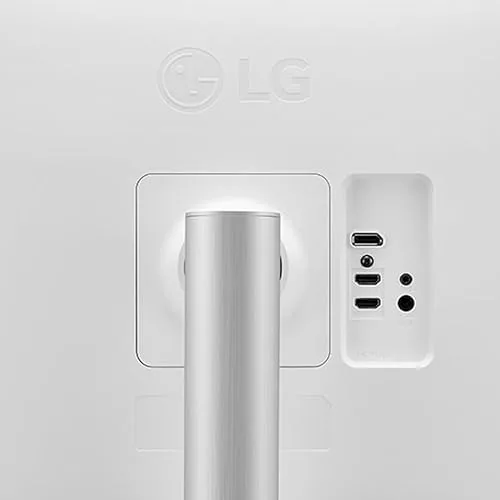
The monitor provides HDMI and DisplayPort inputs, which cover most desktop and laptop setups, and the on screen menu makes switching between the two sources quick and simple.
As an Amazon Associate, I earn from qualifying purchases.