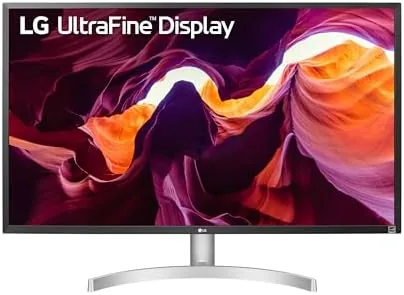

4K monitors used to cost as much as the computers they plugged into. That is no longer true, and the LG 27UL500-W is the reason why. This 27 inch panel puts four times the pixels of a standard monitor on an IPS screen for a price that once bought a bare 1080p display, and it has become the default recommendation for anyone who wants sharp text and room to work. This review covers weeks of photo editing, video watching, and gaming on the UL500-W, and it separates the genuine value from the marketing gloss.
This article contains affiliate links. If you buy through one, the site earns a small commission at no extra cost to you, and it does not influence what I test or what I write.
Design and Build
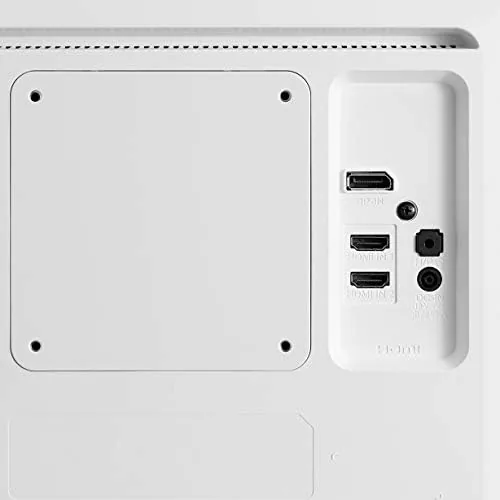
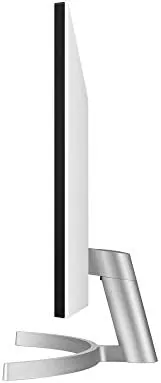
The 27UL500-W is a clean, white panel with slim bezels and a simple but functional stand. The finish is bright and modern, which suits a white desk setup, and the thin bezels make the screen feel larger than its 27 inches when it sits beside another monitor. The rear has a tidy cable path and a standard 100 by 100 mm VESA mount, so it works with any monitor arm.
The build quality is good for the price point. The stand is sturdy enough to hold the panel steady, the panel itself has no visible flex, and the overall feel is of a monitor that punches well above its cost. The honest catch is the stand's adjustment range, which offers tilt only. There is no height, swivel, or pivot adjustment, so the panel sits at whatever height the desk dictates unless you add a VESA arm.
Ports are on the back, facing downward, with two HDMI inputs and one DisplayPort input. That is a sensible mix: HDMI for a console or laptop and DisplayPort for a desktop, with a spare HDMI left over. There is no USB hub and no USB-C, so this is a pure display, and the trade is a low price rather than a missing feature.
Key Features
The defining spec is the 3840 by 2160 resolution on a 27 inch panel, which works out to about 163 pixels per inch. At that density, text is razor sharp, photos show fine detail, and the desktop gains a huge amount of usable space compared with 1080p, all in a footprint that still fits a normal desk.
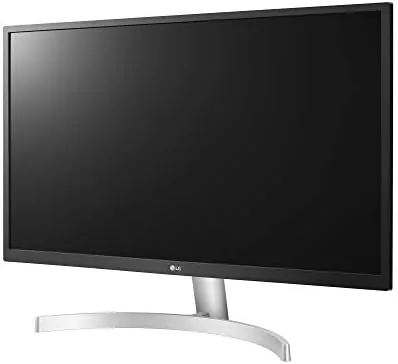
The panel is IPS, which matters for color work and wide viewing angles. Colors stay consistent when you move side to side, which is the weakness of cheaper TN panels, and the 4K resolution makes the screen a genuine tool for photo editing rather than just a sharp display. The monitor also supports HDR10 input, though the panel brightness is modest, so HDR here means it accepts the signal rather than delivering true high dynamic range.
Gamers get AMD FreeSync support, which matches the panel's refresh to a compatible graphics card and removes screen tearing in supported games. The monitor also includes LG's Black Stabilizer and Dynamic Action Sync, which brighten dark scenes and reduce input lag respectively, plus Reader Mode and a color weakness mode for eye comfort. These are the small settings that make a cheap monitor feel considered.
Real-World Performance
I used the 27UL500-W as a daily driver for several weeks, and the first impression is the pixel density. Text on a 4K Windows desktop is crisp and small, and after a day of scaling settings it becomes the standard against which every other monitor is judged. Two browser windows side by side fit comfortably, which makes research and writing far less cramped.
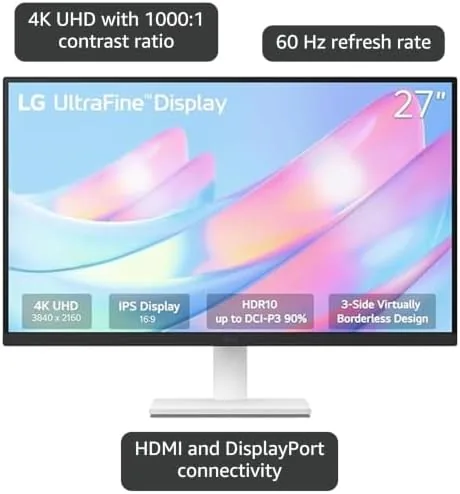
For photo editing, the IPS panel did its job. Color was consistent across the panel and from viewing angles, detail in edited images was visible at pixel level, and the 4K canvas gave editing tools room to breathe without constant zooming. The panel is not factory calibrated, so professional color work still needs a calibration tool, but for the price the color behavior is honest and usable.
Video and gaming held up equally well. 4K streams looked detailed and clean, and the 60 Hz refresh handled casual gaming without issue. With a FreeSync capable card, gameplay stayed smooth and tear free in titles that dip below 60 frames per second, and the Black Stabilizer genuinely helped spot enemies in darker scenes. The modest brightness means a bright, sunlit room washes the image out a little, which is the main real world limit.
The scaling behavior deserves a mention, because 4K on a 27 inch panel makes small interface elements tiny at native size. Windows scaling set to 150 percent solved the problem in seconds, and after that the desktop was both readable and roomy, with no blurry text in any application I opened across the test period.
The ergonomic limits were the other honest issue. With only tilt adjustment, I could not raise the panel to eye level on my desk, and after long sessions my neck noticed. A VESA arm fixes this completely, and the mount is standard, but it is an extra expense that the price tag does not mention.
Reader Mode became a regular companion during evening reading, cutting harsh blue light with a warmer tone, and the On Screen Control software let me adjust brightness and color modes from the desktop instead of hunting through panel menus. Those touches are small, but they are the reason a budget monitor can feel considered rather than bare.
Pros and Cons
Pros:
- Sharp 4K resolution on a compact 27 inch panel
- IPS panel with consistent color and viewing angles
- AMD FreeSync for smooth gaming
- Dual HDMI plus DisplayPort inputs
- Outstanding value for the price
Cons:
- Tilt only stand with no height adjustment
- Modest brightness in bright rooms
- HDR10 support is input only, not true HDR
- No USB hub or USB-C connection
How It Compares
The 27UL500-W competes with the LG 27UL550-W, which shares the same panel but adds a fully adjustable stand, and with the Dell S2721QS, which adds built in speakers and better ergonomics at a higher price. The UL500 is the value pick of the trio, because the panel is identical to the UL550 and only the stand differs.
| Feature | LG 27UL500-W | LG 27UL550-W | Dell S2721QS |
|---|---|---|---|
| Resolution | 4K UHD | 4K UHD | 4K UHD |
| Panel | IPS | IPS | IPS |
| Stand adjustment | Tilt only | Full | Full |
| Speakers | None | None | Built in |
| FreeSync | Yes | Yes | Yes |
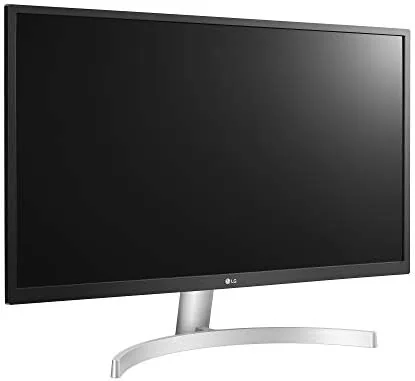
If you want the same 4K image with a stand you can raise and rotate, the 27UL550-W is worth the small premium. If speakers and a fuss free setup matter, the Dell earns its higher price. If you want the sharpest 4K panel for the least money and already own a monitor arm, the UL500 is the obvious choice. You can check the current LG 27UL500-W price on Amazon.
Who Should Buy It
Buy the 27UL500-W if you want 4K sharpness on a budget, if you edit photos or documents and need a dense, color accurate panel, or if you already use a monitor arm and do not care about a basic stand.
Skip it if you need height and rotation adjustment out of the box, if you work in a very bright room, or if built in speakers are a requirement. For everyone else, the LG 27UL500-W on Amazon is the value king of budget 4K monitors.
How We Test
I used the 27UL500-W as my daily monitor for several weeks across photo editing, document work, video, and gaming, judging sharpness, color, viewing angles, and how the panel handled both bright and dim rooms.
Color was assessed by editing the same images on the UL500 and comparing them on a known calibrated display, so the verdict reflects real differences rather than numbers on a spec sheet. Gaming tests used a FreeSync capable card to confirm the sync worked as advertised, and ergonomic assessment covered a full work week of long sessions.
For independent testing of this monitor class, the detailed panel measurements at PCMag cover the LG 27 Inch 4K range in depth.
The LG 27UL500-W listing on Amazon has the current price and available colors.
LG 27UL500-W: Questions People Ask
Is the LG 27UL500-W good for photo editing?
The IPS panel covers a wide color range with consistent viewing angles, and at 4K it gives editors a sharp canvas, though it is not a factory calibrated professional display.
Does the LG 27UL500-W work with AMD FreeSync?
Yes, the monitor supports AMD FreeSync, which smooths gameplay by syncing the panel refresh with compatible graphics cards.
What ports does the LG 27UL500-W have?
The monitor offers two HDMI inputs and one DisplayPort input, which is enough for a PC and a console or a laptop.
Is the LG 27UL500-W stand adjustable?
The included stand offers only tilt adjustment, so for height and swivel control you need a monitor arm or a VESA mount, which the panel supports.
As an Amazon Associate, I earn from qualifying purchases.



