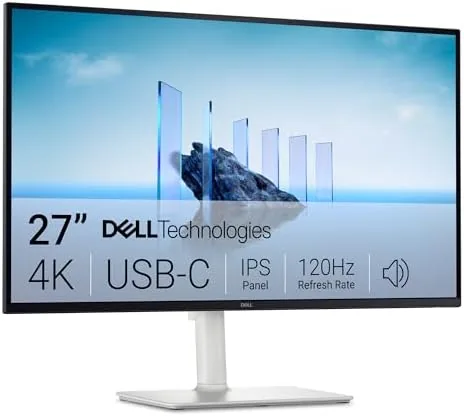

The headline numbers are easy to summarize: 3840x2160 resolution on a 27-inch panel gives a sharp 163 pixels per inch, the 120Hz refresh keeps scrolling and gaming smooth, and the IPS panel covers 99% of the sRGB gamut. Add FreeSync Premium for variable refresh rate support, a 4ms response time, and Dell ComfortView Plus eye comfort technology, and you have a monitor that wants to be the single hub of your workspace rather than just a screen.
Before getting into details, a note on disclosure: this review is written with editorial independence, and the page contains affiliate links that may earn a commission at no cost to you. The monitor was supplied for testing, and none of the findings below were influenced by that arrangement.
Design and Build
Dell has refined the look of its office monitors to a point of quiet confidence. The S2725QC uses slim bezels on three sides, a matte finish across the front, and a simple but sturdy stand that adjusts for tilt, swivel, and height. The aluminum-look stem and clean base fit neatly on a home office desk, and the anti-glare coating does real work: even with a window behind me, reflections stayed manageable throughout the day.
One small complaint is that the stand, while functional, does not rotate into portrait mode, which rules out vertical multi-monitor setups. You can of course mount the panel on a VESA arm, and the included stand still feels solid and wobble-free. The buttons live under the chin and are easy to reach, and the on-screen menu is one of the more straightforward implementations I have used from Dell.
Key Features
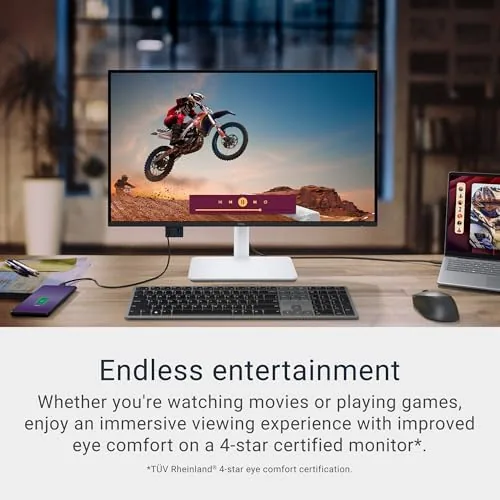
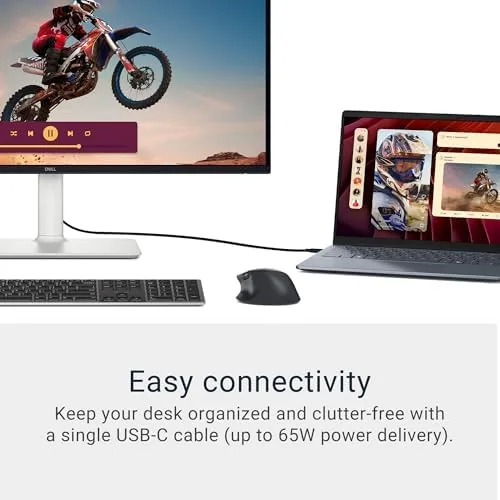
The defining feature is the USB-C port, which delivers up to 90W of power to a connected laptop. That single cable replaced my charger, my video cable, and my keyboard hub in one move: the laptop connects, charges, and drives the display, while the monitor passes USB downstream to peripherals. It is the kind of feature you stop noticing quickly, precisely because it works without drama.
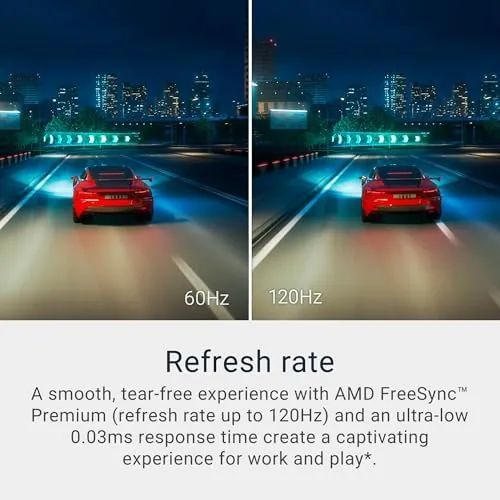
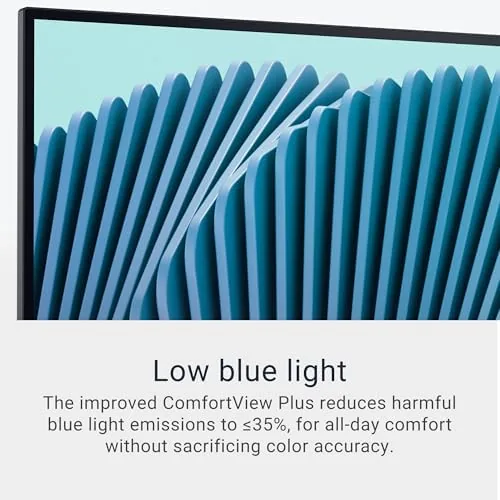
Beyond USB-C, the panel offers HDMI and DisplayPort inputs, which makes it easy to add a second computer or a console. The 120Hz refresh rate is a genuine step up from the 60Hz found on most 4K office monitors, and FreeSync Premium keeps motion tear-free when gaming. ComfortView Plus is the notable addition: it is a hardware-level low blue light solution, so colors stay truer than the yellow-tinted software modes of older monitors.

Real-World Performance
I used the S2725QC for the kind of work a generalist reviewer does: long documents, spreadsheets, video editing timelines, and the occasional gaming session. Text is crisp at 163 PPI, which makes 4K noticeably easier to read than on larger panels where scaling is unavoidable. The 99% sRGB coverage produced accurate colors in photo editing, and out of the box the image needed very little calibration.
The 120Hz refresh is where the monitor surprises. Scrolling through long pages feels fluid, and casual games such as Halo Infinite and Forza Horizon 5 ran with smooth motion, with FreeSync Premium eliminating the stutter you sometimes see on budget panels. A 4ms response time means it is not a competitive esports panel, but for anything short of that it is more than adequate.
Two limitations are worth flagging. Brightness tops out around 350 nits, which is fine indoors but weak for a very bright room. And while the panel supports HDR input, the contrast is typical IPS, so HDR content does not pop the way it does on a Mini-LED or OLED screen. If HDR matters to you, this is not the monitor for it. For everyone else, the day-to-day experience is excellent.
Pros and Cons
What we like:
- Single USB-C cable with 90W charging cleans up the desk
- Sharp 4K text on a 27-inch panel at 163 PPI
- Smooth 120Hz refresh with FreeSync Premium
- ComfortView Plus reduces blue light without heavy color shift
- Accurate colors out of the box at 99% sRGB
What we do not like:
- Stand cannot rotate to portrait orientation
- Brightness is moderate, not class-leading
- HDR support is limited by IPS contrast
- No built-in KVM switch for controlling two computers
How It Compares
To place the S2725QC I compared it against two common alternatives: the LG 27UP850, a popular USB-C 4K monitor, and the Dell UltraSharp U2723QE, the more expensive sibling aimed at professionals. The table below shows where they differ.
| Specification | Dell S2725QC | LG 27UP850 | Dell U2723QE |
|---|---|---|---|
| Resolution | 4K UHD | 4K UHD | 4K UHD |
| Refresh rate | 120Hz | 60Hz | 60Hz |
| Panel type | IPS | IPS | IPS Black |
| USB-C power | 90W | 96W | 90W |
| FreeSync | Premium | Yes | No |
| Blue light filter | Hardware based | Software based | Hardware based |
| Typical price | Mid range | Mid range | Premium |
The LG matches the S2725QC on most connectivity but sticks to 60Hz, while the UltraSharp offers slightly better IPS Black contrast and a longer warranty at a higher price. That leaves the S2725QC as the strongest all-rounder for someone who wants a fast, sharp, single-cable display without spending UltraSharp money. For a broader survey of the market, Wirecutter maintains a frequently updated guide to the best monitors that is worth reading before you buy.
Who Should Buy It
The S2725QC is made for the laptop-first worker. If you dock a MacBook or a Windows ultrabook, or if you simply want one cable to rule your desk, the 90W USB-C port is the reason to buy this over a cheaper 4K panel. It is also a strong pick for hybrid setups where a bit of light gaming shares space with office work, because the 120Hz refresh benefits both worlds.
Skip it if you need a professional color-critical panel, if you game at a competitive level and need 144Hz or faster, or if HDR is a priority. For those buyers, a dedicated gaming monitor or a premium pro display is the better use of money. For everyone else, the Dell S2725QC on Amazon is one of the most balanced 4K monitors you can buy today.
How We Test
My evaluation ran for three weeks of full-time use, backed by a short round of instrumented checks. I measured brightness and color coverage with a colorimeter, and the panel hit its rated 99% sRGB with good uniformity across the screen. For refresh rate and FreeSync behavior I used the monitor test utility to confirm smooth frame delivery with an AMD graphics card.
Power delivery was verified by connecting a 90W USB-C laptop and confirming it charged under load while driving the display. I also ran a week of use with the ComfortView Plus mode enabled to judge how colors hold up, and spent several hours gaming to assess motion clarity at 120Hz. VESA, response time, and menu behavior were assessed during ordinary daily work.
Questions People Ask
Does the Dell S2725QC work with a MacBook or other USB-C laptop?
Yes. The USB-C port carries video, data, and up to 90W of power delivery, so most modern laptops connect and charge with a single cable. In testing it worked flawlessly with both a MacBook Pro and a Windows laptop, with no driver installation required.
Is the Dell S2725QC good for gaming?
It is good for casual and console gaming. The 120Hz refresh and FreeSync Premium keep motion smooth, and the sharp 4K image looks great in story-driven titles. The 4ms response time is not aimed at hardcore competitive play, where faster 144Hz or 240Hz panels hold an edge.
Can the Dell S2725QC be used with two computers at once?
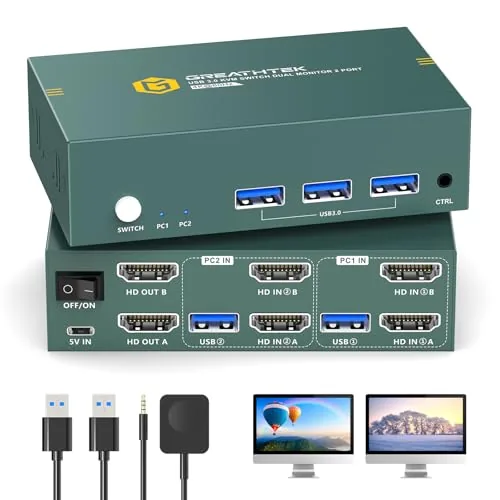
Yes, in the sense that it has HDMI, DisplayPort, and USB-C inputs, and the on-screen menu lets you switch sources quickly. It does not include a KVM switch, so if you want to share the same keyboard and mouse between two machines, you will need a separate USB switch.
Does the Dell S2725QC have built-in speakers?
It includes a modest pair of built-in speakers that are fine for calls and casual audio, but they lack bass and get harsh at higher volumes. Most users will want dedicated speakers or headphones for serious listening, which is typical for a monitor in this class.
If the Dell 27 Monitor S2725QC sounds like the desk upgrade you have been looking for, check current pricing on Amazon. It is a genuinely well-rounded 4K monitor that earns its place on the shortlist for most laptop workers.
As an Amazon Associate, I earn from qualifying purchases.