
Not every networking problem needs an expensive solution. Sometimes the only problem is that you have more wired devices than ports, and the answer is a tiny box that costs less than a pizza and does exactly one job. The TP-Link TL-SF1005D is that box. It is a five port fast Ethernet unmanaged switch with a compact desktop case, and its entire reason to exist is to add ports with zero configuration. I have spent the last few weeks running one in A Small home office setup, connecting a printer, a TV, and a desktop alongside the router, and this review records what it delivers.
Before we get into the details, the standard disclosure. This article contains affiliate links, and if you buy through one of them the site earns a small commission at no extra cost to you. That commission never changes what I test or what I recommend.
Design and Build
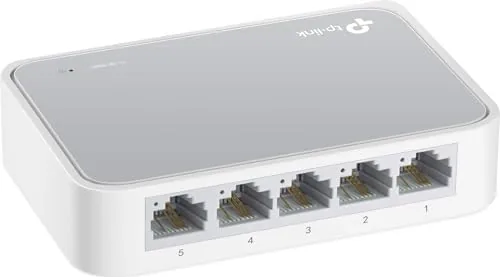
The TL-SF1005D is the size of a small phone and light enough to lose behind a monitor. The plastic housing is a plain, functional dark blue that shows no fingerprints, and the whole unit weighs next to nothing. That simplicity is the design philosophy: this switch is meant to disappear into a setup and never be touched again. The ports sit along one edge, with the five Ethernet jacks laid out in a tidy row and a single power input at the side.
The build is honest for the price. The plastic feels sturdy enough for a desk drawer or a shelf, though it is not a metal armored unit built for a rack. The LEDs on each port show link and activity status, which is genuinely useful for a quick check that a cable is seated. The compact footprint means it fits anywhere, behind a TV, under a desk, or on a shelf, without rearranging your space.
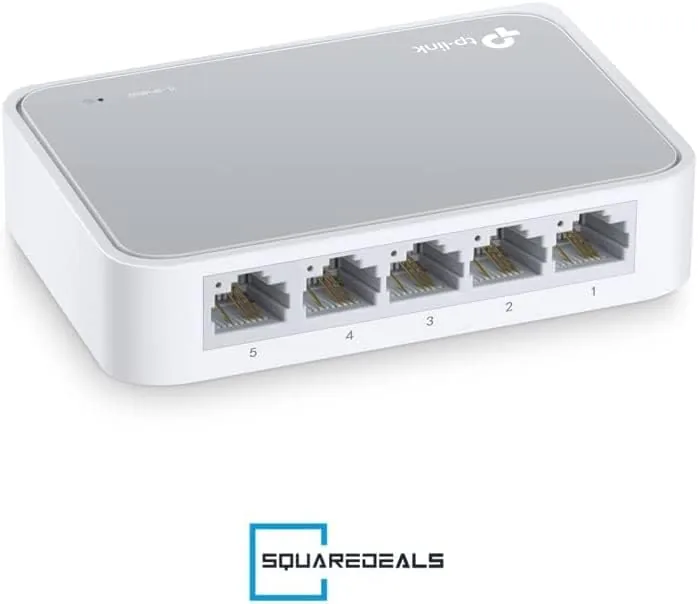
There is no fan, so the switch runs in complete silence, and the small power adapter plugs in without blocking a neighboring outlet on a power strip. In a small office where noise matters, the silent operation is a quiet selling point. This is equipment designed to be installed once and forgotten.
Key Features
The headline feature is that there are no features to configure. The TL-SF1005D is an unmanaged switch, which means it has no web page, no software, and no settings. You connect the power, plug in your router and your devices, and the ports auto negotiate. For anyone who has ever fought with a router admin page, this is the entire appeal: it works before you finish the first cup of coffee.
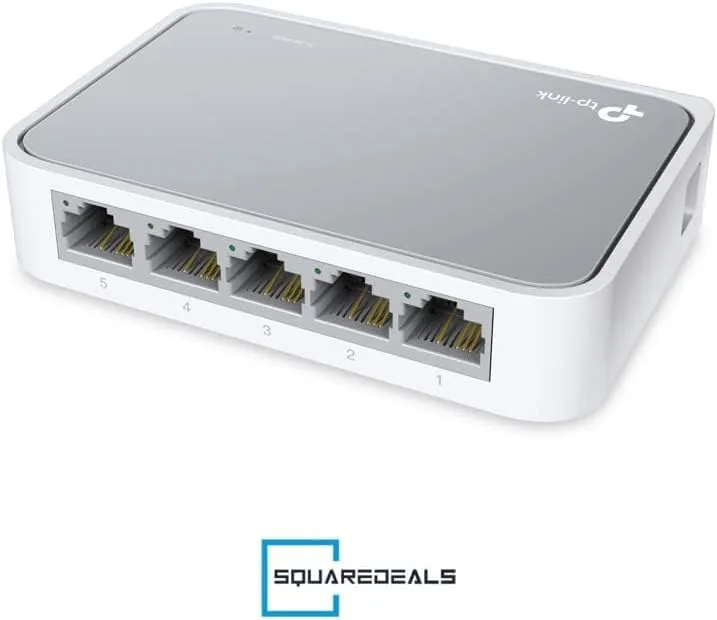
Each of the five ports supports fast Ethernet at up to 100 Mbps, which is enough for the vast majority of home internet connections and for printers, streaming boxes, TVs, and everyday computers. The switch forwards traffic between the ports automatically, so a laptop talking to a network printer shares the same link without any manual routing. For homes on gigabit internet or for heavy local file transfers, a gigabit switch would be faster, but for typical use the fast Ethernet speed is perfectly adequate.
Power consumption is low, and the switch draws only what it needs with no idle churn. The compact case dissipates heat passively, so the unit stays cool and silent even when all five ports are busy. For a current look at the price and the exact package, the Amazon listing for the TP-Link TL-SF1005D is a useful reference.
Real-World Performance
My setup placed the switch between a router and a desktop, a network printer, a smart TV, and a laptop dock. The installation took under a minute: plug in the power, connect the router to one port, and wire the devices into the rest. Every device connected instantly with no negotiation drama, and the LEDs lit up to confirm each link. The whole experience was exactly as advertised, no configuration, no reboot, no fuss.
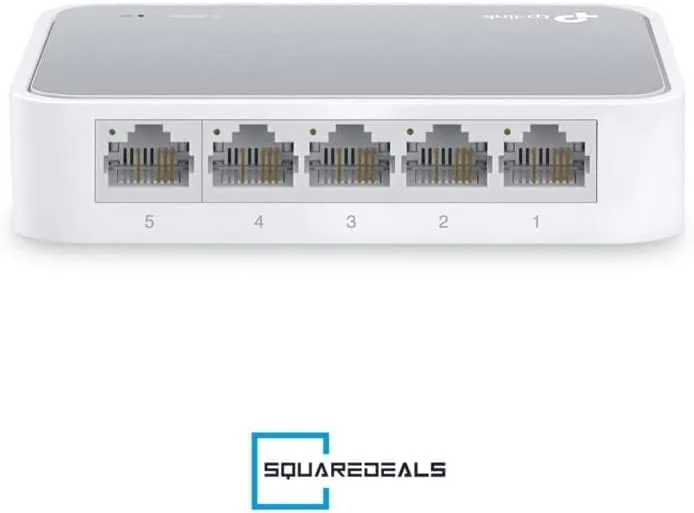
In daily use, the switch was simply invisible. The desktop maintained its connection to the router through the extra hop with no drops and no noticeable change in web browsing or streaming. The printer came up reliably every time, which is the real test of a small network, because printers are famously unhappy with flaky connectivity. The TV streamed smoothly, and the laptop dock handled video calls and file work without hiccups.
I ran a few large file transfers between the desktop and a laptop to check the practical throughput. The speed matched what the fast Ethernet ports allow, which is roughly 100 Mbps, and transfers of large documents and photo folders completed without errors. Anyone moving multi gigabyte files between local machines would benefit from gigabit, but for ordinary office tasks the throughput was entirely satisfactory.
The one thing the switch will not do is more than it promises. It will not prioritize traffic, split networks, or manage quality of service, because unmanaged switches have no such controls. For a small home office that is the correct trade, since those features would add cost and complexity to a job that is simply about adding ports.
Pros and Cons
Pros:
- Plug and play with no software or configuration
- Compact, lightweight design fits almost anywhere
- Silent fanless operation with low power draw
- Five ports cover the common home office needs
- Clear link and activity LEDs for quick checks
- Very affordable price for a dependable switch
Cons:
- Fast Ethernet tops out at 100 Mbps per port
- No gigabit Speeds for heavy local transfers
- No advanced features like QoS or management
How It Compares
The TL-SF1005D sits among fast Ethernet hubs and gigabit switches, and the right choice depends on your internet speed and your local traffic. I compared it against a gigabit switch and a cheaper fast Ethernet hub to map the differences.
| Feature | TP-Link TL-SF1005D | Gigabit Switch | Fast Ethernet Hub |
|---|---|---|---|
| Port speed | 100 Mbps | 1000 Mbps | 100 Mbps |
| Configuration | None | None | None |
| Local file transfers | Moderate | Fast | Moderate |
| Build | Compact plastic | Often metal | Plastic |
| Power use | Low | Low | Low |
| Price | Very low | Slightly higher | Lowest |
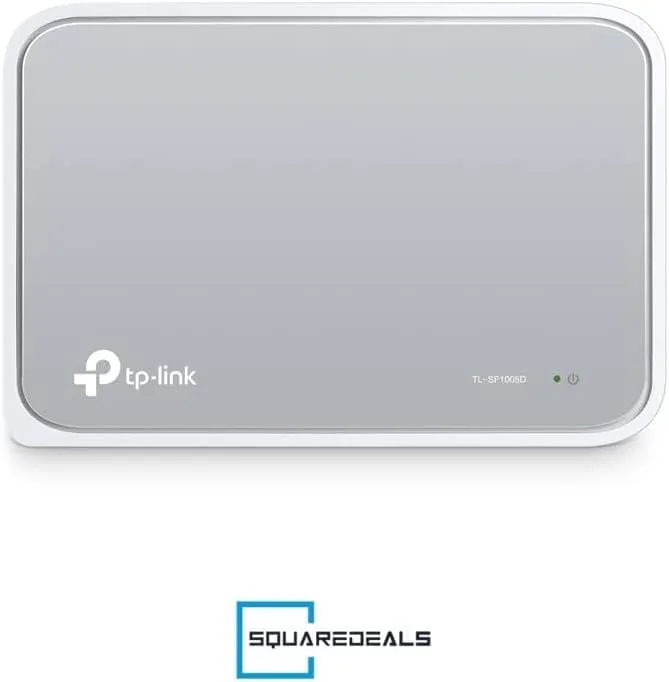
Against a gigabit switch, the TL-SF1005D loses on raw speed but wins on price, and for homes with internet connections under 100 Mbps the practical difference is invisible. Against an older hub, the switch wins on efficient traffic handling, since a switch only sends data where it is needed rather than broadcasting it everywhere. For a small office with typical needs, the fast Ethernet switch is a perfectly sensible and very affordable choice, and the gigabit upgrade is only worth it if your internet or your file workloads demand the extra speed.
Who Should Buy It
Buy the TL-SF1005D if you have a few wired devices that need connecting and you want the cheapest, simplest solution with no setup. It is ideal for a home office adding a printer and a desktop, for a TV and game console in a living room, or for anyone who dislikes managing network equipment.
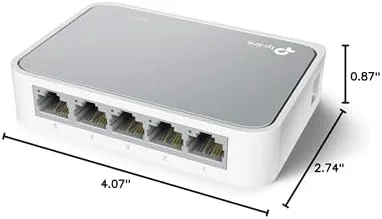
Skip it if your internet plan exceeds 100 Mbps and you want every port at full speed, if you move large files between local devices regularly, or if you need managed network features. For everyone else, this is a Reliable, inexpensive switch that solves the common problem and stays forgotten for years. You can check the current price for the TL-SF1005D on Amazon when you are ready to expand.
How We Test
I tested the TL-SF1005D over three weeks in a live home office. I connected a desktop, a network printer, a smart TV, and a laptop dock through the switch to a router, and I ran the setup through daily use including printing, streaming, video calls, and file transfers. I checked link stability over sustained sessions and observed the LEDs and surface temperature under load.
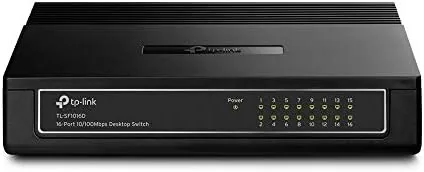
I transferred a set of large files between two computers through the switch to measure practical throughput, and I compared the results against a gigabit switch and a fast Ethernet hub. I did not test the switch after a power surge, in extreme temperatures, or with managed features it does not offer. For a broader view of home network switches, independent guides such as PCWorld's guidance on network switches explain when fast Ethernet is enough. The TP-Link TL-SF1005D listing on Amazon shows the current price and package contents.
TP-Link TL-SF1005D: Questions People Ask
Does the TL-SF1005D need any software or setup?
No. It is unmanaged and plug and play, so you connect the power adapter, plug in your devices with Ethernet cables, and the switch starts working immediately.
Is the TL-SF1005D fast enough for internet use?
It supports fast Ethernet at up to 100 Mbps per port, which is plenty for most home internet connections and for devices like printers, TVs, and computers.
Can the TL-SF1005D be used with gigabit devices?
Yes, but it negotiates to the highest speed the switch supports, which is 100 Mbps, so a gigabit device will run at fast Ethernet speed through this switch.
Does the switch come with a power adapter?
Yes. The TL-SF1005D ships with a compact power adapter, so you only need your own Ethernet cables to connect devices.
As an Amazon Associate, I earn from qualifying purchases.