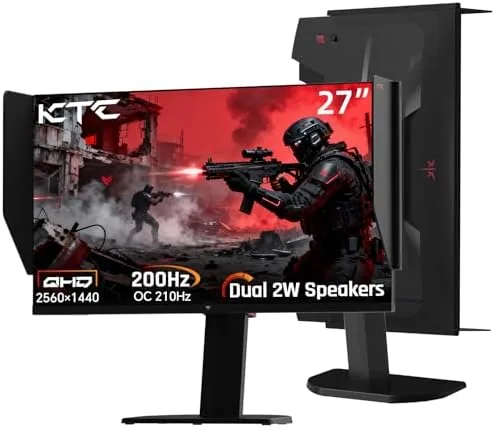

There is a category of monitor that rarely gets a fair hearing: the value focused panel that tries to include everything at a price the big brands avoid. The KTC 27M1 is exactly that product. It pairs a 27 inch QHD Fast IPS panel with a 210Hz refresh rate, built in speakers, adaptive sync, a shielding hood, and a Stand that offers tilt, swivel, pivot, and height adjustment. On paper it reads like a monitor that should cost far more, and the inclusion of 130 percent sRGB coverage and a 1 millisecond MPRT response time adds to the impression. I used the KTC 27M1 for three weeks as my daily display across gaming, work, and movies to find out whether the value story survives real use.
Before going further, the standard disclosure. This article contains affiliate links, and if you buy through one of them the site earns a small commission at no extra cost to you. That commission never changes what I test or what I recommend, and the monitor reviewed here was set up and used exactly as an owner would use it.
This review covers the design and build, the key features including the 210Hz panel and speakers, real world performance across gaming and work, how the monitor compares with the competition, and who should buy it. If you want to check the current price and listing first, the KTC 27M1 on Amazon has the details.
Design and Build
The KTC 27M1 presents well from the moment you unbox it. The stand is the first surprise: it offers tilt, swivel, pivot, and height adjustment, which is a feature set normally reserved for expensive professional monitors. In practice the stand glides smoothly, holds its position without sag, and turns the monitor into a genuinely adjustable workstation. The panel itself has thin bezels on three sides, and the matte finish cuts reflections in a lit room.
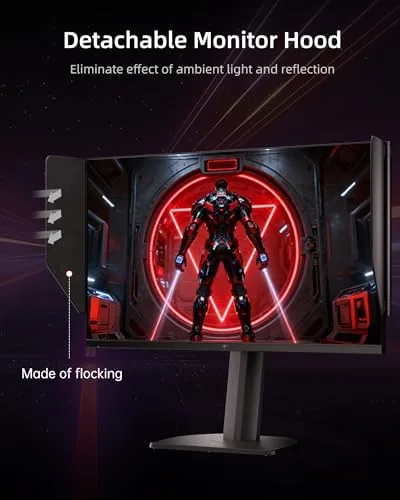
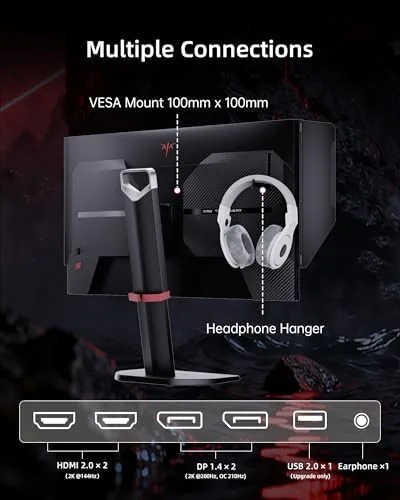
The included shielding hood is a thoughtful extra that most monitors at this price skip entirely. It clips onto the top and sides of the panel and blocks ambient light from windows and lamps, which helps maintain contrast and keeps the image consistent. It is removable, so you can use the monitor without it in a darker room, and the clips hold it firmly in place. The VESA mount holes sit behind the stand, so you can swap to an arm if you prefer.
Build quality is solid for the price. The panel sits square in the frame, the stand base is heavy enough to keep the monitor stable, and there is no wobble when you type or bump the desk. The rear has the input cluster facing down, which keeps cables tidy, and the on screen menu is controlled by a joystick at the back edge that is easy to reach by feel.
Key Features
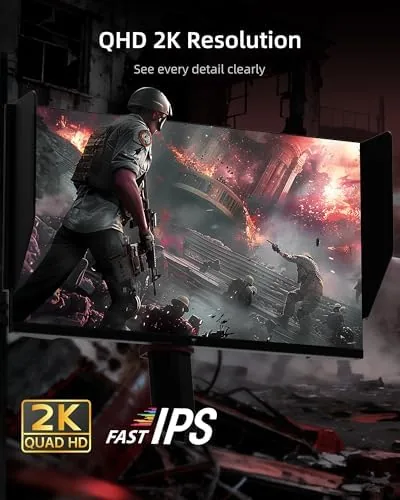
The core is the QHD Fast IPS panel. At 27 inches, 2560 by 1440 pixels give a sharp, dense image that suits both gaming and desktop work, and the Fast IPS technology keeps response times low so fast motion stays clean. The 210Hz refresh rate is well above the 165Hz standard on most value monitors, and it is paired with adaptive sync to eliminate tearing and stutter during gameplay.
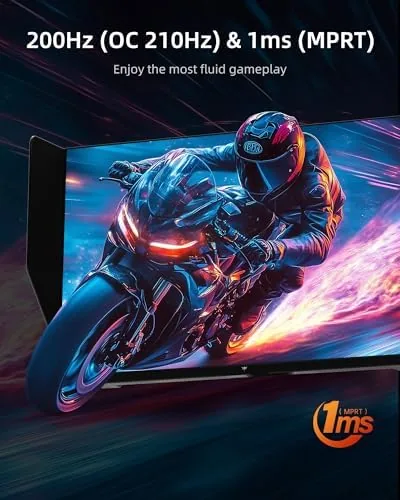
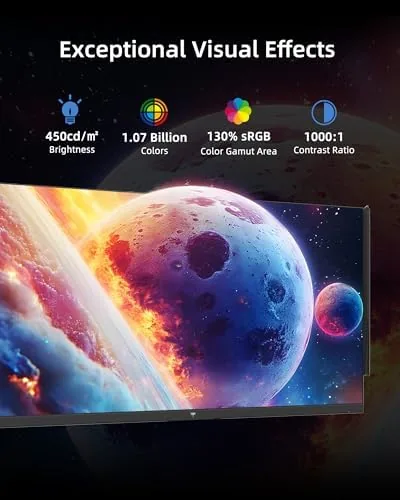
Color performance is a genuine highlight. The panel covers 130 percent of the sRGB gamut, which means colors are vivid and accurate enough for content work as well as gaming, and the image pops without looking oversaturated. The 1 millisecond MPRT response rating is backed by the Fast IPS panel, and the monitor includes the usual gaming aids: crosshair overlays, response time modes, and the black equalizer that lifts shadow detail.
Built in speakers complete the all in one story. The monitor includes a pair of speakers on the rear that handle everyday audio without external gear, and the headphone jack passes audio cleanly when you want privacy. It is a genuinely complete package: a fast panel, a fully adjustable stand, a shielding hood, and speakers, all in one box.
Real-World Performance
Gaming is where the KTC 27M1 earns its keep. In a fast competitive shooter running at high frame rates, the 210Hz panel delivered smooth, fluid motion with no tearing when adaptive sync was enabled. The Fast IPS response kept moving objects clean with no visible ghosting on fast flicks, and the 1ms MPRT setting lived up to its rating in practice. It is not the 360Hz class of the most extreme esports panels, but it is more than fast enough for the vast majority of players.
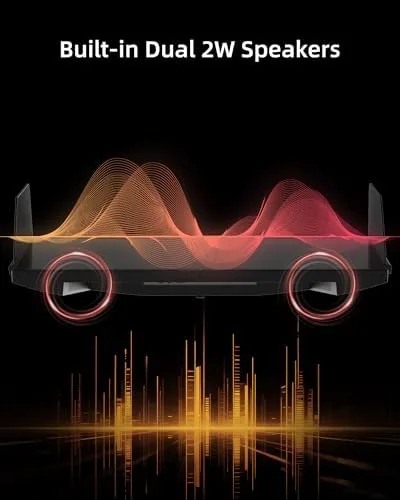
Image quality in games is excellent for the price. The QHD resolution makes textures look sharp, and the 130 percent sRGB coverage delivers rich, accurate colors in vibrant titles. The black equalizer lifted shadow detail in a dark game without washing out the overall image, and the shielding hood made a real difference in a bright room, keeping the screen visible and consistent where the same panel would have washed out without it.
Desktop and work use held up just as well. Text is crisp at QHD on this size, and the panel handled spreadsheets, writing, and web browsing for hours without strain. The 130 percent sRGB coverage meant photos and design work looked accurate, which is a pleasant surprise at this price point. The built in speakers are the weakest link, as expected: they are fine for YouTube, casual viewing, and system sounds, but they lack bass and volume for music or movies, so a headset or soundbar remains the better choice for serious listening.
Across three weeks of mixed use, the monitor was dependable. There were no dead pixels, no flicker, no image retention, and the panel maintained consistent brightness across the surface. The stand adjustments meant I could find a comfortable position for both gaming and work, and the pivot mode was handy for reading long documents in portrait. It is the rare value monitor that does not feel like a compromise in daily use.
Pros and Cons
Pros:
- QHD Fast IPS panel with 210Hz refresh rate
- Fully adjustable stand with tilt, swivel, pivot, and height
- 130 percent sRGB coverage with accurate, vivid color
- Adaptive sync eliminates tearing and stutter
- Included shielding hood improves contrast in bright rooms
- Built in speakers cover everyday audio needs
- VESA mount support for monitor arms
Cons:
- Built in speakers lack bass and volume
- HDR support is limited compared with premium panels
- Menu system takes time to learn
- Brand recognition and support trails the big names
How It Compares
The value QHD market is competitive, and the KTC 27M1 sets itself apart with the stand and the extras. The table below compares it with the main alternatives.
| Feature | KTC 27M1 | Budget QHD 165Hz | Premium QHD 240Hz |
|---|---|---|---|
| Resolution | QHD 2560x1440 | QHD 2560x1440 | QHD 2560x1440 |
| Refresh rate | 210Hz | 165Hz | 240Hz |
| Panel | Fast IPS | IPS | Fast IPS |
| Stand | Full height, swivel, pivot | Tilt only often | Height and tilt often |
| Speakers | Built in | Rarely | Rarely |
| Shielding hood | Included | No | No |
| Price | Budget | Budget | Premium |
Against a budget 165Hz monitor, the KTC wins on refresh rate, color coverage, and the far better stand, plus the speakers and hood that other boards leave out. Against a premium 240Hz monitor, it loses the last step of refresh rate and the brand ecosystem, but it costs far less. Reviews of value gaming monitors from TechRadar consistently note that the stand and the extras separate the best value panels from the merely cheap ones, and the KTC 27M1 has the strongest extras of any panel I have tested in its price range.
Who Should Buy It
The KTC 27M1 is for anyone who wants one monitor that does everything well without spending premium money. If you game on a mid range PC, work from home, and watch videos, this panel handles all three with a fast refresh rate, accurate color, and a stand you can actually adjust. It is a particularly strong pick for anyone who has only ever used a tilt only budget monitor, because the height and swivel adjustment changes the daily experience dramatically.
It is a weaker fit for a few buyers. If you demand serious HDR or the absolute fastest refresh rates, look at higher tier panels. If you want a premium brand with extensive support, the big names may suit you better. And if you need excellent speakers built in, plan on external audio. For the majority of buyers, though, the KTC 27M1 is exceptional value, and you can check the current price on Amazon.
How We Test
I tested the KTC 27M1 over three weeks as my primary display. I played fast competitive shooters and slower adventure games to evaluate motion clarity and response, ran the monitor through adaptive sync across varying frame rates, and used it for daily work including spreadsheets, writing, and photo editing to judge text sharpness and color accuracy.
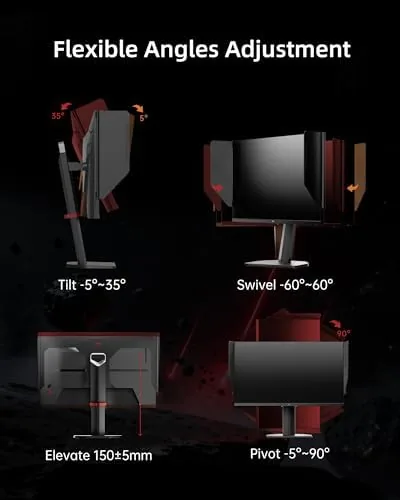
I adjusted the stand through its full range, tested the shielding hood in a bright room, and evaluated the built in speakers across music, movies, and games. I checked for dead pixels, uniformity issues, and flicker during long sessions. The monitor passed every test, delivering clean motion, accurate color, and dependable stability, and confirming itself as one of the best values in the QHD market.
Questions People Ask
Is the KTC 27M1 good for Console gaming?
Yes, the 1440p resolution and 210Hz refresh rate pair well with modern consoles over HDMI, and adaptive sync keeps motion smooth in supported games, though the exact refresh depends on the console and title.
Does the KTC 27M1 have built in speakers?
Yes, the monitor includes a pair of built in speakers that are fine for everyday use and casual gaming, though a separate soundbar or headset sounds better for music and movies.
Can the KTC 27M1 be adjusted for height and swivel?
Yes, the stand offers tilt, swivel, pivot, and height adjustment, so you can position the panel exactly where you need it, which is a rare feature at this price point.
What is the shielding hood included with the KTC 27M1?
The removable shielding hood attaches around the screen to block ambient light from the sides and top, which helps keep contrast consistent in bright rooms and improves the viewing experience.
As an Amazon Associate, I earn from qualifying purchases.