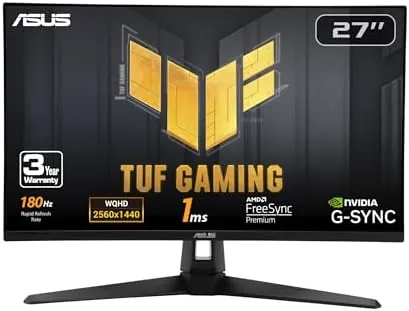

The middle of the gaming monitor market is the most crowded place in electronics. On one side sit cheap 1080p panels that sacrifice sharpness, and on the other sit premium screens that cost more than a console. The ASUS TUF Gaming VG27AQ3A plants itself directly in that middle: a 27 inch QHD panel running at 180Hz with a Fast IPS display, a 1ms response time, and a useful set of extras including built-in speakers. The question is whether it delivers the gaming experience its spec sheet promises without cutting corners that matter. I used it as my main display for a month of mixed gaming and everyday work to find out.
Before the details, the standard note. This article contains affiliate links, and if you buy through one of them the site earns a small commission at no extra cost to you. That commission does not change what I test or what I recommend, and the monitor here was used the way a player would use it.
The rest of this review covers the design, the key features, the real-world gaming performance, and the honest trade-offs.
Design and Build
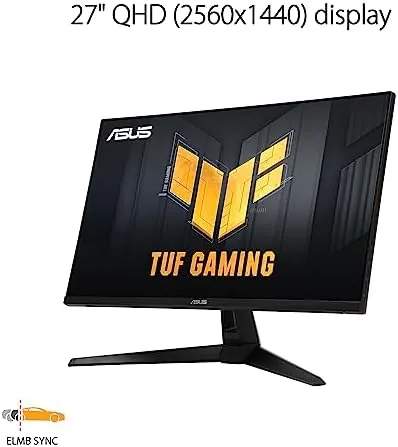
The VG27AQ3A wears the TUF Gaming design language: a matte black shell with angular accents and subtle orange or silver trim on the stand, depending on the revision. It is a gaming monitor, but it is restrained enough to sit comfortably on an office desk. The bezels are thin on three sides, which gives the panel a modern look, and the bottom chin holds a small logo and the power button.
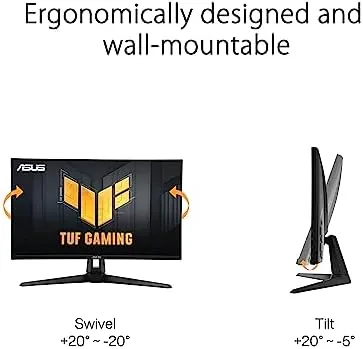
The stand is solid and functional. It offers tilt, swivel, and height adjustment, with a stable base that does not wobble during intense sessions. The stand attaches cleanly, and the monitor also supports VESA mounting for anyone who prefers a monitor arm. Build quality is good for the price, with no creaking or flex in the panel, and the rear houses the ports and the on-screen menu joystick.
Key Features
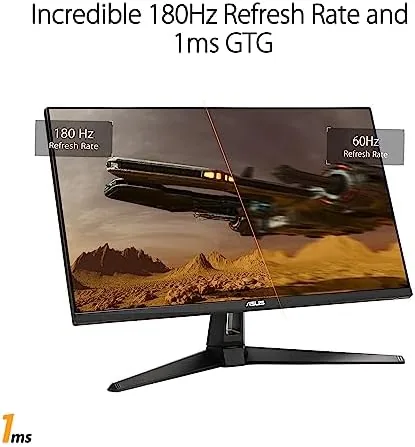
The headline specification is the 180Hz refresh rate at 2560 x 1440 resolution. That combination gives you smooth, fast motion Without the graphics load of 4K, and it is the sweet spot for most gaming PCs. The Fast IPS panel combines the wide viewing angles and color accuracy of IPS with a 1ms response time, which keeps fast action crisp with minimal ghosting.
The color performance is a genuine strength. The panel covers 130% of the sRGB gamut, which produces vivid, punchy colors in games and media, and the wide gamut makes the monitor useful for more than just play. HDR support is present, and the panel carries DisplayHDR certification, though it is the entry level of HDR rather than a full-array showcase.
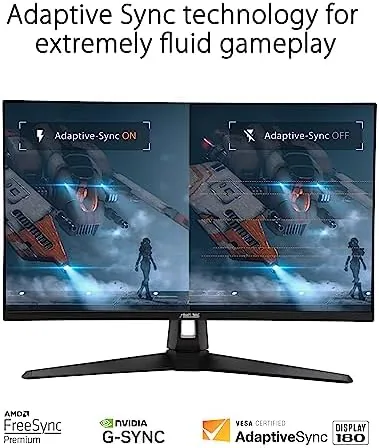
Extreme Low Motion Blur Sync is the feature that sets this panel apart from basic gaming monitors. It works alongside adaptive sync to reduce motion blur during fast movement, and unlike older blur reduction modes it does not force the brightness down or introduce obvious flicker. Adaptive sync is covered on both sides, with FreeSync Premium for AMD cards and G-Sync compatibility for NVIDIA systems.
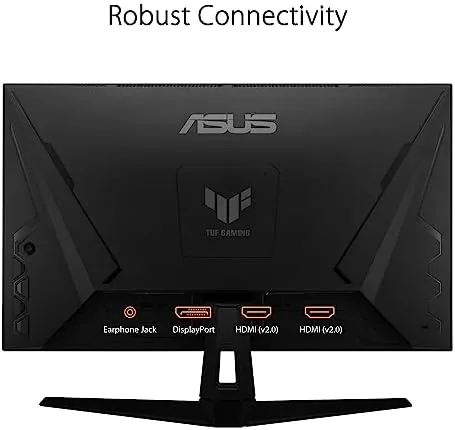
Connectivity includes two HDMI ports and one DisplayPort, plus a headphone jack, and the monitor has built-in speakers that provide basic audio without a separate set. The on-screen menu is controlled by a joystick and includes gaming presets, crosshair overlays, and timers that are genuinely useful in play.
Real-World Performance
I ran the VG27AQ3A as my main display for a month, and the first thing that stood out was the smoothness. At 180Hz, camera movement in games is fluid in a way that 60Hz cannot match, and the Fast IPS panel keeps edges clean during the fastest exchanges. In an aim-heavy shooter, tracking targets felt responsive, and the 1ms response time meant no visible ghosting behind moving objects.
The 1440p resolution is the right size for a 27 inch panel. Text is crisp, game worlds are detailed, and the panel shows enough sharpness for competitive play without demanding the heavy graphics power that 4K needs. Even on a mid-range graphics card, I could push respectable frame rates at this resolution, and the adaptive sync kept the picture tear-free when the frame rate fluctuated.
Outside gaming, the monitor holds up well. The 130% sRGB coverage makes colors look rich in everyday use, and the panel is bright enough for a well lit room. The built-in speakers are a genuine convenience: they sound thin compared to a proper audio setup, but for casual play and video calls they remove the need for external speakers entirely, which is more than most gaming monitors offer.
The honest weaknesses are the ones you expect at this price. HDR is entry level, so highlights are brighter but the contrast is not transformative, and you will want to leave HDR off for most content. The stand, while adjustable, is not as heavy or premium as higher priced models. And the speakers, useful as they are, are not a replacement for dedicated audio when you want serious sound.
Extreme Low Motion Blur Sync earned its keep in fast titles. Enabled with adaptive sync, it cut the trailing that can appear on moving objects without darkening the image, and I found it comfortable to leave on during play. The OSD is well organized, and switching between gaming and desktop profiles takes seconds with the joystick.
Pros and Cons
Pros:
- 180Hz refresh delivers smooth, responsive competitive motion
- Fast IPS panel combines 1ms response with strong color
- 130% sRGB coverage gives vivid, punchy images
- Extreme Low Motion Blur Sync reduces blur without the brightness drop
- FreeSync Premium and G-Sync compatibility cover both GPU brands
- Built-in speakers remove the need for external audio
Cons:
- HDR is entry level rather than transformative
- Built-in speakers are convenient but not hi-fi
- Stand is functional but not as premium as higher priced models
How It Compares
The VG27AQ3A sits between budget 1080p panels and premium 1440p options, and the table below shows where it lands against the main choices.
| Feature | TUF VG27AQ3A | Budget 1080p 165Hz | Premium 1440p 240Hz |
|---|---|---|---|
| Resolution | 2560 x 1440 | 1920 x 1080 | 2560 x 1440 |
| Refresh rate | 180Hz | 165Hz | 240Hz |
| Panel type | Fast IPS | IPS or VA | Fast IPS |
| Color gamut | 130% sRGB | Standard sRGB | Wide gamut |
| Built-in speakers | Yes | Rarely | Varies |
| Best for | Balanced gaming value | Tightest budgets | Elite competitive play |
Against a budget 1080p panel, the VG27AQ3A costs more but adds real sharpness and better color, which is a worthwhile upgrade for most players. Against a premium 240Hz panel, you give up some competitive edge but keep most of the experience at a lower price, and the built-in speakers are a bonus neither of the others offers.
Who Should Buy It
Buy the ASUS TUF VG27AQ3A if you are building a mid-range gaming setup and want a 1440p monitor that keeps pace with your hardware without breaking the budget. It is a strong fit for players who want speed and sharpness, for casual gamers who also want the built-in speakers, and for anyone who plays across a mix of competitive and single-player titles.
Skip it if you need the absolute fastest refresh for elite competitive play, if HDR quality is a priority, or if you want a premium stand and finish. For a balanced, well featured 1440p monitor, this is one of the best values on the market. You can check the current price of the ASUS TUF Gaming VG27AQ3A on Amazon when you are ready.
How We Test
I used the VG27AQ3A as my main display for a month, rotating through competitive shooters, single-player games, streaming, and everyday desktop work. I confirmed the 180Hz refresh over DisplayPort, checked motion clarity and ghosting in fast scenes, and tested adaptive sync with fluctuating frame rates.
I evaluated color performance across the sRGB gamut, judged the built-in speakers for everyday use, and compared the monitor against a budget 1080p panel and a premium 240Hz panel. For an independent look at 1440p gaming monitors, the roundup at TechRadar is a useful reference. The ASUS TUF VG27AQ3A listing on Amazon shows the current price and availability.
ASUS TUF VG27AQ3A: Questions People Ask
Is the VG27AQ3A good for competitive gaming?
Yes, the 180Hz refresh rate, 1ms response time, and Fast IPS panel deliver smooth, ghost-free motion that suits fast-paced titles.
Does this monitor have built-in speakers?
Yes, the VG27AQ3A includes built-in speakers, so it works without external audio for everyday use, though they are not a substitute for a dedicated setup.
Does the VG27AQ3A support both FreeSync and G-Sync?
Yes, it carries FreeSync Premium support and is G-Sync compatible, so adaptive sync works with both AMD and NVIDIA graphics cards.
What is Extreme Low Motion Blur Sync?
It is ASUS technology that works with adaptive sync to reduce motion blur while avoiding the flicker and brightness drop of older blur reduction modes.
As an Amazon Associate, I earn from qualifying purchases.



