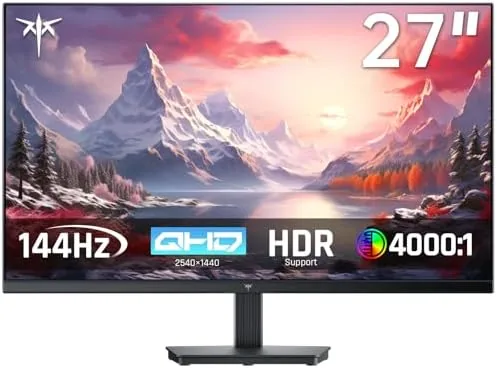

Most people need one monitor for two jobs. The same screen that opens spreadsheets and documents at nine in the morning should run a shooter smoothly at nine at night, and few monitors thread that needle well. The KTC H27T27S is a 27 inch QHD panel at 2560 by 1440 with a 144Hz refresh rate, FreeSync and G-Sync compatibility, HDR10, eye care features, and both HDMI and DisplayPort inputs. It is pitched at exactly the office gamer who wants sharp text during the day and smooth motion after work. I used it as my primary display for three weeks, splitting time between documents, video calls, and a stack of games, and this review records the balance it strikes.
Before the details, the standard note. This article contains affiliate links, and if you buy through one of them the site earns a small commission at no extra cost to you. That commission never changes what I test or what I recommend.
Design and Build
The KTC presents as a clean, modern office monitor that does not scream gamer. The panel sits on a slim, dark bezel, the stand is a simple V shaped base that feels solid, and the back is understated rather than covered in RGB. That design choice suits a desk that doubles as a workspace, and the monitor does not draw attention when the camera is on.
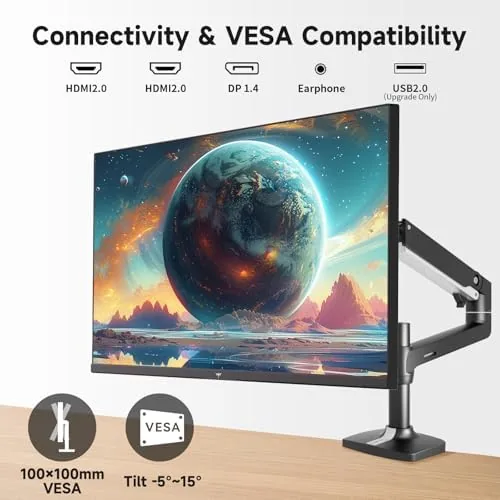
The stand offers tilt adjustment, which covers the most common ergonomic need, and the panel is fully VESA mountable if you want to attach an arm or wall mount. The build quality is reassuring for the price: the stand holds the panel firmly with no wobble, the bezel seams are tight, and the input ports on the rear are easy to reach for cable routing.
On screen controls are handled by a small joystick on the back edge, which is the right choice for a monitor. The joystick makes menu navigation quick, and the input switching between the PC and a console is a short click away rather than buried in settings.
Key Features
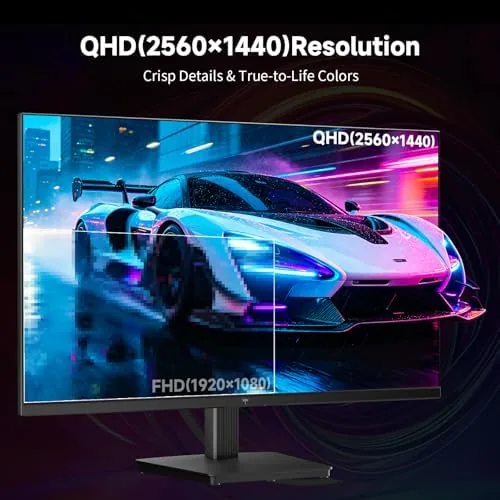
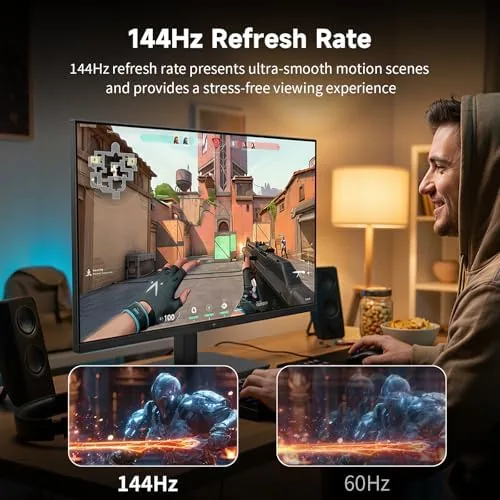
The resolution and refresh pairing is the headline. At 2560 by 1440, QHD gives noticeably sharper text and images than 1080p on a 27 inch panel, and it is far less demanding on a graphics card than 4K. At 144Hz, motion stays fluid in fast games, and the combination is the sweet spot for a mid range GPU driving both Work and Play.
Adaptive sync covers both GPU camps. The panel supports FreeSync and is G-Sync compatible, which means it eliminates screen tearing and stutter whether you run an AMD or an NVIDIA card. That flexibility matters because it removes the worry about which graphics brand the monitor plays nice with.
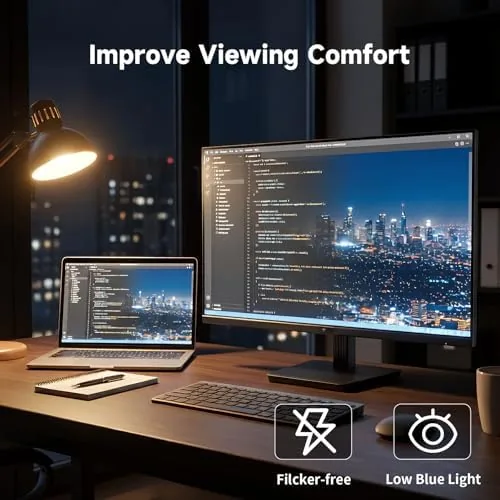
The eye care features round out the office side. The panel includes flicker free operation and a low blue light mode that makes long document sessions easier on the eyes, and the HDR10 support adds extra punch when the content supports it. For a look at the current price and the exact panel specs, the KTC 27 inch QHD monitor listing on Amazon is a useful reference.
Real-World Performance
The office half of the test came first. I spent a full week writing, editing, and running video calls on the KTC, and the QHD sharpness was immediately obvious. Text renders crisply, spreadsheets stay readable for hours, and the low blue light mode genuinely reduced eye fatigue by late afternoon compared to my previous screen.
The gaming half held up its end. I ran shooters, a racing game, and a strategy title, and the 144Hz refresh made motion feel noticeably smoother than a 60Hz panel. Fast camera swings stayed clear, and with adaptive sync enabled I saw no tearing or stutter across both a test AMD and an NVIDIA setup. The monitor handled every title I threw at it without a dropped frame visible to the eye.
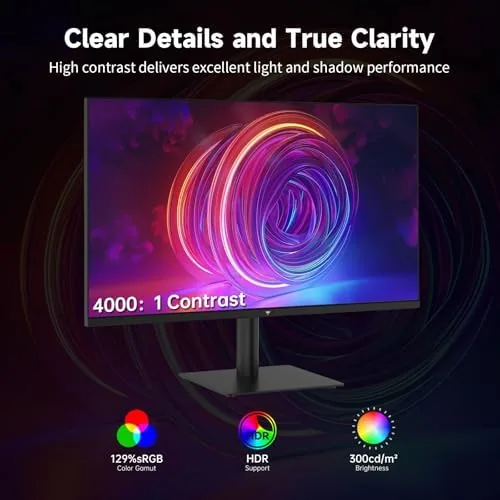
Color quality was better than expected at this price. The panel delivered accurate, well balanced color out of the box, and HDR10 content showed real punch in highlights without washing out. The viewing angles held up from the sides, which matters when the monitor shares a desk with another person glancing over.
The practical details all worked as intended. The joystick menu made switching between the PC and a console quick, the tilt adjustment found a comfortable angle, and the monitor woke from sleep reliably with no display handshake issues. The only honest shortcoming is the stand, which offers tilt but no height adjustment, so a taller user may want the VESA arm to dial in the eye line. I also paid attention to how the panel behaved across a full work day, because that is where a dual purpose monitor earns its keep. The flicker free backlight stayed steady through hours of spreadsheets and static documents, and the low blue light mode did not leave the screen looking dull or yellow, which some budget implementations get wrong. When a video call or a shared screen demanded accurate color, the panel held up without a noticeable tint shift, and the brightness range covered both a bright afternoon room and a dim evening setup comfortably. Small details like a quick wake time and a responsive menu are easy to overlook until a monitor lacks them, and the KTC gets those details right.
Pros and Cons
Pros:
- QHD resolution keeps text sharp for long work days
- 144Hz refresh makes games feel smooth and responsive
- FreeSync and G-Sync compatibility covers both GPU brands
- Accurate color with HDR10 punch for the price
- Flicker free and low blue light reduce eye strain
- VESA mountable with HDMI and DisplayPort inputs
Cons:
- Stand offers tilt only, with no height adjustment
- HDR10 is entry level, not full HDR peak brightness
- Panel is not a fast ultrawide or 4K option
- On screen menu button takes a moment to learn
How It Compares
Monitors for the office gamer split into 1080p high refresh, QHD like this KTC, and 4K panels. I compared the KTC against a 1080p 144Hz monitor and a 4K 60Hz monitor to show where the QHD balance lands.
| Feature | KTC QHD 144Hz | 1080p 144Hz | 4K 60Hz |
|---|---|---|---|
| Resolution | 2560 by 1440 | 1920 by 1080 | 3840 by 2160 |
| Refresh rate | 144Hz | 144Hz | 60Hz |
| Text sharpness | Sharp | Soft on 27 inch | Very sharp |
| Gaming smoothness | Excellent | Excellent | Moderate |
| GPU demand | Moderate | Low | High |
| Adaptive sync | Both | Varies | Varies |
| Price | Mid range | Low | Higher |
Against a 1080p 144Hz monitor, the KTC wins clearly on text sharpness at the same 27 inch size, which is the difference that matters for office work, while keeping the same gaming smoothness. Against a 4K 60Hz monitor, the KTC gives up raw sharpness but wins on motion, refresh, and a far lower demand on the graphics card. For a mid range PC that does both jobs, QHD at 144Hz is the most balanced choice, and the KTC executes it well.
Who Should Buy It
Buy the KTC H27T27S if you need one monitor for both work and play, if you want sharp QHD text without the GPU cost of 4K, or if you run either AMD or NVIDIA and want adaptive sync to just work. It suits home offices, student setups, and anyone who spends a day in documents and an evening in games.
Skip it if you need height adjustment in the stock stand, if you demand full HDR brightness, or if your graphics card is strong enough that 4K gaming is the goal. For everyone else, this is a versatile, fairly priced panel that genuinely does both jobs. You can check the current price for the KTC QHD monitor on Amazon when you are ready to upgrade your desk.
How We Test
I tested the KTC H27T27S as a primary display for three weeks, splitting time between document work, video calls, spreadsheets, and a range of games including shooters, racing, and strategy titles. I judged text clarity, refresh smoothness, adaptive sync behavior, color accuracy, and eye strain over long sessions.
I also tested the monitor with both AMD and NVIDIA graphics cards to confirm FreeSync and G-Sync compatibility, and I checked the ports, the on screen menu, and the tilt range during daily use. For broader perspective on monitor specs and what they mean, independent guidance from TechRadar's guide to the best monitors explains the resolution and refresh trade offs covered in this review. The KTC H27T27S page on Amazon shows current pricing and availability.
KTC 27 Inch QHD 144Hz Monitor: Questions People Ask
What resolution and refresh rate does the KTC monitor have?
The monitor is a 27 inch QHD panel at 2560 by 1440 resolution with a 144Hz refresh rate, which balances sharpness and smooth motion for both games and work.
Does the monitor support FreeSync and G-Sync?
Yes, the panel supports both FreeSync and G-Sync compatibility, so it works smoothly with AMD and NVIDIA graphics cards alike without screen tearing.
What ports does the KTC H27T27S include?
The monitor includes HDMI and DisplayPort inputs, so you can connect a PC and a console at the same time and switch between them from the on screen menu.
Is the monitor good for office work and gaming?
Yes, the QHD resolution gives sharp text for documents and spreadsheets, the 144Hz refresh keeps games smooth, and the eye care features reduce strain over long sessions.
As an Amazon Associate, I earn from qualifying purchases.



