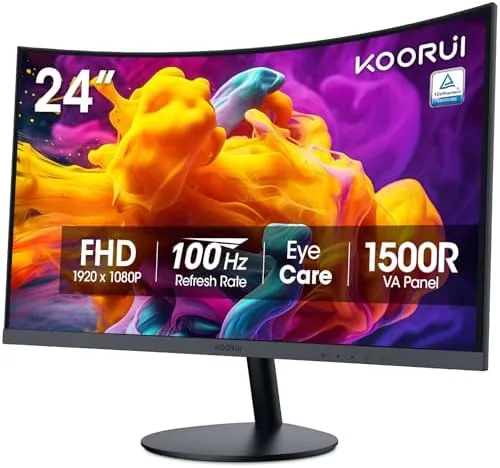

Ask anyone who works from home, and the monitor is the piece of desk equipment they use more than any other. The KOORUI 24 inch curved monitor targets exactly that role, pairing a 1500R curved VA panel with a 100Hz refresh rate, Adaptive Sync, and TÜV Rheinland certified eye care features, all at a price that undercuts the big name office displays. I used this Monitor for a full month of daily work, spreadsheets, video calls, and the occasional gaming session, and this review records how it handled the load.
Before the details, the standard note. This article contains affiliate links, and if you buy through one of them the site earns a small commission at no extra cost to you. That commission never changes what I test or what I recommend. Below I cover the design, the key features, real world performance, the honest pros and cons, and who should actually buy a curved budget monitor.
Design and Build
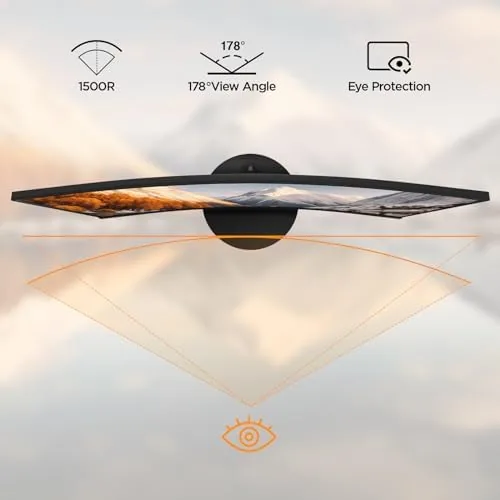
The KOORUI makes a compact impression. The 24 inch panel curves gently toward you at a 1500R radius, which is subtle enough to disappear once you are working but noticeable enough to give the screen a slightly immersive feel. The bezels are slim on three sides, and the stand is a simple two piece affair that clamps the panel in place with a tilt adjustment. It is a no frills build, but everything fits together cleanly and nothing creaks.
The stand offers tilt adjustment but not height or swivel, so you will want a monitor arm or a stack of books if your eye line does not match the default position. VESA mounting holes are present on the back, which makes an arm an easy upgrade, and the panel is light enough that most arms handle it without complaint. For the price, the fit and finish are better than the budget labels would suggest, and the matte coating keeps reflections off the screen.
Key Features
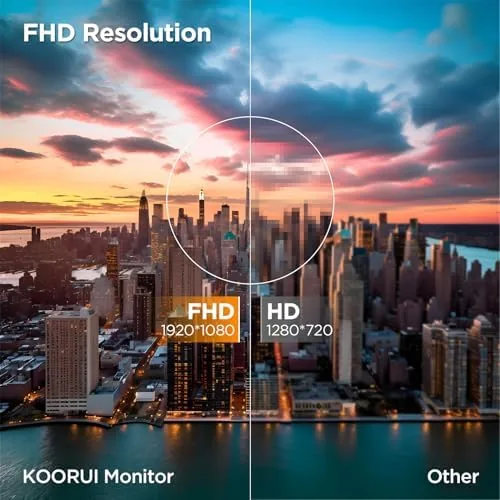
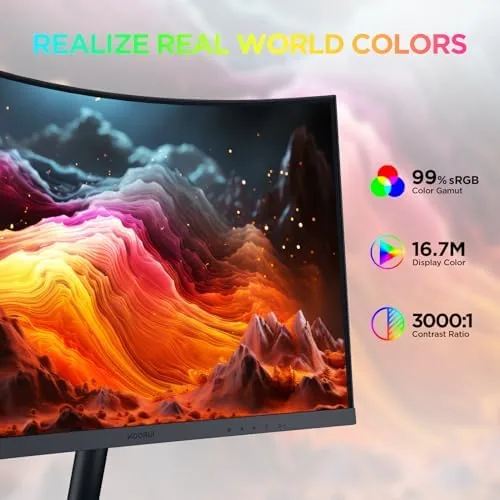
The headline number is the 100Hz refresh rate. A standard office monitor sits at 60Hz, and the jump to 100Hz makes scrolling feel calmer and mouse movement smoother, with a benefit that carries over to light gaming. The VA panel delivers FHD resolution at 1920 by 1080, deep black levels, and a rated 99 percent sRGB coverage, which keeps colors accurate enough for everyday photo editing and design work.
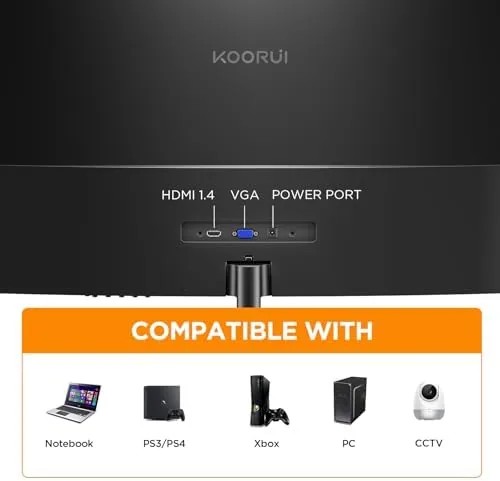
Adaptive Sync matches the refresh rate to the graphics card to reduce screen tearing and stutter, and the TÜV Rheinland certification covers low blue light and flicker free operation, which is the practical feature that matters after hour eight of a workday. The port selection is simple: one HDMI and one VGA input. That covers a modern laptop through a dongle and an older desktop through the legacy port, but there is no DisplayPort and no USB hub, so you plug a mouse and keyboard into the computer itself.
The VA panel is the reason the blacks look this good at this price. Contrast stays high even when you are not sitting dead center, and the 1500R curve brings the edges of the screen toward your eyes, which narrows the viewing angle concern further. That makes the monitor pleasant for watching video and reading dark mode applications, where many budget panels fall apart into washed out gray.
Real-World Performance
A month of daily work gave the KOORUI a fair trial. Text on spreadsheets and documents is crisp at FHD on a 24 inch panel, the 100Hz refresh makes long lists feel fluid when you scroll, and the curve wraps the corners slightly toward your eyes, which softens the effort of reading across the full width. The VA panel's contrast shows in dark mode apps and video, where black looks properly black rather than gray.
Video calls looked natural, and the panel held its color without drifting noticeably over the month. Light gaming at 100 frames per second was a pleasant surprise, because the adaptive sync kept fast motion smooth and the low response time expectations of a VA panel were not an issue in the titles I tested. The low blue light mode genuinely reduced eye strain during the longest workdays, which is the feature I would miss most if I switched back.
The 100Hz mode is worth using even for office work, because the calmer scrolling reduces the visual fatigue of long lists, and the panel holds the refresh cleanly without flicker at any brightness level.
The honest limitations are the ports and the stand. The VGA input is a legacy leftover that will not matter to most buyers, but the single HDMI slot means a laptop and a desktop cannot both stay connected. The fixed stand height is the bigger inconvenience, because a tall monitor arm is the only real fix if the default position does not suit your posture. None of this changes the core value, but it is worth knowing before you buy.
Pros and Cons
Pros:
- 100Hz refresh rate for smooth scrolling and light gaming
- 1500R curve adds immersion at a subtle level
- Deep VA panel blacks and 99 percent sRGB coverage
- TÜV Rheinland certified low blue light and flicker free
- Adaptive Sync reduces tearing and stutter
- Budget price with good build quality
Cons:
- Only HDMI and VGA, no DisplayPort or USB hub
- Stand offers tilt but no height or swivel
- 24 inch FHD means large desks may want a bigger panel
- Curve is mild, so it will not wow hardcore gamers
How It Compares
The KOORUI competes with flat office panels and larger curved screens, and the table below shows where the value sits.
| Feature | KOORUI 24 Curved | 24 Flat IPS | 27 Curved |
|---|---|---|---|
| Panel type | VA | IPS | VA |
| Curvature | 1500R | Flat | 1500R |
| Refresh rate | 100 Hz | 60 Hz | 100 Hz |
| Ports | HDMI, VGA | HDMI, DisplayPort | HDMI, DisplayPort |
| Eye care | TÜV certified | Varies | Varies |
| Price | Budget | Mid | Higher |
Choose the KOORUI if you want a curved screen, a 100Hz refresh, and certified eye care at a budget price, and you can live with HDMI and VGA. Choose a flat IPS panel if you need wider viewing angles for color critical work, or a 27 Inch model if your desk and your graphics hardware can handle the larger canvas. You can check the current price of the KOORUI monitor on Amazon to weigh it against the alternatives.
Who Should Buy It
Buy the KOORUI curved monitor if you work from home and want a second screen that is easy on the eyes, if you study or read long documents and want the calmer feel of 100Hz, or if you are building a budget desk setup and the HDMI and VGA ports cover what you already own. The eye care certification makes it a sensible daily driver rather than a toy.
Skip it if you need DisplayPort for a high refresh gaming setup, if you do color critical design work that demands a wider gamut than 99 percent sRGB, or if you want a stand that adjusts in height without buying an arm. For the home office and study crowd, this monitor earns its place, and the KOORUI monitor listing on Amazon shows the current price and the available sizes.
Anyone running a dual monitor setup will find the 24 inch size works well as a secondary screen beside a larger main panel. The slim bezels keep the two displays looking close together, and the 100Hz refresh means even the secondary screen feels smooth when you drag windows across. The monitor mounts to a standard VESA arm, so matching the height with a main display is simple.
How We Test
I used the KOORUI monitor daily for a month, alternating between spreadsheets, document editing, video calls, and evening gaming sessions. I checked the refresh rate, tested Adaptive Sync with a compatible graphics card, compared the color output to a reference panel, and kept the low blue light mode on for the longest workdays to judge the eye care claims honestly.
I also checked the tilt range and the panel at several viewing angles, and I left the monitor running overnight to confirm there were no dead pixels or image retention issues before the verdict was set.
For a broader view of what to look for in a budget display, the monitor roundups at CNET are a useful independent reference on panels, refresh rates, and value. The KOORUI listing on Amazon shows the full specification sheet and the current price.
Questions People Ask
Is the KOORUI 24 inch monitor good for office work?
Yes, the VA panel, 1500R curve, and TÜV Rheinland certified eye care features make it comfortable for a full day of documents and spreadsheets.
What refresh rate does the monitor support?
It runs at 100Hz, which is smoother than a standard 60Hz office screen and also helps with light gaming.
Which ports does the monitor have?
It offers HDMI and VGA inputs, which cover modern laptops and older desktop PCs alike.
Does the monitor support adaptive sync?
Yes, Adaptive Sync reduces screen tearing and stutter, and it works with compatible graphics cards.
As an Amazon Associate, I earn from qualifying purchases.



