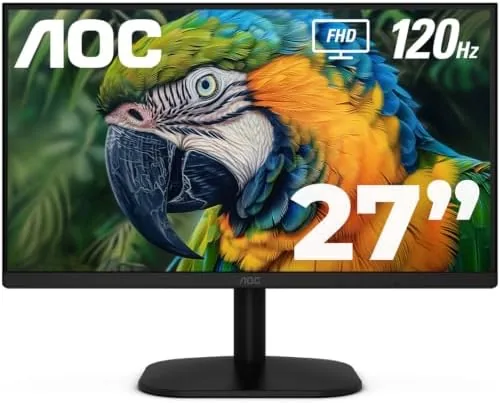

For years a good gaming monitor demanded A 1440p or 4K panel and a budget to match, while anything cheap felt like a gamble on ghosting and smearing. The AOC 27B35H3 sits in the middle of that argument with a different bet: a 27 inch Full HD Fast IPS panel running at 120Hz, with a 1ms MPRT response time, Adaptive Sync, and a price that undercuts most 1440p options. I ran one for a month as my daily monitor and my gaming screen, and this review covers the motion clarity, the color, and who should buy a 1080p panel at 27 inches in 2026.
Before the details, the disclosure note. This article contains affiliate links, and if you buy through one of them the site earns a small commission at no extra cost to you. That commission never changes what I test or what I recommend.
Design and Build
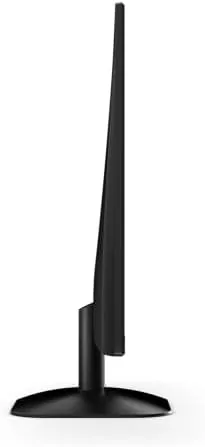
The AOC 27B35H3 keeps its design honest. The panel sits in a thin, dark bezel with a small AOC logo at the bottom edge, and the stand is a simple flat base with a tilt adjustment. There is no RGB, no flashy gamer trim, and no attempt to hide the fact that this is a value panel with the essentials done properly. The result is a monitor that looks at home in an office and in a gaming corner alike, which is a wider brief than most budget monitors can fill.
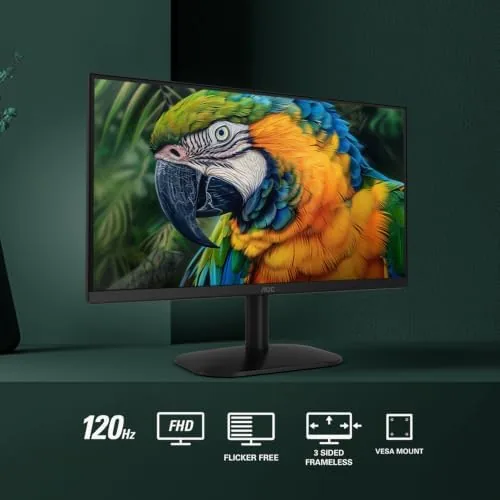
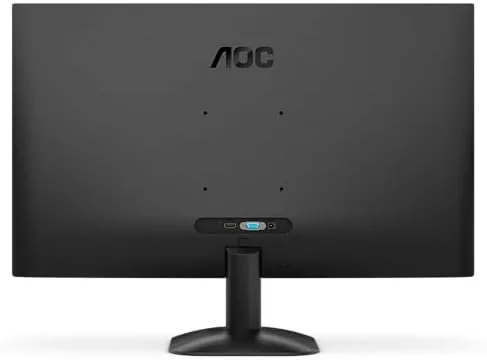
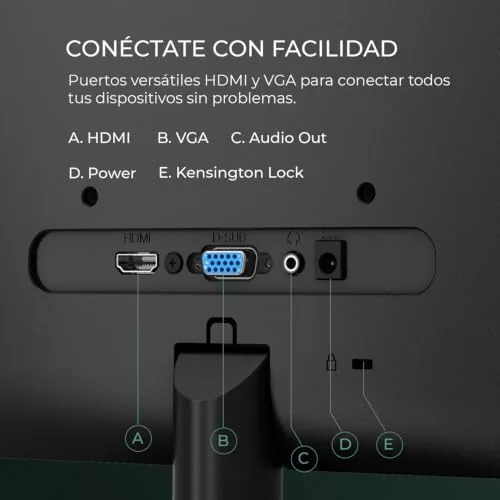
Build quality is better than the price bracket expects. The panel is rigid with no creaking plastic, the stand holds the screen steady through typing and desk movement, and the tilt mechanism moves with a firm, confident action. The rear carries a standard 100mm VESA mount, so you can swap the stand for an arm or a wall bracket, and the input panel includes HDMI 1.4 and VGA, which covers both modern and legacy devices. For a monitor at this price, the construction punches above its weight.
Key Features
The headline feature is the 120Hz refresh rate on a Fast IPS panel. At 120Hz the screen refreshes twice as often as a standard 60Hz monitor, which makes fast camera pans, scrolling pages, and game motion look noticeably smoother. The 1ms MPRT response time targets ghosting and motion blur, and the panel is built to keep fast movement readable. Adaptive Sync ties the refresh rate to the graphics card output, cutting screen tearing in supported games without forcing you to cap the framerate manually.
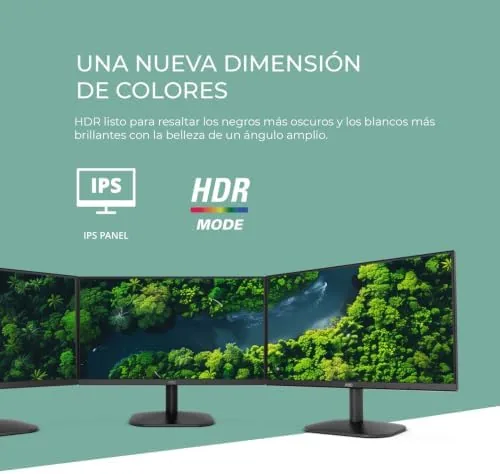
Beyond the refresh rate, the monitor covers the daily essentials. The Full HD resolution at 27 inches is the one spec that divides opinion, and it is covered in the comparison section below. The panel includes a Low Blue Light mode and Flicker Free backlighting for long sessions, an HDR mode that adds a little punch to supported content, and an Eco mode that trims power draw. These are the quiet features that matter over a year of daily use, even if they do not earn the marketing splash.
Real-World Performance
For work, the AOC 27B35H3 is an easy daily driver. Text is crisp at the 1080p resolution, the IPS panel holds color across a wide viewing angle, and the tilt stand puts the screen exactly where you want it. Spreadsheets, documents, and browsers all look clean, and the Low Blue Light mode made long evenings at the desk more comfortable. The 27 inch size gives plenty of room for two windows side by side without feeling cramped.
For gaming, the 120Hz panel did its job. In a fast shooter, motion stayed smooth and readable, with no visible ghosting on moving targets, and the Adaptive Sync removed the tearing that appears on fixed refresh displays. The response time held up in racing and action games, and the difference from a 60Hz screen was immediately obvious in how much easier it was to track motion. Frame pacing stayed consistent once Adaptive Sync was enabled, which matters more than a peak frame count for a smooth, stable feel in play.
Media viewing was a pleasant surprise. The HDR mode on a panel this size is not going to rival a premium display, but supported content gains a visible lift in color and contrast that makes streaming and gaming feel more alive than a plain office panel. The wide IPS viewing angles also mean the screen keeps its image from a sofa at the side of a desk, which matters if the monitor does double duty for the Room rather than serving one chair. If you want to compare the current price against other fast 1080p panels, the Amazon listing for the AOC 27 inch monitor is a useful reference.
Pros and Cons
Pros:
- Smooth 120Hz refresh with 1ms response for clean motion
- Fast IPS panel holds color and viewing angle well
- Adaptive Sync removes tearing in supported games
- Flicker Free and Low Blue Light modes suit long sessions
- VESA mount and clean design fit office and gaming setups
Cons:
- 1080p at 27 inches means a lower pixel density than 1440p
- Stand offers tilt only, with no height or rotation adjustment
- Speakers are basic if present, so plan for headphones or desktop audio
How It Compares
The decision here is really about resolution versus refresh rate at a fixed budget. I compared the AOC 27B35H3 against a 27 inch 1440p 60Hz panel and a 24 inch 1080p 120Hz panel to show what each choice buys you.
| Feature | AOC 27 inch 120Hz FHD | 27 inch 1440p 60Hz | 24 inch 1080p 120Hz |
|---|---|---|---|
| Resolution | 1920x1080 | 2560x1440 | 1920x1080 |
| Refresh rate | 120Hz | 60Hz | 120Hz |
| Pixel density | Lower | Higher | Highest at this size |
| Panel size | 27 inch | 27 inch | 24 inch |
| Motion clarity | Excellent | Standard | Excellent |
| Work screen space | Good | Excellent | Compact |
Against a 27 inch 1440p 60Hz panel, the AOC wins on motion and smoothness, while the 1440p screen wins on text sharpness and screen space. The 120Hz refresh is the bigger everyday difference for gamers and for anyone scrolling fast. Against a 24 inch 1080p 120Hz panel, the AOC wins on physical size and the immersive feel of a larger screen, while the 24 inch panel offers marginally sharper pixels. For a gamer who wants speed on a budget, the AOC is the better buy, and it is the screen that stayed on my desk.
Who Should Buy It
Buy the AOC 27B35H3 if you want a fast, smooth 120Hz screen without paying 1440p money, if you game on a mid range PC or a console, or if you want one monitor that works for both Work and Play. It suits budget builders, console players on a tight setup, and anyone upgrading from an old 60Hz office panel who wants to feel the difference immediately.
Skip it if you edit photos for a living and need the sharpness of 1440p or 4K, or if you need height and rotation adjustment in the stand. For a fast, honest value panel, this monitor delivers. You can check the current price for the AOC 27 inch monitor on Amazon when you are ready to go beyond 60Hz.
How We Test
I used the AOC 27B35H3 for a month as my daily monitor and gaming screen. I ran fast shooters, racing games, and action titles to judge motion clarity and ghosting, and I used the monitor for office work, web browsing, and media to test color and comfort. I toggled Adaptive Sync with a compatible GPU to confirm it removed tearing, and I tested the Low Blue Light and Flicker Free modes during evening sessions.
I checked the VESA mount with an arm, confirmed the tilt range, and judged the panel from multiple viewing angles to verify the IPS behavior. I did not measure color accuracy with professional equipment, and I did not test the monitor for photo editing workloads that demand higher resolution. Independent coverage such as Wirecutter's guide to budget monitors is a useful reference for how value panels compare. The AOC 27 inch monitor listing on Amazon shows the current price and shipping details.
AOC 27 Inch Monitor: Questions People Ask
Is 1080p at 27 inches sharp enough?
At a normal arm length viewing distance the pixel density is fine for office work and gaming, but if you sit very close or edit photos, a 1440p panel shows noticeably more detail.
Does the AOC monitor work with consoles?
Yes. The HDMI 1.4 port accepts a console at 1080p, and the 120Hz panel supports 120 fps on capable platforms, so modern systems get the full smoothness.
Is the 120Hz refresh rate good for gaming?
It is a real step up from 60Hz, making fast camera pans in shooters and racing games look noticeably smoother, and Adaptive Sync removes the tearing you would otherwise see.
Does the monitor have built-in speakers?
There are no speakers on this model, so you will want headphones or desktop speakers, which is typical at this price and keeps the panel cost down.
As an Amazon Associate, I earn from qualifying purchases.



