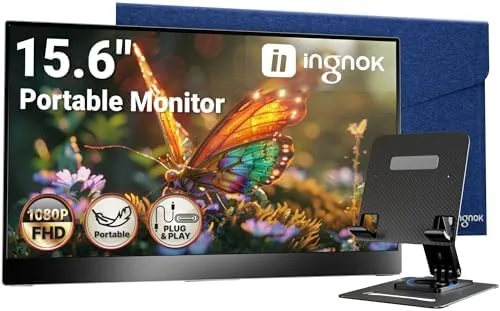

There is a reason every serious laptop user eventually wants a second screen, and there is a reason that wish usually dies at the thought of dragging a full-size monitor on a flight. The Ingnok 15.6 inch portable monitor exists to solve exactly that problem: a full 1080p display that fits in a laptop bag, connects over a single cable, and turns any desk into a proper workstation. I spent a week carrying one through airports, coffee shops, and a hotel room to find out whether the convenience survives real travel or only looks good in the product photos.
Before the details, the standard note. This article contains affiliate links, and if you buy through one of them the site earns a small commission at no extra cost to you. That commission does not change what I test or what I recommend.
Design and Build
The monitor is a slim 15.6 inch slab that is barely thicker than a phone at the edges, and the aluminum rear panel gives it a premium feel you do not expect at this price. The front is nearly all screen, with thin bezels framing the 1080p panel, and the whole unit weighs little enough that you forget it is in the bag. It ships with a fabric sleeve, which I appreciated the first time I tossed the bag into an overhead bin.
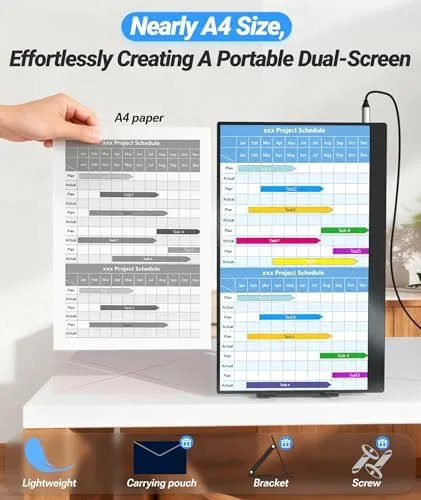
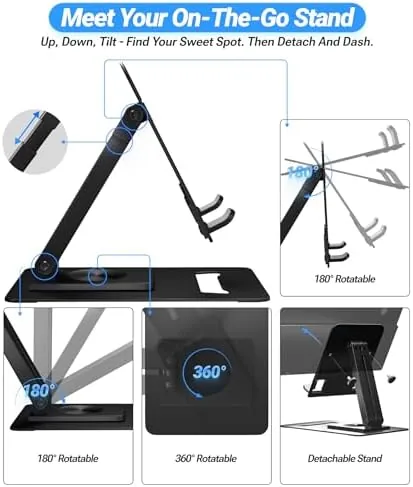
The clever bit is the stand. A folding kickstand built into the back flips out to prop the panel upright, and the angle is adjustable, so you can tilt the screen to match your eyeline whether it sits on a hotel desk or a cramped tray table. The stand locks into place with a positive click, and the panel stays put once you set it, with no wobble during typing.
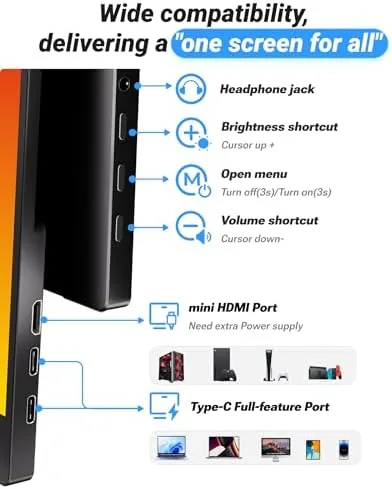
Ports sit on the left edge: two USB-C inputs and a mini HDMI port, plus a headphone jack. The dual USB-C arrangement matters because it lets the monitor either draw power or pass video from either side, which saves you from hunting for the correct cable orientation on a cramped desk. The build feels solid throughout, though the kickstand hinge showed a slight loosening by the end of my week, a detail worth watching on any folding design.
Key Features
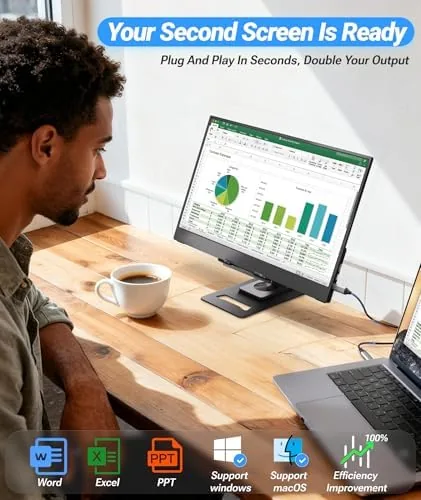
The headline feature is single-cable connectivity. With a modern USB-C laptop, one cable carries video and power together, so the monitor runs straight off the laptop battery with no separate power brick. For MacBooks and newer Windows machines this makes setup genuinely effortless, and the monitor wakes instantly when you connect it.
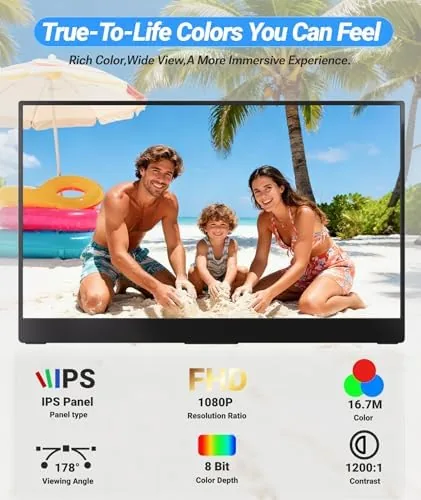
The FHD 1080p IPS panel delivers a sharp, bright image that is comfortable for hours of document work. Colors are accurate enough for spreadsheets, code, and casual photo viewing, and the wide viewing angle means you can glance at the screen from an angle without the image washing out. The built-in speakers sit at the bottom of the frame and push out clear audio for video calls and YouTube, which keeps the monitor genuinely standalone.
VESA compatibility is a thoughtful addition. The rear panel accepts a Standard VESA mount, so when you reach home or the office you can attach the portable panel to an arm and use it as a permanent second monitor. That flexibility is rare in this price band and turns a travel accessory into a permanent desk fixture.
Real-World Performance
My week of testing started at an airport lounge, where I paired the monitor with a Windows laptop over a single USB-C cable. The display lit up immediately, extended my desktop without any configuration, and let me run a full report beside a video call. The built-in speakers handled the call audio clearly, and the thin panel propped neatly on the lounge table.
In a hotel room I connected it to a MacBook and ran the classic two-screen workflow: notes on one panel, research on the other. The panel stayed bright and sharp for a full afternoon of writing, and the image did not suffer from the fluorescent room lighting. Power draw from the laptop was modest, and I never saw battery drain become a problem during a workday session.
There were two honest compromises. First, the maximum brightness is good rather than stunning, and on a sunlit café table by a window I had to close the blinds to keep the screen clearly readable. Second, the mini HDMI path works with game consoles and mini PCs, but it needs external power to run, which adds a cable and a wall adapter to a setup that is otherwise elegant. Neither issue changes the value proposition for laptop users, but both are real.
The VESA mount earned its place at the end of the week. I attached the panel to a desk arm at home, and the portable display became a permanent second screen without losing any of its travel ability.
One detail I appreciated was how the panel behaved across long sessions. After a full afternoon of writing and research, the display showed no ghosting, no flicker, and no color drift, which is more than many portable monitors manage. The surface of the screen was smooth to the touch, and the panel held its settings through sleep and wake cycles, so I never had to reconfigure anything when I moved between locations. For a device built to be packed and unpacked daily, that consistency is the quiet virtue that keeps it useful rather than merely portable.
Pros and Cons
Pros:
- Single USB-C cable carries video and power together
- Sharp 1080p IPS panel with accurate color for work tasks
- Adjustable folding kickstand keeps the panel steady
- VESA compatible for desk arm or wall mounting
- Built-in speakers keep the setup fully standalone
Cons:
- Brightness is adequate but not strong in direct sunlight
- Kickstand hinge loosened slightly during testing
- Mini HDMI sources need a separate power connection
How It Compares
The portable monitor market splits between budget USB-C panels, premium OLED models, and the latest crop of ultra-thin displays. I compared the Ingnok against two of the most common alternatives.
| Feature | Ingnok 15.6 Inch | Budget USB-C Panel | Premium OLED Portable |
|---|---|---|---|
| Panel | 15.6 inch FHD IPS | 15.6 inch FHD IPS | 15.6 inch FHD OLED |
| Connectivity | Dual USB-C, mini HDMI | Single USB-C, mini HDMI | Dual USB-C |
| Built-in stand | Adjustable kickstand | Fixed or simple | Adjustable kickstand |
| Speakers | Yes | Often not | Yes |
| VESA mount | Yes | Rare | Often not |
| Color accuracy | Very good | Good | Excellent |
| Price | Mid budget | Low | High |
Against a bare-bones budget panel, the Ingnok wins on the adjustable stand, the speakers, and VESA mounting, all of which matter in daily use. Against a premium OLED, it loses on black levels and peak brightness, but it costs far less and delivers most of the practical benefit. For most laptop owners, the Ingnok is the better balance of price and usefulness.
Who Should Buy It
Buy this monitor if you travel for work, if you are a student moving between dorm and library, or if you have been eyeing a second screen but cannot justify a second full-size desk monitor. The single-cable setup makes it a genuine grab-and-go accessory, and the VESA mount means it does not sit idle when you are home.
Skip it if you need a color-accurate display for professional photo editing, where an OLED or a calibrated desktop monitor is the better tool, or if you already own a tablet you are happy to use as a sidecar. For everyone else, this is one of the easiest productivity upgrades to carry. You can check the current price for the Ingnok portable monitor on Amazon when you are ready.
How We Test
I carried the Ingnok 15.6 inch monitor for a full week of travel and remote work, which covered airport lounges, coffee shops, and a hotel room. I tested single-cable USB-C operation on both a Windows laptop and a MacBook, ran the mini HDMI input with a game console, and checked how the panel performed under fluorescent and window light.
I measured brightness and color accuracy with test images, confirmed the built-in speakers handled a full workday of calls, and mounted the panel on a desk arm to verify the VESA pattern. I did not test this monitor for sustained outdoor use, and I would not recommend it for that setting. For a broader view of portable displays, Wirecutter's guide to portable monitors is a useful starting point.
The Ingnok 15.6 inch portable monitor listing on Amazon shows the current price and shipping details.
Ingnok Portable Monitor: Questions People Ask
Is the Ingnok portable monitor plug and play?
Yes. Over a single USB-C connection most modern laptops and MacBooks recognize the panel automatically, so there is no driver installation before you start working.
What devices work with the Ingnok 15.6 inch monitor?
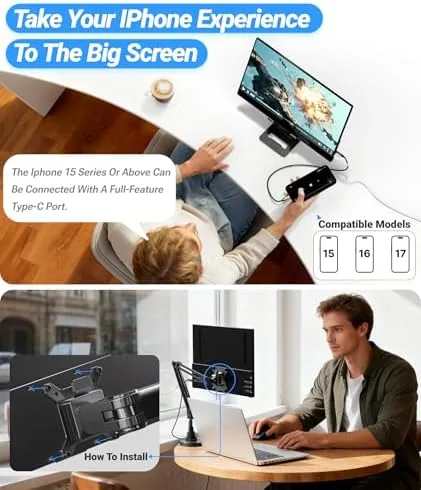
It connects to MacBooks, Windows laptops, mini PCs, game consoles, and phones that support USB-C display output or a mini HDMI video source.
Does the Ingnok portable monitor have built-in speakers?
Yes. A pair of built-in speakers delivers clear audio for calls and casual video, though external speakers still sound fuller for music.
Can the Ingnok portable monitor be mounted?
Yes. The rear panel is VESA compatible, so you can attach it to a desk arm, wall mount, or stand once the built-in kickstand is no longer enough.
As an Amazon Associate, I earn from qualifying purchases.



