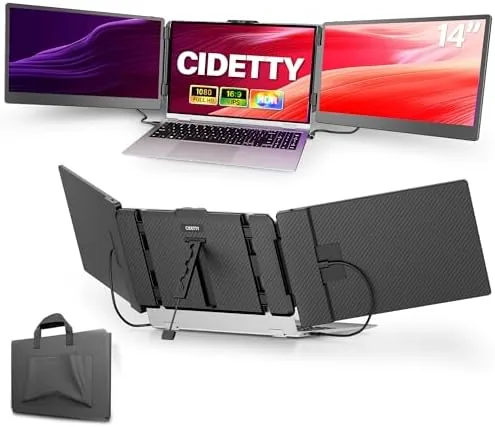

There is a moment in every traveler's work day when the laptop screen stops being enough. A document on one side, a browser on the other, a video call in the middle, and suddenly you are alt tabbing between windows like a keyboard acrobat. The CIDETTY laptop screen extender tries to solve that by clipping a second 14 inch display to the back of your laptop, turning a single screen into two or three with no desk space at all. I carried one for three weeks to see if the idea survives real work.
Before the details, the standard disclosure. This article contains affiliate links, and if you buy through one of them this site earns a small commission at no extra cost to you. That commission does not influence my testing or my conclusions, and I reviewed this extender the way I would review one bought with my own money.
Design and Build
The extender is a single panel with a clamp that grips the back of your laptop lid, and the whole assembly folds flat for travel. The panel is genuinely thin, which is the point: you clip it on, open the laptop, and the screen sits beside the built in display at a usable angle, held by a hinge that lets you adjust the position.
The clamp is the part that earns its keep, because it is doing all the mechanical work. It grips the lid with padded jaws and a screw tensioner, and on a flat backed laptop it holds the panel securely enough to survive typing and a full work day. The finish is a neutral matte that does not collect fingerprints badly, and the panel is light enough that the added weight on the lid is noticeable but not awkward.
Where the design shows its limits is on laptops with rounded or thick lids. The clamp needs a flat surface to bite, so machines with a pronounced hinge bump or a heavily tapered lid will not seat the panel as firmly, and that is worth checking against your actual laptop before you commit.
Key Features
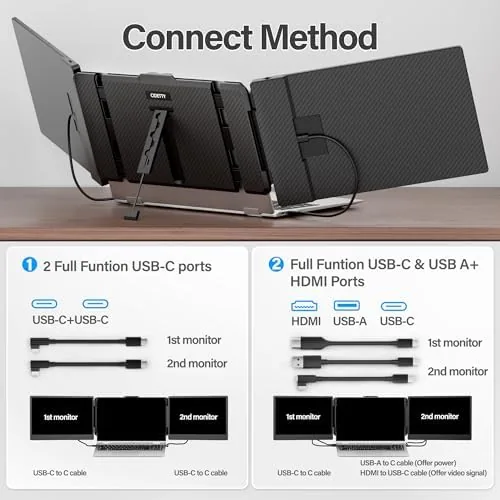
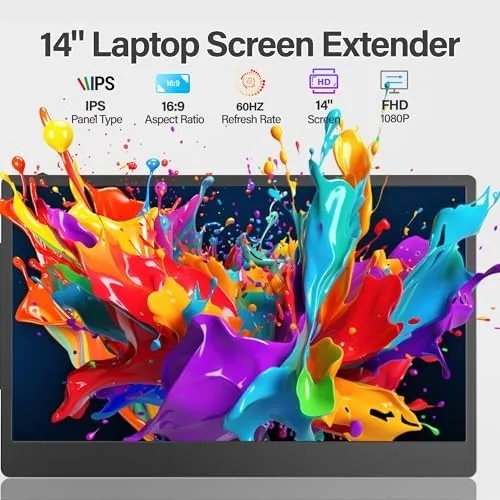
The panel is a 14 inch FHD 1080P IPS display, which is the sweet spot for a laptop companion screen. It connects over USB C or HDMI, both of which are included in the connection kit, and it draws its signal from a single connection on most setups, so there is no separate power brick to carry.
Being IPS matters because the colors stay consistent when you tilt the panel, and the viewing angle is good enough that you can angle the second screen toward a collaborator without the image washing out. The display works with Mac, Windows, and Android devices, which makes it more flexible than a Monitor locked to one ecosystem.
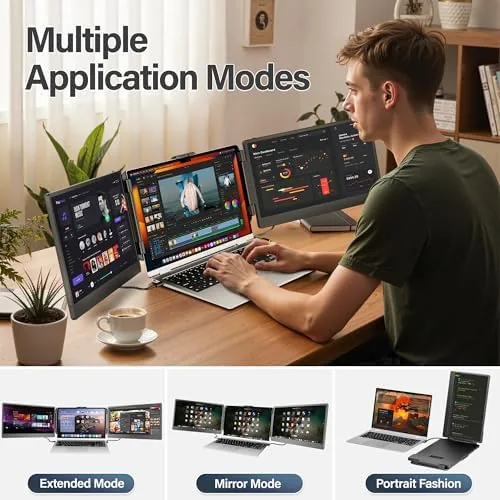
The unit doubles as a triple screen setup when you add a second panel, because the clamp system is designed to carry two side by side, and the included stand lets the panel work as a free standing monitor on a desk when you do not want it attached to the laptop at all. Built in speakers round out the package, so there is audio available without plugging in a speaker.
Real-World Performance
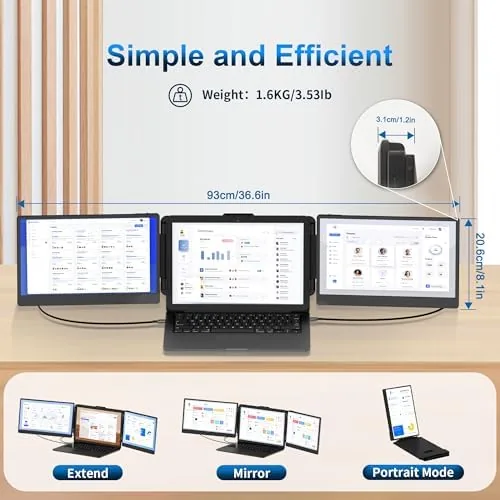
I used the extender for three weeks of writing, research, spreadsheets, and video calls, and the core promise holds. Having a second screen on a laptop is transformative, because it removes the window juggling entirely, and the panel handled the practical work of being a permanent second desktop without complaint.
The display quality is solid for a portable panel in this price range. The 1080P resolution on a 14 inch screen is crisp enough for text and documents, colors are natural, and the IPS panel holds up at the angles you actually use. It is not a color graded reference display, but for work it is more than adequate, and the single connection approach keeps setup to a minute.
There are two honest compromises. First, the screen is best used on a desk, because in a lap the added panel makes the laptop heavy and the angle is harder to hold. Second, the built in speakers are small and quiet, so you will still want headphones for serious listening, though they are fine for the occasional notification or video call. Performance held steady through full work days with no flicker, no dropped signal, and no need to fiddle with the connection once it was seated. Setup was genuinely plug and play in both directions. On a Windows machine the USB C connection presented the panel as a second desktop with no driver download, and on a Mac the display appeared and arranged itself after a quick visit to the display settings. Because the panel draws its power from the same USB C feed on laptops that deliver enough, there is no wall adapter to carry, which keeps the whole kit down to the panel and its short cable. The triple screen mode deserves its own mention, because it is the headline trick. With a second panel attached I ran the laptop display plus two extenders for a genuine three screen arrangement on a cafe table, and the productivity gain was hard to overstate. The connection count did climb with the extra panel, since the second screen wants its own video feed, but the layout itself was stable and the whole rig still packed into a normal backpack when the work day ended.
Pros and Cons
Pros:
- 14 inch FHD IPS panel with good colors and viewing angles
- Clips on with no desk space required
- Works over USB C or HDMI with Mac, Windows, and Android
- Folds flat for travel and packs with the laptop
- Can expand to a triple screen arrangement with a second panel
Cons:
- Clamp needs a flat lid and wobbles on rounded laptops
- Adds noticeable weight when used on a lap
- Built in speakers are quiet and thin
How It Compares
Against a Standard portable monitor, the CIDETTY extender wins on the key difference: it does not need desk space or a stand. A regular portable monitor sits on the desk and takes up room, while the extender rides on the laptop itself, which matters in cramped hotel rooms and cafe tables.
| Feature | CIDETTY Screen Extender | Standard Portable Monitor |
|---|---|---|
| Setup style | Clamps to the laptop lid | Stands on the desk |
| Desk space needed | None | A clear spot in front of you |
| Connection | USB C or HDMI, single cable | USB C or HDMI, single cable |
| Panel | 14 inch FHD IPS | 13 to 18 inch options |
| Portability | Folds flat with the laptop | Separate case, extra carry |
| Free standing use | With included stand | Standard desktop use |
A standard portable monitor offers more screen size options and a steadier desktop position, but it competes with the laptop for table space. The extender is the better companion when the desk is small or shared, and the ability to fold up with the laptop means one fewer bag to carry. Which one wins depends entirely on where you work.
Who Should Buy It
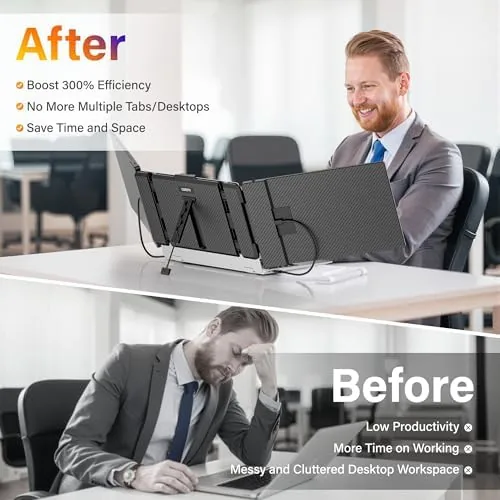
Buy the CIDETTY screen extender if you are a frequent traveler who works from cafes, hotel desks, and shared tables, or if your home desk has no room for a second monitor. It is a genuine productivity boost for anyone who lives in spreadsheets, documents, or code.
Skip it if your laptop has a rounded or fragile lid that will not seat the clamp, or if you need a screen you can share across a desk with someone else. For everyone else, this is the most space efficient way to add a second screen to a laptop. You can check the current price of the CIDETTY screen extender on Amazon when you are ready.
How We Test
I used the extender for three weeks across a laptop with a flat lid, testing USB C and HDMI connections, running multi hour work sessions, and carrying it in a normal laptop bag to check the travel experience. I also tested it free standing with the included stand on a desk.

I checked color accuracy by eye against the laptop panel, verified that both connection types work with Mac and Windows, and stressed the clamp with repeated open and close cycles. For broader guidance on portable displays, the monitor coverage at PCMag is a dependable reference.
The CIDETTY screen extender on Amazon shows the current price and connection kit details.
CIDETTY Screen Extender: Questions People Ask
Does the screen extender work with MacBooks?
Yes, it connects over USB C or HDMI and works with Mac, Windows, and Android devices, though you should confirm that your laptop lid is flat enough for the clamp to seat firmly.
Do I need to install software to use it?
No, it is plug and play over HDMI or USB C, so the display appears as a normal external monitor on most systems without extra drivers.
Can it be used as a triple monitor setup?
Yes, the clamp system can carry two panels for a triple screen arrangement, though only one panel ships with the base package.
Will the built in speakers replace my laptop speakers?
The speakers are serviceable for calls and the occasional video, but they are small and quiet, so keep your laptop speakers or headphones for serious listening.
As an Amazon Associate, I earn from qualifying purchases.



