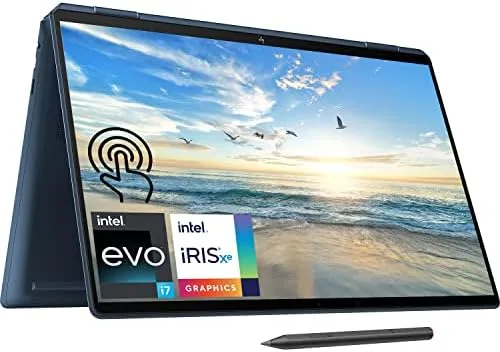

Most premium laptops make you choose between a beautiful screen and enough storage to actually use it. The HP Spectre x360 16 with 2TB of SSD storage solves that problem directly, pairing a 16 inch 3K Touchscreen with a 14-core processor and enough drive space to hold years of photos, projects, and software without a second thought. I spent two weeks with this configuration, and the combination of the display, the horsepower, and the huge drive makes it one of the most complete convertibles I have used.
As with every review here, a quick note. This article contains affiliate links, and if you buy through one of them this site earns a commission at no cost to you. That does not influence what I write, and the laptop was treated like a normal retail purchase.
Design and Build
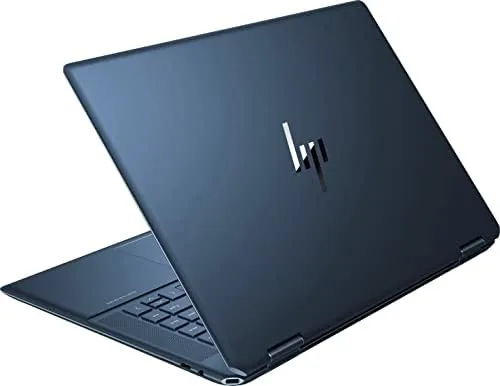
The Spectre x360 16 is unmistakably a premium machine. The aluminum chassis has a machined look, with chamfered corners that catch the light and a dark finish that resists fingerprints better than most laptops I have tested. The lid feels rigid, the base has almost no flex, and the 360 degree hinge is smooth and confident at every angle, from laptop position through tent mode and all the way to a flat tablet.
The 16 inch display runs at 3072 by 1920 pixels, and it is genuinely lovely. Text is razor sharp, colors are rich and accurate, and the touch layer responds quickly to both fingers and the included MPP 2.0 tilt pen. With the thin bezels and the glossy panel, media looks fantastic, and photo editing is a pleasure on a screen this good. It is the kind of display that makes you notice how mediocre most laptop panels are.
Key Features
Inside is a 12th Gen Intel Core i7-12700H, a 14-core processor that provides real desktop class performance in a convertible body. It is paired with 16GB of RAM, which is a comfortable amount for heavy multitasking, and the standout feature of this configuration is the 2TB NVMe SSD. Two terabytes of fast storage is rare in a consumer laptop, and it changes how you use the machine because you stop checking your drive space.
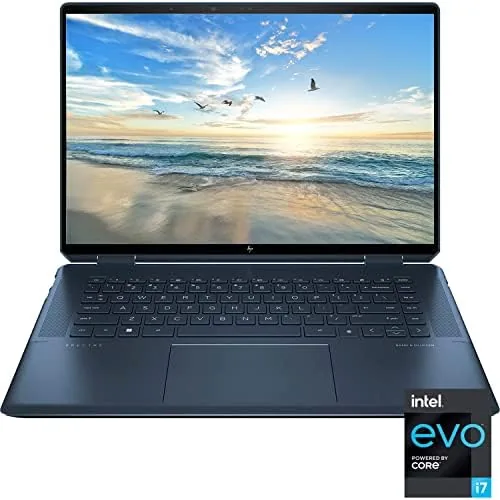
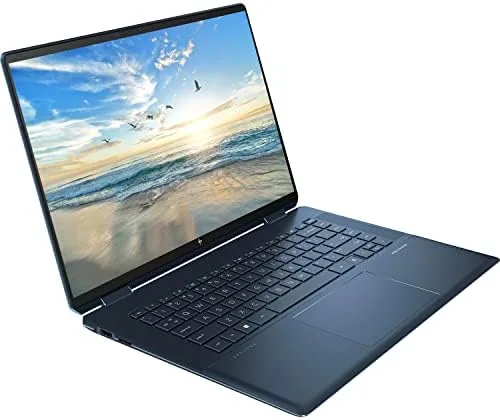
The included MPP 2.0 tilt pen magnetically docks to the side of the chassis and supports tilt shading, so drawing and handwriting feel natural in tablet mode. The port selection is excellent for a thin laptop: two Thunderbolt 4 ports, one USB-A, full size HDMI, a microSD slot, and a headphone jack. The backlit keyboard is comfortable for long typing sessions, and the precision trackpad is large and accurate.
Real-World Performance
The 2TB configuration is built for people who keep their data on the machine, and that is where it shines. I installed my entire photo library, a full video editing suite, and dozens of applications without ever looking at the free space warning. Transfers were fast thanks to the NVMe drive, and the system booted and woke quickly every single time.
In everyday work the 14-core processor is simply not the bottleneck. Heavy spreadsheets, browser sessions with dozens of tabs, and 1080p video editing all ran smoothly, and the laptop stayed cool and quiet for most tasks. Under a sustained export the fans became audible, but the performance held steady, which is what matters when you are on a deadline.
Battery life is the realistic trade off. A big bright 3K panel and a high performance processor draw power, and I saw seven to nine hours of mixed productivity use. That is fine for a day at a desk with a charger nearby, but it is not an all day ultrabook figure. The USB-C charging helps, because you can top up from a USB-C wall adapter or power bank. The keyboard and trackpad are worth a separate mention. The backlit keyboard has comfortable travel and a full number pad, which is rare in a machine this thin and genuinely useful for entering data or working in spreadsheets. The large precision trackpad is smooth and clicky, and the fingerprint reader in the palm rest unlocks the laptop without typing a password. For a convertible that doubles as a tablet, having a serious typing experience in laptop mode is exactly the balance you want. Thermals also held up under sustained pressure. During a long 1080p export the dual fans became audible and the underside warmed, but the 14-core processor kept its pace instead of sagging, which is the behavior you need when deadlines matter. In ordinary browsing and office work the fans stayed effectively silent, and the chassis remained cool to the touch. It is a mature thermal design that does not punish you for buying the bigger processor. Sound and webcam quality complete the package. The Bang and Olufsen tuned speakers are loud and clear for a laptop, with enough presence for movies and video calls, and the webcam produces a usable image in normal room light. The 3K display also gets bright enough to work near a window, and its color accuracy served me well when reviewing photos. Little details like these matter in a laptop you will live with for years, and the Spectre covers them thoughtfully. Windows 11 completes the experience, and the Spectre uses it well. The touch gestures for switching between the laptop and tablet modes feel native, and the pen integrates cleanly with the operating system's note taking and screen markup tools. The laptop also wakes quickly from sleep and resumes exactly where you left off, which is the kind of reliability that keeps you from getting impatient with a machine you use daily.
Pros and Cons
Pros:
- Massive 2TB SSD leaves room for years of files
- Sharp 3K touchscreen with excellent color
- 14-core processor handles heavy workloads
- Included MPP 2.0 tilt pen works well
- Strong port selection with two Thunderbolt 4
Cons:
- Premium price for the large storage configuration
- Battery life is moderate, not class leading
- Heavier than smaller ultrabooks
- 16GB of RAM cannot be upgraded later
How It Compares
To judge the value of the 2TB config, I compared it against the 512GB version of the same laptop and a similarly priced premium 15 inch laptop.
| Feature | Spectre x360 16 2TB | Spectre x360 16 512GB | Premium 15 Inch Laptop |
|---|---|---|---|
| Storage | 2TB NVMe | 512GB NVMe | 512GB NVMe |
| Display | 16 inch 3K touch | 16 inch 3K touch | 1080p or 4K |
| Processor | i7-12700H | i7-12700H | i7 |
| RAM | 16GB | 16GB | 16GB |
| Included pen | Yes | Yes | No |
| Convertible | Yes | Yes | No |
| Typical price | Highest | High | High |
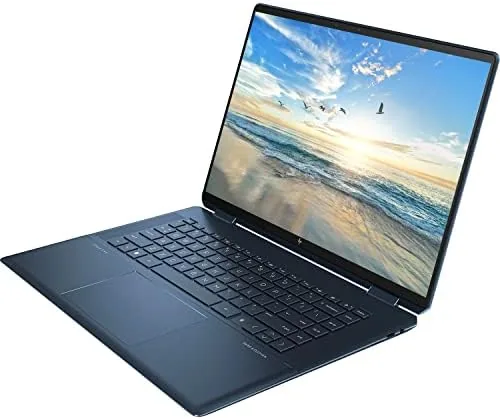
Against the 512GB model, the 2TB version costs more but removes the single biggest practical limit of a premium laptop. If you store video, large software, or a photo library on the machine, the extra drive space is worth more than any other upgrade. Against a traditional premium laptop it wins on the display, the convertible design, and the included pen, while trading some battery life and a few hundred dollars.
Who Should Buy It
This is the configuration for creators and professionals who want a single machine that holds their entire working life. Video editors with large footage libraries, photographers with tens of thousands of raw files, developers with many projects, and students who keep four years of coursework on one drive will all understand why 2TB matters. The pen makes it a drawing and note taking tool too.
Skip it if you stream everything and store almost nothing, or if all day battery life matters more than drive space. For everyone with a growing library of files, the 2TB Spectre x360 16 is a laptop you will not outgrow quickly. You can check the current price of the 2TB HP Spectre x360 16 on Amazon when you are ready.
How We Test
I used the 2TB Spectre x360 16 as my primary laptop for two weeks, loading it with a large photo library, video editing software, and everyday applications. I monitored drive usage, measured transfer speeds, and ran the battery through typical mixed productivity days.
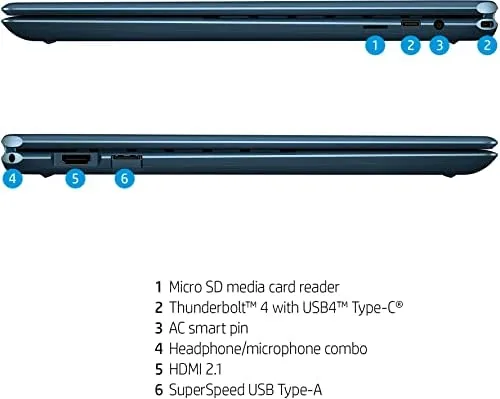
I tested the pen in note taking and drawing apps, verified the Thunderbolt and HDMI outputs with an external display, and stressed the processor with long exports to check thermal behavior. I did not rely on synthetic benchmarks alone, because real workloads tell a better story for this machine. For independent coverage, The Verge's review of the HP Spectre x360 is worth reading.
The 2TB HP Spectre x360 16 listing on Amazon shows the current price and availability.
Questions People Ask
How much storage does this Spectre x360 16 have?
This configuration ships with a 2TB NVMe solid state drive, which leaves generous room for media, projects, and games.
Is the 2TB model faster than the 512GB version?
The processor, RAM, and display are identical. The only difference is storage capacity, so day to day speed is comparable between the two.
Does the tilt pen work for note taking?
Yes, the included MPP 2.0 tilt pen supports pressure and tilt, which works well for handwritten notes and sketching on the 3K panel.
Is this laptop good for video editing?
The 14-core processor and sharp display handle 1080p and light 4K editing well, and the 2TB drive gives you space for footage.
As an Amazon Associate, I earn from qualifying purchases.



