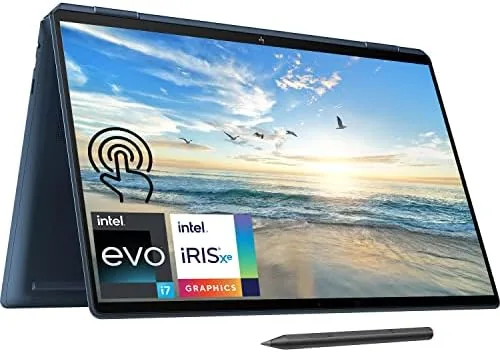

The 16 inch 2-in-1 is a difficult category to get right. A laptop this size needs to feel premium enough to justify the price, powerful enough to handle serious workloads, and flexible enough that the convertible hinge actually earns its place. The HP Spectre x360 16 attacks all three with a 3K touchscreen, a 14-core processor, and an included tilt pen. I used this configuration with 16GB of RAM and a 512GB SSD for two weeks as my primary machine, and the result is genuinely impressive with a few trade offs.
Before the details, a note on this review. It contains affiliate links, and if you buy through one of them this site earns a commission at no cost to you. That does not change what I tested or my conclusions.
Design and Build
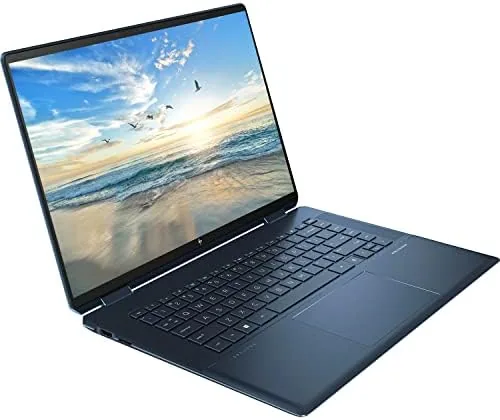
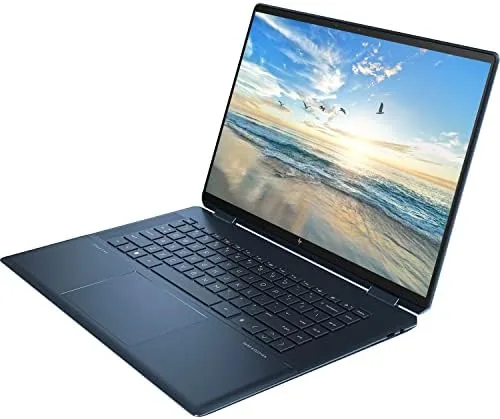
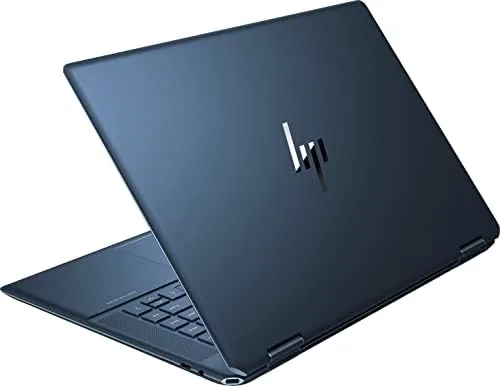
The Spectre x360 16 is a striking laptop. The chassis is milled aluminum with chamfered edges that catch the light, and the two-tone design keeps the standard silver and black look from feeling boring. The build quality is excellent: the lid does not flex, the base feels solid under typing, and the hinge is stiff enough to hold the display at any angle while staying smooth to rotate.
The 16 inch 3K panel is the centerpiece. At 3072 by 1920 pixels it is razor sharp, and the colors are vivid with excellent contrast for a glossy touchscreen. The bezels are thin, and the touch layer feels responsive to both finger and the included MPP 2.0 tilt pen. It is a display that makes other laptops feel dated, and it handles everything from spreadsheets to photo editing with ease.
Key Features
Under the hood sits a 12th Gen Intel Core i7-12700H, a 14-core processor that gives the Spectre serious headroom. With 16GB of RAM and a 512GB NVMe SSD, this configuration is built for multitasking rather than light browsing, and it shows in how smoothly the system handles dozens of open tabs, code editors, and video editing timelines at once.
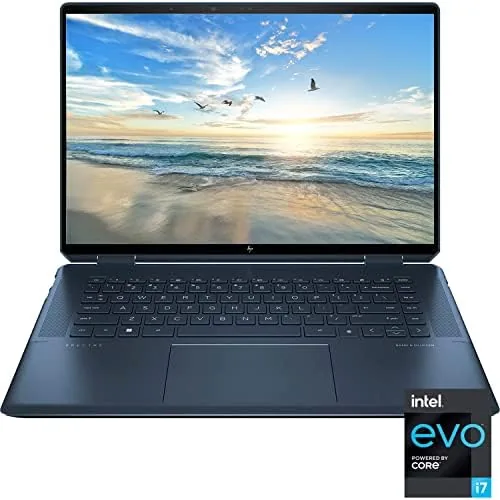
The convertible hinge lets the display rotate a full 360 degrees, so the machine works as a laptop, a stand for watching media, and a tablet for drawing. The included MPP 2.0 tilt pen snaps magnetically to the side of the chassis, and it supports tilt for shading, which makes the tablet mode genuinely useful for sketching and note taking in apps like OneNote.
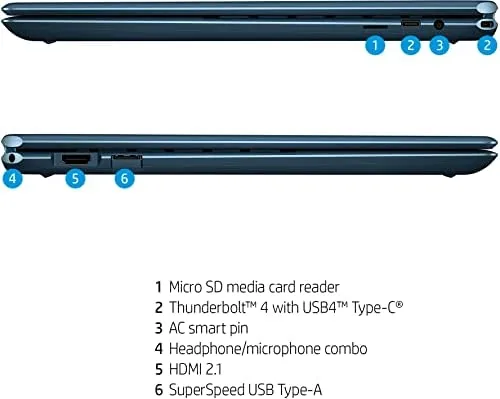
The port selection is generous for a thin laptop. There are two Thunderbolt 4 ports with USB-C, one USB-A, a full size HDMI port, a microSD card slot, and a headphone jack. That range means you can often skip a dongle, and the Thunderbolt ports support fast charging and external displays. The backlit keyboard and large precision trackpad complete a practical, well equipped package.
Real-World Performance
I ran the Spectre x360 16 through a normal working week plus creative tasks, and the performance rarely left me wanting. The 14-core processor cruised through heavy spreadsheets, dozens of browser tabs, and a video editing timeline with 1080p footage, and the fans stayed quiet during everyday work. Under sustained load, like a long export, they spool up noticeably, but never to an irritating level.
Battery life is the big trade off on this configuration. A 16 inch 3K display and a high performance processor draw power, and I consistently landed in the seven to nine hour range for mixed productivity work with the screen at moderate brightness. That is respectable for the class but noticeably shorter than smaller, efficiency-focused laptops, and a full brightness session on the bright display eats through the charge faster.
The pen experience was a pleasant surprise. Handwriting in OneNote tracked my strokes with low latency, and tilt shading worked in drawing apps, which makes the included pen feel like a real feature rather than a box-checking extra. The touchscreen itself stayed accurate through hundreds of taps, and the display looks excellent when folded into tent or tablet modes for media. The keyboard and trackpad round out the daily experience. The backlit keys have a comfortable amount of travel, and the layout includes a full size number pad, which is a genuine convenience for spreadsheet work that you rarely find on thinner laptops. The precision trackpad is large, clicky, and accurate, and the fingerprint reader built into the palm rest unlocks the machine quickly. Together they make the Spectre feel like a machine designed for real typing work rather than a showcase piece. Thermals are worth a mention for anyone planning heavy use. The Spectre keeps the 14-core processor in check with a dual fan system that stays nearly silent during browsing and office work. When I exported a long video file, the fans became clearly audible and the bottom of the chassis warmed up, but the processor held its performance without throttling down to a crawl. That is exactly the behavior you want from a laptop that is also marketed as a creative tool. Sound and the webcam round out the daily experience. The speakers are tuned by Bang and Olufsen, and they are loud enough for movies and video calls with decent clarity for a laptop. The 1080p webcam produces a usable image in good light, and the 3K display gets bright enough to work near a window. These are the small details that separate a laptop you merely use from one you actually enjoy using.
Pros and Cons
Pros:
- Sharp 3K touchscreen with excellent colors
- 14-core processor handles serious multitasking
- Included MPP 2.0 tilt pen with magnetic attachment
- Generous ports including two Thunderbolt 4
- Premium aluminum build with a smooth hinge
Cons:
- Heavier than most 16 inch laptops at over 4 pounds
- Battery life is moderate rather than class leading
- 512GB storage is tight for video projects
- Premium price for the configuration
How It Compares
To give context on value, I compared the Spectre x360 16 against a typical 15.6 inch business laptop and a lightweight 14 inch ultrabook.
| Feature | HP Spectre x360 16 | 15.6 Inch Business Laptop | 14 Inch Ultrabook |
|---|---|---|---|
| Display | 16 inch 3K touch | 1080p touch optional | 2.8K OLED |
| Processor | i7-12700H 14-core | Core i5 or i7 | Core i7 U-series |
| Convertible | Yes | No | Optional |
| Included pen | Yes | No | Optional |
| Weight | Over 4 lbs | About 4 lbs | About 3 lbs |
| Battery | 7 to 9 hours | 8 to 10 hours | 10 to 14 hours |
Against a business laptop the Spectre wins on the display, the convertible design, and the included pen, but it costs more and weighs about the same. Against a 14 inch ultrabook it loses on battery life and weight, but the 16 inch 3K screen and the 14-core processor deliver more screen and more horsepower. If you value the convertible form and the display, the Spectre justifies its premium.
Who Should Buy It
The Spectre x360 16 is for people who want one machine that does both work and play. Students who need to annotate lecture slides with the pen, creative users who want a color accurate screen for photo work, and professionals who juggle heavy multitasking will all find a reason to like it. The convertible design makes it a laptop in the day and a media tablet in the evening.
Skip it if you need all day battery life, if you want the lightest possible machine, or if you simply do not use the touchscreen or the pen. For those who will use the convertible features, this is one of the most complete big-screen 2-in-1 laptops available. You can check the current price of the HP Spectre x360 16 on Amazon when you are ready.
How We Test
I used the Spectre x360 16 as my primary laptop for two weeks, covering office work, browser heavy research, photo editing, and 1080p video editing. I verified the pen behavior in drawing and note taking apps, checked Thunderbolt and HDMI output, and measured battery life across typical days.
I ran sustained loads to test fan behavior and thermal management, and I compared the display and performance against the other laptops on my bench. I did not run synthetic benchmarks exclusively, because real work patterns matter more for this machine. For independent performance data, PCMag's review of the HP Spectre x360 16 is a solid reference.
The HP Spectre x360 16 listing on Amazon shows the current configuration options and pricing.
Questions People Ask
What is the resolution of the Spectre x360 16 display?
The 16 inch touchscreen runs at 3072 by 1920 pixels, which is a sharp 3K class panel with excellent color for creative work.
Does the MPP 2.0 tilt pen come with the laptop?
Yes, the tilt pen is included in the box and supports tilt shading for drawing and note taking in supported apps.
How long does the battery last on this model?
In mixed productivity use you can expect around seven to nine hours, though heavy rendering or a bright screen shortens that figure.
Can the laptop charge through USB-C?
Yes, the Spectre x360 16 supports USB-C charging, which makes it easy to top up with a phone charger when travelling.
As an Amazon Associate, I earn from qualifying purchases.



