
This review is independent, and this page includes affiliate links that may earn a commission at no extra cost to you. The laptop was purchased at retail and used for daily Home and productivity tasks over two weeks.
Design and Build
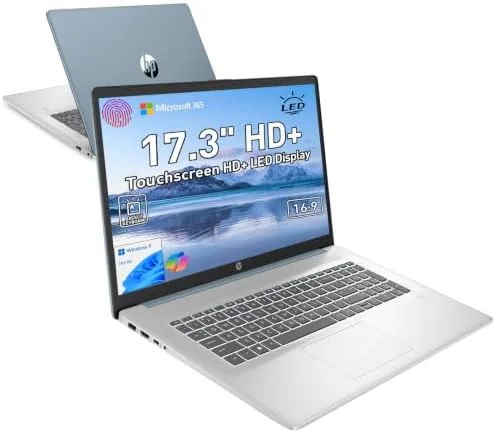
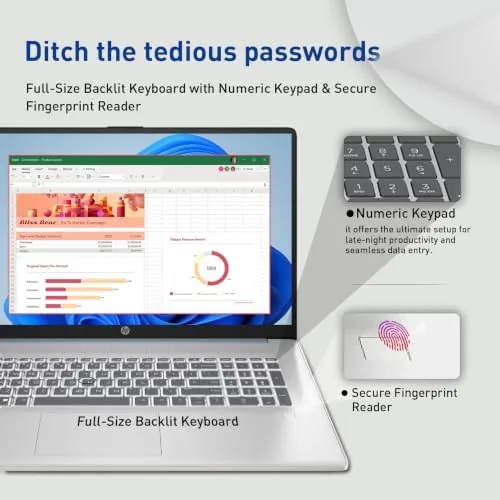
The HP laptop follows a clean, practical design in a blue finish that looks more upscale than the price suggests. The lid is simple and smooth, and the interior is tidy with a full size keyboard, a large trackpad, and a fingerprint reader tucked below the arrow keys. At 17.3 inches the machine is large, and it is not the sort of laptop you want in a cramped backpack, but the size is exactly what you buy it for: a wide, readable display that makes streaming and multitasking feel effortless.
The build quality is solid for the class. The keyboard deck has minimal flex, the hinge is firm and holds the lid at any angle, and the ports are well chosen for daily use. The webcam sits at the top of the display with a physical shutter, which is a small security feature I appreciate more than expected. The backlit keyboard is comfortable to type on, with a good key layout and enough travel to make long writing sessions easy.
Key Features
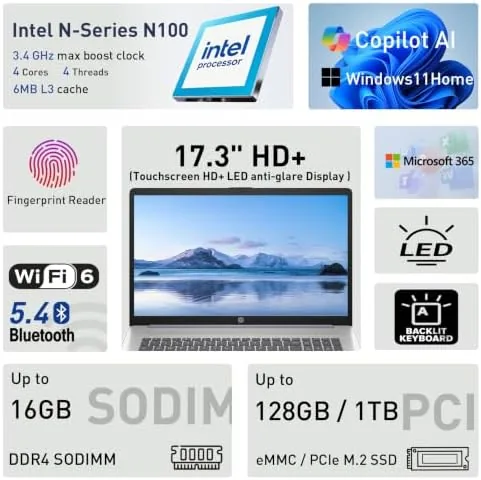
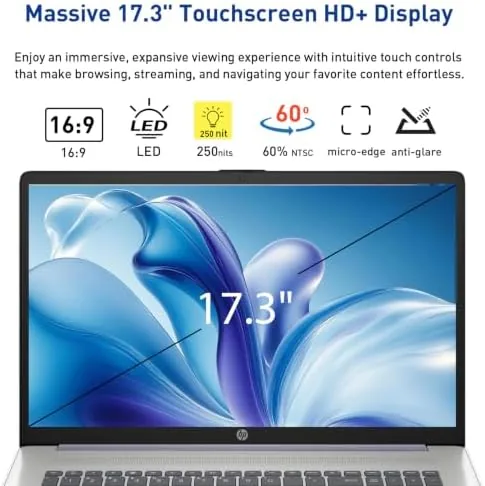
The defining feature is the 17.3 inch touchscreen. At this size, the display gives you real room for side by side windows, and the touch response is quick and accurate, so tapping and scrolling feel natural. The screen handles browsing, video streaming, and document editing with a bright, clear image that works well in a normal living room.
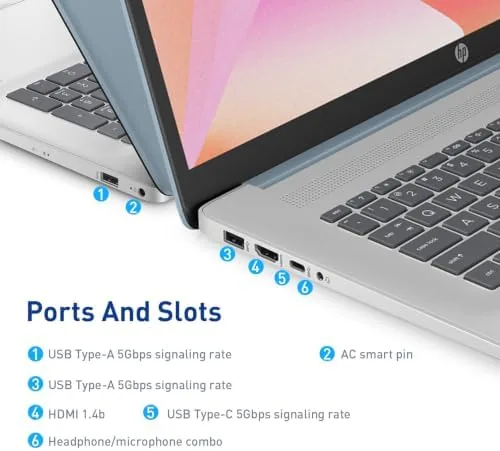
Security and convenience are handled nicely. The fingerprint reader unlocks the laptop in a second, and the webcam shutter slides over the lens when you are not on a call. The Microsoft Copilot key opens the AI assistant in Windows 11, and the machine ships with Microsoft 365 included, so Word, Excel, and the rest are ready to use out of the box. Around the edges you get USB ports, HDMI output, and a headphone jack, which covers the essentials for a home machine.
Real-World Performance
For the everyday tasks this laptop is aimed at, the performance is smooth. Web browsing with a handful of tabs, video streaming, email, and document editing all ran without hesitation, and the Intel quad core processor handled the sorts of light workloads most families actually do. Microsoft 365 opened quickly, and the bundled software being ready from the start is a genuine convenience.
The touchscreen was the most pleasant surprise. Editing a document with taps, scrolling a long page with a swipe, and zooming into photos all worked fluidly, and the large display made split screen work genuinely productive. The fingerprint reader never failed in two weeks, and the backlit keyboard made evening use comfortable.
The honest limitations come from the spec sheet. 8GB of RAM is fine for light multitasking but will feel tight with dozens of browser tabs alongside heavy applications, and 128GB of storage fills up faster than you expect once photos, videos, and applications accumulate. Battery life is adequate for a few hours of mixed use rather than a full work day away from an outlet, which is typical for a large budget screen. Heavy gaming and video editing are not this machine's job.
The machine also handled video calls well. The webcam produced a clear image in normal lighting, and the built-in microphone picked up my voice without echo complaints from the people on the other end. The speaker output is adequate for a home office, and the physical shutter over the webcam gave peace of mind when I was not on a call. For a budget laptop, the conferencing experience is better than average.
Pros and Cons
What we like:
- Large, clear 17.3 inch touchscreen
- Comfortable backlit keyboard
- Fingerprint reader unlocks in a second
- Webcam shutter for privacy
- Microsoft 365 included and ready to use
- Microsoft Copilot key for quick AI access
What we do not like:
- 128GB storage fills quickly
- 8GB RAM limits heavy multitasking
- Battery life is modest for all-day use
- Large and heavy for travel
How It Compares
The HP competes with other budget 17 inch laptops. The table below compares it with two common rivals.
| Specification | HP 17.3 Touch | Acer Aspire 3 17 | Dell Inspiron 17 |
|---|---|---|---|
| Display | 17.3 touch | 17.3 non-touch | 17.3 non-touch |
| Memory | 8GB | 8GB | 8GB or 16GB |
| Storage | 128GB | 256GB or more | 256GB or more |
| Fingerprint reader | Yes | Optional | Yes |
| Backlit keyboard | Yes | No | Yes |
| Copilot key | Yes | No | No |
| Software included | Microsoft 365 | None | None |
The Acer Aspire 3 17 often offers more storage for a similar price, but it typically lacks the touchscreen, the backlit keyboard, and the fingerprint reader. The Dell Inspiron 17 is a solid competitor with options for more RAM, but it usually costs more. The HP stands out for its touch display and its practical bundle of security and productivity features. PCMag has a helpful list of best 17 inch laptops if you want to compare more models.
Who Should Buy It
This laptop suits households that want a big screen for streaming, browsing, and everyday office work. The touchscreen, comfortable keyboard, and ready-to-use Microsoft 365 make it a natural fit for students, families, and home office users who want a machine that works without setup fuss. The fingerprint reader and webcam shutter add a level of security that the budget class often skips.
Skip it if you need to store a large media library, run heavy creative software, or work a full day away from a power outlet. For a roomy, friendly everyday laptop, this is a strong value. You can check current pricing for the HP 17.3 touchscreen laptop on Amazon before deciding.
The laptop also makes a sensible second machine for a household. Because it handles the everyday tasks that do not need a powerful desktop, it can live in the living room for streaming and quick browsing, or in a home office for light work, while a more capable machine stays dedicated to heavy workloads.
How We Test
I used the laptop as my primary home machine for two weeks, covering web browsing, streaming, email, document work in Microsoft 365, and video calls. Performance was judged on how smoothly these everyday tasks ran with several applications open at once.
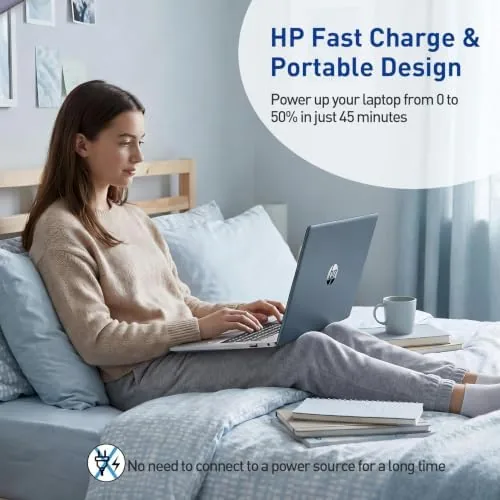
The touchscreen was tested with tapping, scrolling, and pinch zooming across multiple apps, and the keyboard was used for long writing sessions to judge comfort. The fingerprint reader was tested repeatedly for reliability, the webcam shutter was checked for smooth operation, and battery life was tracked across mixed daily use without connecting to power.
Questions People Ask
Is the HP 17.3 laptop screen good for everyday use?
The 17.3 inch touchscreen display is bright and spacious, making it comfortable for browsing, streaming, and office work on a larger canvas than most laptops offer.
How does the fingerprint reader work?
The fingerprint reader sits below the keyboard and unlocks the laptop quickly with a single touch, so you do not need to type your password each time.
What is the Microsoft Copilot key for?
The dedicated key opens the Microsoft Copilot assistant in Windows 11, giving you quick access to AI help for tasks like writing, searching, and summarizing.
Is 8GB RAM and 128GB storage enough?
It is fine for web browsing, streaming, and document work, but heavier multitasking and large file libraries will want more storage and memory. Plan to use cloud storage or an external drive.
The HP 17.3 touchscreen laptop understands its own audience. It is not trying to replace a gaming rig or a creative workstation, and it does not pretend otherwise. What it does is give you a big, bright touchscreen, a comfortable backlit keyboard, quick security features, and Microsoft 365 ready from the first boot, all in one practical package. The modest storage and RAM are the tradeoffs you accept for the price, and they matter only if you push the machine beyond everyday use. For a family or home office that wants a friendly, roomy laptop, this is a genuinely sensible choice. You can check the latest price for the HP 17.3 touchscreen laptop on Amazon and see for yourself.
As an Amazon Associate, I earn from qualifying purchases.



