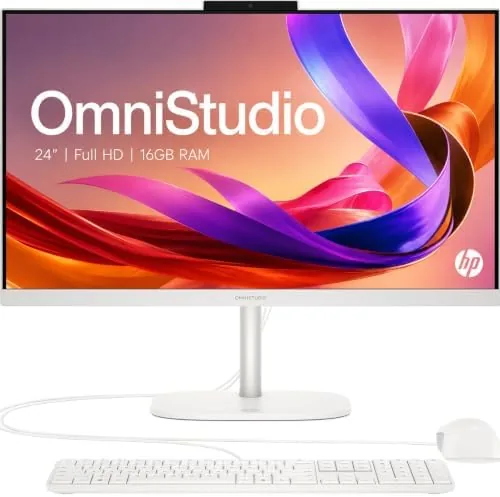

The all-in-one desktop has a stubborn reputation problem. It costs more than a tower of similar power, it cannot be upgraded the way a box with a side panel can, and it forces you to buy a screen you might not want. Yet for a family hallway desk, a spare room office, or a counter that simply cannot hold a tower, monitor, and cable mess, the format makes deep sense. This review is the record of three weeks with the HP OmniStudio 24, an all-in-one that tries to justify the format with a clean design, 16GB of DDR5 RAM, and WiFi 6.
Before the details, the standard note. This article contains affiliate links, and if you buy through one of them the site earns a small commission at no extra cost to you. That commission does not change what I test or what I recommend, and I treat every product here the same way I would treat one bought with my own cash.
Design and Build
HP has shipped the OmniStudio in a few dressings over the years, and this version is a study in restraint. The 24 inch Full HD panel sits in a slim bezel frame, held up by a central neck and a round base that leaves the desk underneath clear. The whole assembly weighs roughly eight pounds, light enough that I lifted and repositioned it without strain while clearing cables.
The stand offers a satisfying amount of adjustment for an all-in-one. It tilts over a useful range, and the panel can be height adjusted, which is not something every competitor offers. That adjustment matters more than most buyers expect, because a fixed screen forces you to sit at the height the computer decides, and the OmniStudio politely lets you decide instead.
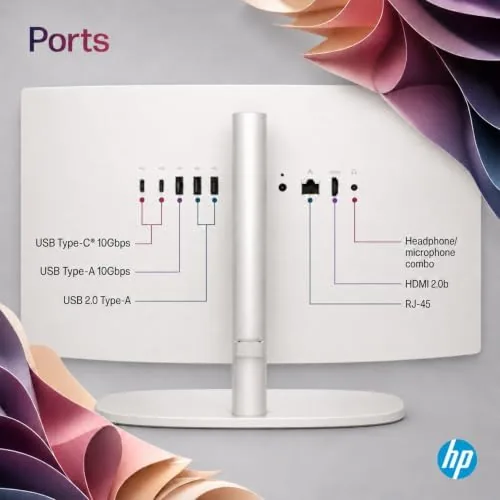
The build feels appropriately solid for a household computer. The plastic is dense and the seams are tight, and the adjustable neck locks down firmly once you set the height. Around the back you find the essential ports: USB-A and USB-C connections, an HDMI input, and an ethernet jack, with a set of ports on the left edge for quick access. WiFi 6 is built in, and it held a stable connection across my house during the whole review.
Key Features
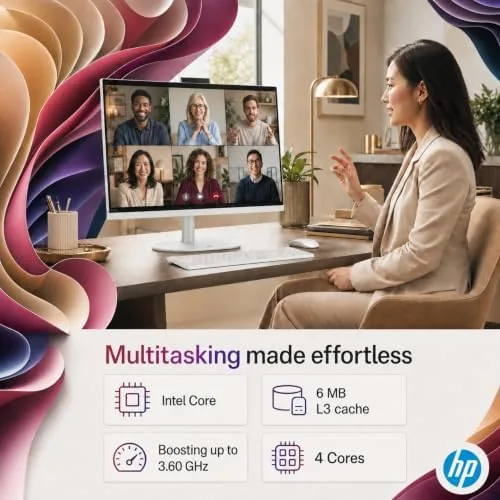
The specifications explain exactly who this machine is for. Inside sits a quad core Intel processor, 16GB of DDR5 RAM, and a 128GB SSD. That combination is aimed squarely at everyday computing: web browsing, email, streaming video, video calls, office documents, and light photo editing. It is not a gaming machine, and HP makes no serious claim that it is.
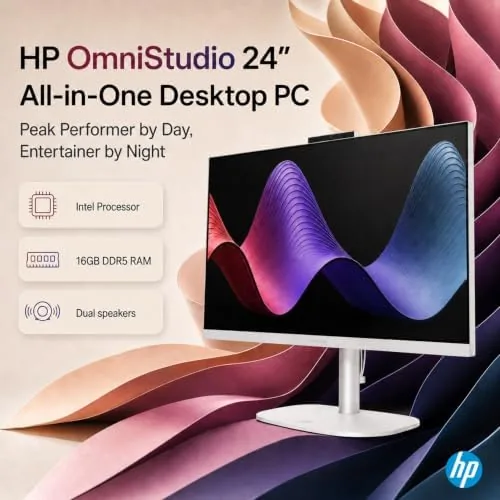
The 16GB of DDR5 memory is the quiet star of the specification sheet. DDR5 runs faster than the DDR4 in many older all-in-ones, and the capacity means a dozen browser tabs, a streaming video, and an office document can all sit open without the system reaching for swap space. On the memory front, this machine is genuinely future proofed for its intended role.
The 128GB SSD is the obvious compromise, and it deserves an honest discussion. The operating system and core apps will consume roughly half of that space once everything is updated, leaving a smaller buffer for personal files. Most buyers will reach for a portable drive or cloud storage quickly. The trade off is a fast, silent, and reliable boot drive for a very modest price, and for a secondary family computer it is an acceptable one.
Real-World Performance
I ran the OmniStudio through the rhythm of a normal household workday rather than synthetic benchmarks alone. That meant a full day of writing in a browser with a dozen tabs open, a video call that ran through the built in webcam and microphone, streaming video in the evening, and a stack of PDF and Office files opened one after another.
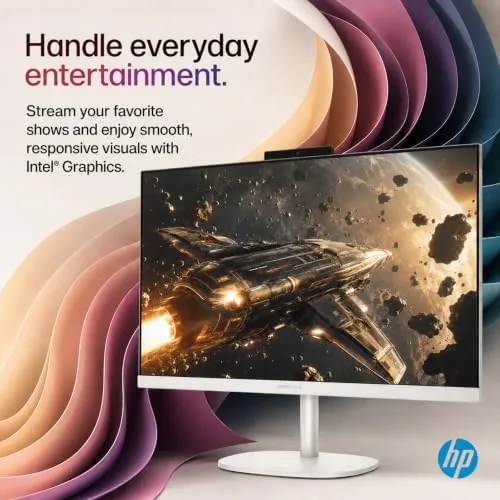
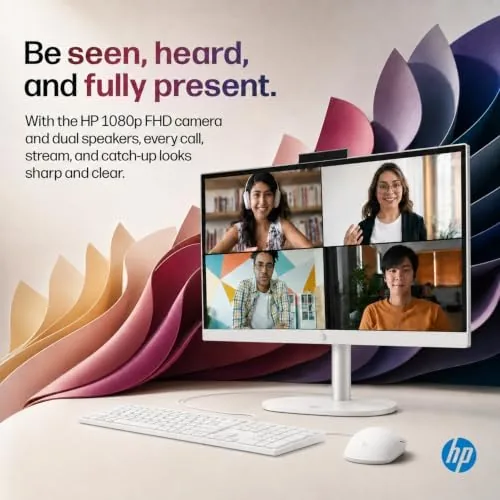
The machine never once felt slow. Tabs loaded instantly, documents opened without the spinning wheel of death, and the video call stayed crisp while the system handled other tasks in the background. The Full HD display is a 1080p panel, which looks excellent for office work and streaming, though it will not satisfy someone accustomed to 4K panels on laptops.
I also pushed the machine in ways a family buyer might not expect. A photo editing session with a stack of large images stayed responsive, and a long video stream ran without a single stutter while a second monitor mirrored a presentation. The integrated graphics are no match for a dedicated card, but for browsing, streaming, and document work the headroom is more than adequate. One small quirk appeared during heavy multitasking: the fan spins up audibly for a few seconds when the processor is under sustained load, then settles again. It is never annoying, but it is audible in A Quiet room.
The storage limit showed up exactly where I predicted. After installing a few standard applications and syncing cloud files, the drive was down to roughly half its capacity. I plugged in a portable SSD and moved my media there, which solved the problem cleanly, but the extra box is a small tax on the tidy all-in-one philosophy. It is worth knowing before you buy, not after.
Pros and Cons
Pros:
- Tidy all-in-one design that eliminates the tower and its cables
- 16GB of fast DDR5 RAM handles multitasking with ease
- Height and tilt adjustable display
- WiFi 6 and built in webcam for reliable video calls
- Keyboard and mouse included in the box
- Silent in normal use, with no tower fan noise
Cons:
- 128GB SSD fills quickly and forces external storage
- Full HD panel, not 4K
- Not suitable for gaming beyond casual titles
- Limited upgrade path compared with a tower
How It Compares
The OmniStudio 24 is usually compared with other entry all-in-ones from Dell, Lenovo, and Apple, so I set it against two: a typical 23.8 inch Windows all-in-one and the Mac desktop in its most approachable form.
| Feature | HP OmniStudio 24 | Dell/Lenovo Entry AIO | Apple Desktop Entry |
|---|---|---|---|
| Display | 24 inch Full HD | 23.8 inch Full HD | 24 inch 4.5K |
| RAM | 16GB DDR5 | 8GB DDR4 | 16GB |
| Storage | 128GB SSD | 256GB SSD | 256GB SSD |
| Wireless | WiFi 6 | WiFi 6 | WiFi 6 |
| Keyboard and mouse | Included | Included | Separate purchase |
| Typical price | Lowest | Mid | Highest |
The OmniStudio wins on value and out of the box completeness. Its 16GB of RAM beats the 8GB found in many entry rivals, and the included keyboard and mouse remove two accessory purchases. The Apple desktop is a better screen and a faster machine, but it costs considerably more and requires a separate keyboard and mouse, which pushes the real total well above the OmniStudio. For a family or light office buyer, the HP offers the best mix of price and readiness.
Who Should Buy It
Buy the OmniStudio 24 if you want a tidy family computer that handles browsing, streaming, calls, and homework without a tower cluttering the room. It is an especially good fit for a shared desk in a hallway or kitchen, where the single cord and slim base keep the surface usable.
Skip it if you edit video, game seriously, or keep large media libraries locally, because the 128GB SSD and integrated graphics will frustrate you. Those buyers should look at a tower or a pricier all-in-one with more storage. For the intended audience, the OmniStudio delivers exactly what the spec sheet promises, and you can check the current HP OmniStudio 24 price on Amazon when you are ready.
How We Test
I tested the OmniStudio 24 as the primary computer in a two person home office for three weeks. I ran a full workday routine of browsers, office apps, and video calls, streamed video in the evening, and pushed the machine with a dozen simultaneous tabs to test multitasking headroom. I checked storage usage after installing standard software and monitoring real capacity rather than trusting the label.
I also verified WiFi 6 stability across rooms, tested the webcam and microphone on video calls, and ran the machine on a full desk setup to measure heat and noise over a long session. I did not benchmark 3D gaming, because the hardware class makes the outcome predictable and the product does not claim that ability. For deeper perspective on all-in-one trade offs, independent analysis from Tom's Guide on all-in-one PCs is a solid starting point.
The HP OmniStudio 24 listing on Amazon shows the current price and configuration options.
HP OmniStudio 24: Questions People Ask
Is the HP OmniStudio 24 good for everyday home use?
Yes, with 16GB of DDR5 RAM and a quad core Intel processor it handles browsing, streaming, office apps, and video calls without lag.
Can I upgrade the storage in the OmniStudio 24?
The 128GB SSD covers the operating system and essentials, but you should plan on external storage or a larger secondary drive for files and media.
Does the OmniStudio 24 come with a keyboard and mouse?
Yes, the package includes a wired HP keyboard and mouse, so it works straight out of the box once you connect power.
Is this computer good for gaming?
No, it is built for productivity and entertainment rather than gaming, and demanding titles will run only at low settings if at all.
As an Amazon Associate, I earn from qualifying purchases.



