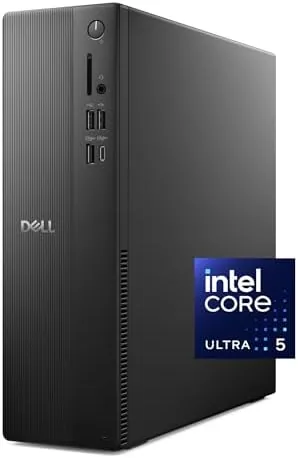

The modern home office does not need a tower the size of a mini fridge. It needs a machine that sits discreetly under a desk, starts instantly, runs a full working day without complaint, and stays quiet enough that nobody in the next room knows it exists. The Dell Slim Desktop ECS1250 is built for exactly that role. This review covers a week of running it as the heart of a home office, with the Intel Core Ultra 5 processor handling spreadsheets, calls, and the occasional creative task.
A short disclosure before the details. This article contains affiliate links, and if you make a purchase through one of them the site earns a small commission at no extra cost to you. That commission does not change what I test or what I recommend.
Design and Build
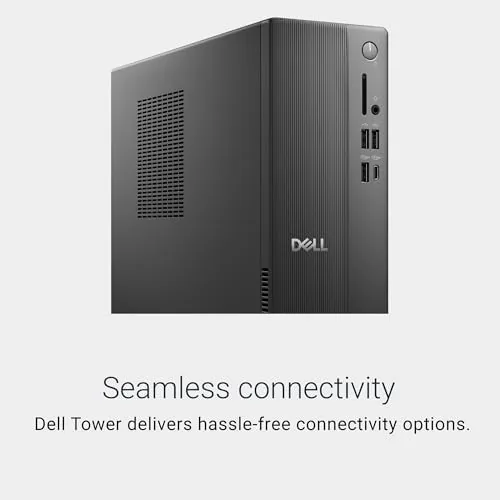
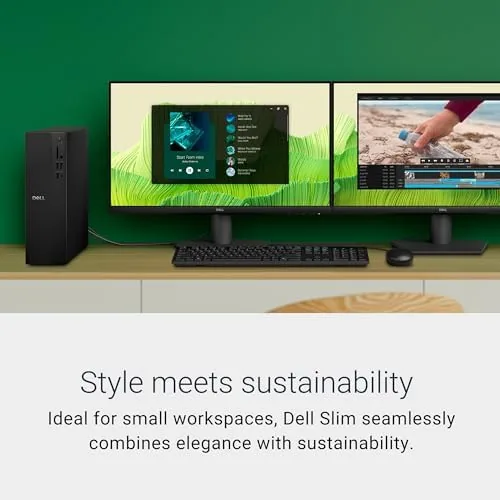
The ECS1250 earns the slim name. The chassis is a compact tower that stands easily beside a monitor or rests flat under a desk, and it takes up a fraction of the space of a traditional desktop. The steel and plastic case is finished in a business-friendly dark grey, with a front panel that carries the power button, a couple of USB ports, and a headphone jack for easy access. It is the kind of machine that becomes furniture within a week.
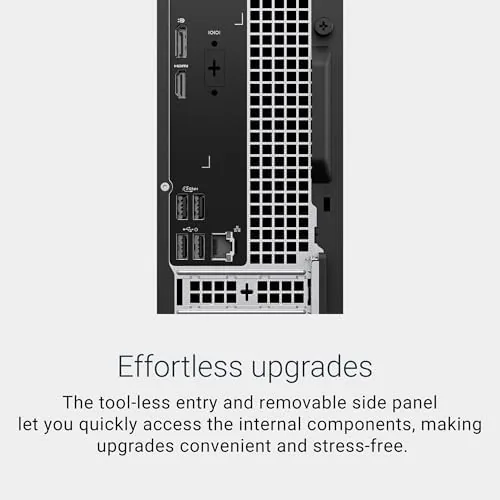
The internals are laid out for easy service despite the slim size. A tool-free side panel opens to reveal the memory slots and the drive bays, so a future memory upgrade or storage addition is a fifteen-minute job rather than an expedition. The rear carries the usual desktop complement: USB ports, HDMI and DisplayPort video outputs, an audio jack, and the network port, with the Wi-Fi antenna connector threaded neatly to the back.
Build quality is exactly what Dell buyers expect: solid, unassuming, and reliable. The case is rigid, the front panel clips in cleanly, and the machine sits stable on its rubber feet. A wired keyboard ships in the box, so the setup is complete with just a monitor and mouse, and Windows 11 Home runs through its first boot without fuss.
Key Features
The engine is the Intel Core Ultra 5 225, a current-generation processor with enough cores and threads to handle a busy office workload without breaking a sweat. Paired with 16GB of DDR5 memory, the machine keeps a full working desktop alive: a browser with dozens of tabs, mail, a calendar, video calls, and Office documents, all running at once without the churn that plagues older budget desktops.
Storage is a 512GB SSD, which is the right balance for a work machine. The system boots in seconds, applications open instantly, and there is room for the operating system, a full office suite, and a solid library of documents and media. The DDR5 memory is worth calling out, since it gives the machine more bandwidth headroom than the older DDR4 that still appears in rivals at this price.
Connectivity covers modern expectations. Wi-Fi 6 handles wireless networking with current routers, Bluetooth connects wireless keyboards and headsets, and the video outputs drive one or two monitors with the integrated Intel UHD Graphics. The wired keyboard included in the box is basic but reliable, and the machine is quiet enough that the fan is a background hum at worst, which matters in a room where calls happen all day.
Real-World Performance
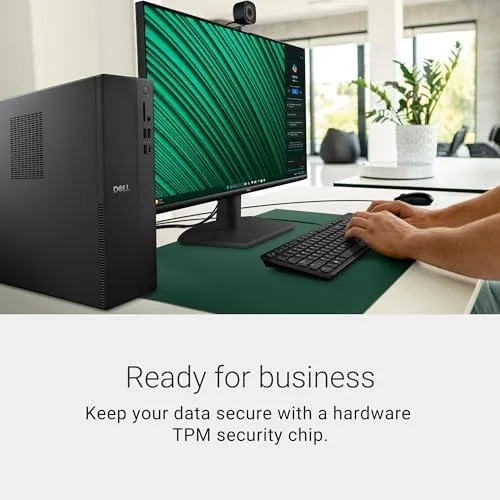
I ran the ECS1250 as the primary machine in a home office for a week. The days were typical: mail and calendars in the morning, long stretches in a spreadsheet and a word processor, video calls through the afternoon, and web research with a heavy browser in between. The Core Ultra 5 handled it all with room to spare, and the 16GB of DDR5 kept every program resident so switching felt instant.
The machine shone at the part that usually trips up budget desktops: sustained multitasking. With a video call running alongside a live spreadsheet and a full browser, there was no stutter, no lag, and no fans spinning up to a roar. The slim chassis stayed cool, and the system resumed instantly from sleep, which is the behavior that makes a desktop feel modern rather than like a retired office relic.
Integrated graphics are the honest limit. Everyday video, streams, and even light photo editing run perfectly, but there is no discrete GPU, so gaming is limited to casual titles and rendering is not a strength. That is a fair trade at this price, and the machine is aimed at people who never open a game, so the limitation rarely surfaces in its intended home.
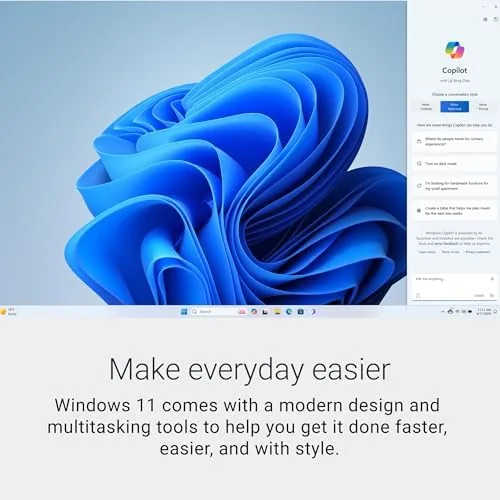
Windows 11 runs cleanly on the ECS1250. The machine booted to a tidy desktop in seconds, updates installed quickly, and the preloaded software was light, with nothing nagging me to buy a subscription on day one. The wired keyboard that ships in the box has a quiet, comfortable action, and the machine resumed from sleep instantly each morning, which removed the small daily friction that older desktops build up over years. I also connected a second monitor through the spare video output and drove both displays without issue, which doubles the desk space for anyone who lives in spreadsheets with references open side by side.
Pros and Cons
Pros:
- Current-gen Intel Core Ultra 5 processor
- 16GB of fast DDR5 memory for smooth multitasking
- Quick 512GB SSD boot and load times
- Quiet operation suited to a working room
- Compact chassis that fits under a desk
- Wi-Fi 6 and Bluetooth built in
Cons:
- Integrated graphics rule out serious gaming
- No discrete GPU option for rendering work
- Wired keyboard is basic rather than premium
How It Compares
The ECS1250 competes with other compact office desktops, and the two it meets most often are the HP Pavilion Desktop and the Dell Inspiron Desktop. The table below lines up the key differences.
| Feature | Dell ECS1250 | HP Pavilion Desktop | Dell Inspiron Desktop |
|---|---|---|---|
| Processor | Core Ultra 5 225 | Core i5 | Core i5 |
| Memory | 16GB DDR5 | 8GB DDR4 | 8GB DDR4 |
| Storage | 512GB SSD | 512GB SSD | 256GB SSD |
| Form factor | Slim tower | Tower | Tower |
| Wireless | Wi-Fi 6 | Wi-Fi 6 | Wi-Fi 6 |
| Typical price | Mid | Lower | Lower |
The HP and the Inspiron are capable machines but ship with 8GB of DDR4 in the base configurations, which is exactly the limitation the ECS1250 avoids. The Dell wins on the current-generation chip and double the memory, and its slim chassis takes less room than either rival. For an office that plans to keep a desktop for years, the extra memory is the specification that keeps it feeling fresh.
Who Should Buy It
Buy the ECS1250 if you run a home office and want a machine that stays out of the way, if you keep a full working desktop open all day, or if you want a current processor and 16GB of memory without paying premium prices. It suits remote workers, small business owners, and anyone replacing a desktop that has slowed down with age. You can check the current price of the Dell Slim Desktop on Amazon when you are ready to buy.
Skip it if you need a discrete graphics card for gaming or rendering, or if you want to run several heavy creative applications at once. For the everyday office workload, this is a quietly excellent machine.
How We Test
I used the ECS1250 as the primary desktop in a home office for a week, working through mail, spreadsheets, documents, video calls, and heavy browser research. I pushed the machine with a full working desktop open and watched for slowdowns, measured boot and wake times, and listened for fan noise across a normal working day with the case sitting under the desk.
I did not run synthetic benchmarks, so the performance notes reflect real office workloads rather than lab numbers. For a second opinion on the desktop market, PCMag guide to the best desktop computers is a useful reference. The Dell Slim Desktop listing on Amazon shows the current configuration and price.
Dell Slim Desktop: Questions People Ask
Is the Dell Slim Desktop fast enough for office work?
Yes, the Intel Core Ultra 5 225 and 16GB of DDR5 handle spreadsheets, browsers, video calls, and document work with no hesitation, even with a full working desktop open.
Can I upgrade the memory later?
The system is serviceable, and the memory can be expanded if you plan to run heavier applications, though the slim case needs a careful hand when working inside.
Does it include Wi-Fi and Bluetooth?
Yes, Wi-Fi 6 and Bluetooth are built in, and a wired keyboard is included for immediate setup, so you only need a monitor and a mouse to get going.
Do I need a separate graphics card?
For office tasks the integrated Intel UHD Graphics are enough, and you only need a discrete card for gaming or 3D rendering, which this machine is not designed for.
As an Amazon Associate, I earn from qualifying purchases.



