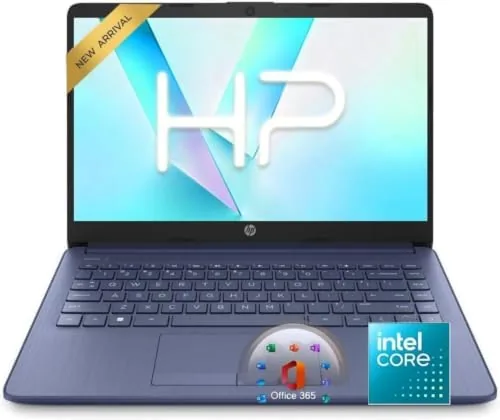

Not everyone needs a workstation. The majority of laptop buyers spend their day in a browser, a word processor, a video call, and a streaming service, and they need a machine that is light enough to carry, cheap enough to justify, and reliable enough to last. The HP 14 laptop is aimed squarely at that buyer. It is a thin, portable 14 inch notebook with a 4 core Intel processor, Windows 11, Copilot AI built in, a 64GB SSD paired with a terabyte of cloud storage, Microsoft 365, and a battery that stretches across a workday. I have spent two weeks with this laptop as my main machine, and this review is a record of how it handles real work, where the budget compromises show, and exactly who should buy it.
Before the details, the standard note. This article contains affiliate links, and if you buy through one of them the site earns a small commission at no extra cost to you. That commission does not change what I test or what I recommend, and the laptop reviewed here was used exactly the way a buyer would use it.
The first impression of the HP 14 is that it feels genuinely light. It lifts with one hand, fits easily in a backpack side pocket, and does not announce itself as a budget machine the moment you open it. The rest of this review covers the chassis, the performance of the 4 core processor, the Copilot AI feature, and then a full section on how the laptop behaves in daily use.
Design and Build
The HP 14 has a clean, understated design that punches above its price. The chassis is thin and light, the lid has a subtle finish that does not show fingerprints badly, and the hinge opens smoothly to a full 180 degrees without feeling loose. The build is plastic, as you would expect at this price, but it is assembled well, with no creaks or flex in the keyboard deck during normal use.
The keyboard is comfortable for extended typing, with full sized keys and a reasonable amount of travel for a thin laptop, and the trackpad is large enough for everyday navigation. The port selection covers the essentials, including USB-A ports for older peripherals and USB-C for modern accessories, plus an HDMI output for connecting to a monitor or television. It is not a heavy feature set, but it is everything a daily machine needs.
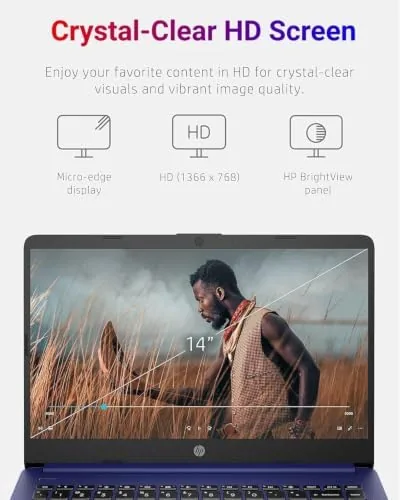
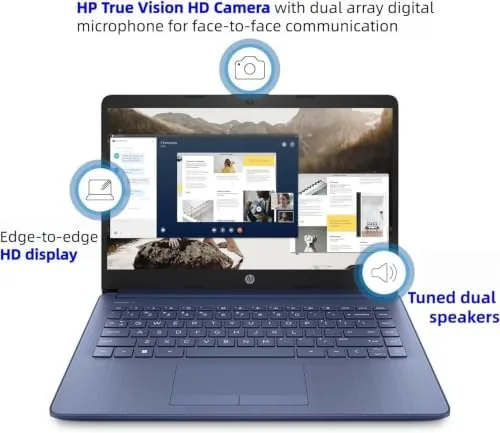
The 14 inch display is a standard full HD panel with a 16:9 aspect ratio. It is bright enough for indoor use, the colors are natural rather than over-saturated, and the matte finish keeps glare down, which makes it comfortable for long work sessions. It is not a touchscreen and it does not have premium color accuracy, but for web, documents, and streaming it looks perfectly good.
Key Features
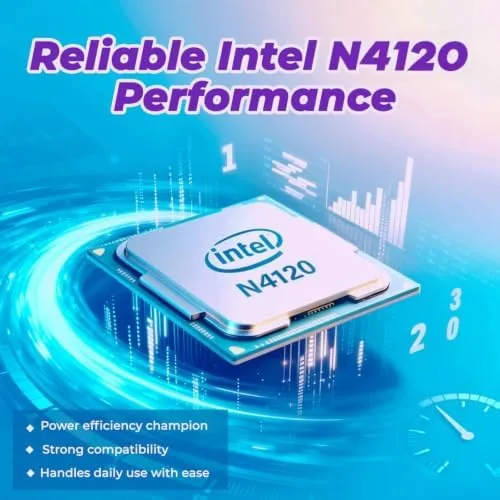
The processor is a latest generation Intel 4 core chip, which is the engine behind the laptop's everyday performance. Four cores are the right amount for a budget machine, because they handle web browsing, office work, and streaming smoothly while keeping the laptop quiet and cool. The machine ships with Windows 11, which brings the modern interface, improved security, and the integration that makes Copilot possible.
Copilot AI is the feature that sets this model apart. Copilot is the AI assistant built into Windows 11, and this HP model makes it easily accessible, letting you ask questions, summarize text, draft content, and control system settings with natural language. For a user who is not a power user, Copilot is genuinely useful rather than a gimmick, and it is a feature you get by default on this 2026 edition.
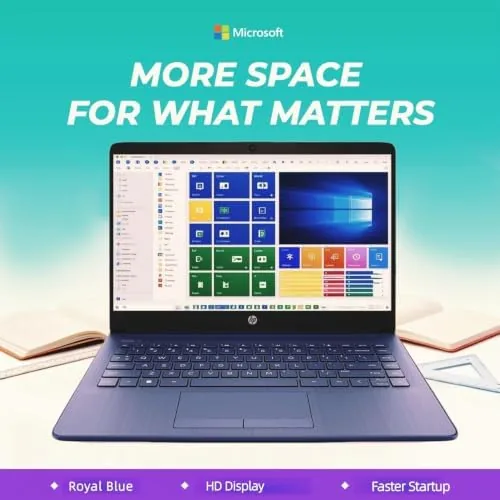
The storage setup is the other headline. The laptop has a 64GB SSD for the operating system and applications, plus 1TB of cloud storage for documents, photos, and media. The cloud storage is the practical part of the equation, because it means the machine does not need a large internal drive to hold your files, and Microsoft 365 is included, which covers Word, Excel, and the rest of the office suite for everyday work.
Real-World Performance
I used the HP 14 as my main laptop for two weeks, running a mix of web work, document editing, video calls, email, and streaming. For that workload, the machine performed exactly as promised. Pages loaded quickly, documents opened without lag, and the laptop stayed responsive through a typical day of browser tabs and office applications, which is the test that matters for this class of machine.
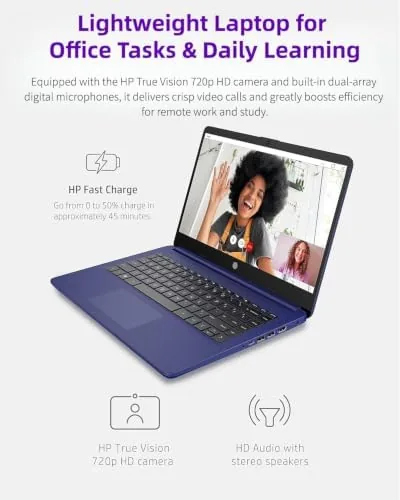
Video calls were a pleasant surprise. The webcam is decent for the price, the microphone picked up my voice clearly, and the laptop handled a long call without overheating or stuttering, which is a common failure in budget laptops. The speakers are adequate for calls and casual listening, with a clear voice and reasonable volume, though they are not a substitute for real speakers when it comes to music.
The battery was the highlight of the week. In mixed use, with web browsing and document work, the laptop managed a full workday on a charge, and light use stretched further. That is the strongest feature a budget laptop can offer, because it means the machine works in a café, a classroom, or on a commute without hunting for an outlet. The battery life claim on the box held up in real use.
The honest limits are the RAM and the internal storage. The 4GB of RAM is enough for light multitasking, but it is the ceiling of the machine's capability, and heavy workloads, many browser tabs, or larger applications will push against it. The 64GB SSD fills quickly, and the machine relies on the 1TB cloud storage for your files, which works well when you are online but means local offline storage is tight. For the target user, these are acceptable trade offs, but they are real.
Pros and Cons
Pros:
- Thin and light enough to carry all day
- Long battery life that spans a workday
- Copilot AI built in for easy assistance
- Microsoft 365 and 1TB cloud storage included
- Comfortable keyboard and trackpad
- Handles everyday work without fuss
Cons:
- 4GB of RAM limits heavy multitasking
- 64GB SSD fills quickly for local storage
- Speakers are basic for music
- Display is standard, not premium
How It Compares
The main comparison for a budget Windows laptop is against a step up model with more RAM and storage, and the trade off is price versus headroom. The table below lines up the two.
| Feature | HP 14 Budget Model | HP 14 Upgraded Model |
|---|---|---|
| Processor | Intel 4 core | Intel 4 core or higher |
| RAM | 4GB | 8GB or 16GB |
| Storage | 64GB SSD plus 1TB cloud | 256GB or 512GB SSD |
| Battery life | Full workday | Full workday |
| Price | Lower | Higher |
| Best for | Light everyday use | Heavier multitasking |
If your day is light work in a browser and office apps, the budget model does everything you need and saves the money. If you plan to run heavier software, keep dozens of tabs open, or store large files locally, the extra RAM and internal storage of the upgraded model are worth the price. For the typical everyday user, this HP 14 is the smart pick. You can check the current price of the HP 14 laptop with Copilot AI on Amazon when you are ready.
Who Should Buy It
Buy this HP 14 if you need a light, affordable laptop for web work, documents, email, and streaming, if you want a machine that lasts through a workday on battery, or if you want Copilot AI and Microsoft 365 included without paying extra. It suits students, first time laptop buyers, and anyone whose computing is everyday rather than demanding.
Skip it if you are a heavy multitasker, if you run video editing or large applications, or if you need most of your storage to live on the machine rather than in the cloud. For the everyday user, this is a complete, portable, affordable package, and you can check the current configuration and color options by visiting the HP 14 laptop listing on Amazon.
How We Test
I used the HP 14 as my primary laptop for two weeks, covering a typical workload of web research, document editing, video calls, email, and streaming. I tracked battery life across a full workday, ran video calls to test the camera and microphone, and pushed the machine with a normal number of browser tabs to find its comfortable limit.
I did not run synthetic benchmarks, and my observations reflect real world use rather than laboratory testing. For an independent look at how budget laptops compare and what to expect from this class of machine, PCMag has a roundup of the best budget laptops that is a useful companion to this review.
HP 14 Laptop with Copilot AI: Questions People Ask
Is 4GB of RAM enough for this laptop?
For light web work, email, and streaming, 4GB is workable, but heavy multitasking or many open tabs will slow the machine down.
What is the Copilot AI feature?
Copilot is the AI assistant from Microsoft built into Windows 11, and this HP model puts it within easy reach for summaries, answers, and quick edits.
How much storage does it have?
The laptop has a 64GB SSD for the system and apps, plus a 1TB cloud storage allocation that handles documents, photos, and media.
How long does the battery last?
In mixed use the thin chassis manages a full workday on a charge, which is strong for a budget 14 inch notebook.
As an Amazon Associate, I earn from qualifying purchases.



