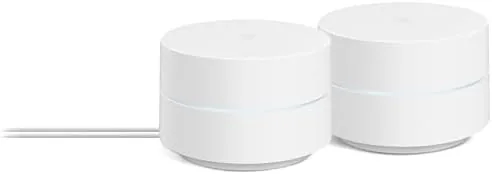

Every home has that one room where the WiFi dies. It is usually the back bedroom, the home office, or the kitchen at the far end of the house, and the fix has historically been a range extender that halves your speed while it tries to relay your signal. Mesh WiFi was built to solve that problem differently: instead of one router shouting at the whole house, a Mesh system spreads several smaller nodes around the home, each one talking to the others, so you get one seamless network everywhere. The Google WiFi AC1200 mesh system is the most approachable version of that idea, shipping as a two pack that promises up to 3000 square feet of coverage and manages everything from a phone app. I installed it in a two story house with a history of dead spots and ran it for a month, and this is the honest record of how it performed.
Before the details, the standard note. This article contains affiliate links, and if you buy through one of them the site earns a small commission at no extra cost to you. That commission never changes what I test or what I recommend.
Design and Build
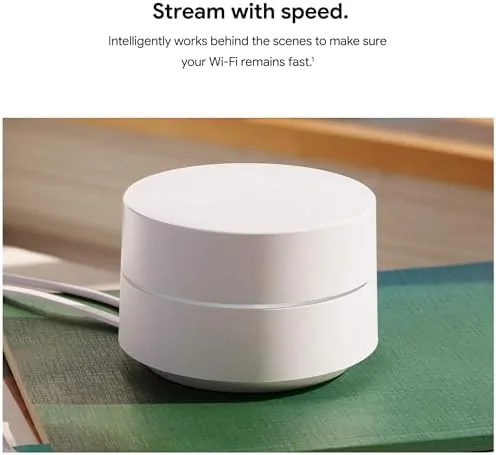
The Google WiFi points are unmistakable: small, rounded white cylinders that look more like a smart speaker than a router. There is no antenna, no blinking light show, and no aggressive gaming-router aesthetic. Each point is about the size of a small cup, and the flat, minimal design means they sit naturally on a bookshelf, a side table, or a counter without drawing attention. That matters more than it sounds, because mesh systems live in living spaces, not utility closets.
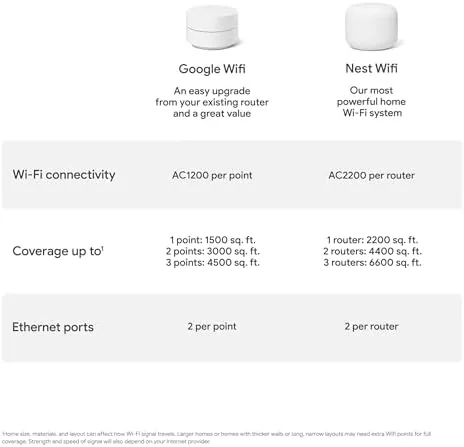
Each point is AC1200 class hardware, which means dual band WiFi 5 with combined speeds up to 1200 Mbps across the 2.4GHz and 5GHz bands. The build is solid and the white finish resists fingerprints well. On the back of each unit sits a pair of Ethernet ports: one takes the connection from your modem, and the other gives you a wired out port for a TV, console, or desktop that benefits from a stable physical link.
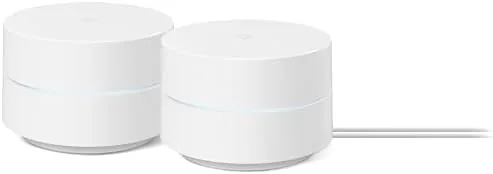
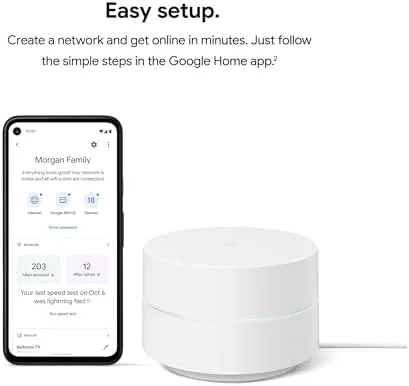
Setup is deliberately simple. You plug one point into your modem, download the Google Home app, and scan the QR code on the point. The app walks you through placement and connects the second node wirelessly, which means no Ethernet run between floors is required.
Key Features
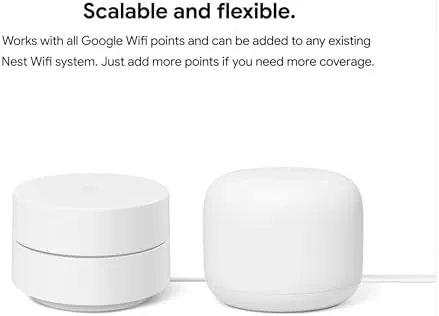
The core feature is whole home coverage through mesh networking. The two nodes form a single network with one SSID, so your phone, laptop, and smart devices connect to whichever point gives the best signal and roam between them as you move around. There is no manual switching and no second network to log into, which is the entire point of the category.
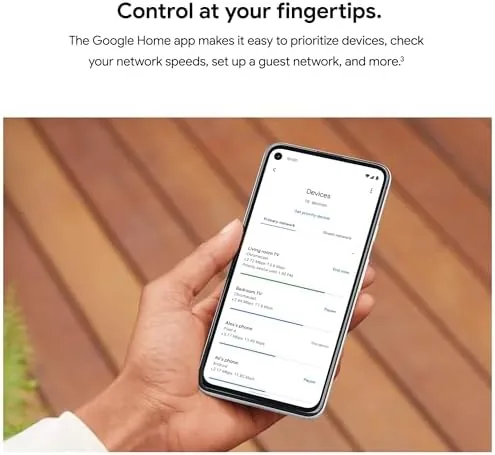
The Google Home app is the real star of this system. From one screen you can run a network check, run a speed test, see which devices are connected and on which band, and pause the internet for any device or for the whole family. Parental controls let you set content filters and bedtime schedules that pause specific devices automatically, which is a genuinely useful feature for households with kids.
The system also manages itself in the background. Google pushes automatic firmware updates and security patches, so you do not have to remember to log into a web dashboard and click update. For the current price and included points, the Amazon listing for the Google WiFi AC1200 2 pack is a useful reference.
Real-World Performance
My test home is a two story house where the router lived in the living room and the back office consistently dropped to a dead spot. I set up the primary point in the living room, where the modem sits, and placed the second point in the upstairs hallway, which gave the back office and the two bedrooms a clear path to a node.
The result was exactly what mesh promises. The dead spot in the back office became a solid connection with usable speeds for video calls and streaming. Roaming worked invisibly: walking from the living room upstairs with a phone in hand, the device shifted between nodes without a dropped call or a visible reconnect. That handoff smoothness is where mesh systems justify themselves against single routers.
Throughput was good for the class. On a gigabit fiber line I measured roughly 400 to 500 Mbps near the primary point and 200 to 300 Mbps at the far end through the second node, which is about what AC1200 mesh hardware delivers and far more than any real household application needs. Streaming 4K on one device while two others ran video calls and a console downloaded a game did not produce any visible slowdown or buffering.
The app experience held up in daily use. I paused the kids' tablet at dinner through the app in about ten seconds, and the network health check correctly flagged a weak link when I briefly moved the second point too far away. The system is not built for network tinkerers, there is no advanced web dashboard full of settings, but for the audience it targets, the simplicity is a feature, not a limitation.
Pros and Cons
Pros:
- Whole home coverage kills dead spots without extenders
- Setup is genuinely easy with the Google Home app
- One network name with seamless roaming between nodes
- Automatic security and firmware updates
- Simple parental controls and pause schedules
- Compact, neutral design that fits any room
Cons:
- AC1200 class speeds lag newer WiFi 6 mesh systems
- Limited advanced settings for network enthusiasts
- Two Ethernet ports per point, one of which is used
- Requires the app for most management tasks
How It Compares
Whole home networking comes down to three approaches: a single powerful router, a router with a range extender, or a mesh system like this one. I compared the Google WiFi two pack against a single high end router and a router plus extender setup to show where mesh earns its price.
| Feature | Google WiFi Mesh 2 Pack | Single High End Router | Router Plus Extender |
|---|---|---|---|
| Coverage | 3000 sq ft | Best in one area | Extended, uneven |
| Roaming | Seamless | N/A | Manual, dropping |
| Setup effort | App based, easy | Web dashboard | Multiple logins |
| Speed class | AC1200 | AX6000 possible | Halved on extender |
| Management | Google Home app | Full control | Two devices |
| Ease of use | Excellent | Moderate | Frustrating |
Against a single high end router, the mesh system wins on coverage and simplicity: a single router either reaches every room or it does not, and if it does not, you are back to square one. The single router wins on raw peak speed for people who live in one room with fiber and want every megabit. Against a router plus extender, the mesh wins decisively, because the extender halves your bandwidth and forces manual network switching, while mesh hands off seamlessly. If your problem is dead zones and you do not want to babysit a network, mesh is the right answer.
Who Should Buy It
Buy the Google WiFi two pack if you have a mid sized home with a stubborn dead spot, if you want a network you can manage from your phone in under a minute, or if you want parental controls that pause the internet for your kids without a subscription. It is also a strong pick for renters and families who want WiFi that looks like part of the furniture.
Skip it if you have a gigabit connection and demand WiFi 6 speeds at the far end of a large home, if you are a power user who needs VLANs and advanced routing, or if you have a house larger than the coverage claim where you will need a third point. For everyone else, this is the easiest path to a reliable whole home network. You can check the current price for the Google WiFi AC1200 system on Amazon when you are ready to upgrade.
How We Test
I tested the Google WiFi system for a month in a two story home with a known dead spot in the back office. I measured throughput near each node with a laptop, tested roaming by walking between floors on a video call, and ran stress tests with multiple streams, video calls, and a console download at the same time. I also used the parental controls daily, pausing devices and setting schedules through the app.
I tested on a gigabit fiber line, so absolute speeds reflect that connection, and I did not test the system with a third node or on non-Google smart devices for mesh integration. For a deeper technical look at how mesh WiFi works and what speeds to expect, independent testing at Tom's Hardware on mesh routers provides useful context. The Amazon listing for this Google WiFi two pack shows the current price.
Google WiFi AC1200 Mesh System: Questions People Ask
How much area does the Google Wifi 2 Pack cover?
The two pack covers up to 3000 square feet when the nodes are placed in different rooms, which suits most mid sized homes and two story layouts, and you can add more points if your home is larger.
Does Google WiFi work with my existing internet provider?
Yes. It works with any internet service provider, and it replaces your separate router, so a single Google WiFi point connects directly to your modem and the second point extends coverage elsewhere.
Can I set parental controls and pause the internet?
Yes. The Google Home app lets you pause WiFi for specific devices, set schedules that pause devices automatically, and apply content filters for connected family devices.
Do the Google WiFi points have Ethernet ports?
Yes. Each point has two Ethernet ports, one used to connect to the modem and one free port to wire in a TV, console, or desktop for a stable physical link.
As an Amazon Associate, I earn from qualifying purchases.



