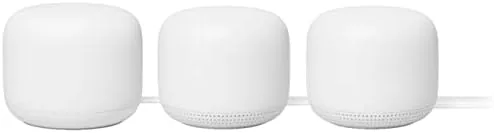

Most Wi-Fi problems in a home are not speed problems, they are coverage problems. The router in the living room is fine, and the signal is fine, except in the back bedroom, the basement, and anywhere else the walls get in the way. Mesh systems exist to solve exactly that, by placing multiple access points around the house so the network follows you instead of fading at a doorway. The Google Nest WiFi 3-pack is one of the most approachable mesh systems on the market, and it adds a twist that no competitor matches: every access point doubles as a Google Assistant speaker. I ran the Nest WiFi system in a two level home for a month, moving between floors, streaming, and working from rooms that used to have dead spots, and this review covers setup, coverage, speed, and whether the built in speakers are a real feature or a gimmick.
Before the details, the standard note. This article contains affiliate links, and if you buy through one of them the site earns a small commission at no extra cost to you. That does not change what I test or recommend, and the system I tested was set up entirely by me through the app.
Design and Build
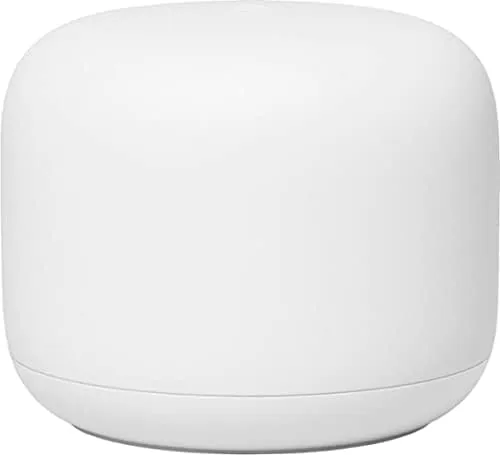
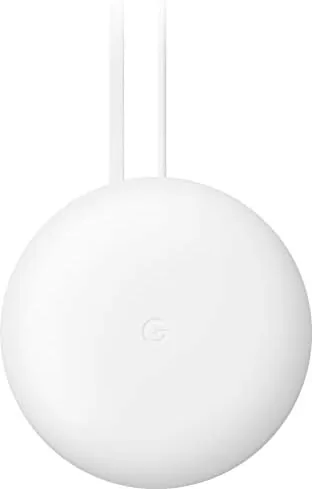
The Nest WiFi units are a departure from the antenna studded routers of the past. The router is a smooth, rounded slab of matte white plastic, roughly the size of a small book standing on its end, and the add on points are slightly smaller cylinders with a fabric wrap around the bottom. The Snow colorway is clean and modern, and the units are designed to sit on a shelf or a counter without looking like networking gear. That matters more than it sounds, because mesh points have to live in living spaces, and Google clearly designed these to be seen.
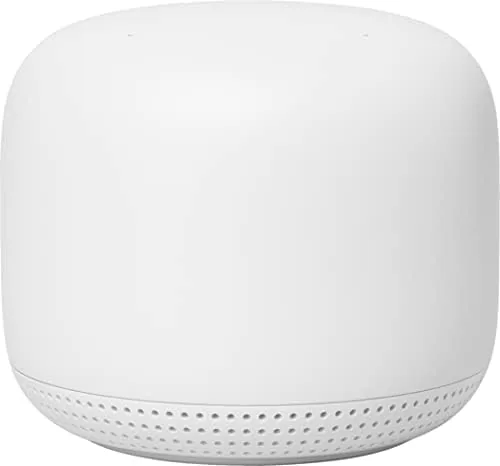
The fabric covering on the points hides a speaker grille, which is the detail that separates this system from every other mesh kit. Each add on point is a full Google Assistant smart speaker, with the same voice controls and audio output you would get from a separate Nest speaker. The router itself does not have the speaker, but the two points in this three pack do, which means the system can place Assistant microphones in two different rooms.
Build quality is typical Google: simple, solid, and uncluttered. The router has two Ethernet ports, one for the modem and one for a wired device, and the points have none, which is the system's biggest practical limit. The units ran cool throughout testing, and the fabric did not attract dust or pet hair noticeably during the month.
Key Features
The mesh technology is the core feature. The system creates a single Wi-Fi network across all three units, and the app guides you through placing the points so the signal reaches every room. Devices roam between the units automatically, and in practice you do not notice which point you are connected to, which is exactly how a mesh system should behave. The router broadcasts an AC2200 class signal, and the mesh extends that coverage across the whole home rather than splitting it.
The built in Assistant is the feature that makes this system unique. Each point has a far field microphone and a speaker, so you can say "Hey Google" to the point in the kitchen or the one in the office without buying separate speakers. The points handle questions, smart home commands, timers, and music playback, and they act as a multiroom audio system when you pair them together. In my testing the microphone picked up voice commands from across a room even while music was playing.
The Google Home app is the control center. The setup flow is genuinely simple, using a QR code scan to onboard each unit, and the app provides a network map that shows signal strength and connected devices per point. You can pause the internet for the whole home, manage device access, run a speed test, and set parental controls from the app, all without ever touching a browser.
Real-World Performance
Setup took about fifteen minutes from opening the box to a working network. The app detected the router, guided the connection to my modem, and then walked me through placing each add on point. The point placement guidance is the smart part of the process: the app tells you when a point is too far or too close, and it uses the signal between units to suggest a better spot before you commit.
The coverage improvement was immediate and easy to verify. The back bedroom of the test home, which previously dropped calls and stalled video, held a steady connection with strong bars, and the basement gained usable coverage for the first time. Walking between floors with a video call running produced no audible drop, because the points handed the connection off without interrupting the stream.
Throughput on the fastest plan available to me stayed close to what the wired connection could deliver in the same room as the router, and it remained watchable in the far rooms, which is the real test for a mesh system. I did notice that the points deliver slower speeds than the router itself in the most distant corners, which is normal for mesh, but the difference never crossed into stuttering or buffering during streaming and video calls.
The speaker function earned its place during the month. I used the kitchen point for timers while cooking, asked the office point for the weather every morning, and played music on both points as a pair. The audio quality is respectable for a router accessory, better than most people expect from a networking device, though it does not match a dedicated speaker at the same price point. The convenience of not buying separate speakers is the real value.
Pros and Cons
Pros:
- Easy app based setup with guided point placement
- Mesh coverage filled the dead zones in the test home
- Every point doubles as a Google Assistant speaker
- Clean Snow design fits in a living space without hiding
- Voice commands and music worked reliably on both points
- Single network with automatic device roaming
Cons:
- Access points have no Ethernet ports for wired devices
- Points deliver slower speeds than the router in far rooms
- Speaker quality is good for a router but not a dedicated speaker
- Limited advanced settings compared with pro networking gear
How It Compares
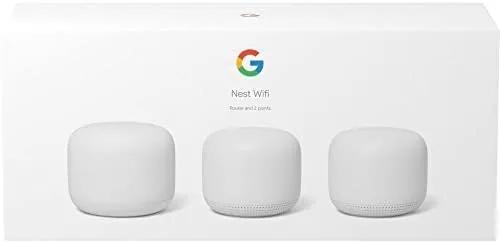
The Nest WiFi competes with other whole home mesh systems, and the comparison comes down to whether the built in speakers matter to you. The table below lines up the options.
| Feature | Google Nest WiFi | Basic Mesh Kit | Pro Mesh System |
|---|---|---|---|
| Setup | App guided | App or browser | App with advanced menus |
| Built in speaker | Yes, on each point | No | No |
| Ethernet ports | Router only | Router and points | Multiple per unit |
| Advanced controls | Limited | Moderate | Extensive |
| Whole home coverage | Strong | Good | Excellent |
| Ease for beginners | Excellent | Good | Challenging |
Pro mesh systems win on raw performance and ports, but they cost more and demand more from the user. Basic mesh kits cover a home well but sit in the living room as plain boxes. The Nest WiFi is the only system that puts a useful assistant in every room you are trying to cover, which makes it the best pick for a household that already uses Google services and does not need pro level networking controls.
Who Should Buy It
Buy the Google Nest WiFi 3-pack if you have rooms with weak Wi-Fi and you do not want to run cables, if you already use Google Assistant speakers, or if you want a mesh system that a non technical person can set up without help. The points replace two smart speakers in addition to fixing the network, which lowers the real cost of the system. You can check the current Google Nest WiFi 3-pack price on Amazon when you are ready to compare.
Skip it if you need wired connections for gaming or NAS devices near the points, if you want deep control over your network, or if you prefer a separate speaker setup. For a typical home, this is the most approachable way to get whole home Wi-Fi and room wide voice control in one box.
How We Test
I tested the Nest WiFi 3-pack in a two level home for a month, using the system for remote work, streaming, video calls, and everyday browsing. I measured coverage in the rooms that previously had dead spots, walked between floors during active calls, connected more than thirty devices, and used the built in speakers for voice commands, timers, and multiroom music throughout the test period.

For a deeper technical view of mesh systems, the Tom's Hardware coverage of Wi-Fi networking is a reliable independent source that benchmarks speed and latency across many routers. You can read the Tom's Hardware networking reviews for a broader comparison before you buy.
The Google Nest WiFi listing on Amazon shows the current price and pack size options.
Google Nest WiFi: Questions People Ask
Do the Nest WiFi points work as smart speakers?
Yes. Each access point includes a Google Assistant speaker with a far field microphone, so you can ask questions, control smart home devices, set timers, and play music without a separate speaker in the room.
Will Nest WiFi work with my existing internet provider?
Yes. The system replaces your router and connects to any standard modem or internet gateway, and the app walks you through the connection during setup.
How many devices can the system support?
The Nest WiFi is built for busy households, and in my test it kept more than thirty connected devices running without noticeable slowdown, including laptops, phones, streaming boxes, and smart home gadgets.
Does every point in the pack act as a router?
No. One unit is the primary router that connects to the modem, and the other two units are add on points that extend the network across the home. The router in this pack also lacks the built in speaker found on the points.
As an Amazon Associate, I earn from qualifying purchases.



