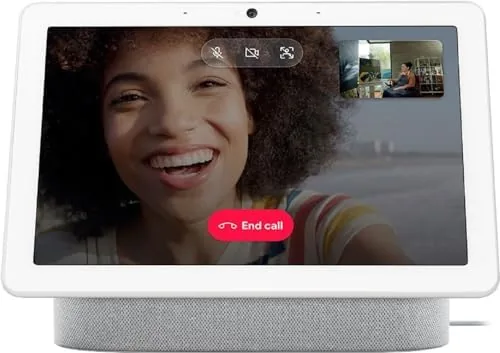

The kitchen counter is where a smart display earns its keep. A phone is too small for following a recipe while your hands are covered in flour, and a tablet on a stand dies against the wall the moment the battery runs low. The Google Nest Hub Max takes the smart display idea and scales it up to a 10 inch screen with a Built In camera, a speaker tuned for music, and the Google Assistant underneath it all. I moved one onto my kitchen counter and lived with it for a month to find out whether a screen that size, and a camera that watches it, belongs in the busiest room in the house.
Before the details, the standard note. This article contains affiliate links, and if you buy through one of them the site earns a small commission at no extra cost to you. That commission never changes what I test or what I recommend.
Design and Build
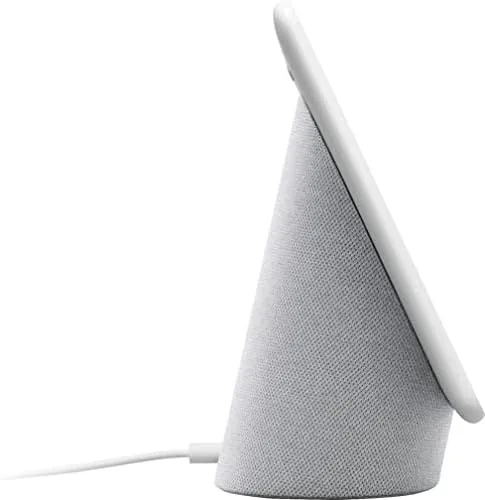
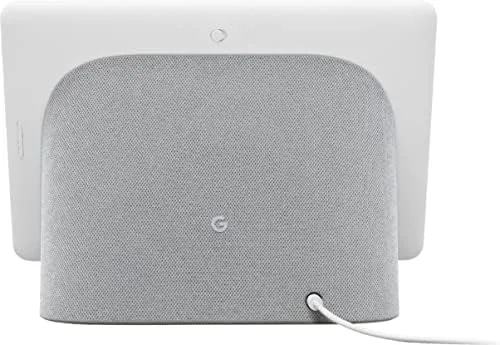
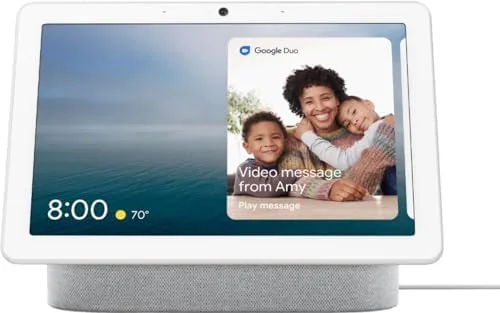
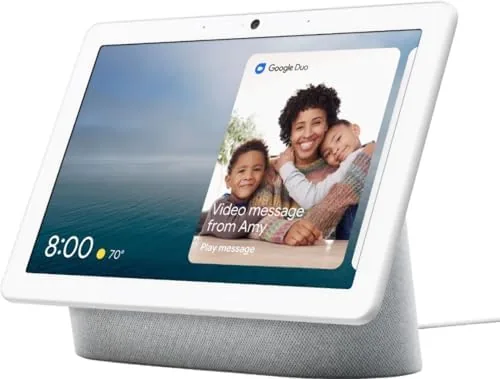
The Nest Hub Max is a single fabric-wrapped bar that holds a 10 inch display on the front and a speaker on the side, with a camera set into the top bezel. The chalk fabric finish is neutral enough to sit on a counter without looking like a gadget, and the footprint is compact for the size of the screen. The back is a smooth wedge that tilts the display up toward eye level, and a physical switch on the side slides a shutter across the camera lens, which is the privacy detail that matters most in a family kitchen.
Build quality is exactly what you expect from Google hardware. The screen is bright and sharp, the fabric is tight and clean, and the single power cable keeps the counter tidy. There is no touchscreen lag in daily use, and the whole unit runs cool even after a full evening of music and video, which is more than can be said for some rival displays that warm the counter beside them.
Key Features
The 10 inch screen is the centerpiece, and it is used for everything a smart display should do. Recipes stay on screen while you cook, video calls put a wide-angle camera view on a family-sized face, and the Assistant shows weather, calendars, and reminders at a glance. The display also works as a smart photo frame when idle, cycling through a Google Photos library, which turned my kitchen counter into a living family album.
The camera is the feature that sets the Max apart from the smaller Hub. It is a wide-angle lens that fills the screen with the whole room during video calls, and it does the computational photography work that makes calls look better than a laptop webcam. The privacy switch slides a physical shutter across the lens, and the microphone mute is a dedicated button, so the two things people worry about have clear, physical controls. If you want to compare the current price against other smart displays, the Amazon listing for the Nest Hub Max is a useful reference.
Real-World Performance
The Assistant is the operating system here, and it answered reliably every day. I asked for timers while cooking, weather before a run, music while doing dishes, and the answers came back fast and accurate. The microphones picked up the wake phrase across a noisy kitchen, which is the test that separates a good smart display from a frustrating one, and the multi-room music control worked cleanly with the other Google speakers in the house.
The video calls were the most pleasant surprise. The wide-angle camera framed the whole kitchen, and the far end of a call saw the room rather than just a face at the edge of a laptop screen. In a call with family, several people could gather around the counter and all stay in frame, which is something a phone can never do. The speaker handled the other end of the conversation clearly, and music through the same speaker was full enough for a kitchen, with more bass than the smaller Hub models.
The honest frustrations are the platform limits. The Nest Hub Max does not run every app a tablet runs, and some streaming services are missing or limited, which is the trade-off of a purpose-built assistant device. The camera is also a feature that demands a household decision, because a lens in the kitchen makes some people comfortable and others the opposite, and the physical shutter is there for exactly that reason. The device learns your routines over time, and the Assistant's suggestions became more useful the longer it stayed on the counter.
Pros and Cons
Pros:
- Sharp 10 inch display that works well with recipes and media
- Wide-angle camera makes video calls genuinely room filling
- Physical privacy shutter and mic mute for the camera
- Assistant handles timers, music, and Smart Home Control reliably
- Speaker is strong enough for kitchen music and podcasts
Cons:
- Limited app selection compared to a tablet
- Camera in the kitchen requires a household privacy decision
- Best experience assumes a Google ecosystem at home
How It Compares
Smart displays come in two main shapes: camera models like the Nest Hub Max and cheaper camera-less displays. I compared the Max against a smaller camera-less smart display and a tablet on a stand to see which one earns the counter space. If you want to check the current price, the Nest Hub Max listing on Amazon is a good place to start.
| Feature | Nest Hub Max | Smaller Camera-less Hub | Tablet on a Stand |
|---|---|---|---|
| Screen size | 10 inches | 7 inches | Varies |
| Camera | Wide angle, video calls | None | Depends on model |
| Assistant integration | Full | Full | App based |
| Music speaker | Strong | Moderate | Weak |
| Always on | Yes | Yes | Battery limited |
| App flexibility | Limited | Limited | Full |
The smaller camera-less hub costs less and fills a bedside or desk role well, but its 7 inch screen and weaker speaker cannot match the Max for video calls or kitchen music. A tablet on a stand runs every app you want, but it is not always on, it needs charging, and its speaker is thin, which makes it a poorer fit for a room where the display should just work when you look at it. For a kitchen counter, the Nest Hub Max is the more complete appliance, and it earns its higher price for anyone who will actually use the camera.
Who Should Buy It
Buy the Nest Hub Max if your kitchen is the family hub, if you want video calls that show the whole room instead of a single face, or if you already live inside the Google ecosystem with Assistant speakers and a smart home. The large screen also makes it the right choice for anyone who cooks from digital recipes and is tired of squinting at a phone.
Skip it if a camera in your kitchen is a firm no, if your household uses a different assistant platform, or if you only want a small clock-style display for a nightstand. For everyone else, this is the most complete smart display Google makes. You can check the current price for the Nest Hub Max on Amazon when you are ready to put a screen on your counter.
How We Test
I used the Nest Hub Max on a kitchen counter for a month, and I tested the Assistant with timers, weather, music, and smart home commands across every day of that period. I made video calls in different lighting to test the wide-angle camera, played music and podcasts to judge the speaker, and used the display as a recipe screen and a photo frame. I also tested the privacy shutter and the mic mute to confirm the physical controls work as promised.
I did not test the device with every available smart home brand, and I did not run it as the primary media player for a full movie. Independent coverage such as The Verge's review of Google smart displays is a solid authority on how the Hub line compares. The Nest Hub Max listing on Amazon shows the current price and the available color options.
Google Nest Hub Max: Questions People Ask
Does the Nest Hub Max have a camera?
Yes, it has a wide-angle front camera for video calls, and it includes a physical switch that slides over the lens for privacy, plus a dedicated microphone mute button.
Can the Nest Hub Max work with other smart home devices?
It controls thousands of compatible lights, thermostats, cameras, and locks through Google Home, and it can show a live feed from Nest cameras on its screen.
Does it play music and video well?
The speaker is strong for a kitchen display, and it streams music and video through the Assistant, though some streaming services are limited compared to a tablet.
Is the camera always listening or recording?
The camera records only when you use it for calls or video, and the microphone array listens for the wake phrase, with clear settings and a physical shutter plus mute switch for both.
As an Amazon Associate, I earn from qualifying purchases.