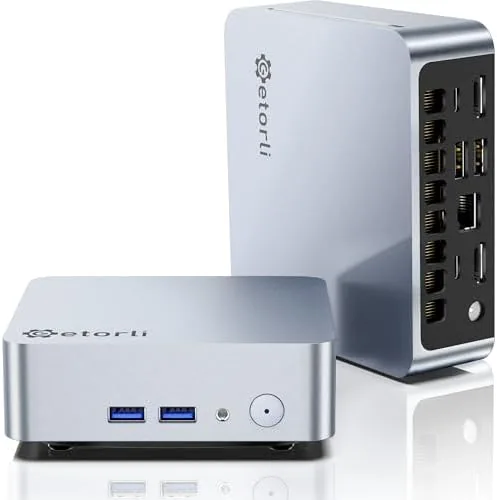

Every home office has the same quiet problem. A tower computer takes up half the desk, the cables crawl across the floor, and the machine spends most of its day idling while a browser and a spreadsheet do the actual work. The Getorli Mini PC takes the opposite approach. This review is the record of three weeks spent with a compact desktop that packs an AMD Ryzen 5 3500U processor, 16 gigabytes of DDR4 memory, and a 512 gigabyte NVMe drive into a chassis that fits in the flat of a hand.
Before the details, the standard note. This article contains affiliate links, and if you buy through one of them the site earns a small commission at no extra cost to you. That commission does not change what I test or what I recommend, and I treat every product here exactly the way I would treat one purchased with my own money.
Design and Build
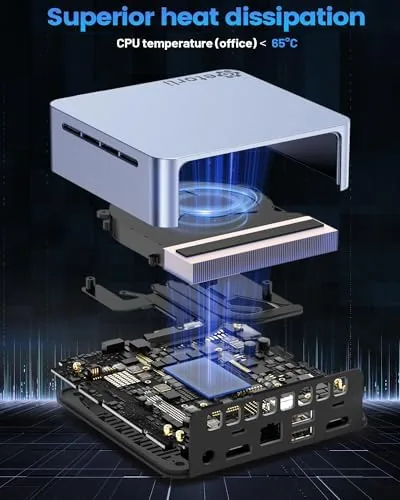
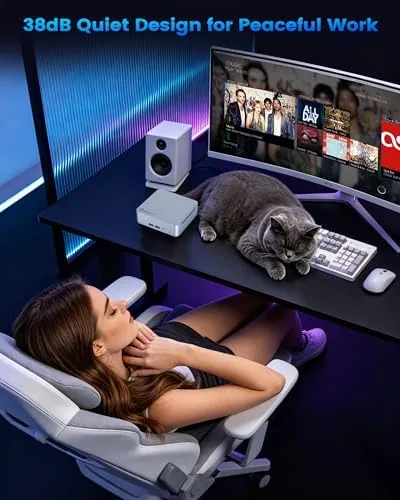
The Getorli is genuinely small. The chassis measures roughly four inches square and stands about two inches tall, which puts it among the most compact mini PCs I have handled recently. The brushed aluminum top panel doubles as a heat sink, a clever arrangement for a machine this size, and the whole unit feels dense and solid rather than hollow. A standard 75 millimeter VESA mount comes in the box, so the computer can ride on the back of a monitor or hang under a desk and vanish from sight.
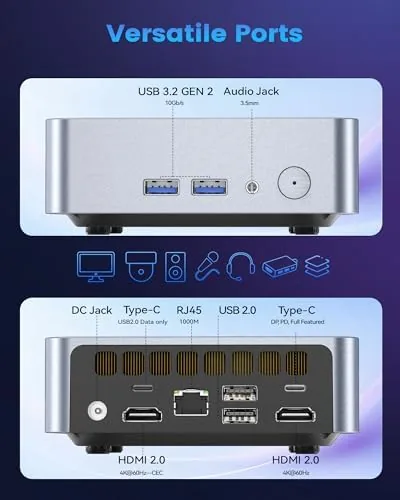
Port placement is practical for a device meant to sit beside a monitor. The front edge carries two USB ports, a headphone jack, and the power button, so plugging in a flash drive does not require reaching behind the desk. The rear panel holds two more USB ports, two full sized HDMI outputs, a gigabit Ethernet port, and the DC power input. Nothing feels cramped, and the layout is better thought out than some mini PCs I have used that bury every connection on the back.
Key Features
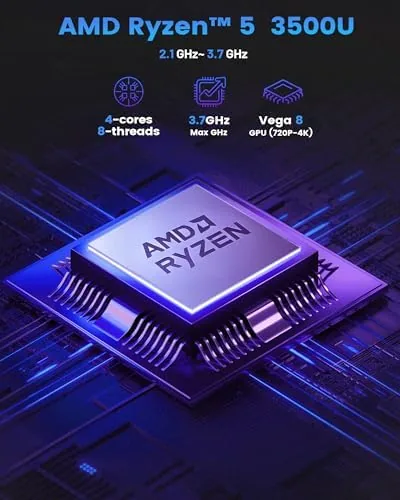
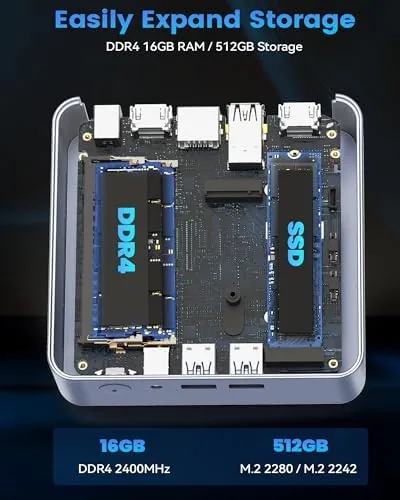
The heart of the machine is the AMD Ryzen 5 3500U, a four core processor with eight threads that boosts up to 3.7 gigahertz. This is a mobile chip originally built for laptops, but in a desktop chassis with proper airflow it behaves itself admirably. Paired with 16 gigabytes of DDR4 RAM and a 512 gigabyte NVMe solid state drive, it delivers the kind of responsiveness that budget mini PCs with Celeron chips simply cannot match. Booting into Windows takes seconds, and heavy browser sessions never leave the machine gasping.
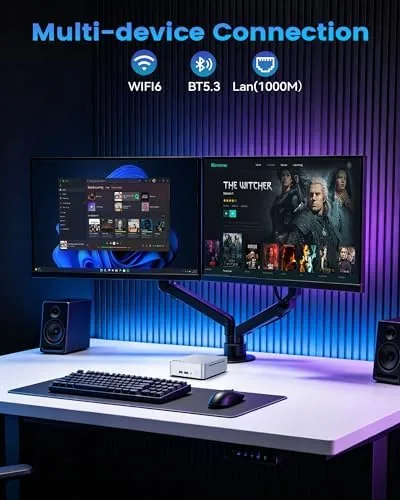
Connectivity is a genuine strength. The dual HDMI ports drive two 4K displays at once, which makes this a real multitasking machine rather than a streaming box in disguise. WiFi 6 delivers fast wireless networking when a cable is inconvenient, Bluetooth 5.3 pairs modern peripherals and audio gear, and the gigabit Ethernet port offers a rock solid wired fallback for anyone who hates depending on wireless. The integrated Vega graphics, meanwhile, handle 4K video playback with hardware acceleration and provide enough muscle for lighter games.
Real-World Performance
I ran the Getorli as a daily driver for three weeks, using it for email, document editing, spreadsheet work, video calls, and the endless browser tabs that define modern office life. The machine never once felt slow. The Ryzen 5 3500U is not a flagship chip, but for the workloads most people actually run, the combination of a real quad core processor and 16 gigabytes of RAM makes everything feel immediate. I could flip between a dozen open applications without any hint of the swapping and stutter that plagues lesser budget machines.
Streaming is where this little box shines. Connected to a 4K television through one HDMI port, the machine played high definition video flawlessly, and I ran a second display off the other output at the same time without issue. The hardware video decoding kept fan noise low during media playback, which matters when the computer sits on a media shelf next to a couch. This is one of the few budget mini PCs that genuinely earns its 4K marketing.
Gaming is the surprise. The integrated Vega graphics are not a gaming GPU by any stretch, but they handled lighter and older titles at 1080p with playable frame rates. I tested a few older games and a couple of indie releases, and all ran smoothly at medium settings. Modern AAA titles will not run well here, so anyone buying this machine for serious gaming should look elsewhere, but for an office computer that can also run a game on a rainy afternoon, the capability is a genuine bonus.
Pros and Cons
Pros:
- Remarkably compact chassis with a VESA mount in the box
- Ryzen 5 3500U with 16GB RAM handles everyday work with ease
- 512GB NVMe SSD provides fast storage out of the box
- Dual HDMI ports drive two 4K displays at once
- WiFi 6, Bluetooth 5.3, and gigabit Ethernet on board
- Handles light gaming at 1080p thanks to Vega graphics
Cons:
- Modern AAA gaming is beyond its capabilities
- Fan can become audible under sustained load
- No card reader or USB-C port on the front
- The Ryzen 5 3500U is a previous generation chip
How It Compares
The natural rivals for the Getorli are other budget mini PCs and small form factor desktops in a similar price bracket, so I lined it up against two machines I have reviewed recently: a typical Celeron based mini PC and a slightly pricier small form factor tower.
| Feature | Getorli Mini PC | Budget Celeron Mini PC | Small Form Factor Tower |
|---|---|---|---|
| Processor | Ryzen 5 3500U, 4 cores 8 threads | Intel Celeron, 2 cores | Mid range desktop CPU |
| Memory | 16GB DDR4 | 8GB DDR4 | 16GB DDR4 |
| Storage | 512GB NVMe SSD | 256GB SSD | 512GB NVMe SSD |
| 4K dual display | Yes, via dual HDMI | Usually single HDMI | Yes |
| Light gaming | Yes, Vega graphics | No | Yes, with integrated GPU |
| Footprint | 4 inch square chassis | Comparable | Much larger case |
| Networking | WiFi 6, gigabit Ethernet | WiFi 5 | WiFi 6 |
Against the Celeron mini PC, the Getorli wins on every meaningful front: processor power, memory, storage, 4K output, and networking. The price gap is real, but so is the performance gap, and for anyone who actually works on the machine the extra money is justified. Against the small form factor tower, the Getorli gives up raw upgrade headroom and the ability to add a dedicated graphics card, but it reclaims a huge amount of desk space. If you need to run heavy software or plan to add a GPU later, the tower is the better bet. For everyone else, the Getorli strikes the better balance of size and speed.
Who Should Buy It
Buy the Getorli Mini PC if you want a real desktop computer that disappears into your workspace. Students working from a cramped desk, home office users who do not want a tower under their feet, and anyone who wants to hook a computer up to a living room television will all find it well suited. The dual 4K display support makes it a strong choice for multitaskers, and the price lands well below what a comparably equipped laptop would cost.
Skip it if your life revolves around modern triple A gaming, video rendering, or heavy 3D modeling, because the integrated graphics and laptop grade chip will not keep up. Those users should invest in a full desktop. For the office, media, and light gaming crowd, this is one of the most sensible compact computers I have tested, and you can check the current Getorli Mini PC price on Amazon to see where it sits today.
How We Test
I tested the Getorli Mini PC over three weeks as a primary work machine, then moved it to a television setup for streaming tests. I measured boot and application load times, ran a full workday with video calls and heavy browser use, and played several older titles at 1080p to gauge gaming performance. I also drove a dual 4K monitor setup through both HDMI ports for a full week to confirm the display capability under sustained use.
I did not attempt extreme overclocking or opening the chassis beyond what the manual allows, and I did not try modern AAA games, since the hardware makes their outcome predictable. For independent perspective on how small form factor desktops compare, the team at Tom's Hardware covers mini PCs in depth, and their testing is a solid reference point for anyone comparing compact desktops.
The Getorli Mini PC listing on Amazon shows the current configurations and pricing.
Getorli Mini PC: Questions People Ask
Is the Getorli Mini PC fast enough for everyday office work?
Yes, the Ryzen 5 3500U with 16GB of RAM handles word processing, spreadsheets, video calls, and dozens of browser tabs without noticeable slowdown.
Can the Getorli Mini PC handle 4K video and gaming?
The machine drives 4K displays through dual HDMI and streams high definition video smoothly, while the integrated Vega graphics run lighter and older games at 1080p.
How do the dual HDMI outputs work on this mini PC?
Two HDMI ports let you run two displays at once, including a pair of 4K monitors, which is useful for multitasking or connecting a television as A Second Screen.
Can you upgrade the RAM and storage on the Getorli Mini PC?
The chassis is accessible for servicing, and the 512GB NVMe drive and memory slots can be upgraded, though the exact configuration depends on the unit sold.
As an Amazon Associate, I earn from qualifying purchases.



