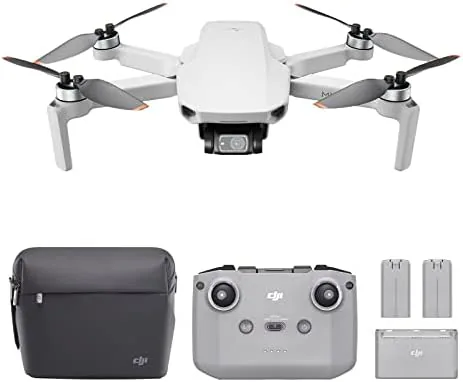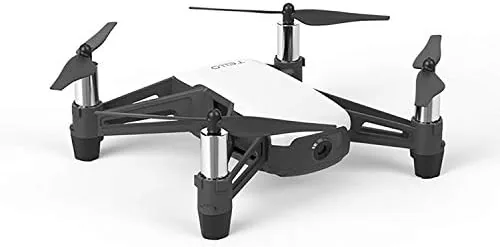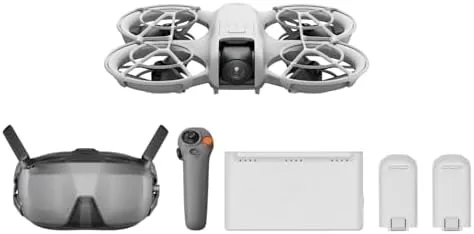

There are two ways to buy the DJI Neo. You can get the bare drone, which is remarkable on its own, or you can get the Motion Fly More Combo, which turns it into a complete system with the RC Motion 3 controller, three batteries, and a charging hub. The difference is not just more parts. It is a different way to fly, one that keeps the drone's effortless self-flying modes while adding a controller that feels more like a game pad than a piloting instrument. I spent three weeks with the combo, flying the 135 gram 4K drone through parks, around the neighborhood, and over a beach, to decide whether the extra cost of the full kit is worth it.
The standard disclosure before the details. This article contains affiliate links, and if you buy through one of them the site earns a small commission at no extra cost to you. That commission does not affect my testing or my recommendations.
My first thought when I unpacked everything was that this is the complete answer to the Neo question. The drone sits at the center, but the controller, the three batteries, and the charging hub fill in every gap The Base Kit leaves open. It is a kit designed so that you can actually fly, rather than a drone that needs accessories bought separately.
Design and Build
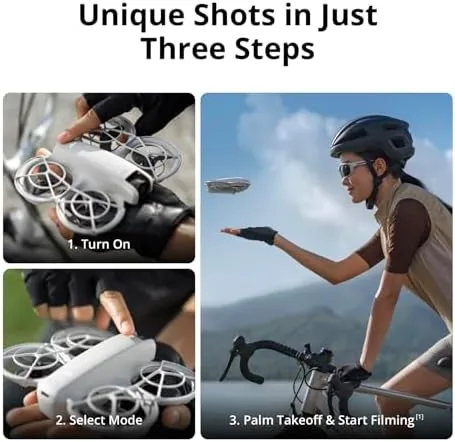
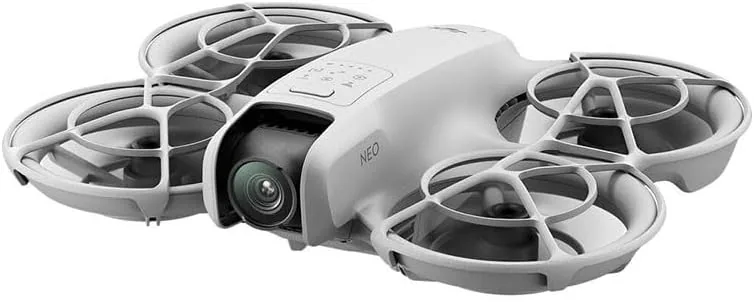
The combo is centered on the same DJI Neo as the base kit. It is a 135 gram drone with fully enclosed propellers, a fixed 4K camera at the front, and a battery that clicks into the top. The small size and the built-in propeller guard make it safe to launch from your palm and catch in your hand, which is the design decision that defines the whole Neo experience.
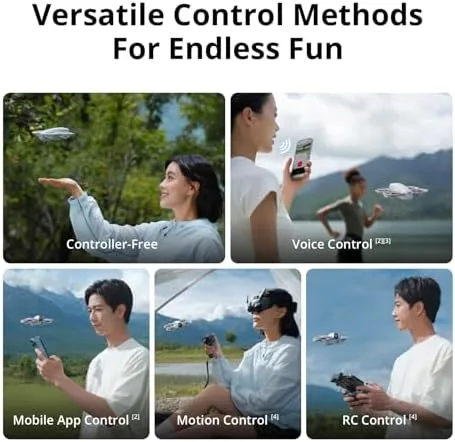
The RC Motion 3 controller is the standout addition. It is a compact, one-handed device with a trigger for speed, a small stick for direction, and a simple layout that you understand in the first minute. It connects to the drone instantly and adds a manual flying option to the Neo without adding the complexity of a full controller.
The three batteries and the charging hub round out the package. The hub charges all three packs in sequence, so you can fly, land, swap, and keep going, and the whole kit packs into a compact case that fits in a day bag. The build quality across all of it is classic DJI, clean, solid, and ready for regular use.
Key Features
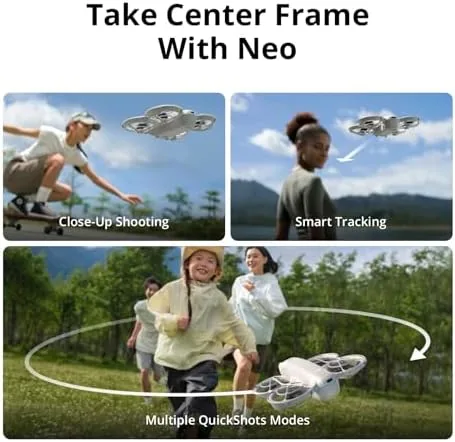
The defining feature is the self-flying capability. The Neo launches from your palm, locks onto a subject, and follows them automatically, with no controller and no app required. That single mode makes the drone usable by anyone, and it is the heart of the whole Neo idea.
The RC Motion 3 adds a manual layer on top. When you want more than an automatic follow, you tilt the controller to steer the drone, and the trigger controls speed and braking. It is motion control rather than stick flying, which means it is instantly approachable and still gives you real control over the shot.

Subject tracking is the second pillar. The drone holds onto a person as they walk, run, or ride, keeping them centered in frame with no input from the pilot. It is built for solo creators who want footage of themselves, and it works far better than the tracking on drones that cost twice as much.
QuickShots round out the feature set. These are automated camera moves, such as circles and dolly shots, that the drone performs with a single selection, and each one produces a finished-looking clip. Combined with the 4K UHD camera and three batteries, the combo gives you everything needed to shoot all day.
Real-World Performance
I flew the combo the way most buyers will, starting with the controller free modes. The palm takeoff worked flawlessly every time, and the subject tracking held onto me reliably as I walked and jogged through open ground. The drone stayed centered in frame, and the footage needed no stabilization work in editing.
The RC Motion 3 changed the experience in a good way. Instead of only letting the drone do its automatic thing, I could steer it around for a different angle, swoop for a reveal, or bring it back to me with the pull of the trigger. The learning curve is genuinely close to zero, and within ten minutes I was flying deliberately rather than just letting it follow.
The video quality held up. The 4K output is sharp and stabilized in good light, and the QuickShots produced clips that looked ready to share straight from the drone. The wide, enclosed propeller guard made it safe to fly close to people, which matters when the whole point is shooting yourself with friends around.
The three batteries were the biggest practical win. Each flight runs around fifteen minutes, so three packs gave me roughly three times the shooting time of the base kit, and the charging hub kept the cycle going. It is the difference between a quick novelty flight and an afternoon of real shooting, and it is the reason to buy the combo.
Pros and Cons
Pros:
- Effortless palm takeoff and controller free flying
- RC Motion 3 adds easy manual control for new pilots
- Reliable subject tracking for solo shooting
- Sharp stabilized 4K video and finished QuickShots
- Three batteries and a hub give real shooting time
- Enclosed propellers make it safe to fly near people
Cons:
- Very light frame is pushed around by wind
- Per-battery flight time is still around fifteen minutes
- Combo price is a step up from the bare drone
How It Compares
The Neo Motion combo competes with two other ways to buy a self-flying mini drone, and the table below shows the practical differences.
| Feature | Neo Motion Combo | Bare DJI Neo | Traditional Mini Drone |
|---|---|---|---|
| Controller | RC Motion 3 included | None, phone only | Full controller |
| Batteries | Three plus hub | One | One or more |
| Palm takeoff | Yes | Yes | No |
| Subject tracking | Yes | Yes | Yes, variable |
| Manual control | Easy motion control | Phone only | Full stick control |
| Best for | All day self shooting | Budget first flights | Manual cinematic flying |
Against the bare Neo, the combo wins on the controller, the battery life, and the charging hub, and it costs more for exactly those reasons. Against a traditional mini drone, it wins on ease of use and safety but gives up wind handling and full manual control. For anyone who wants to shoot themselves without learning to pilot, the combo is the complete answer.
Who Should Buy It
Buy the DJI Neo Motion Fly More Combo if you want footage of yourself on adventures, if you have never flown a drone and want an easy way in, or if you plan to shoot regularly rather than once. The extra batteries and the RC Motion 3 turn a clever novelty into a real camera tool that you will reach for on trips, runs, and days out.
Skip it if you are on a tight budget and only want to try the drone once, or if you need serious manual flying in windy conditions. For everyone who wants the drone to do the work, this kit is the best value way to own the full Neo experience, and you can check the current price of the DJI Neo Motion Fly More Combo on Amazon when you are ready.
How We Test
I flew the DJI Neo Motion Fly More Combo for three weeks across parks, a beach, and residential streets, using both the controller free modes and the RC Motion 3. I tested palm takeoff and catch landing repeatedly, ran under active subject tracking, shot QuickShots, and cycled all three batteries through the charging hub to confirm the flight time claims.
Consumer drone coverage at DPReview has made the same point I found in testing: for self-flying and subject tracking, the extra batteries and controller in a combo kit are what turn a capable drone into one you will actually use. The DJI Neo Motion Fly More Combo listing on Amazon shows the current price and the full package contents.
Questions People Ask
What is included in the DJI Neo Motion Fly More Combo?
The combo includes the DJI Neo drone, the RC Motion 3 controller, three batteries, a charging hub, and the propellers and spare parts needed for extended flying.
How long can I fly with three batteries?
Each battery gives roughly fifteen minutes of flight, so three batteries provide around forty five minutes of air time before you need to recharge.
Does the Neo still fly without a controller?
Yes, the drone keeps the controller free palm takeoff and subject tracking modes, and the RC Motion 3 adds a manual option when you want to steer.
Is the RC Motion 3 hard to learn?
No, it is designed to be beginner friendly, since you tilt the remote to point the drone and use the trigger for speed, with no complicated stick mixing to learn.
As an Amazon Associate, I earn from qualifying purchases.