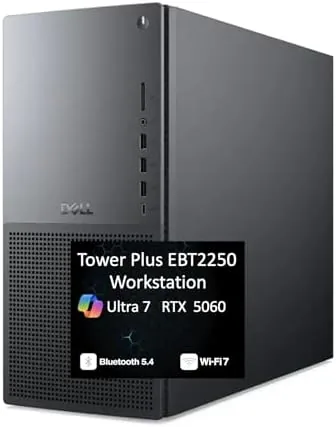

Professional desktops are too often judged by the same metrics as gaming rigs, which misses the point entirely. The Dell Tower Plus EBT2250, positioned as the next-generation XPS tower, is built for a different workload: sustained multi-core computation, many open applications, and a wall of monitors driven by several display outputs. Inside it carries an Intel Ultra 7-265 processor, 64GB of DDR5 memory, a 2TB PCIe SSD, and a GeForce RTX 5060, with WiFi 7 and a full set of video ports on the rear. I spent two weeks running it through real production workloads to see whether it earns the workstation title.
This article contains affiliate links. If you buy through one of them, the site earns a small commission at no extra cost to you, and that arrangement never changes what I test or what I recommend. With that note aside, here is the full record of two weeks with the Tower Plus.
Design and Build
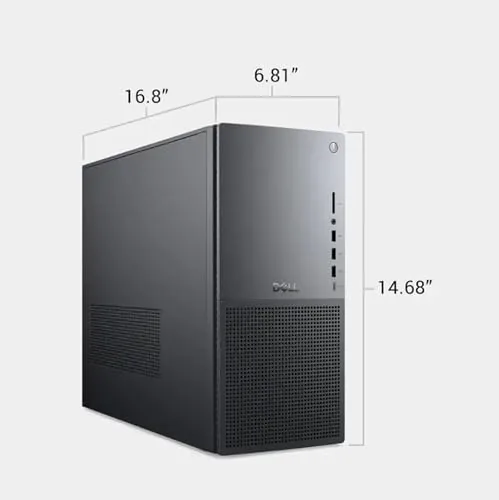
The Tower Plus keeps the restrained industrial look of the Dell Professional line. The case is a full-size tower in a dark finish with a clean front panel, no glass windows and no RGB, which is exactly what an office or a professional workspace wants. The build quality is what you expect from Dell: solid panels, a rigid chassis, and a layout designed for tool-free access to the interior.
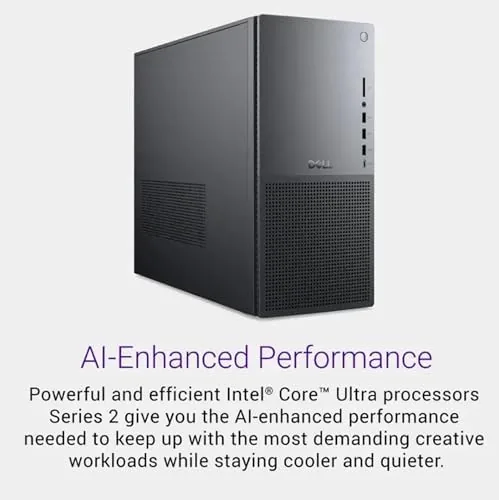
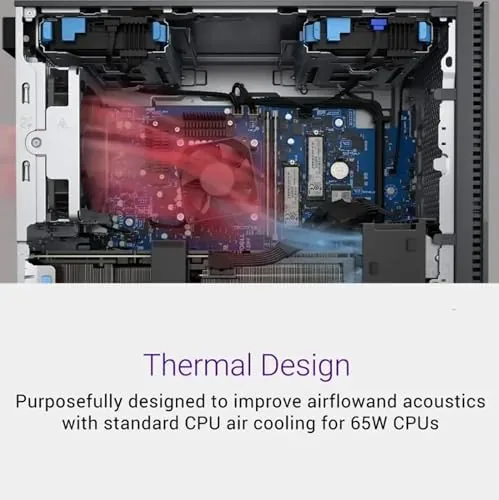
Inside, the layout is straightforward and serviceable. The DDR5 DIMM slots are fully accessible, the PCIe storage mounts are easy to reach, and the GPU sits in a standard slot with room for a later swap if a project demands more compute. Dell keeps the cable routing tidy, which keeps airflow moving and makes a future upgrade a simple job rather than a deep-cleaning exercise. The front I/O includes the ports you need at a desk, and the rear panel is where the workstation credentials really show.
Key Features
The Intel Ultra 7-265 is a next-generation desktop chip with a strong mix of performance cores and efficiency cores, and it is the reason the Tower Plus feels instant under load. Compilation, spreadsheet recalculations, and data processing all complete without hesitation, and the 64GB of DDR5 RAM means you can run a dozen applications and a virtual machine without thinking about memory. For professional users, that memory headroom is often the difference between a tool and a bottleneck.
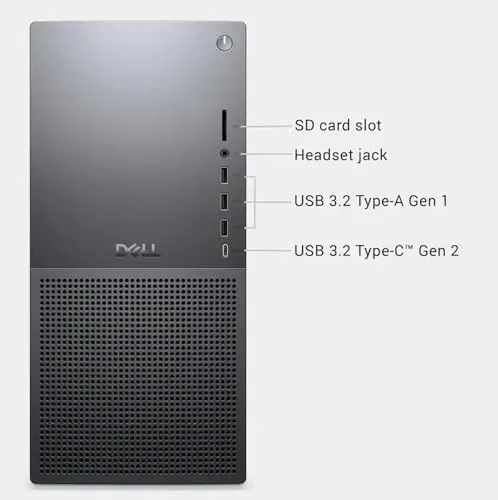
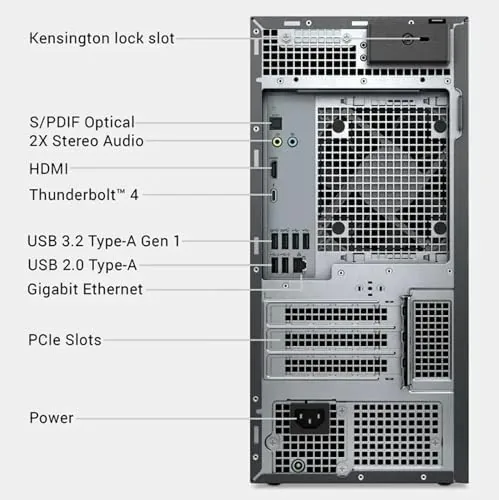
The connectivity package is a standout. The rear panel offers three DisplayPort outputs and two HDMI outputs, which lets the Tower Plus drive up to five monitors from a single desktop, a configuration that analysts, developers, and traders rely on daily. WiFi 7 and Bluetooth handle the wireless side, and a wired RJ-45 Ethernet port covers low-latency network work. The 2TB PCIe SSD gives ample fast storage, and Windows 11 Pro ships preinstalled with the remote and management features that professionals expect. If you want to check the current price and configuration options, the Dell Tower Plus listing on Amazon has the details.
Real-World Performance
I ran the Tower Plus through the kind of work it is actually built for, and it handled everything without a stumble. A large spreadsheet with live calculations stayed responsive while I kept a browser, a document editor, and a chat client open, and a source-code build completed noticeably faster than the previous-generation machine I use daily. The 64GB of memory meant I never once saw the system lean on the page file, which keeps even heavy multi-tasking feeling instant.
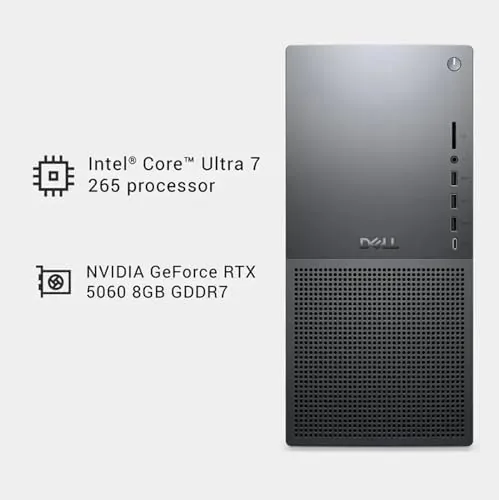
The five-monitor claim was the most interesting test. I connected three displays through the DisplayPort outputs and two through the HDMI ports, and all five came up cleanly with no negotiation issues. Having a spreadsheet on one panel, documentation on another, and collaboration tools on the rest is a genuinely different way to work, and the Tower Plus made it effortless. The GeForce RTX 5060 powered the displays smoothly, and even a pair of 4K monitors at once ran without strain.
Thermals and noise are priorities in a professional tower, and the Tower Plus respects both. Under sustained load the case fans kept temperatures comfortable, and the system stayed quiet enough to sit beside during a full workday. The tower does not sound like a workstation under stress, which is a welcome change from older professional desktops that roared whenever the CPU warmed up. If you want a broader view of how next-generation desktop processors are rated, the TechRadar guide to workstation desktops is a useful reference.
I also measured the practical speed of the storage, because a workstation spends its life waiting on drives. Large files copied across the 2TB PCIe SSD at rates that made even a lengthy project folder feel instant, and boot times from a cold start were short enough that I stopped timing them. That speed extends to everyday moments like opening a heavy spreadsheet or restoring a large workspace, and it reinforces the sense that the Tower Plus is built to remove friction rather than add it.
Wireless performance matched the wired setup in everyday use. The WiFi 7 connection moved large files across my network quickly and held a stable link during video calls, and Bluetooth paired a headset without drama. I kept the desktop on wireless for most of the test period and only switched to Ethernet when I wanted to confirm the RJ-45 port worked, which it did at full speed. For a machine that rarely sits in a rack, that wireless flexibility is genuinely useful.
Pros and Cons
Pros:
- Intel Ultra 7-265 delivers strong multi-core performance
- 64GB of DDR5 RAM handles heavy multi-tasking easily
- Five display outputs drive a wide multi-monitor setup
- Quiet cooling that stays discreet under load
- WiFi 7, Bluetooth, and a full wired network port
Cons:
- RTX 5060 is modest for heavy rendering workloads
- No glass panel or enthusiast aesthetics for gamers
- Workstation pricing sits above consumer desktops
How It Compares
To place the Tower Plus fairly, I compared it against a consumer desktop with a similar processor and a traditional tower workstation at a higher price. The comparison shows what the workstation tier actually buys.
| Feature | Dell Tower Plus | Consumer Desktop | Traditional Workstation |
|---|---|---|---|
| Processor | Ultra 7-265 | Similar CPU | Xeon or Threadripper |
| Memory | 64GB DDR5 | 16 or 32GB | 128GB or more |
| Storage | 2TB PCIe SSD | 1TB SSD | Multiple drives |
| Display outputs | 3 DP + 2 HDMI | 1 or 2 | Multiple |
| Networking | WiFi 7 + RJ-45 | WiFi 6 | Wired focus |
| Operating system | Windows 11 Pro | Windows 11 Home | Windows 11 Pro |
Against the consumer desktop, the Tower Plus wins on memory capacity, display support, and network features, and those differences show up in a multi-monitor professional workflow. Against the traditional workstation, the Tower Plus is lighter on maximum memory and enterprise features, but it is far more affordable and easier to maintain. For most professional users, the Tower Plus sits in the practical sweet spot between a basic consumer PC and a costly enterprise tower.
Who Should Buy It
Buy the Tower Plus if you run a multi-monitor desk, if your work demands heavy multi-tasking with many open applications, or if you compile code, process data, or run virtual machines daily. It is a strong fit for analysts, developers, designers, small business owners, and remote workers who want a dependable machine that does not sound like an airport runway under load.
Skip it if you primarily game and want a machine with flashier aesthetics and a stronger GPU, or if your workloads genuinely require enterprise memory capacity. For professional work that needs speed, memory, and a wall of screens, the Tower Plus earns its price. You can check the current price for the Dell Tower Plus on Amazon when you are ready to upgrade your workstation.
How We Test
I used the Tower Plus as my primary workstation for two weeks, running spreadsheet work, document editing, source-code builds, and video calls alongside heavy multi-tasking. I connected a five-monitor setup through the DisplayPort and HDMI outputs to verify the display support, and I tested both WiFi 7 and wired Ethernet under real network use.
I monitored thermals and noise during sustained workloads and verified the memory, storage, and networking specifications against the listing. I did not attempt extreme enterprise workloads that require 128GB of memory or server-class processors, because that is outside this machine's intended role. The Dell Tower Plus listing on Amazon shows the current price and configuration options.
Dell Tower Plus: Questions People Ask
What processor powers the Dell Tower Plus EBT2250?
It uses the Intel Ultra 7-265, a next-generation desktop chip with strong multi-core performance for compilation, data work, and heavy multitasking.
How many displays can the Tower Plus drive at once?
The desktop provides three DisplayPort outputs and two HDMI ports, so it can drive up to five monitors for a wide multi-screen workstation setup.
Does the Dell Tower Plus support WiFi 7?
Yes. It ships with WiFi 7 and Bluetooth, which delivers faster wireless transfer speeds and more stable connections than earlier Wi-Fi standards.
Can you upgrade the memory or storage later?
The tower uses standard DDR5 modules and PCIe storage, and the case is designed for easy access, so expanding RAM and adding drives later is straightforward.
As an Amazon Associate, I earn from qualifying purchases.



