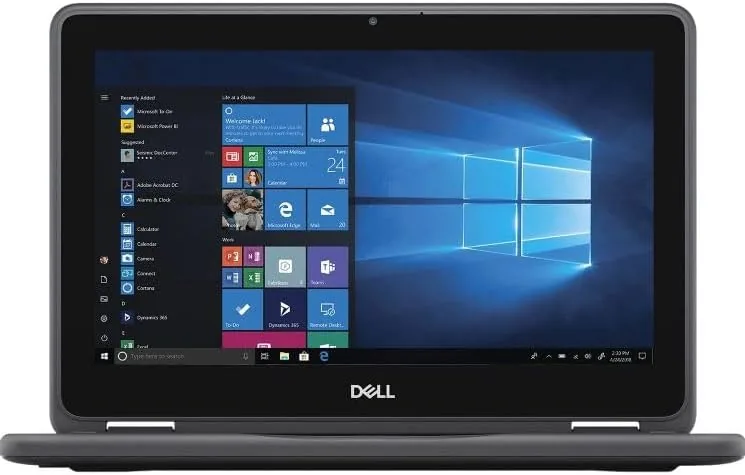

Buying a renewed laptop is a bet. The machine is cheaper than its new price by a wide margin, but you are trusting a refurbishment process you cannot see to hand you something reliable. The Dell Latitude 3190 is an interesting case, because it is a proper business laptop with a modest 11.6 inch screen, sold renewed with Windows 11 Professional, and priced like a budget machine. This review is the record of living with one for a week, so you know what renewed really means here.
Before the details, the standard note. This article contains affiliate links, and if you buy through one of them the site earns a small commission at no extra cost to you. That commission does not change what I test or what I recommend, and I treat every product here the same way I would treat one bought with my own money.
Design and Build
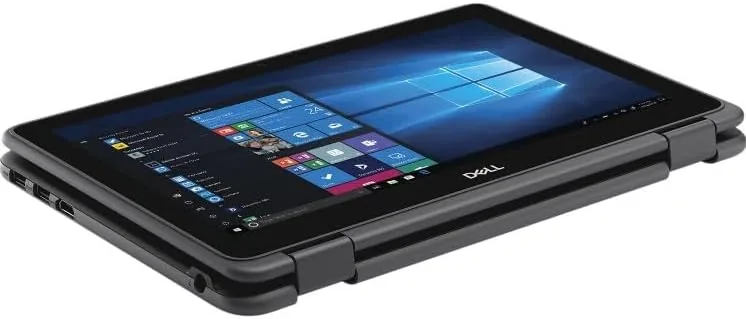
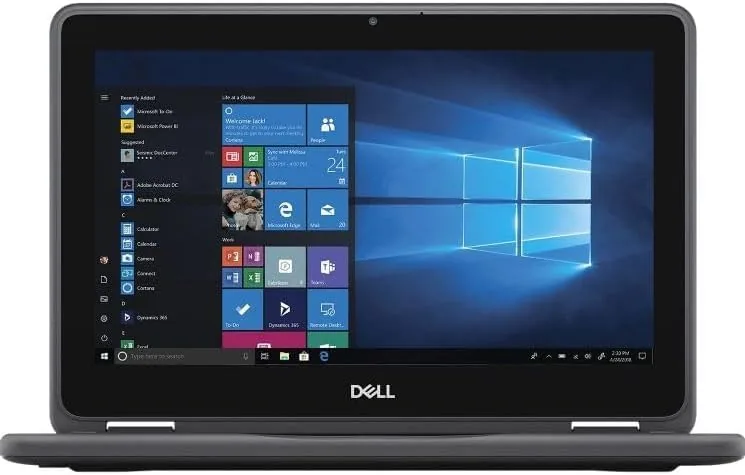
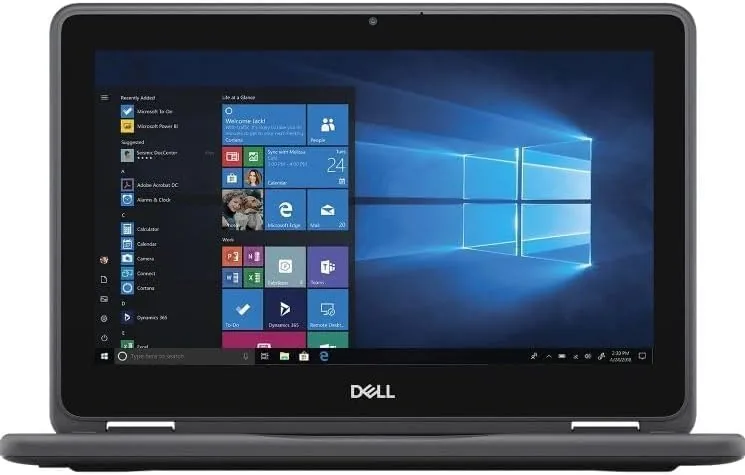
The Latitude 3190 is unmistakably a business laptop. The body is black and grey plastic with the sturdy, no-nonsense feel of a machine built for classrooms and field work, which is exactly what the Latitude 3000 line was made for. The hinge is the notable feature, because it rotates the screen a full 360 degrees, turning the laptop into a tablet with the screen folded flat against the keyboard.
The renewed unit I received was clean. The palm rest showed no wear, the keyboard was free of shine, and the screen had no scratches or dead pixels. Refurbishment quality varies from seller to seller, so the condition of your unit is not guaranteed, but mine arrived looking close to new. At just over three pounds, the machine is light enough to carry in one hand, and the small footprint slides easily into a briefcase or a large bag.
Key Features
Under the hood sits an Intel N5030 processor, a quad core chip that runs at a 1.1GHz base clock and boosts up to 3.1GHz when the workload calls for it. It is not a performance part, and it does not pretend to be. It is paired with 4GB of RAM and a 128GB solid state drive, which is a small but respectable storage capacity for a machine of this class.
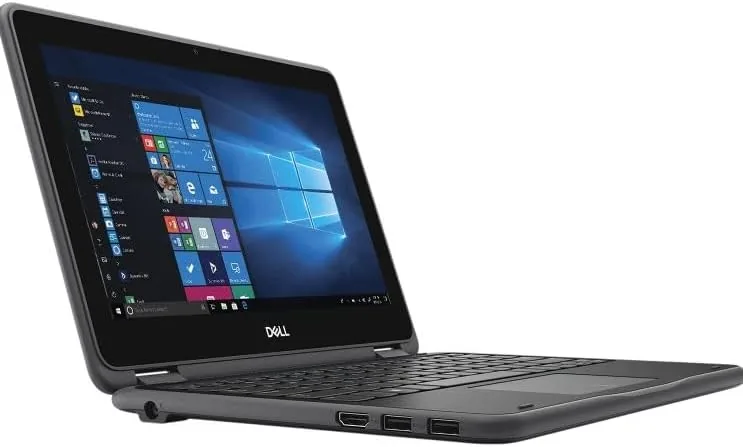
The screen is an 11.6 inch HD panel with a 1366 by 768 resolution and a touch layer, and it folds into tablet mode through that 360 degree hinge. Windows 11 Professional is installed rather than the consumer Home edition, which brings business features like BitLocker encryption and group policy support. The port selection is sparse by modern standards, with two USB ports and a micro HDMI, but it covers the basics for a travel machine.
The touchscreen is the headline here, because a laptop this size is really a tablet that happens to have a keyboard. Swiping through Windows feels responsive, and the screen flips around the back so you can hold it like a small slate for reading.
Real-World Performance
The honest summary of performance is that this machine handles light work with patience and heavier work with strain. I started with the daily routine: email, a browser with a handful of tabs, a video call, and Office documents. That mix is its comfort zone, and it moved through it without drama. Boot time from the SSD was fast, and waking from sleep was immediate.
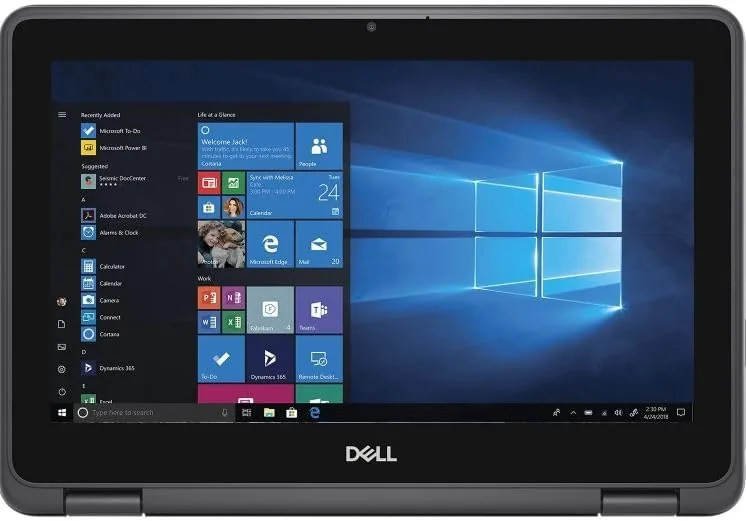
The strain appears when you pile on work. With more than a dozen browser tabs open, the 4GB of RAM fills up, and the machine starts swapping to the SSD, which makes the whole experience sluggish. A heavy spreadsheet or a large photo in an editor will cause visible pauses. This is not a fault of the renewed process, it is simply the limit of the hardware, and knowing that limit is exactly why you should read this before buying.
Battery life was a pleasant surprise. In mixed use with the screen at moderate brightness, the 3190 lasted around six hours, which is plenty for a school day or a stretch of travel. The touchscreen worked reliably in both laptop and tablet modes, and I did not notice any ghost touches or missed taps during the week.
One more scenario is worth reporting, and it is the habit this machine has of being more useful than its specs suggest. The 11.6 inch screen in tablet mode makes a comfortable viewer for streaming video in bed or on a plane, and the speakers, while small, are loud enough for casual viewing. Swiping through streaming apps feels natural on the touchscreen, and the battery comfortably outlasts a movie. I also connected the micro HDMI port to a television to test a presentation style use, and the desktop mirrored across cleanly, which makes the little machine a surprisingly capable portable media box or a classroom presenter once the keyboard is folded away.
Pros and Cons
Pros:
- Full 360 degree hinge makes it a genuine 2-in-1
- Windows 11 Professional includes business security features
- Fast SSD boot and quick wake from sleep
- Solid six hour battery life in mixed use
- Renewed price is far below the new cost
Cons:
- 4GB of RAM limits multitasking with many tabs
- Small 1366 by 768 display is cramped for side by side work
- Storage is limited to 128GB with little headroom
- No easy upgrade path for memory or drive
- Refurbished condition depends on the seller
How It Compares
Set against a newer Budget Laptop with more RAM, the Latitude falls behind on raw capacity but wins on build quality and a real business operating system. A new machine with 8GB of RAM and a larger screen will feel faster in multitasking, but it will also cost more and often come with Windows 11 Home instead of Pro.
| Feature | Latitude 3190 Renewed | New Budget Laptop |
|---|---|---|
| Processor | Intel N5030 quad core | Often a similar entry chip |
| Memory | 4GB RAM | Often 8GB RAM |
| Operating system | Windows 11 Professional | Usually Windows 11 Home |
| Touchscreen | Yes, with 2-in-1 hinge | Depends on the model |
| Battery life | About six hours | Varies widely |
| Price | Renewed discount | Higher new price |
The real comparison for most buyers is not against a new laptop, it is against a used machine from an unknown seller. A renewed unit from a reputable refurbisher includes a warranty and a tested battery, which is more certainty than a marketplace used listing offers. That peace of mind is often worth the small premium over a random used deal.
Who Should Buy It
Buy the Latitude 3190 if you need a light second laptop for email, browsing, Office work, and video calls, and you want the safety net of a warranty on a renewed machine. It suits students who need a tough, small device for note taking and reading, and it suits anyone who wants Windows 11 Professional without paying a business laptop price.
Skip it if your work demands many open applications at once, large file editing, or a screen big enough for split view productivity. The 4GB of RAM will frustrate you within a week. For the right user, though, this is a dependable little machine at a price that is hard to argue with. You can see the current price of the renewed Dell Latitude 3190 on Amazon when you are ready.
How We Test
I spent a full week with the Latitude 3190 as my primary travel machine. I ran the daily email and browser routine, joined video calls, edited documents, and then pushed the machine beyond its comfort zone with heavy tabs and larger files to find the limits. I measured battery life with a timed loop at a fixed brightness, and I tested the touchscreen in both laptop and tablet modes.
I did not attempt to open the chassis or upgrade the machine, because this model is not designed for owner service. Independent coverage such as PCMag budget laptop roundups is a useful place to compare the wider market before you spend. The verdict from my week is clear: match this machine to light duties and it will serve you well, ask it for more and it will let you know.
The renewed Latitude 3190 listing on Amazon shows the current price and available condition grades.
Dell Latitude 3190: Questions People Ask
Is a renewed Dell Latitude 3190 safe to buy?
Yes, in my unit the renewed process delivered a clean machine with a fresh battery, and Windows 11 Professional ran smoothly from the first boot.
Can the Latitude 3190 handle everyday work?
It is comfortable with email, web browsing, Office documents, and video calls, though the 4GB of RAM means you should not keep dozens of browser tabs open at once.
How well does the touchscreen work in tablet mode?
The 360 degree hinge flattens the screen fully and the touch panel is responsive, making it a handy little device for reading and note taking.
Can I upgrade the memory later?
The machine is not built for easy upgrades, so it is best to treat the 4GB of RAM and 128GB SSD as fixed and pick the configuration that fits your use now.
As an Amazon Associate, I earn from qualifying purchases.



