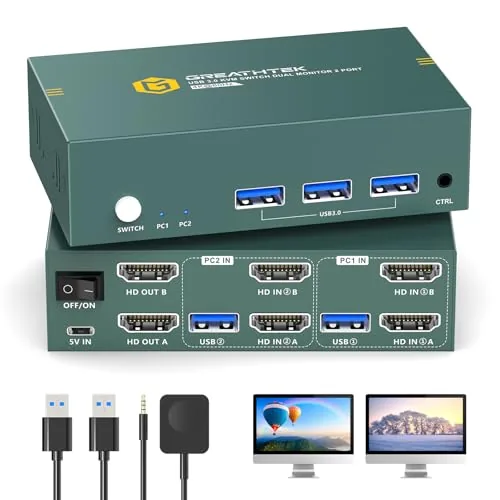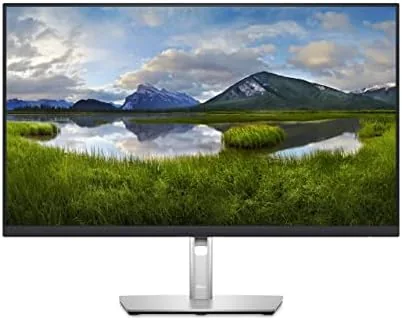

For many people the modern desk has two computers on it: a work laptop and a personal machine, or a desktop and a laptop they carry between rooms. The old solution was a tangle of cables, a docking station, and a separate switch box for the keyboard and mouse. The Dell P2723QE attacks that whole problem with one 27 inch 4K monitor. It carries video, charges the laptop, shares the peripherals, and lets you move between two machines with a few menu presses.
The P2723QE is part of the Dell professional line, which means it is built for offices rather than gaming dens. It offers a 3840 x 2160 IPS panel, a USB-C hub with up to 90 watts of power delivery, a built-in KVM switch, and factory calibrated color that covers sRGB and DCI-P3. I used it as my main display for a week, moving between a work laptop and a personal desktop, and I came away impressed by how much desk clutter it removed.
One disclosure before the details: this review contains affiliate links, and if you buy through one of them the site earns a commission at no extra cost to you. That arrangement does not change the testing below.
Design and Build
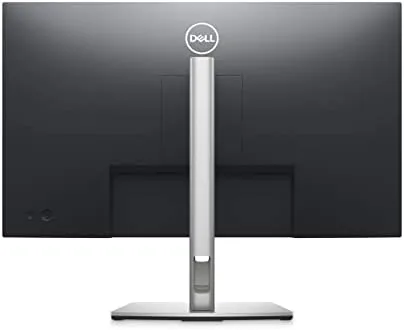
The P2723QE looks like a serious office tool. The bezels are slim on three sides, the stand is a solid slab with a full range of adjustment including height, tilt, swivel, and pivot to portrait, and the rear panel is clean enough to face a wall without apology. The cable management channel on the back keeps the hub wiring organized, which matters because this monitor invites you to plug several things into it.
Dell professional monitors are known for predictable build quality, and this one does not disappoint. The stand locks firmly, the panel resists flex, and the on-screen menu is controlled by a responsive joystick on the lower rear edge. The menu is easy to learn, which is important on a monitor that asks you to switch inputs and toggle the KVM regularly.
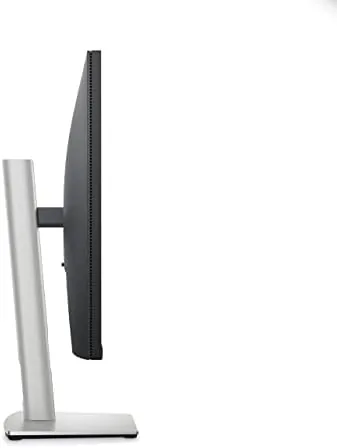
The connectivity story is the heart of this monitor. Around the back you find a USB-C upstream port, a DisplayPort, two HDMI inputs, a DisplayPort output for daisy chaining, multiple USB-A ports, and an RJ45 Ethernet jack. That is the port layout of a docking station built into a display, and it is the reason the P2723QE can replace several boxes on your desk.
Key Features
The KVM switch is the feature that sets the P2723QE apart. A KVM lets one keyboard and mouse control two computers, and this monitor handles that with two upstream connections: the USB-C port and one of the other inputs. When you change the video input, the monitor moves the shared keyboard and mouse with it, so switching from your work laptop to your personal desktop is a two-step action instead of a cable shuffle.
The USB-C hub does the heavy lifting for laptops. One cable into the USB-C port carries the 4K video signal, USB data for your keyboard and mouse, Ethernet networking, and up to 90 watts of charging power. A work laptop that supports USB-C power delivery will charge from the monitor alone, which is the feature most people discover they cannot live without.
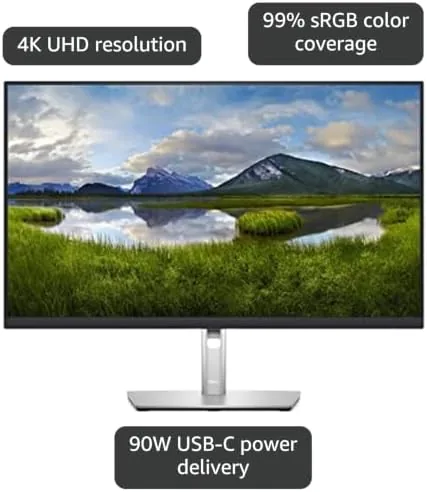
Color accuracy rounds out the professional credentials. The panel is factory calibrated and covers the sRGB and DCI-P3 color spaces, and Dell ships the calibration report in the box. For office documents that accuracy is invisible, but for anyone who touches images or video it means the screen shows true color without manual tweaking.
Real-World Performance
For everyday office work, the P2723QE is exactly what a professional monitor should be. The 4K resolution at 27 inches makes text crisp and gives you a large canvas, so a document and a browser sit side by side comfortably. The IPS panel keeps colors consistent from wide angles, and the anti-glare finish keeps a bright office window from turning the screen into a mirror.
The KVM proved its worth within the first hour. I connected the work laptop over USB-C and the personal desktop over DisplayPort, plugged one keyboard and mouse into the monitor, and moved between machines all week without unplugging anything. Switching inputs took a few seconds through the menu, and the shared peripherals followed the display each time, which is the exact workflow this monitor was built for.
Charging was reliable throughout the test. The work laptop sat at full power at the end of each day, fed entirely through the single USB-C cable, and wired Ethernet kept video calls steady. The only real limitations are the 60Hz refresh rate, which rules out competitive gaming, and a brightness level that is adequate rather than dazzling, so very bright rooms need the monitor set at full output.
Pros and Cons
Pros:
- Built-in KVM lets one keyboard and mouse control two computers
- USB-C hub delivers video, data, Ethernet, and 90 watts of power in one cable
- Factory calibrated color covers sRGB and DCI-P3
- Fully adjustable stand with height, tilt, swivel, and pivot
- DisplayPort output supports daisy chaining a second monitor
Cons:
- 60Hz refresh rate is not for competitive gaming
- Brightness is adequate but not class leading
- Full hub and KVM benefits require compatible computers
How It Compares
The P2723QE competes against other 4K work monitors, and the biggest question is usually how it stacks up against the premium UltraSharp line. The table below lays out the differences.
| Feature | Dell P2723QE | Dell U2723QE | Basic 4K Monitor |
|---|---|---|---|
| Panel type | Standard IPS | IPS Black | IPS or VA |
| KVM switch | Yes | No | No |
| USB-C power | 90 watts | 90 watts | Often none |
| Ethernet port | Yes | Yes | No |
| Factory calibration | Yes | Yes | No |
| Ergonomic stand | Full adjustment | Full adjustment | Basic tilt |
Against the UltraSharp U2723QE, the P2723QE trades the deeper blacks of IPS Black for a built-in KVM switch, which makes it the better pick for anyone running two computers. Against a basic 4K monitor, it costs more but replaces your dock and your peripheral switching entirely. For a broader view of the 4K work monitor market, Tom's Hardware 4K monitor guide is a useful reference.
Who Should Buy It
Buy the Dell P2723QE if you work with two computers and want one desk, one keyboard, and one mouse to rule them both. It is an ideal monitor for hybrid workers with a work laptop and a personal machine, for IT-heavy desks, and for anyone who wants to replace a docking station and a KVM box with a single clean display.

Skip it if you game competitively and need a High Refresh Rate, or if you run one computer and will not use the KVM. For a smart, reliable 4K work monitor that simplifies a complicated desk, the P2723QE is hard to beat. You can check the current price of the Dell P2723QE on Amazon.
How We Test
I used the P2723QE as my primary monitor for a week, connecting a work laptop through USB-C and a personal desktop through DisplayPort to test the KVM, charging, and hub functions. I moved between the two machines several times a day and judged how smoothly the shared keyboard and mouse followed the video input.
I also evaluated text clarity, color accuracy with edited images, and the full range of stand adjustment, and I checked the daisy chain output with a second display. Results can vary with your computers and lighting, but the monitor handled the dual machine workflow without a single dropped connection. The Dell P2723QE listing on Amazon shows the current price.
Questions People Ask
What is the difference between the Dell P2723QE and U2723QE?
The P2723QE is the professional line monitor with a standard IPS panel and a built-in KVM switch, while the UltraSharp U2723QE uses an IPS Black panel with deeper blacks and no KVM.
Does the P2723QE support a KVM switch?
Yes, the built-in KVM lets you control two connected computers with one keyboard and mouse and switch between them from the on-screen menu.
How much power does the P2723QE deliver over USB-C?
The USB-C upstream port provides up to 90 watts of power delivery, enough to charge most laptops while it carries the video signal and data.
Is the P2723QE good for everyday office work?
Yes. The 4K panel makes text crisp and documents roomy, and the hub and KVM simplify a shared or multi-computer desk considerably.
As an Amazon Associate, I earn from qualifying purchases.