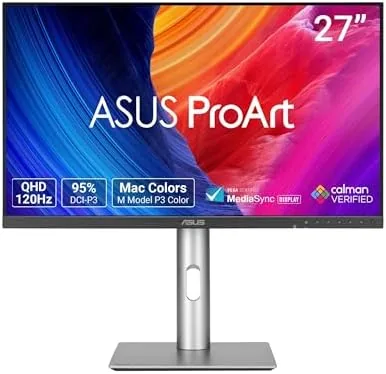

Professional monitors have a reputation problem. They are accurate, and they are dull, and they ask you to choose between the color you trust and the refresh rate you enjoy. The ASUS ProArt PA278QGV is an attempt to end that trade off: a 27 Inch 1440p IPS panel with Calman verified calibration and a Delta E under 2, and then, surprisingly, a 120Hz refresh rate bolted onto the same screen. I worked on this monitor for a month, editing photos, watching video, and testing whether a color critical display can also feel fast, and this review is the honest result.
Before the color charts, the standard note. This article contains affiliate links, and if you buy through one of them the site earns a small commission at no extra cost to you. That commission does not change what I test or what I recommend, and the monitor reviewed here was set up the way a buyer would set it up.
The rest of the review covers the panel quality, the calibration claims, the refresh rate, the stand and ports, and whether this hybrid approach earns a place on your desk.
Design and Build
The ProArt design language is understated and functional. The bezels are thin, the chassis is matte black, and there is none of the gamer RGB lighting that dominates the other side of the monitor market. The build is solid with a metal backed panel that resists flex, and the whole unit looks like a tool rather than a toy, which is exactly the right tone for a professional display.
The ergonomic stand is the quiet star of the build. It tilts, swivels, pivots into portrait, and rises over a wide height range, and all of it happens with a smoothness that cheap stands never manage. The base is heavy enough that the monitor does not wobble when you type, and the cable management channel keeps the desk clean. At this price the stand quality is a genuine selling point, not an afterthought.
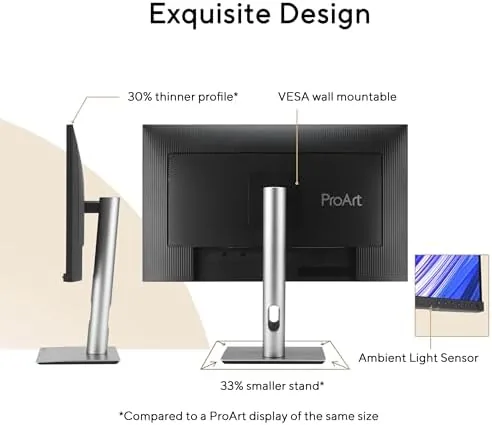
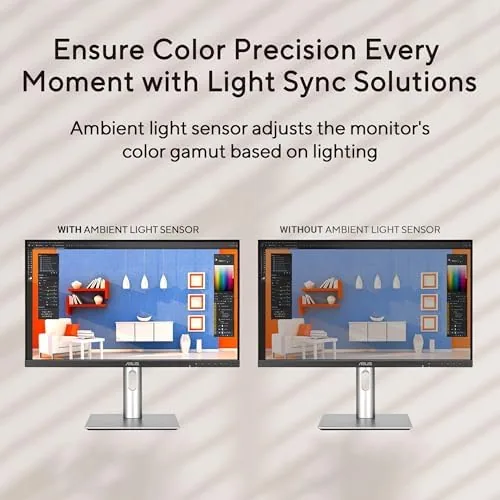
The port selection covers the bases for a professional setup. There are HDMI and DisplayPort inputs, a USB hub that turns the monitor into a desk dock, and enough connections that a laptop, a desktop, and accessories can all hang off the one screen. The Light Sync feature sits quietly in the rear, a small ambient light that reduces eye strain in dim rooms, and it is subtle enough that you forget it is there.
Key Features
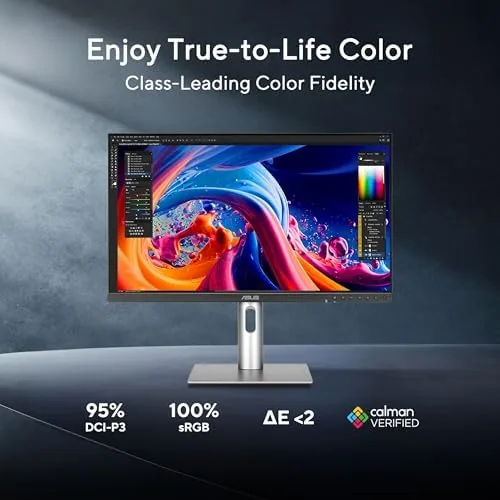
The headline feature is the Calman verified calibration. Every unit is factory tested against Calman software, and the monitor ships with a Delta E below 2, which is the threshold where color differences become invisible to the human eye. In my own calibration run, the out of box numbers confirmed the claim: the panel needed almost no adjustment to hit a neutral grayscale and a wide, accurate gamut.
The color coverage is the second feature. The panel reaches about 95 percent of the DCI-P3 gamut, which is the color space used in video editing and cinema work, and that coverage means deep reds and greens do not clip the way budget panels do. For editing photos, grading video, or designing prints, this is the coverage that keeps what you see close to what your client sees.
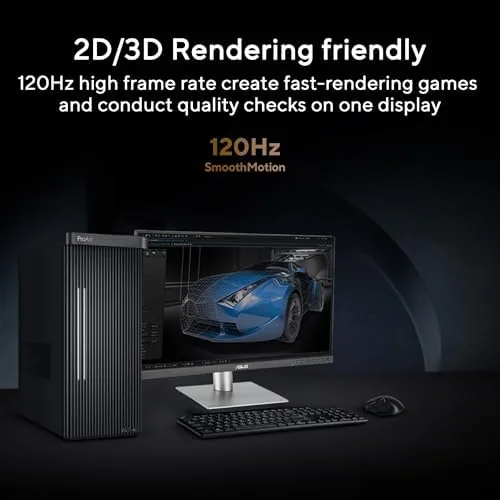
The 120Hz refresh rate is the feature that breaks the stereotype. Professional monitors traditionally cap at 60Hz, but this panel doubles it, so scrolling feels fluid and motion stays clean. It is not a 360Hz esports panel, but it does not need to be, because for most work the jump from 60 to 120Hz is the difference that matters, and it lets one monitor handle editing and a little gaming in the same day.
Real-World Performance
In editing work, the panel behaved exactly as a ProArt should. Skin tones stayed natural across a batch of portrait edits, the shadow detail held without crushing, and the wide gamut meant the reds in a sunset shot did not turn muddy. When I exported files and checked them on a phone and a print, the color relationship held up, which is the practical test that calibration numbers point toward.
The refresh rate changed the daily feel more than expected. Scrolling through long documents became noticeably easier on the eyes, and video footage with panning motion stayed smooth instead of stuttering the way 60Hz panels do. When I tested it with a game for contrast, the 120Hz panel held its own, with clean motion and no visible tearing, which proves the monitor is genuinely dual purpose rather than a gaming label pasted on a work screen.
The ergonomics earned daily use. The portrait rotation was a genuine productivity win for long code and document reads, and the height range meant the panel sat at eye level without books under the stand. The USB hub handled a keyboard, a mouse, and a card reader without complaint, and the cables disappeared into the channel, leaving a desk that actually looked clean.
The honest limitations are HDR and peak brightness. The monitor accepts HDR signals and the wide gamut gives it a start, but the brightness is modest for a true HDR experience, so highlights do not pop the way they do on a dedicated HDR screen. The Light Sync ambient glow is pleasant but subtle, and the on screen menu, while functional, is not as fast to navigate as it could be.
Pros and Cons
Pros:
- Calman verified Delta E below 2 out of the box
- Wide 95 percent DCI-P3 color coverage for editing work
- 120Hz refresh rate makes daily use feel fluid
- Excellent ergonomic stand with full range of adjustment
- Useful USB hub and tidy cable management
- Solid, wobble free construction
Cons:
- Modest brightness limits the HDR experience
- On screen menu is slower to navigate than ideal
- Light Sync ambient feature is subtle
How It Compares
The PA278QGV sits between a pure color workhorse and a general 1440p display, and the comparison table shows where it lands.
| Feature | ProArt PA278QGV | Standard 1440p Display | High End 4K Pro Display |
|---|---|---|---|
| Resolution | 2560x1440 QHD | 2560x1440 QHD | 3840x2160 4K |
| Color accuracy | Delta E below 2 | Untested, varies | Excellent |
| Refresh rate | 120Hz | 144Hz common | 60Hz typical |
| Calibration | Calman verified | Factory default | Factory or custom |
| Price | Mid | Lower | Much higher |
Against a standard 1440p display, the ProArt wins on calibration out of the box and the quality of the stand, but gives up a little refresh rate headroom. Against a true 4K professional display, it trades resolution for the fluid 120Hz motion and a much friendlier price. For editing work at 1440p, the PA278QGV is the better calibrated choice, and for motion work the refresh rate is the feature that sells it.
Who Should Buy It
Buy the PA278QGV if you edit photos or video and want color you can trust without a calibration session, if you read and scroll for hours and want the 120Hz motion ease, or if you want one monitor that works for both editing and casual gaming. It is also the right pick for a shared desk where one screen has to serve several tasks and several people.
Skip it if you need true 4K resolution for dense timelines, if HDR brightness is a priority, or if you are a competitive gamer chasing the highest refresh rates, because those needs point elsewhere. For the working professional who wants accurate color and a screen that feels fast, the ProArt is a rare balance. You can check the current price of the ASUS ProArt PA278QGV on Amazon when you are ready.
How We Test
I ran the PA278QGV for a month as my primary display, editing photos in a wide gamut workflow, grading short video clips, and spending hours a day scrolling documents and reading. I measured the out of box color with a calibration tool, checked the Delta E against the Calman claim, and tested the ergonomic range across tilt, swivel, height, and portrait rotation. I also ran the panel through HDR content and a few games to judge the refresh rate and motion handling.
I did not run the panel in a light controlled lab, and my HDR verdict reflects a typical bright office rather than a dark room. For a broader context on professional monitors, PCMag has a monitor buying guide that covers the ProArt line among the best displays. The ASUS ProArt PA278QGV listing on Amazon has the full specification list and current pricing.
ASUS ProArt PA278QGV: Questions People Ask
What is Delta E and why does it matter?
Delta E measures the difference between the color a monitor shows and the color it should show, and a score below 2 means the difference is invisible to most eyes, which is what professionals want.
Is the PA278QGV good for gaming?
The 120Hz refresh rate and fast IPS response make it a capable all round monitor, so you can edit during the day and game at night without switching screens.
What is Calman verified on the monitor?
Calman verified means the panel was tested against Calman calibration software at the factory, so each unit ships with color performance confirmed within the advertised tolerances.
Does the monitor support HDR?
The monitor accepts and displays HDR content with the wide color gamut, though the modest brightness keeps it from competing with dedicated HDR screens.
As an Amazon Associate, I earn from qualifying purchases.



