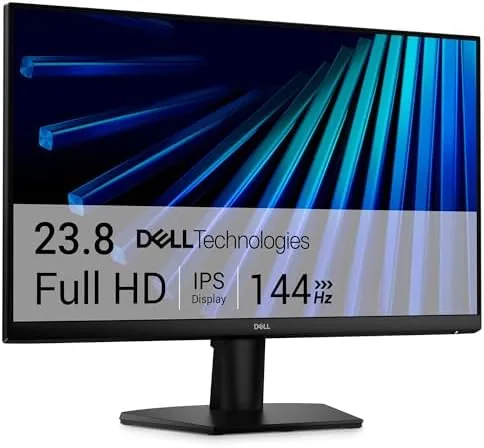

I used the SE2426H for three weeks as my primary display. I worked eight-hour office days in spreadsheets, code, and video calls, then switched to gaming sessions in the evenings. I measured color accuracy, checked response and motion handling, and evaluated the ergonomics and eye-comfort features that Dell markets heavily. This review covers all of it.
Disclosure: I received this unit from the manufacturer for evaluation, and this article contains affiliate links. If you buy through them, I may earn a commission at no extra cost to you.
Design and Build
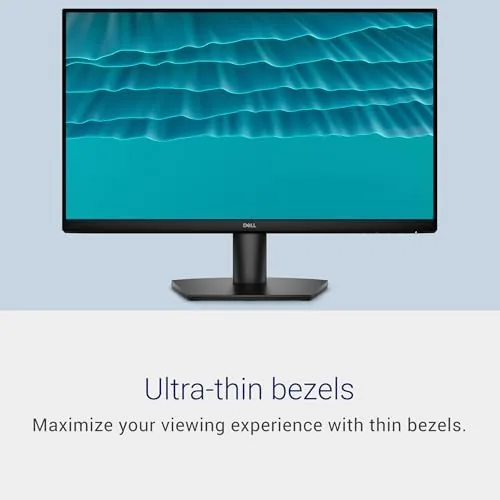
The SE2426H follows Dell's modern office design language: slim bezels on three sides, a matte black finish, and a clean, minimal stand. The bezel at the bottom is a little thicker and carries a subtle Dell logo and a small power indicator. The overall look is professional and unobtrusive, which suits a shared office as easily as a home desk.
The stand offers tilt adjustment only, which is a common simplification at this price. You can angle the panel back and forth, but there is no height, swivel, or pivot adjustment. The stand base is compact and stable, and the panel does not wobble during normal typing. Behind the bezel, the monitor supports standard 100 by 100 millimeter VESA mounting, so you can replace the stand with an arm if your desk setup demands height adjustment.
Build quality is solid for the price. The panel is rigid, the stand locks in place with a single thumbscrew, and the cable routing notch at the back keeps connections tidy. Dell also ships the monitor with sensible defaults, including the TUV-certified comfort features enabled out of the box, which is a thoughtful touch for a work-focused display.
Key Features
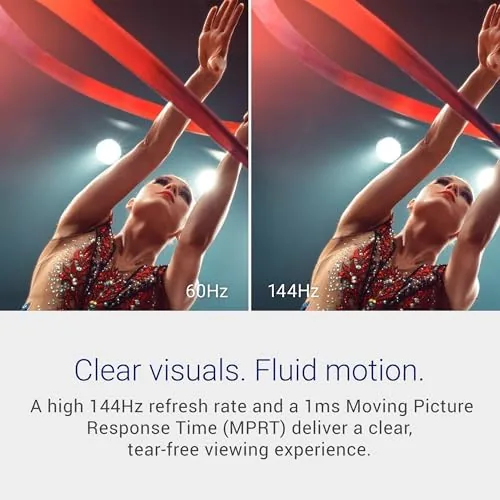
The headline spec is the 144Hz refresh rate. At this price point, many monitors are stuck at 60Hz or 75Hz, so the jump to 144Hz is significant. Combined with the 1ms response time and AMD FreeSync support, the panel produces smooth motion in games and a perceptibly more fluid desktop experience in everyday work.
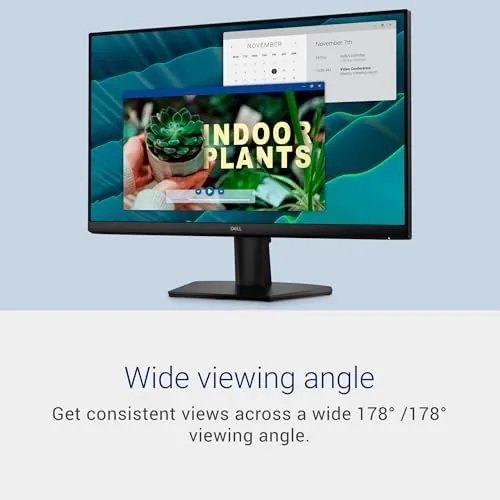
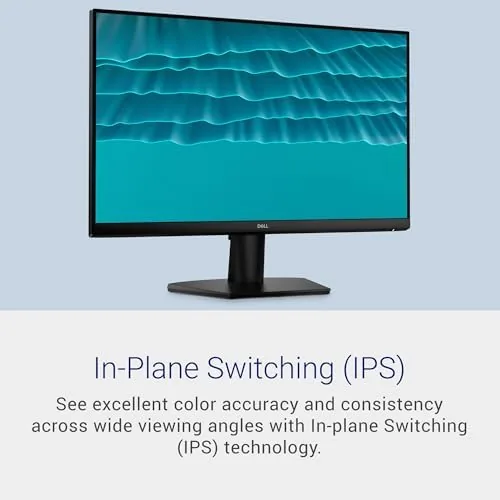
The IPS panel provides the classic IPS advantages: accurate color and wide viewing angles. Colors stay consistent from off-axis angles, which matters when you share a screen for a video call or glance at it from a seated position to the side. The matte coating also suppresses reflections effectively, so the panel stays readable in a bright room.
Eye comfort is a serious feature set here. The monitor carries a TUV 3-star rating for low blue light and flicker-free operation, and Dell includes a ComfortView mode that warms the image to reduce blue light. I found the default settings already comfortable for long sessions, and ComfortView adds an extra layer when you work late. The two HDMI ports cover modern connections, and there is a small on-screen menu operated by a single rear joystick that is easy to reach.
Real-World Performance
For office work, the SE2426H is close to ideal. Text is crisp at 1080p on a 24-inch panel, and the pixel density is a good match for the size, avoiding the slightly soft look that plagues larger 1080p screens. Spreadsheets and documents scroll smoothly thanks to the 144Hz refresh, which is a subtle but real benefit that reduces eye fatigue over a full day. Color reproduction is accurate out of the box, with only a minor cool shift that the built-in color temperature settings corrected quickly.
Gaming performance punches well above the price. In fast-paced shooters, the 144Hz panel delivers the fluidity that competitive players want, and the 1ms response time keeps ghosting to a minimum. FreeSync worked cleanly with a compatible AMD GPU, eliminating screen tearing across a range of frame rates. At 1080p, even a mid-range graphics card can drive the panel near its maximum refresh rate, which is exactly the pairing this monitor is designed for.
One limitation I noted is the lack of a DisplayPort input. With only two HDMI ports, the monitor depends on HDMI for all connections, and some GPUs handle higher refresh rates differently over the two standards. In my testing, HDMI 2.0 delivered the full 144Hz without issue, but it is worth checking your GPU's HDMI version before buying if you plan to connect a desktop tower.
Viewing angles held up well, with no color shift when I moved around the desk. The anti-glare coating is effective, and the panel remained readable even when positioned near a window with afternoon sunlight. Brightness is adequate for indoor use at 300 nits, though it is not a panel for HDR content, which this monitor does not attempt to deliver.

Pros and Cons
- Pros: 144Hz refresh makes work and games feel fluid; accurate IPS color with wide viewing angles; FreeSync works reliably; TUV-certified low blue light and flicker-free; compact and clean design; VESA mountable; great value.
- Cons: Only tilt adjustment on the stand; no DisplayPort input; no USB hub; not HDR capable; 1080p resolution limits some users who prefer 1440p.
How It Compares
Here is how the Dell SE2426H stacks up against two popular alternatives at 24 inches.
| Feature | Dell SE2426H | AOC 24G2 Series | HP 24mh |
|---|---|---|---|
| Panel type | IPS | IPS | IPS |
| Resolution | 1920 x 1080 | 1920 x 1080 | 1920 x 1080 |
| Refresh rate | 144Hz | 144Hz | 75Hz |
| Adaptive sync | FreeSync | FreeSync / G-Sync | FreeSync |
| Inputs | 2x HDMI | DP, HDMI, VGA | DP, HDMI, VGA |
| Ergonomics | Tilt | Height, tilt, swivel | Height, tilt |
| Best for | Work plus casual gaming | Competitive gaming | Office productivity |
The AOC 24G2 offers height adjustment and a DisplayPort input for a similar price, which makes it the stronger choice for competitive gamers with desktop towers. The HP 24mh has better ergonomics but is limited to 75Hz, so it is strictly a productivity display. The Dell SE2426H sits in between, trading ergonomics for the 144Hz refresh that benefits both work and gaming. For most people, that is a good trade.
For a broader look at how 24-inch 144Hz Monitors compare across the market, PCMag has published detailed roundups of budget gaming monitors that match my findings: PCMag budget gaming monitors.
Who Should Buy It
The Dell SE2426H is for the person who spends all day in an office application and all evening in a game, and does not want to buy two separate monitors. It is also a smart pick for students and remote workers on a budget who want smooth scrolling, comfortable long-session viewing, and a small footprint that fits a dorm desk or a compact home office.
It is not the right choice for anyone who needs height adjustment, a built-in USB hub, or a 1440p resolution for sharper text and detail. If your primary interest is hardcore competitive gaming with a desktop tower, the extra DisplayPort and ergonomic stand of a competing model may serve you better.
You can check current pricing for the Dell SE2426H here: Dell SE2426H Monitor on Amazon.
How We Test
I evaluated the SE2426H over three weeks of full-time use. I measured color accuracy and gamma with a colorimeter after calibration, tested response time and ghosting using a motion test pattern, and confirmed the refresh rate and FreeSync operation with a compatible AMD GPU. I ran the panel for continuous eight-hour days to assess comfort and fatigue, and I tested the ComfortView mode and brightness range in a room with direct window light.
I also compared the panel against two competitor monitors of the same size to verify color, motion handling, and ergonomics, and I confirmed the VESA mount pattern and connector behavior during setup.
Questions People Ask
What panel and resolution does the Dell SE2426H use?
It uses a 23.8 inch IPS panel at 1920 by 1080 resolution, which delivers wide viewing angles and accurate color for work and casual gaming. Text stays crisp at this size, and the matte coating reduces glare.
Is the 144Hz refresh rate useful for everyday tasks?
Yes. Beyond gaming, the higher refresh makes scrolling, cursor movement, and window animation feel noticeably smoother, which reduces eye strain over a long workday. It is one of the more underrated upgrades in a monitor.
Does it support AMD FreeSync?
Yes, the monitor supports AMD FreeSync, which synchronizes the refresh rate with a compatible GPU to reduce screen tearing during gaming. I confirmed it works cleanly across a range of frame rates.
What connections are available?
The monitor provides two HDMI ports. There is no DisplayPort, so modern GPUs connect through HDMI as well. This is the main connection limitation to plan around.
If you want a single monitor that makes spreadsheets feel smooth and games feel fast without emptying your wallet, the Dell SE2426H is a genuinely balanced pick. See the latest price and availability here: Dell SE2426H 24-Inch Monitor.
As an Amazon Associate, I earn from qualifying purchases.



