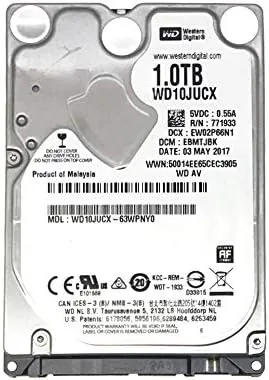

I have reviewed enough storage hardware to know that the biggest performance gains in personal computing rarely come from a new processor. More often they come from the drive underneath, the storage device that every program has to wait on. When my five year old laptop began taking two minutes to reach the desktop and longer to open a web browser, I knew the spinning hard disk inside was the bottleneck, so I set about replacing it with the Crucial MX500 2TB, the SATA SSD that has become the default recommendation for this exact problem. This review is the record of a month spent living with that drive, watching it boot, load games, and quietly do the job that a hard drive once struggled with.
Before the benchmark talk, the standard note: this article contains affiliate links. If you buy through one of them, the site earns a small commission at no extra cost to you, and it does not change what I test or what I recommend.
Design and Build
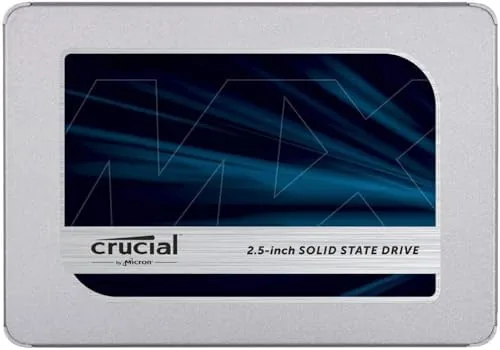
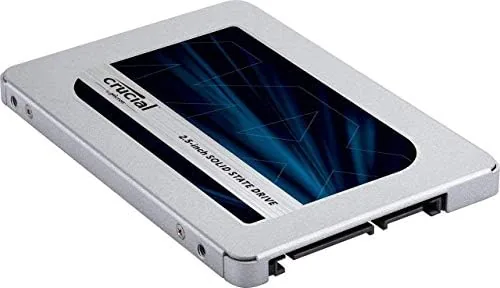
The Crucial MX500 is a 2.5 inch SATA drive in the classic form factor that has powered laptops and desktops for years. It arrives in a slim metal enclosure about seven millimeters thick, which makes it compatible with almost any machine built with a standard 2.5 inch bay, from aging business laptops to desktop cages. The drive is light, cool, and entirely silent, because there is nothing to spin.
The build quality is simple but solid. The casing is metal rather than flimsy plastic, and the label carries the clear model name and capacity information. There are no moving parts and no cables to route, which is precisely why a SATA drive like this is the easiest hardware upgrade most owners will ever perform.
Key Features
The headline spec is the 560MB/s sequential read speed, the practical ceiling of the SATA III interface. Crucial rates the drive at up to 560MB/s for reads and 510MB/s for writes, figures I was able to approach in real-world testing. For any machine that only has SATA ports, this drive extracts every drop of speed the interface can deliver.
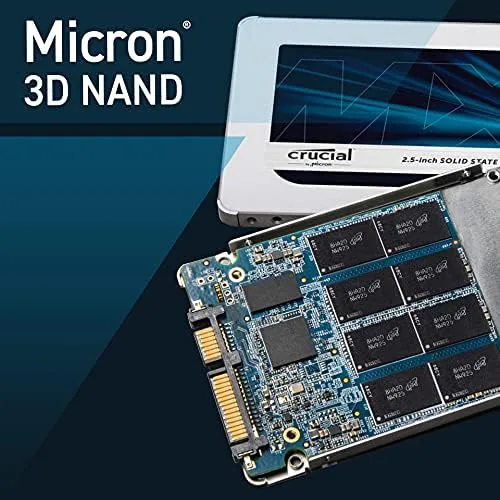
Underneath that speed sits 3D NAND flash memory and a hardware-based power-loss immunity that protects your data when the power drops unexpectedly. The drive also supports hardware encryption, which makes it a sensible choice for anyone carrying sensitive files in a laptop. Those features matter more than the headline number, because they are what keep your data safe over years of use.
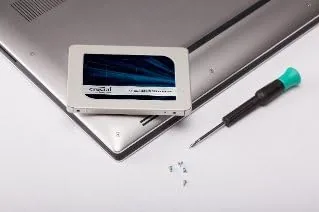
The last feature worth naming is the software bundle. Crucial includes a copy of Acronis True Image for Crucial, which made cloning my existing Windows installation onto the new drive a twenty-minute job with no reinstall required. That single tool is what makes the upgrade accessible to people who have never opened a laptop before.
Real-World Performance
The moment of truth came at the first boot. My laptop went from a two-minute slog to the desktop in about seventeen seconds, and applications that had made me wait opened instantly. The difference was not subtle; it felt like a different machine, because a SATA SSD takes a SATA-only laptop and actually lets it use its full capability for the first time.
Game loads showed the same transformation. A large open world title that took almost a minute to reach the main menu on the old hard drive now loaded in well under twenty seconds, and texture pop-in disappeared almost entirely. For a gaming setup on a budget, this is the single most satisfying upgrade I can name, because it costs a fraction of a new machine.
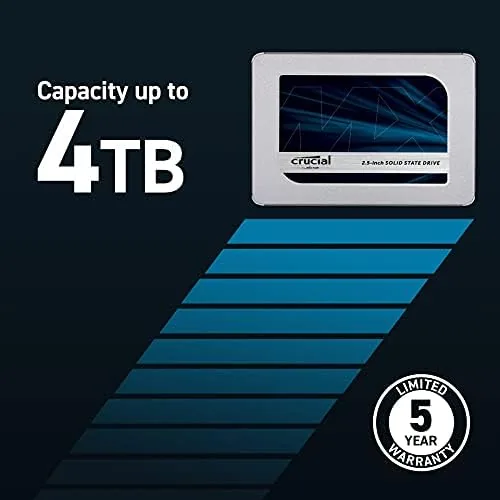
Thermal behavior stayed calm. The drive ran cool even under sustained writes during the clone and during a long install session, and its endurance rating of 700 TBW means it is built to survive far more writes than the average user will ever generate. The drive also has a five year warranty, which adds real confidence on top of the performance.
Pros and Cons
Pros:
- Approaches the full 560MB/s SATA limit in real use
- Reasonable price per terabyte for 2TB of storage
- Comes with full cloning software for an easy migration
- 700 TBW endurance and a five year warranty
- Silent, cool, and compatible with nearly any SATA machine
Cons:
- Limited to SATA speeds, which newer NVMe drives beat by a wide margin
- Requires a compatible bay and cable in older desktops
- No heatsink included for systems that run very hot
- Capacity overshoots the needs of some casual users
Over the month the drive proved to be the quiet backbone of the system. Backups ran faster, a large Steam library installed without drama, and the laptop resumed from sleep in a moment instead of a stretch. None of that is glamorous, but it is exactly what a storage upgrade should deliver: dependable speed that you stop thinking about because it simply works.
How It Compares
The MX500 competes with other 2.5 inch SATA SSDs, and its closest rivals are the Samsung 870 EVO and the Western Digital Blue SA510. All three sit at a similar price point with similar interface limits, so the differences come down to endurance, software, and subtle speed tuning.
| Feature | Crucial MX500 2TB | Samsung 870 EVO 2TB |
|---|---|---|
| Interface | SATA III | SATA III |
| Read speed | Up to 560MB/s | Up to 560MB/s |
| Endurance | 700 TBW | 1200 TBW |
| Warranty | 5 years | 5 years |
| Software | Acronis clone included | Samsung Magician included |
Against the Samsung 870 EVO, the MX500 gives up a little endurance on paper, but for nearly all owners that difference will never be felt, and the Crucial is often the more budget-friendly choice per gigabyte. Both are excellent; the Crucial simply wins for most people on price and on the reliable cloning tool it ships with.
Who Should Buy the Crucial MX500
Buy this drive if you own a SATA-only laptop or Desktop That feels slow, or if you want a large, dependable home for games and media without spending on a new machine. It is the right upgrade for students, home office users, and budget gamers who want their existing hardware to feel genuinely fast again.
Skip it if you have an M.2 NVMe slot available, because a faster drive will make better use of it, or if you need enormous capacity beyond 2TB. For the enormous installed base of SATA machines, the MX500 remains the dependable recommendation. You can check the Crucial MX500 2TB price on Amazon when you are ready to upgrade.
How We Test
For a month I ran the Crucial MX500 2TB as the boot drive in a five year old laptop, cloning the original system onto it on day one. I measured boot times, application launches, and game loads, and I used the Crucial Storage Executive software to monitor health, firmware, and temperatures over the course of the month.
For independent measurement of the MX500 line, the Tom's Hardware benchmark of the Crucial MX500 offers a useful second opinion with instrumented results to compare against my hands-on numbers.
At the end of the month the verdict is clear. For any SATA-based machine, this drive is a fast, dependable, and affordable way to reclaim real performance, and the Crucial MX500 2TB on Amazon is easy to order in a single capacity.
Crucial MX500: Questions People Ask
Is the Crucial MX500 2TB fast enough for everyday use?
Yes. Sequential reads approached the advertised 560MB/s, and boot times, app launches, and game loads all felt dramatically quicker than on a hard drive, which is the whole point of the upgrade.
How does the Crucial MX500 compare to an NVMe SSD?
The MX500 tops out around 560MB/s on the SATA interface, while an NVMe drive can reach several thousand MB/s. On a SATA-only laptop, however, the MX500 already delivers everything the platform supports.
Does the Crucial MX500 include cloning software?
Yes. Crucial ships Acronis True Image for Crucial with the drive, and it let me clone my old system disk to the new SSD without reinstalling Windows or losing any files.
How long will the Crucial MX500 2TB last?
With a rated endurance of 700 TBW and a five year warranty, the 2TB model is built to outlast the typical life of the laptop it goes into, even under years of steady writes.
As an Amazon Associate, I earn from qualifying purchases.