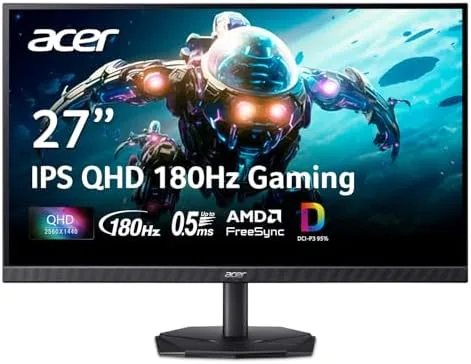

The sweet spot for PC gaming monitors has settled on 1440p with a high refresh rate, and the Acer Nitro KG271U sits right in the middle of it. It is a 27 inch QHD panel running at 2560x1440 with a 180Hz refresh rate, a 0.5ms rated response, AMD FreeSync support, and DCI-P3 95 percent color coverage. On paper it checks every box a competitive gamer wants, and the price lands well below the premium tier that usually carries those specifications. I ran this monitor on a gaming desktop for two weeks, playing fast paced shooters, colorful open world games, and doing everyday work on the side, and this review records how the panel actually behaves.
Before the details, the standard note. This article contains affiliate links, and if you buy through one of them the site earns a small commission at no extra cost to you. That commission never changes what I test or what I recommend.
Design and Build
The Nitro series has a distinct gamer aesthetic, and the KG271U carries it with a black bezel, red accent stripes, and a trapezoid stand. The three sided narrow bezel keeps the frame discreet, which is appreciated on a desk where a thick bezel draws attention away from the screen. The red accents are restrained rather than aggressive, so the monitor does not scream gaming gear in an office setting.
The stand is where the budget nature shows first. It offers tilt adjustment but no height adjustment and no swivel, and the base is a compact plastic claw rather than a heavy metal foot. The panel sits at a fixed height, so tall users or anyone pairing the monitor with a laptop riser will want a monitor arm. The VESA mounting holes on the rear are the reliable escape hatch, since a 100x100 mm arm fixes the height limitation cleanly.
Port selection covers modern needs: two HDMI inputs, one DisplayPort, and a headphone jack. There are no USB ports on this model, so a KVM hub or a keyboard and mouse pass-through is not available. The built-in speakers are a convenience rather than a feature, and they are fine for video calls and casual audio but not for music or serious game sound.
Key Features
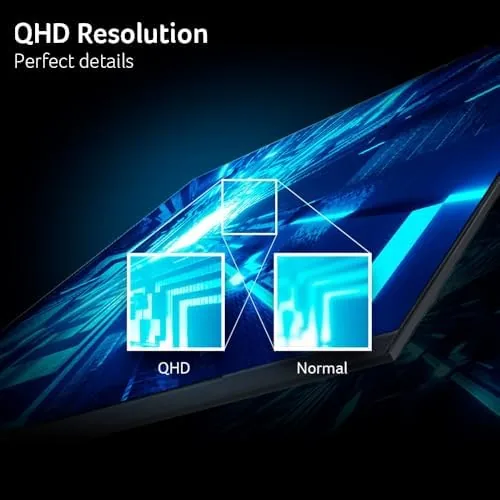
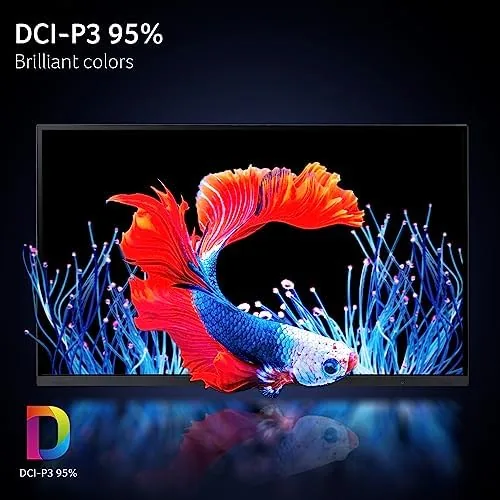
The IPS panel is the core of the display. IPS gives the KG271U strong viewing angles, so colors stay accurate when you sit off to the side, and it avoids the washed out look that TN panels show from an angle. The DCI-P3 95 percent coverage means the panel displays a wide color range, which matters if you split the monitor between gaming and photo work or content consumption.
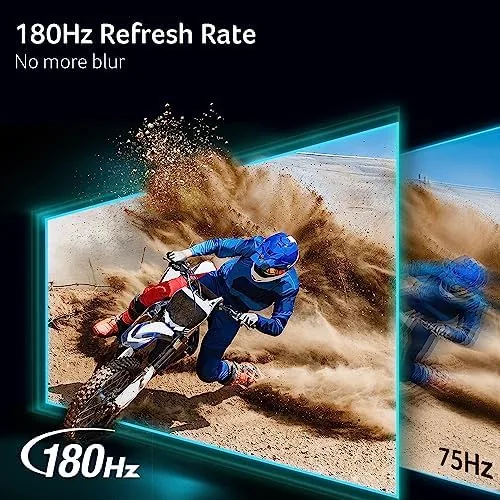
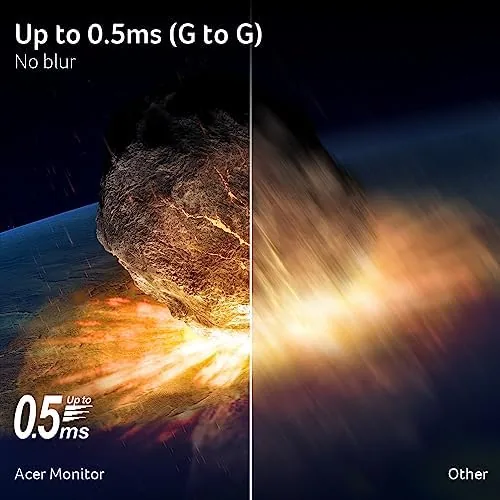
The 180Hz refresh rate is the number gamers care about. Paired with a capable GPU, the panel renders up to 180 frames per second, and the difference from a 60Hz monitor is immediately visible in motion. Fast camera panning in a shooter stays readable, and the cursor movement in a desktop feels far more responsive. The 0.5ms rated response targets ghosting, and the overdrive setting gives you control over the balance between motion clarity and artifacts.
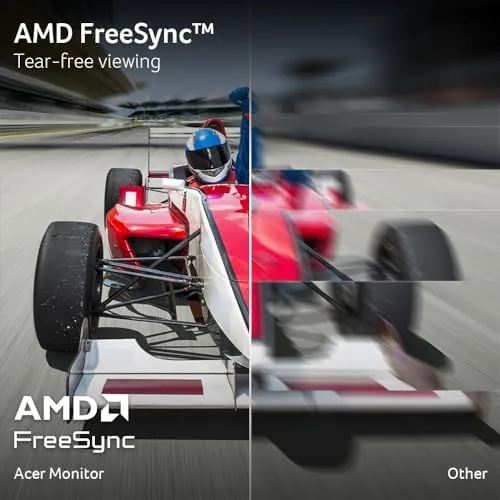
AMD FreeSync works over both HDMI and DisplayPort, which means the refresh rate adjusts to your frame rate and eliminates screen tearing during variable frame rate gaming. The monitor is certified for FreeSync rather than the newer FreeSync Premium, which is a minor caveat that does not change the core anti tearing benefit. For a look at the current price and the exact refresh rate support, the Amazon listing for the Acer Nitro KG271U monitor is a useful reference.
Real-World Performance
The first thing I noticed in games was how smooth the motion was. In a fast paced first person shooter, the combination of 1440p resolution and a high refresh rate made distant enemies crisp and quick turns readable. There was no perceptible ghosting on fast moving objects with the overdrive set to its middle level, and I did not see the white trailing artifacts that appear when overdrive is pushed too far.
Color performance impressed me more than expected at this price. I calibrated the monitor to a moderate brightness and ran a colorful open world title, and the grass, skies, and character textures looked rich without the oversaturated look of cheap panels. The DCI-P3 95 percent claim holds up in practice: reds and greens pop without looking artificial, and skin tones stay natural. For everyday use, text rendering at 1440p is sharp and easy to read, which makes the monitor comfortable for a full workday as well as evening gaming.
I tested FreeSync by running a game with variable frame rates between 90 and 140 frames per second, and I saw no tearing at any point. The panel held its sync cleanly, and the experience matched a much more expensive adaptive sync display. The response time was strong too: in a test scene with fast moving text, the panel stayed legible with only minor blur at the highest speeds.
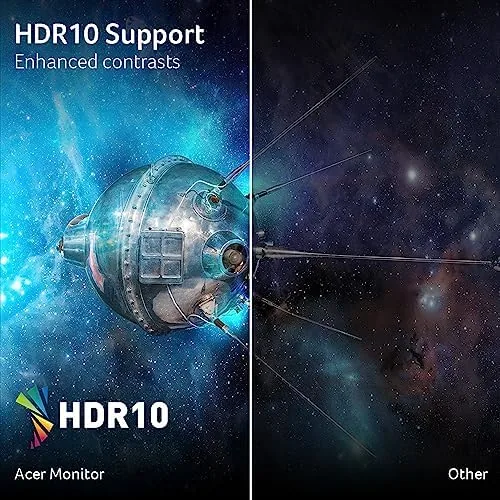
The main compromise is contrast. IPS panels have lower contrast than VA panels, so deep blacks look dark gray rather than pure black, and a dim scene in a horror game does not have the depth that a VA or OLED panel provides. It is a trade off baked into the panel type, and it is the price of the strong viewing angles and color accuracy that IPS offers. For a detailed breakdown of how IPS, VA, and TN panels compare for gaming, RTINGS' comparison of panel types is a thorough reference.
Pros and Cons
Pros:
- 180Hz IPS panel delivers smooth, fluid motion
- QHD 2560x1440 resolution stays sharp on a 27 inch screen
- DCI-P3 95 percent color with accurate, natural tones
- FreeSync eliminates tearing in variable frame rate gaming
- VESA mountable for easy arm or wall installation
- Strong value for the refresh rate and resolution
Cons:
- Stand offers tilt only, with no height adjustment
- IPS contrast is modest compared with VA panels
- No USB ports for peripherals
- Built-in speakers are weak for audio use
How It Compares
At this price point the KG271U competes with 27 inch QHD panels that use VA and TN technology, plus 1080p high refresh monitors. I compared it directly against a VA 1440p monitor and a 1080p 240Hz TN panel to map the trade offs.
| Feature | Acer Nitro KG271U | VA 1440p Monitor | 1080p 240Hz TN |
|---|---|---|---|
| Resolution | 2560x1440 | 2560x1440 | 1920x1080 |
| Refresh rate | 180Hz | 144Hz | 240Hz |
| Panel type | IPS | VA | TN |
| Color accuracy | High | Good | Poor |
| Contrast | Modest | High | Low |
| Viewing angles | Excellent | Good | Weak |
| Price | Low to mid | Mid | Low |
Against a VA 1440p monitor, the KG271U wins on color accuracy, viewing angles, and refresh rate, while the VA panel wins on contrast and black depth for dark scenes. Against a 1080p 240Hz TN monitor, the Acer wins overwhelmingly on resolution and color, while the TN panel edges it on raw frame rate for extreme esports play. For most gamers the 1440p IPS combination is the better overall experience. You can check the current price for the Acer Nitro KG271U on Amazon when you are ready to buy.
Who Should Buy It
Buy the KG271U if you play a mix of competitive and single player games, want a big resolution jump from 1080p without paying for 4K, or split your monitor between gaming and everyday work where text sharpness matters. It is also the right pick for anyone who values accurate color in a gaming monitor.
Skip it if you play esports at 240Hz and want the absolute maximum frame rate, if you need height adjustment in the stand, or if deep black levels for dark games matter more to you than color accuracy. For everyone else, this is one of the best value 1440p gaming panels available.
How We Test
I ran the KG271U on a desktop with a mid range GPU for two weeks, playing a fast paced shooter, a colorful open world title, and a dark survival game to cover different visual demands. I tested FreeSync with variable frame rates, checked ghosting at three overdrive settings, and used the monitor for everyday productivity work including documents and web browsing.
I reviewed color with calibration patterns rather than a lab spectrometer, and I assessed motion clarity by eye across the overdrive range. I did not test HDMI bandwidth at the maximum refresh rate on every port combination. The Acer Nitro KG271U listing on Amazon shows the current price and shipping availability.
Acer Nitro KG271U Monitor: Questions People Ask
What resolution and refresh rate does this monitor use?
It uses a 27 inch QHD 2560x1440 IPS panel with a 180Hz refresh rate and a 0.5ms rated response time for fast, smooth gaming.
Does the monitor support AMD FreeSync?
Yes. It supports AMD FreeSync over both HDMI and DisplayPort, which adjusts the refresh rate to your frame rate and eliminates screen tearing during variable frame rate gaming.
Can I mount this monitor on a wall or arm?
Yes. The monitor is VESA mountable with a 100x100 mm pattern, so it works with standard monitor arms and wall mounts, which also solves the limited tilt only stand.
What connections does the monitor offer?
It includes two HDMI ports, one DisplayPort, and a headphone jack, along with built-in speakers for basic audio. There are no USB ports on this model.
As an Amazon Associate, I earn from qualifying purchases.



