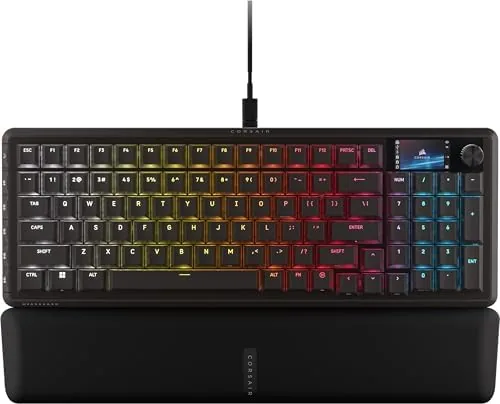

Compact mechanical keyboards used to mean giving something up. You either lost the number pad, lost the arrow keys, or paid a premium for a small board that still felt cramped. The Corsair Vanguard 96 attacks that compromise head on. It uses a 96 percent layout, which keeps the arrow keys, the navigation cluster, and even the full number pad while trimming the dead space that a full-size board wastes. On top of that compact frame, Corsair has stacked a serious feature list: MLX Fusion tactile switches, an 8000Hz polling rate, a small LCD display, a virtual stream deck, dedicated G-keys, and SOCD Flashtap for the fighting game crowd.
I used the Vanguard 96 as my daily typing board and Gaming Keyboard for several weeks, spanning shooters, long writing sessions, and an evening of fighting games. Before the details, the standard disclosure: this article contains affiliate links, and if you buy through one of them the site earns a small commission at no extra cost to you. That commission never changes what I test or what I recommend.
Design and Build
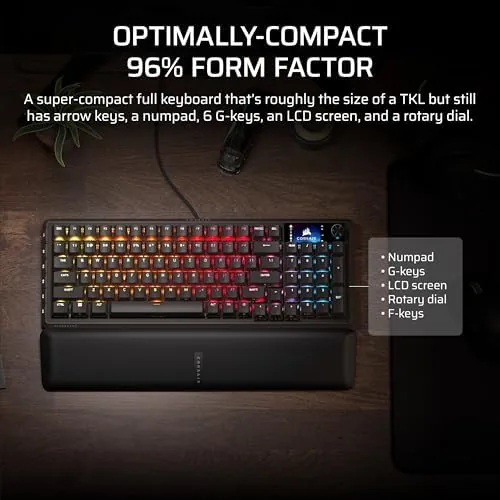
The Vanguard 96 is a dense slab of black plastic and aluminum that makes the most of every square inch. At a glance it reads like a full-size board, but it is noticeably shorter, with the number pad tucked against the main cluster and the navigation keys arranged in a tight grid above it. There is no wasted bezel and no gap where a full-size board would put dead space, which is the whole point of the 96 percent form factor.
The build quality is reassuringly solid. The top plate is aluminum, which gives the board a rigid, premium feel and prevents any flex when you bottom out the keys, and the double-shot keycaps have a clean, matte texture that resists the oily shine most keycaps develop after weeks of gaming. The board sits on two tilt stands that offer a comfortable typing angle, and the underside houses a cable channel that keeps the braided USB cable tidy on a busy desk.
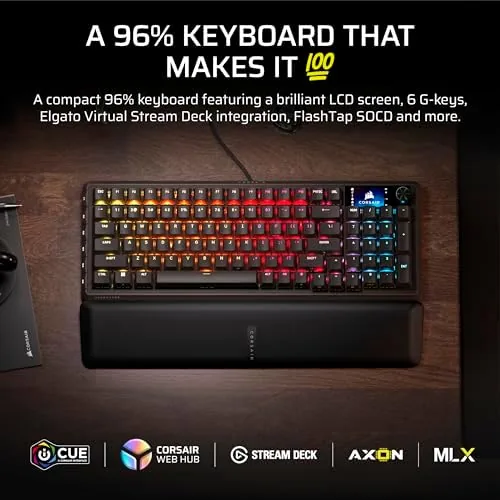
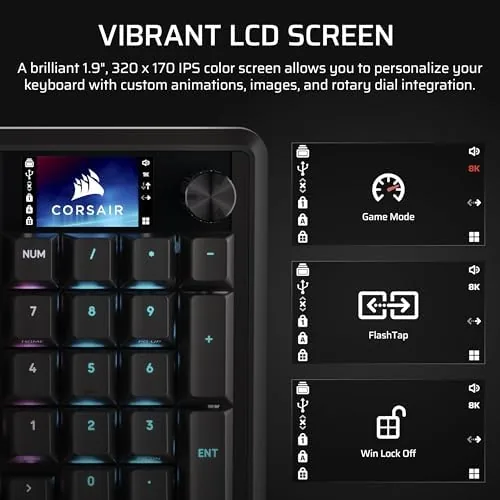
The standout physical feature is the small LCD display set into the top right corner. It shows useful information like the polling rate, system clock, and keyboard status, and it can display a custom image or animated graphic when you want personality on your desk. The display is bright, sharp for its size, and entirely unobtrusive, sitting flush in the frame where a lesser design would add a bulky protrusion. Surrounding the display are the G-keys, a row of programmable macro keys that add genuine utility for games and productivity workflows.
Key Features
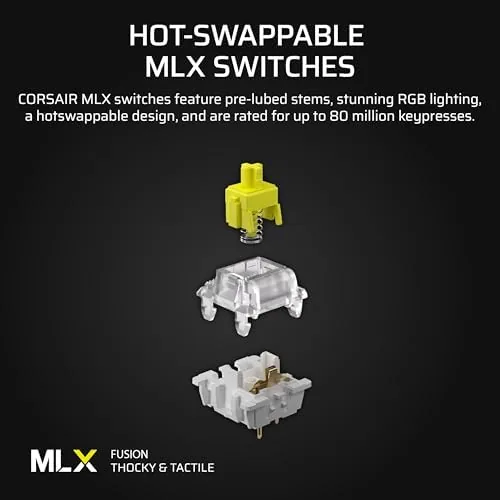
The MLX Fusion tactile switches are the heart of the typing feel. Each key delivers a distinct tactile bump partway through its travel, so you feel exactly when the switch registers without the noise of a clicky switch. The actuation is light enough for fast, repeated presses in games, yet firm enough that your fingers find the bump reliably during long typing sessions. Corsair has tuned these switches to sit between the mushy feel of membrane boards and the aggressive click of old mechanicals, and the result is a typing experience that feels quick and confident.
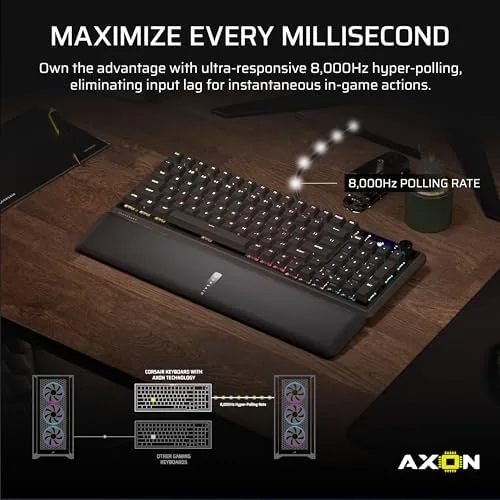
The 8000Hz polling rate is the headline performance number. A standard keyboard polls at 1000Hz, reporting your input once per millisecond. The Vanguard 96 polls eight times that fast, which measurably reduces the latency between a key press and the PC seeing it. In practice that is the kind of number you feel in fast-twitch shooters and competitive fighting games where a frame of delay can decide a round, and it is a genuine selling point for players who chase every possible edge.
Beyond the core, the feature list reads like a spec sheet from the future. The virtual stream deck turns the G-keys into scene switchers, mute buttons, and chat controls for streamers. The SOCD Flashtap function gives fighting game players the ability to register opposite directional inputs in a way that enables advanced movement techniques. And the LCD adds a live system monitor to your desk. For a current look at the price and the available switch options, the Amazon listing for the Corsair Vanguard 96 keyboard is a useful reference.
Real-World Performance
My first impression came from typing, where the Vanguard 96 genuinely impressed. The tactile bump is satisfying without being tiring, the key spacing is comfortable for a board this dense, and I adjusted from a standard full-size layout within a couple of days. Long writing sessions produced no finger fatigue, and the sturdiness of the aluminum plate meant every key bottomed out with a solid, consistent thunk.
In games, the performance credentials held up. In a fast-paced shooter, rapid strafing and quick ability presses felt immediate, and while the difference between 1000Hz and 8000Hz is not something you can perceive directly, the board never once felt like it was adding latency. The G-keys proved their worth during a long streaming test, where I mapped a mute toggle, a scene switch, and a capture shortcut and used them all night without touching the streaming software. The SOCD Flashtap also worked as advertised for the fighting game session, enabling the kind of crisp directional inputs that fighting game players care about.
The LCD display was more useful than I expected. Showing the polling rate and clock is handy, but the system monitor mode, which cycles through CPU and memory usage, turned the keyboard into a subtle second screen during streams and long renders. The honest friction points are the cable and the software. This is a wired board, so there is no wireless freedom, and while the cable is braided and tidy, a cluttered desk will notice it. The other catch is that the LCD, the G-keys, and the deeper performance settings all live inside Corsair iCUE software, which is powerful but demands a learning curve and a running app to keep the advanced features configured.
Pros and Cons
Pros:
- 96 percent layout keeps the number pad in a compact frame
- Snappy MLX Fusion tactile switches suit typing and gaming
- 8000Hz polling delivers class-leading input latency
- LCD display adds a genuinely useful system monitor
- G-keys and virtual stream deck aid streamers and macros
- Solid aluminum build with no flex
Cons:
- Wired only, with no wireless option
- Advanced features depend on iCUE software
- LCD and G-keys add to the learning curve
- Dense layout takes a few days to adjust to
How It Compares
The Vanguard 96 competes with the mainstream options in the compact mechanical space: a standard tenkeyless board, a hot-swap compact keyboard, and the Corsair's own full-size Vanguard. I compared it against a TKL board and a wireless compact keyboard to place its trade-offs.
| Feature | Corsair Vanguard 96 | Tenkeyless Board | Wireless Compact |
|---|---|---|---|
| Layout | 96 percent with numpad | No numpad | 60 to 75 percent |
| Polling | 8000Hz | 1000Hz | 1000Hz |
| LCD and G-keys | Yes | No | No |
| Connectivity | Wired | Wired | Wireless |
| Switch feel | Tactile bump | Varies | Varies |
| Price | Higher | Mid range | Mid range |
Against a tenkeyless board, the Vanguard 96 wins on the number pad, on polling speed, and on the LCD and macro ecosystem, and it loses only on price and simplicity. Against a wireless compact, it wins on feature density and raw performance but loses on the freedom of wireless, and anyone who demands a clean, cable-free desk will feel that trade. The pattern is clear: this is a performance-first, feature-first keyboard that asks you to accept a wire and some software setup in exchange for capabilities no other compact board in this class offers.
Who Should Buy It
Buy the Vanguard 96 if you want a compact keyboard without giving up the number pad, if you play fast competitive games where input latency matters, or if you stream and want a physical macro row plus a live system monitor on your desk. It is also a strong pick for anyone who types and games in equal measure and wants tactile switches that do both jobs well.
Skip it if you insist on wireless, if you want a board that works with zero software setup, or if the dense 96 percent layout is more than you need. For everyone else, this is one of the most feature-complete compact keyboards on the market. You can check the current price for the Corsair Vanguard 96 on Amazon when you are ready to upgrade your desk.
How We Test
I used the Vanguard 96 as my primary board for several weeks, splitting the time between long typing sessions, fast-paced shooters, a fighting game session for the SOCD testing, and a streaming night where I relied on the G-keys and virtual stream deck. I checked the LCD at each brightness setting and cycled through its display modes to confirm the system monitor accuracy.

I verified the 8000Hz polling rate in the Corsair software and ran the board through a full charge cycle awareness, though there is no battery to manage in a wired design. I did not test the keyboard in a controlled input latency lab, and I did not perform destructive switch testing beyond pulling one keycap to inspect the switch stem. For broader perspective on what separates a great mechanical keyboard from a good one, the switch and layout guidance in Tom's Hardware's best mechanical keyboards is a solid reference. The Corsair Vanguard 96 listing on Amazon shows the current price and available options.
Corsair Vanguard 96: Questions People Ask
What is the 96 percent layout on the Vanguard 96?
A 96 percent layout keeps the arrow keys, number pad, and navigation cluster but removes the wasted space of a full-size board, so it fits a compact footprint without giving up any keys.
Are the MLX Fusion switches tactile or linear?
This model ships with MLX Fusion tactile switches, which give a noticeable bump partway through each press so you feel exactly when the key registers without the noise of a clicky switch.
How does 8000Hz polling matter for gaming?
At 8000Hz the keyboard reports your key presses to the PC eight times more often than a standard 1000Hz board, which shaves input lag in fast competitive games.
Does the keyboard need special software?
The LCD display and macro configuration are managed through Corsair iCUE software, while the core typing and gaming functions work out of the box on a plug-and-play basis.
As an Amazon Associate, I earn from qualifying purchases.



