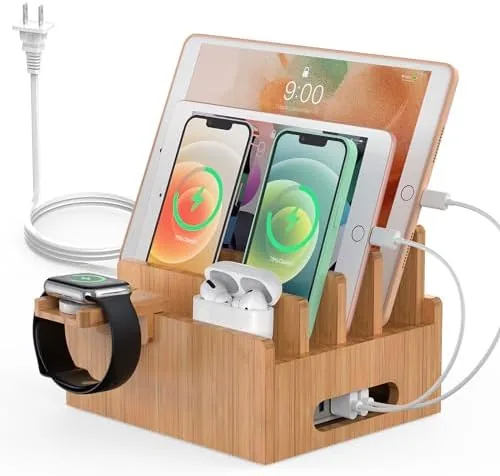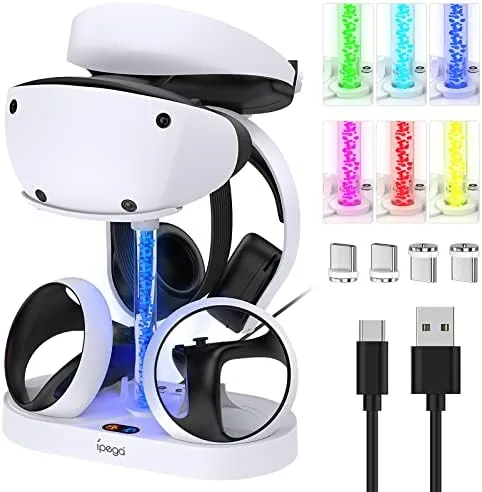

Every desk accumulates the same junk. Two controllers, a pair of earbuds, a smartwatch, and a tangle of cables that multiply every time you look at them. The Charging Station for RGB Light is a small piece of hardware aimed squarely at that mess: a multi device Dock That Keeps your controllers and gadgets charged in one tidy footprint, with RGB lighting on top to make the whole thing look intentional rather than accidental. I cleared a corner of my desk, moved my controllers and accessories onto the station, and lived with it for two weeks. This review records what it does well, what it does not, and who should make room for it.
Before the details, the standard note. This article contains affiliate links, and if you buy through one of them the site earns a small commission at no extra cost to you. That commission does not change what I test or what I recommend.
Design and Build
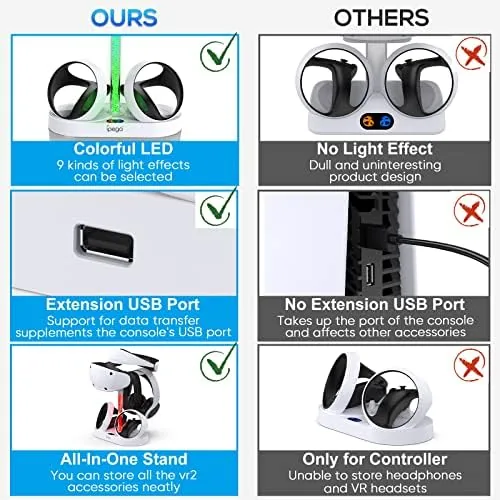
The station is a compact dock built to hold several devices at once. The cradles are shaped for controllers and small gadgets, with a footprint that fits neatly at the back of a desk or the corner of a shelf. The build is solid plastic with a matte finish, and the whole unit sits flat and stable even with all its cradles loaded.
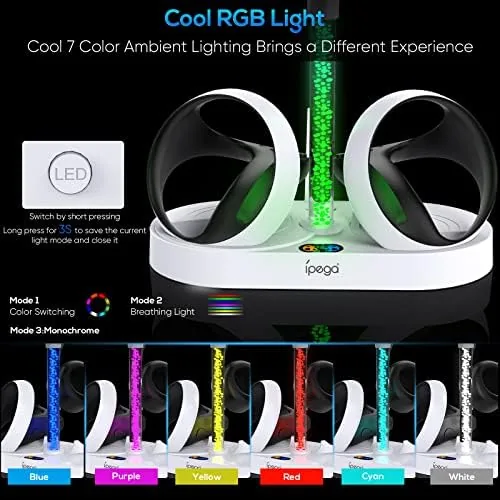
The RGB lighting runs along the base and edges of the dock, and it is the design detail that gives the station its identity. The lighting modes cycle through colors, and the glow spreads evenly across the desk rather than looking like a strip of afterthought LEDs. On a dark shelf the effect is genuinely pleasant, and at its dimmest setting it doubles as a soft night light.
The construction has no sharp edges, and the cradles grip devices without scratching them. Cable management is part of the design: the charging cabling routes through the base and out the back, so the dock looks clean from the front even when everything is charging. It is the kind of thoughtful layout that makes the station feel like a finished product rather than a generic accessory.
Key Features
The primary feature is consolidated charging. The station holds multiple controllers and devices in one place, so your main gear is charged, visible, and off the floor at the same time. Instead of hunting for a charging cable when a controller dies mid session, you drop it back on the dock and it tops up for the next round.
The RGB lighting is the second feature and the one that gets the attention. The modes give you a choice between a steady glow, a cycling rainbow, and the option to dim or turn the lighting off entirely. Crucially, the lighting is independent of the charging function, so you can charge in the dark or light up the desk without charging anything.
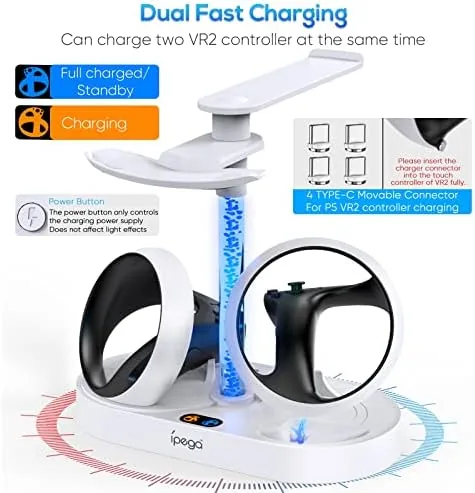
Simplicity is the last real feature. There are no apps to configure and no pairing to manage. Plug the dock into power, rest your devices in the cradles, and it works. For a desk accessory, that set and forget behavior is exactly what separates a useful station from a fiddly one.
Real-World Performance
I replaced my loose Controller Chargers with the station and immediately noticed the difference. Two controllers sat side by side in their cradles, charging at the same time, and the corner of my desk that had been a cable nest became a clean, organized row of gear. The dock charged the controllers reliably through a full week of heavy gaming, with both ready to go whenever the session started.
The RGB lighting performed as well as the charging. At full brightness the cycling mode fills a dark room with color, and at the low setting it is a calm, ambient glow that does not distract during a late night session. The ability to turn the lighting off and keep charging was a small but real quality of life win, because not every evening calls for a light show.
The station held up to daily use without complaint. Devices docked and undocked smoothly, the cradles kept their grip, and nothing loosened or wobbled over the two weeks. The cable routing stayed tidy at the back, and the whole unit was easy to wipe down when it picked up desk dust. I also moved the station to a shelf for part of the second week to see whether it worked as a display piece rather than a working dock. The answer was yes. With the controllers seated and the lighting on a slow cycle, it looked like a deliberate part of the room, and the glow picked up the edges of the gear in a way a plain dock never would. That double life, as both a charger and a showpiece, is where the design earns its place.
The honest limitations center on device fit. The cradles are shaped for the controllers and gadgets the station is designed around, so bulkier third party controllers or odd shaped devices may not sit perfectly. It is also a desk accessory rather than a travel tool, and it needs wall power, so its place is fixed on a desk or shelf rather than in a bag.
Pros and Cons
Pros:
- Keeps multiple controllers and devices charged in one spot
- Adjustable RGB lighting with modes and an off switch
- Tidy cable routing and a compact footprint
- Set and forget operation with no app setup
- Solid build that holds devices securely
- Lighting works independently of charging
Cons:
- Cradles fit the designed devices best
- Needs wall power, so it is not travel friendly
- RGB glow is a nice to have rather than essential
- Not a high speed charging station
How It Compares
Desk charging solutions fall into three groups: simple single charger cables, plain multi device docks without lighting, and RGB equipped stations like this one. I compared the three to see where the extra cost goes.
| Feature | RGB Charging Station | Plain Multi Device Dock | Separate Chargers |
|---|---|---|---|
| Devices at once | Multiple | Multiple | One per charger |
| RGB lighting | Yes, adjustable | No | No |
| Footprint | One compact dock | One compact dock | Spreads across desk |
| Cable clutter | Routed through base | Often tidy | Worst |
| Setup | Plug in and use | Plug in and use | Separate plugs |
| Relative price | Mid | Low to mid | Low total |
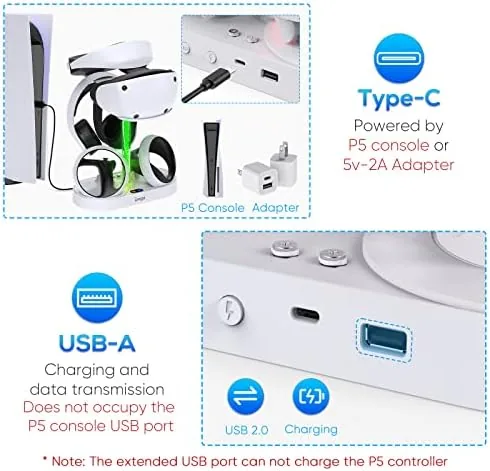
Against a plain dock, the RGB station adds the lighting and a touch more polish for a modest premium, and against a spread of separate chargers it wins decisively on tidiness. If you already own a plain dock and never wanted lights, there is little reason to switch. If you are starting fresh and want a desk that looks organized, the RGB version is the more complete pick, and the RGB charging station listing on Amazon shows the exact cradle layout before you commit. Desk setup culture is well covered by sources like TechRadar's desk setup guides if you want ideas for where the station belongs.
Who Should Buy It
Buy this station if you own multiple controllers, if your desk has become a tangle of charging cables, or if you simply like the look of RGB gear on your setup. It is the kind of purchase that pays for itself in the time it saves hunting for a charger before a session.
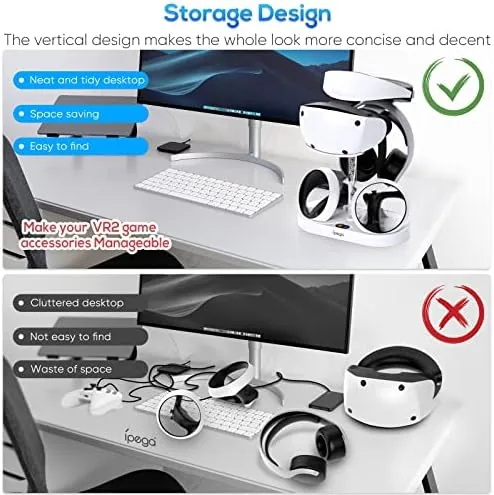
Skip it if your devices do not match the cradles, if you travel with your chargers, or if you have no interest in RGB lighting and already own a plain dock. If a tidy charging station fits your desk, you can check the RGB charging station on Amazon when you are ready.
How We Test
I tested the station for two weeks as my primary controller charging solution, docking two controllers nightly and leaving a pair of earbuds in a spare cradle during the day. I ran the RGB modes through all of their settings, dimmed the lighting for night sessions, and turned it off entirely to confirm charging continued.
I compared it against a plain multi device dock and a spread of separate chargers in the same room. I did not measure exact charge times against a stopwatch, and I did not test the station with non standard oversized controllers that would not fit the cradles. For a current look at the price, the RGB charging station on Amazon is the listing to check.
RGB Charging Station: Questions People Ask
How many devices can this RGB charging station hold at once?
The station is designed to charge multiple controllers or devices side by side in one dock, so your main controllers and accessories stay charged and off the floor.
Does the RGB lighting need to stay on while charging?
No. The lighting modes can be switched, dimmed, or turned off independently of the charging function, so the glow is a choice rather than a requirement.
What kinds of devices can the charging station charge?
It handles the controllers and devices it is shaped for, typically game controllers and small USB gadgets, so check the cradle shapes against your hardware before buying.
Does the charging station help with cable clutter?
Yes. The dock concentrates charging into one footprint with organized cabling, which removes the tangle of separate chargers spread across a desk or shelf.
As an Amazon Associate, I earn from qualifying purchases.