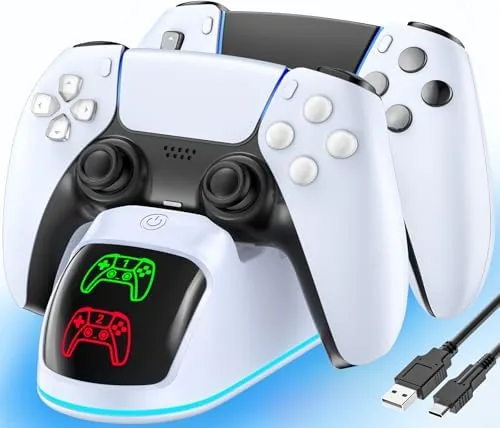

Every PlayStation owner knows the panic of a dying controller arriving in the middle of an important boss fight. The official answer is a USB cable, which means a wire running across the couch and a controller that is forever tethered to the console. A Charging Dock is the cleaner answer, and the compact dual station in this listing charges two controllers at once, fits both the DualSense and the Edge, and adds a subtle RGB glow to a desk or entertainment center. This review covers a week with two controllers rotated through the dock, testing fit, charge speed, and whether it earns its place next to the console.
Before the details, the standard note. This article contains affiliate links, and a purchase made through one of them supports the site at no added cost to you. That never changes what I test or what I recommend.
Design and Build
The dock is a compact pedestal with two angled cradles cut into the top, sized to match the shape of the DualSense. The build is a sturdy matte plastic with a weighty base that does not slide around when you seat a controller, and the whole unit takes up barely more desk space than a single controller lying flat. The finish matches the look of PlayStation accessories well enough that it does not clash with the console or the rest of a game room.
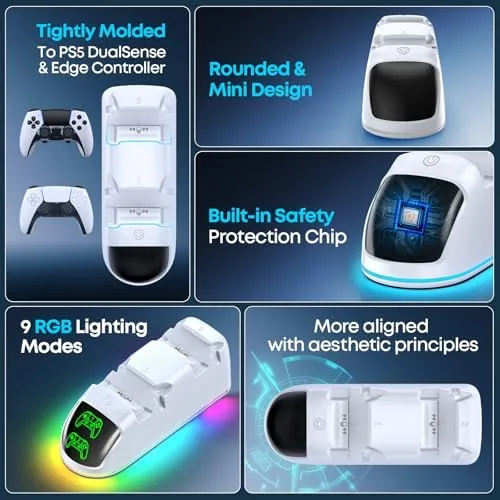
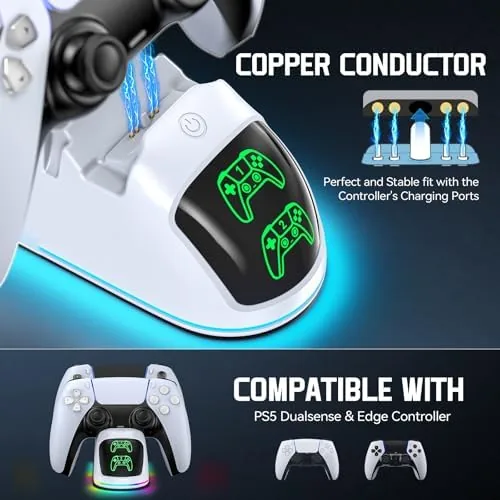
The charging connection is the detail that makes or breaks a dock like this. Instead of a cable you plug into each controller, the dock uses metal charging pins that contact the pads on the bottom of the controller. You seat the controller by dropping it into the cradle and pushing down until it clicks into place, and the pins align automatically. There is no fiddling with a connector in the dark, which is exactly what a bedside or couch-side charging dock should offer.
Key Features
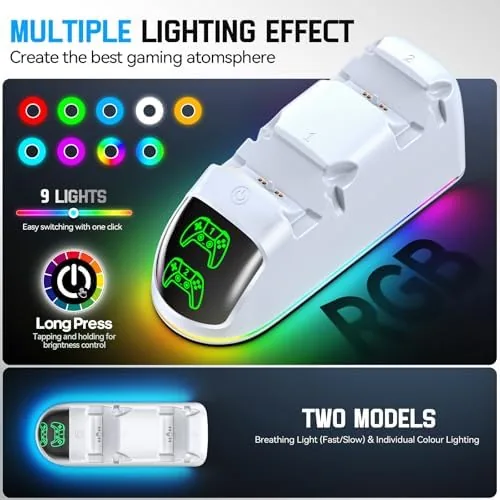
The headline feature is dual charging: both cradles charge at the same time, so two controllers can rotate through a gaming session without either one ever running dry. The dock handles the standard DualSense and the larger DualSense Edge, which is a genuine compatibility win, because Edge-specific docks are rarer than they should be. Each cradle has a small indicator that shows the charging state, and the RGB light runs along the base as an accent.
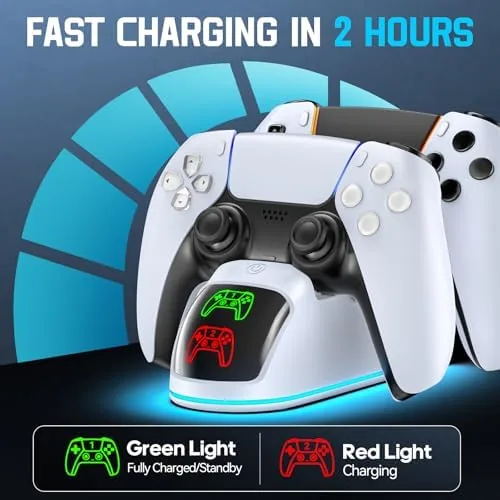
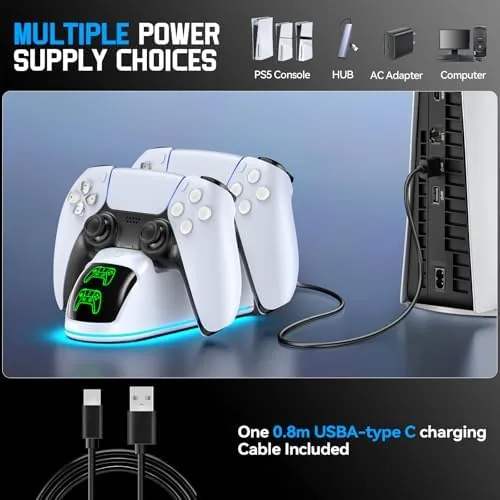
The package includes the charging cable in the box, so there is no scavenging for a spare. It plugs into the console's USB port or any standard power adapter, and the cable exits the back of the dock cleanly, which keeps the desk tidy. The RGB lighting is adjustable and optional, so you can run it for effect or leave it off for a plain look, and the charging indicator still shows either way. If you want to compare the current price against other PS5 charging docks, the Amazon listing for this PS5 dual charging dock is a useful reference.
Real-World Performance
The test was simple: run two controllers down to empty, seat them on the dock, and see how the week went. From empty, both controllers charged to full in a couple of hours, which is fast enough that a lunch break plus an errand covered a full top-up. In practice I rarely waited for a full charge, because the routine became dropping a controller on the dock whenever I left the room, and it was always full by the time I came back.
Fit was the pleasant surprise. The cradles are shaped tightly enough that the controller sits in exactly the right spot every time, and the pins make contact without any wobble or loose feel. I deliberately seated a controller one-handed in a dim room, and it clicked into place on the first try. The dock stayed put on the shelf through all of it, and the base did not shift even when I pulled a controller straight up out of the cradle.
The Edge controller also seated correctly in its cradle, which removed the one worry I had about buying a dual-purpose dock. The RGB light drew a small compliment from everyone who walked past, but it is subtle enough to ignore when you want a clean setup. The one minor note is that the dock is a dedicated accessory: it charges PlayStation controllers and nothing else, so it is purely a convenience device rather than a multi-purpose station.
Pros and Cons
Pros:
- Charges two controllers at the same time
- Fits both DualSense and DualSense Edge
- Fast charge time from a dead battery
- One-handed seating with reliable pin contact
- Included cable and tidy cable routing
Cons:
- Works only with PlayStation controllers
- RGB light will not suit a plain setup
- Base needs a flat, stable surface
- No replacement pads or tips included
How It Compares
PS5 charging solutions split between docks like this one, single-controller stands, and plain USB cables, and the differences show up in daily convenience. I compared the dual dock against a single-controller charging stand and against a straight USB cable to find where each one earns its place.
| Feature | Dual Charging Dock | Single Dock | USB Cable |
|---|---|---|---|
| Controllers at once | Two | One | One per cable |
| Edge support | Yes | Varies | Yes |
| Seating | One-handed click | One-handed click | Plug in port |
| Charge speed | Fast | Fast | Fast |
| Desk clutter | Low | Low | Cable across desk |
| Price | Mid | Lower | Lowest |
Against a single dock, the dual unit wins on the core problem it solves: with two controllers in rotation, a single dock still leaves one pad tethered to a cable half the time. Against a USB cable, the dock wins decisively on convenience, removing the wire from the couch entirely and turning charging into a natural habit. For anyone with two controllers, the dual dock is the better buy, and it is the one that stayed on my desk when the week ended.
Who Should Buy It
Buy this dock if you own two PS5 controllers and hate hunting for a cable mid-game, if you have a DualSense Edge you want to charge properly, or if you want a tidy charging spot for the console that does not add clutter. It is a natural fit for families who share a console, for long-session players, and for anyone who keeps a second pad charged for guests.
Skip it if you own only one controller and are fine with a cable, if your space is so tight that a two-cradle base will not fit, or if you want a charger that also works with other devices. For everyone else, this is one of the most painless upgrades a PlayStation setup can get. You can check the current price for the PS5 dual charging dock on Amazon when you are ready to shop.
How We Test
I ran two controllers through the dock for a week, deliberately draining both to empty and timing full charges. I verified the fit with a standard DualSense and a DualSense Edge, tested one-handed seating in low light, and checked the cable routing and base stability on a desk and a shelf. I also ran the RGB light for the week to confirm it held up without flicker.
I did not test the dock with third-party controllers, and I did not measure charge cycles over a long period, since the week focused on daily usability. Independent coverage such as Tom's Guide's list of the best PS5 accessories is a useful reference for how charging docks compare. The PS5 dual charging dock listing on Amazon shows the current price and delivery details.
PS5 Dual Controller Charger: Questions People Ask
Does the dock charge the PS5 Edge controller too?
Yes. The dock fits both the standard DualSense and the DualSense Edge, with the charging pins aligning properly for each pad.
How long does a full charge take?
Two empty controllers reach full charge in a couple of hours, and topping up a partly drained pad is noticeably faster in practice.
Do I need the original cable or adapter?
No. The dock includes its own cable in the box, so you just plug it into a USB port on the console or a power adapter and it is ready.
Can the RGB light be turned off?
Yes. The RGB effect is optional and can be left off for a plain look, while the charging indicator still shows when a pad is seated.
As an Amazon Associate, I earn from qualifying purchases.