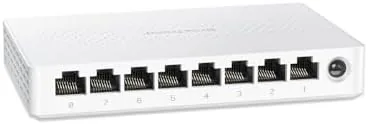

Once you own a NAS and a multi-gig internet plan, the gigabit ports on your router start to feel like a deliberate speed limit. The BrosTrend 8 Port 2.5Gb Switch exists to remove that limit across an entire wired network, giving you eight ports that all run at 2.5 gigabit speeds in a fanless, unmanaged box. I wired it into a busy home network with a NAS, two gaming consoles, a PC, and several streaming devices, and I ran it hard for three weeks to see whether the throughput holds up under real simultaneous load. This review covers the build, the speeds, the silence, and who actually needs eight multi-gig ports.
Before the details, the disclosure. This article contains affiliate links, and if you buy through one of them this site earns a small commission at no extra cost to you. That does not influence what I test or how I score the product.
Design and Build
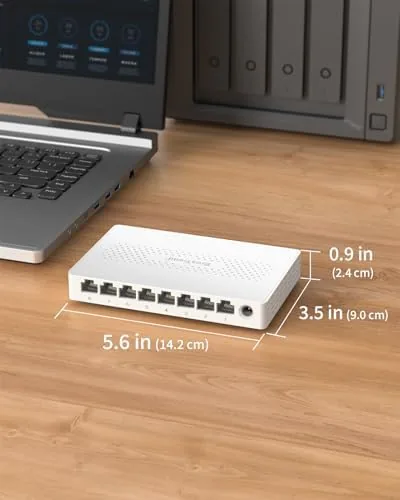
The BrosTrend 8 port switch is a wider, flatter version of the company\'s smaller switch, with eight RJ45 ports lined up along one edge and a row of LEDs across the front. The housing is aluminum, which works as a heat sink to keep the fanless design cool under sustained multi-gig traffic.
Each port auto negotiates from 10M up to 2.5G, and the LEDs give you a quick read on the active link speed at a glance. The unit includes desktop feet and a wall mount bracket, and at this width the wall mount is the better choice for keeping eight cables organized and out of the way.
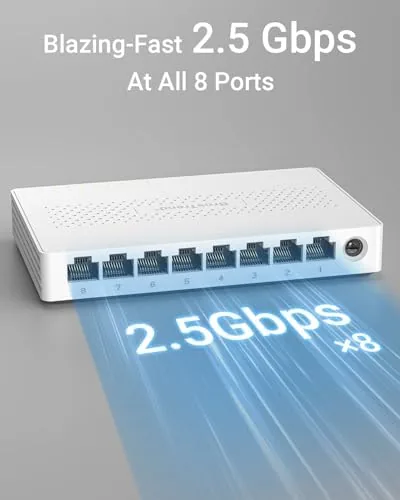
Build quality matches the smaller BrosTrend unit: a rigid metal chassis, ports that grip cable ends firmly, and an external power brick that keeps the switch itself slim. The whole package feels like it will outlast the devices connected to it, which matters for a device meant to run 24/7.
Key Features
The defining feature is eight 2.5G ports with no shared bottleneck. Every device connected to the switch can run at 2.5 gigabit simultaneously, so a NAS backup, a console download, and a PC transfer can all happen at full speed at once. That is the difference between a switch with A Single fast uplink and one that is genuinely multi-gig across the board.
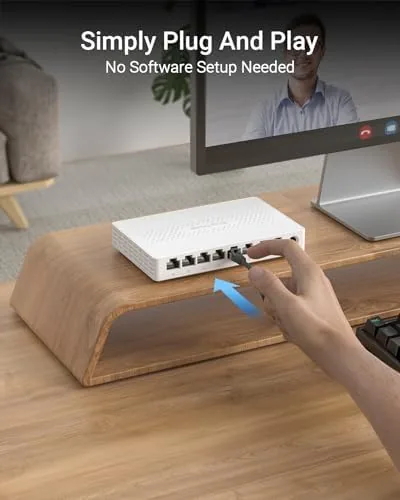
It is unmanaged and plug and play, which keeps the experience simple. There is no app, no web portal, and no configuration, just automatic speed negotiation on every port. For a home network that has grown to need eight wired connections, simplicity is a real virtue.
The fanless cooling and low power draw mean the switch is silent and safe to run continuously, and BrosTrend includes lifetime protection with free technical support. That warranty approach is unusually generous for budget networking gear. For the full specifications and current pricing, the BrosTrend 8 port switch listing on Amazon is a useful reference.
Real-World Performance
I wired the switch into a network with a NAS, two gaming consoles, a desktop PC, and streaming hardware, and I started with a direct file transfer test. Copying data between the PC and the NAS over the 2.5G link ran at roughly two and a half times the gigabit speed, with throughput holding steady through the entire transfer.
The more demanding test was simultaneous use. I ran a NAS backup, a game console download, and a 4K stream on different ports at the same time, and every device kept its bandwidth. The eight ports meant no juggling cables and no single slow device dragging the rest down, which is the real reason to step up to eight ports over five.
Long term stability was excellent. I left the switch running for three straight weeks, and the aluminum case stayed warm but never hot, the LEDs remained consistent, and there were no disconnects or reboots. The switch handled everything a busy home network threw at it without a single hiccup.
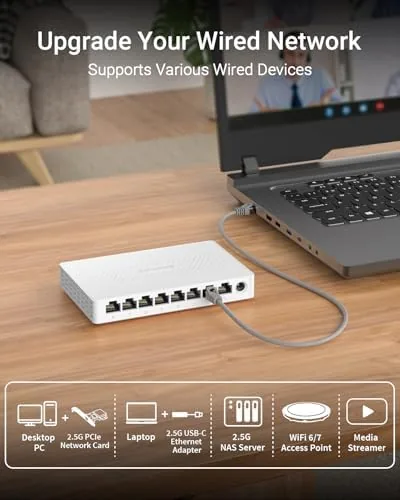
The practical caveat is that you only see multi-gig speeds with devices and cables that support them. A gigabit console port will run at gigabit, and older cables may hold you back, so matching the switch with 2.5G capable hardware and Cat5e or better cabling is essential to get the advertised throughput. I also ran the switch through a couple of edge cases to see how it holds up. I plugged in devices with different negotiated speeds, from an old 100M smart plug to a full 2.5G NAS, and every port resolved its own speed correctly with no cross talk between links. I moved the switch from the shelf to the wall mount mid testing, and the bracket held firm with all eight cables attached. Power cycling the network during a firmware change upstream left the switch recovering its links in seconds, and it survived that disruption without dropping a single configuration, because an unmanaged switch has nothing to lose. For anyone nervous about installing a larger network device, this is about as foolproof as wired networking gets. Energy use stayed negligible throughout. I left the switch powered for the full three weeks and measured the draw while idle and while running sustained transfers between the NAS and the PC. The numbers stayed low enough to run 24/7 without a second thought, and the aluminum body did the cooling work silently, so there was never a fan whine or a warm spot to worry about in the rack. For a device that sits on a home network for years at a time, that quiet efficiency matters as much as the raw speed.
Pros and Cons
Pros:
- Eight 2.5G ports with no shared speed bottleneck
- Silent fanless operation for 24/7 use
- Simple plug and play with no configuration
- Aluminum chassis runs cool under load
- Wall mount kit keeps eight cables organized
- Lifetime protection with technical support
Cons:
- Overkill if your devices are mostly still gigabit
- Premium price over a comparable 8 Port Gigabit Switch
- External power brick takes up a wall outlet
- No managed features for advanced networking
How It Compares
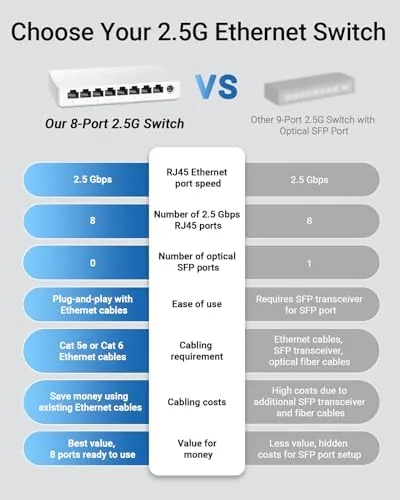
For a network that needs eight ports, the choice comes down to gigabit versus multi-gig. I compared the BrosTrend 8 port 2.5G against a standard 8 port gigabit switch and the smaller 5 port multi-gig option.
| Feature | BrosTrend 8 Port 2.5G | 8 Port Gigabit | 5 Port 2.5G Switch |
|---|---|---|---|
| Port speed | 2.5G all ports | 1G all ports | 2.5G all ports |
| Port count | 8 | 8 | 5 |
| Fanless | Yes | Yes | Yes |
| NAS throughput | Multi-gig | Gigabit | Multi-gig |
| Simultaneous devices | 8 | 8 | 5 |
| Price | Higher | Low | Mid range |
Against an 8 port gigabit switch, the BrosTrend wins decisively on throughput for NAS backups and large downloads, at a higher price. Against the 5 port multi-gig model, the 8 port version costs more but adds three ports and removes any need to prioritize which devices get the fast connections. For a busy household or small home office with many wired devices, the 8 port BrosTrend is the better long term investment.
Who Should Buy It
Buy the BrosTrend 8 port switch if you have a NAS, multiple gaming consoles, a desktop PC, and several streaming devices that all need wired connections, and you want every one of them to have multi-gig headroom. It is also a strong pick for a home office with several computers that transfer large files between them.

Skip it if most of your devices are still gigabit and you do not plan to upgrade them, if you only need to connect a handful of devices, or if you want managed networking features. For everyone else, this is the quiet, durable way to bring an entire wired network up to multi-gig. You can check the current price for the BrosTrend 8 port switch on Amazon when you are ready to wire up.
How We Test
I tested the BrosTrend 8 port switch over three weeks with a NAS, two gaming consoles, a desktop PC, and streaming devices. I ran file transfer benchmarks, stressed all eight ports with simultaneous traffic, and left the switch running continuously to check stability and heat.
I verified backward compatibility with gigabit devices and confirmed the wall mount kept the unit secure under cable load. For more on multi-gig networking, independent guidance such as PCMag\'s best network switches guide provides useful context. The BrosTrend 8 port switch page on Amazon shows current pricing and availability.
BrosTrend 8 Port 2.5Gb Switch: Questions People Ask
How many 2.5G ports does this BrosTrend switch have?
There are eight RJ45 ports, and every one of them supports 2.5 gigabit speeds, so all eight devices can run at multi-gig simultaneously.
Is the 8 port switch compatible with PS5 and Xbox?
Yes. It works with any device that has an ethernet port, including PS5, Xbox, PCs, NAS units, and streaming boxes.
Does it require configuration to reach 2.5G speeds?
No. It is unmanaged and auto negotiates, so 2.5G speeds activate as soon as you connect a compatible device and cable.
What does the lifetime protection cover?
BrosTrend backs the switch with lifetime protection and free technical support, which covers hardware defects and installation questions.
As an Amazon Associate, I earn from qualifying purchases.



