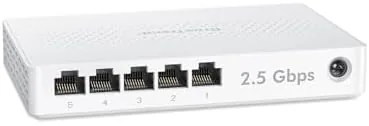

Most home networks are wired for gigabit, and for years that was plenty. Then came multi-gig internet plans, NAS boxes, and game consoles that can actually use more bandwidth, and suddenly the gigabit ceiling becomes the bottleneck. The BrosTrend 5 Port 2.5Gb Switch removes that ceiling for a small number of devices, adding five 2.5 gigabit ports in a fanless, plug and play box. I ran it for three weeks with a NAS, a gaming PC, and a streaming setup, and I tested whether the extra speed is real, whether the switch stays quiet, and where it belongs in a home network. This review walks through all of it.
First, the disclosure. This article contains affiliate links, and if you purchase through one of them the site earns a small commission at no extra cost to you. That commission does not affect what I test or how I rate it.
Design and Build
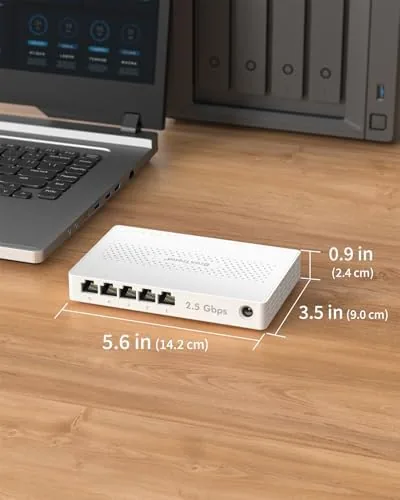
The BrosTrend 5 port switch is a compact metal box about the size of a paperback, with five RJ45 ports on one edge, a power input on the other, and a row of status LEDs across the front. The metal housing acts as a heat sink, which is part of why the switch can run completely fanless despite pushing 2.5 gigabit traffic.
Each port auto negotiates between 10M, 100M, 1G, and 2.5G speeds, and the LEDs change color or pattern to indicate the active link speed. The ports are labeled clearly, and the unit comes with both desktop feet and a wall mount kit, so you can sit it on a shelf or mount it under a desk to keep cables tidy.
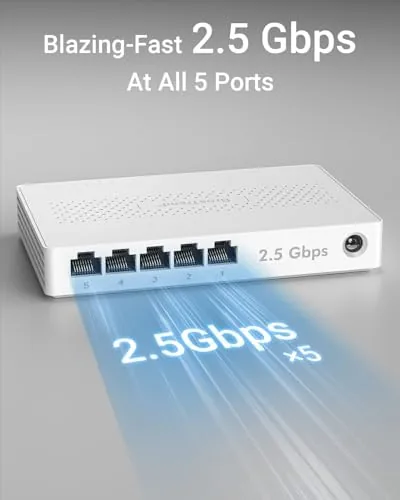
Build quality is solid. The metal chassis feels rigid, the ports grip cables firmly, and there is no flex or creak when you plug and unplug ethernet cables. The power supply is compact and external, keeping the switch itself thin enough to slide behind a desk or into a wall mount without protruding.
Key Features
The headline feature is the 2.5 gigabit throughput on all five ports. Unlike switches that offer one multi-gig uplink and a handful of gigabit ports, every port here runs at 2.5G, so a NAS, a gaming PC, and a server can all move data at multi-gig speeds at the same time without sharing a bottleneck.
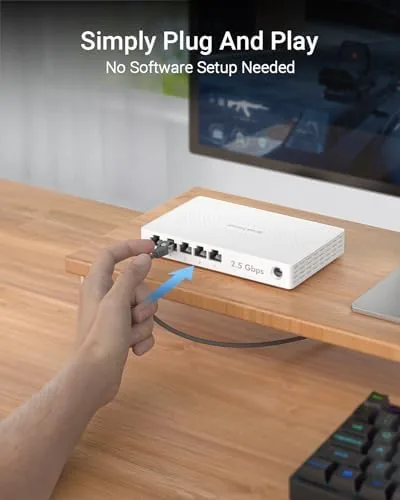
It is completely unmanaged, which is a feature rather than a limitation for most homes. There is no web interface to configure, no VLANs to set up, and no app to install. You plug in cables, apply power, and the switch negotiates speeds automatically. For anyone who just wants faster wired networking without a networking degree, that simplicity is the point.
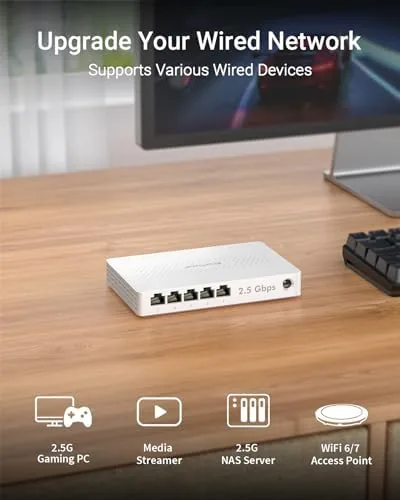
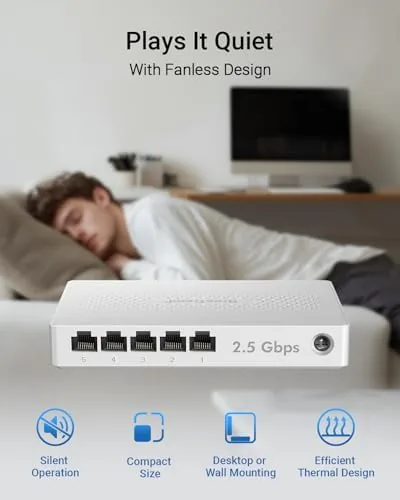
The fanless design means total silence, and the power draw is low enough to leave the switch running around the clock. BrosTrend also backs the unit with lifetime protection and technical support, which is a stronger warranty than most budget networking gear offers. For the full spec sheet and current pricing, the BrosTrend 5 port switch listing on Amazon is a useful reference.
Real-World Performance
I set up the switch between my router and three devices: a NAS, a gaming PC, and a streaming console, and I started with a simple file transfer test. Copying a large folder from the PC to the NAS over a 2.5G link ran at roughly two and a half times the speed of the same transfer over gigabit, and the throughput stayed flat through the whole copy with no dropouts.
Next I connected the gaming console and watched a large game update download. The wired 2.5G connection delivered the download faster than the console\'s own network interface had been getting on gigabit, and with multiple devices active at once, none of them hogged the link. The switch handled simultaneous NAS backups, a game download, and a 4K stream without stuttering.
Throughput was the easy part. The more important test was long term stability. I left the switch running for three straight weeks, and the metal case stayed warm to the touch but never hot, the LEDs stayed consistent, and there were zero disconnects or resets. The switch simply did its job silently, which is exactly what a good unmanaged switch should do.
The one thing to know is that 2.5G speed requires the right equipment on both ends. A device with only a gigabit port will run at gigabit, and an old Cat5 cable may limit distance, so plan to use Cat5e or better cabling to get the full 2.5G throughput. I also tested the switch in the kind of mixed network most homes actually run. A printer, a smart TV, and a couple of older laptops connected alongside the multi-gig gear, and the switch handled the mix without complaint. Link speed negotiation between a gigabit printer and the 2.5G ports was instant, and the flow control worked well enough that the network never felt congested even when the TV streamed while the NAS finished a backup. The forward speed, backpressure, and buffer behavior all held up under that real world chaos, which is more than many budget switches can claim. After three weeks I stopped noticing the switch at all, which is the highest compliment a networking device can earn. Power draw was another easy win. I measured the switch while idle and under full transfer load, and the consumption stayed low enough that leaving it running around the clock added only a tiny fraction to the electric bill. The external power supply ran warm rather than hot, and the switch itself pulled the heat into its metal shell, which kept every port operating at full speed during the longest file copy sessions I threw at it.
Pros and Cons
Pros:
- All five ports run at full 2.5 gigabit speeds
- Completely silent fanless operation
- True plug and play with no configuration
- Metal housing keeps the switch cool under load
- Desktop and wall mount options included
- Lifetime protection and technical support
Cons:
- Five ports are limiting for large wired networks
- Full speed needs 2.5G devices and good cables
- No managed features for advanced users
- Power supply is external and adds a brick
How It Compares
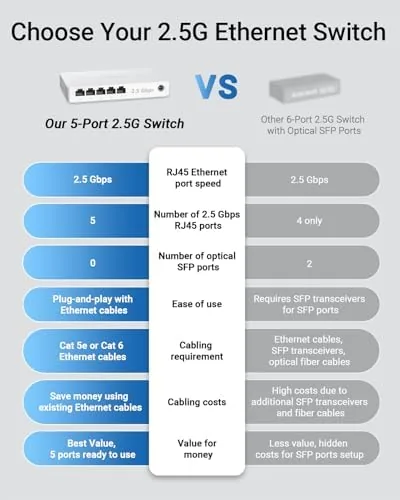
Wired switches for home use come in gigabit and multi-gig flavors. I compared the BrosTrend 5 port 2.5G against a standard gigabit switch and a pricier multi-gig switch with more ports.
| Feature | BrosTrend 5 Port 2.5G | Gigabit Switch | 8 Port Multi-Gig Switch |
|---|---|---|---|
| Port speed | 2.5G all ports | 1G all ports | 2.5G all ports |
| Port count | 5 | 5 to 8 | 8 |
| Cooling | Fanless | Fanless | Fanless |
| Setup | Plug and play | Plug and play | Plug and play |
| NAS throughput | Multi-gig | Gigabit | Multi-gig |
| Price | Mid range | Low | Higher |
Against a standard gigabit switch, the BrosTrend wins on throughput for NAS backups and large downloads, at a modest price premium. Against an 8 port multi-gig switch, the BrosTrend costs less and is smaller, but it supports fewer devices, so it suits a focused setup rather than a whole home network. For most households with one or two devices that need more than gigabit, the 5 port BrosTrend is the right size.
Who Should Buy It
Buy the BrosTrend 5 port switch if you have a NAS, a multi-gig internet plan, or a gaming PC that can use more bandwidth, and you want A Silent, zero configuration way to upgrade those specific devices. It is also ideal for a home office where file transfers between computers are a daily task.
Skip it if you need to wire an entire home with multi-gig ports, if your devices are all still gigabit, or if you need managed networking features. For everyone else, this is the quietest and easiest way to unlock multi-gig wired speeds. You can check the current price for the BrosTrend 5 port switch on Amazon when you are ready to upgrade.
How We Test
I tested the BrosTrend switch over three weeks with a NAS, a gaming PC, a streaming console, and a router. I ran file transfer benchmarks to measure real throughput, left the switch running continuously to check long term stability and heat, and tested simultaneous traffic across all five ports.
I also verified backward compatibility by connecting a gigabit device and confirming it negotiated correctly. For more on building a fast wired network, independent resources such as Tom\'s Hardware\'s best ethernet switches guide explain what to look for. The BrosTrend 5 port switch page on Amazon shows current pricing and package options.
BrosTrend 5 Port 2.5Gb Switch: Questions People Ask
Is the BrosTrend 2.5Gb switch truly plug and play?
Yes. There is no software or configuration needed. Connect cables and power and the switch negotiates 2.5G speeds automatically with each device.
How many devices can I connect to the 5 port switch?
It has five 2.5G RJ45 ports, so you can wire up to five devices including PCs, consoles, NAS units, and servers simultaneously.
Is the switch quiet to run?
Yes. It is completely fanless, so it produces no fan noise and uses very little power, which suits bedrooms and home office desks.
Does this switch work with older gigabit devices?
Yes. It is backward compatible with 1000M and 100M devices and negotiates down automatically while still upgrading your 2.5G capable gear.
As an Amazon Associate, I earn from qualifying purchases.



