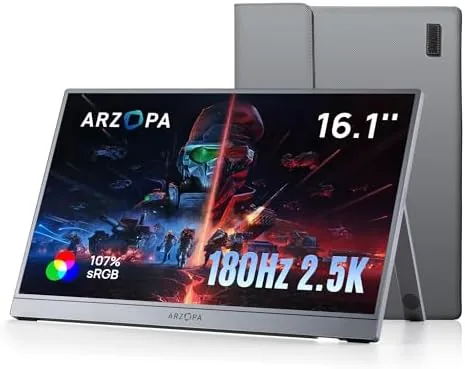

There was a time when a portable monitor meant carrying a second laptop or squinting at a phone screen, and neither option felt like a real answer. The ARZOPA 16.1 inch Z3FC tries to change that with a display that does not force you to choose between smooth motion and sharp detail. It combines a 2560x1440 QHD panel with a 180Hz refresh rate, covers 107 percent of the sRGB color space, and packs all of it into a slim frame with an integrated kickstand. I carried this monitor through a fortnight of hotel desks, kitchen tables, and a cramped train carriage, hooking it up to laptops and consoles alike. This is the honest record of how it performed.
Before the details, the standard note. This article contains affiliate links, and if you buy through one of them the site earns a small commission at no extra cost to you. That commission never changes what I test or what I recommend.
Design and Build
The first thing you notice is the profile. At roughly the size of a 16.1 inch laptop lid and only a few millimeters thick, the Z3FC slips into the document sleeve of most backpacks without complaint. The frame is slim on all four sides, which keeps the footprint small and makes the panel feel like most of what you are carrying is actually screen.
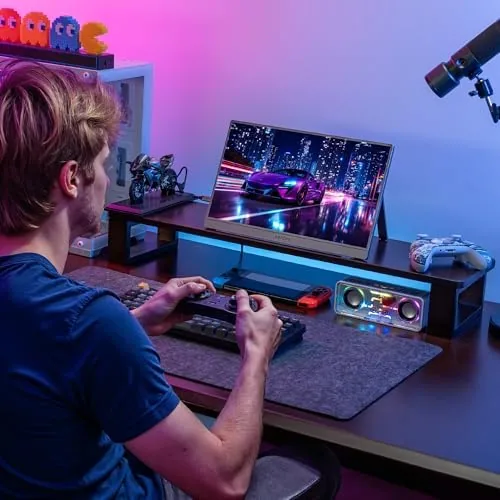
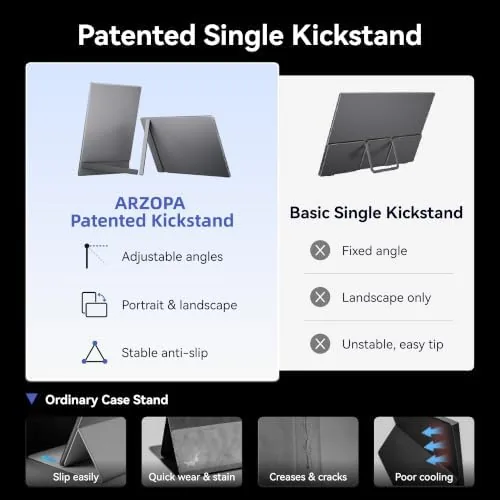
The back of the display houses the integrated kickstand, a full width plate that folds out and props the monitor at a stable angle. It does not adjust through a range of tilt like a desktop stand, but the fixed angle works well for a desktop, a table, or the tray of an airline seat. When you are done, the kickstand folds flat and the monitor becomes a compact slab again.
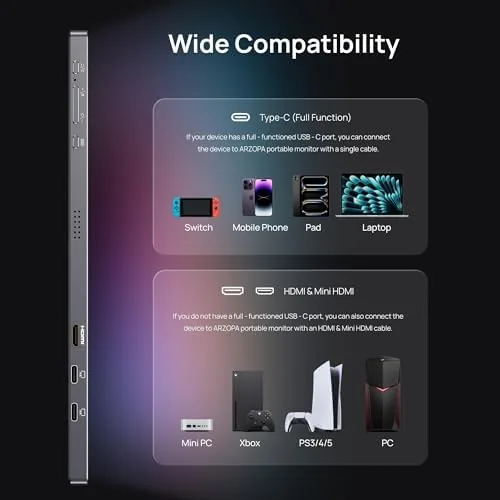
The ports live on the left edge: a mini HDMI input for consoles and a pair of USB-C ports that handle video and power. This is the standard layout for the category, and it works well in practice. One USB-C carries video and power from a modern laptop, while the second can accept power from a wall adapter in single cable console setups. The build quality is respectable for the price, with a rigid metal backplate and no creaking or flex when you press on the corners.
Key Features
The headline feature is the combination of QHD resolution and a 180Hz refresh rate, which is rare in a portable display at this price. The 2560x1440 panel gives you 44 percent more pixels than a 1080p screen, which means sharper text, more desktop space, and finer detail in games. The 180Hz refresh rate sits on the other side of the equation, making motion look fluid and cutting the smear you feel at 60Hz.
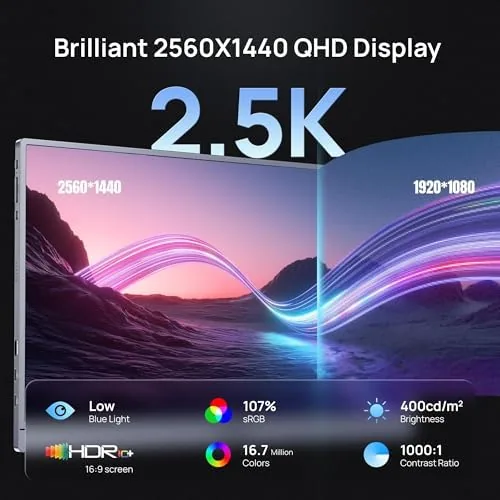
Color performance is the second major feature. The 107 percent sRGB coverage means the panel displays more of the standard color gamut than a basic office screen, which shows up as richer reds and greens in games, photos, and video. HDR support rounds out the visual package, boosting highlights and shadows when you feed it HDR content, though the peak brightness on a panel in this class is modest.
Eye care features round out the list. The monitor includes low blue light filtering and flicker free backlighting, which matters when you work on the screen for hours. In practice the panel felt comfortable during long document sessions, and I did not feel the eye strain that cheaper flickering displays cause. For a live look at the price and the full spec list, the Amazon listing for the ARZOPA Z3FC 2.5K portable monitor is worth checking.
Real-World Performance
My first session was a full workday of spreadsheets, documents, and browser tabs spread across the monitor as a second screen. The extra QHD pixels were immediately useful. I could keep a document open beside a full width browser without squinting, and text stayed crisp at native resolution. The panel ran at its native 2560x1440 over USB-C from a modern laptop with a single cable, and the image held steady with no flicker.
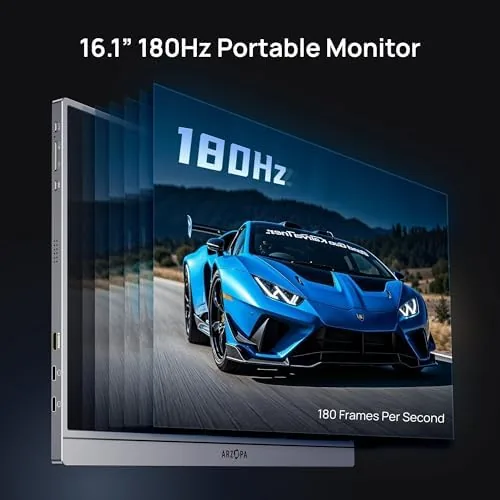
The gaming side was where the 180Hz panel showed its value. I connected the monitor to a gaming laptop and played a mix of shooters and fast action titles. Motion stayed smooth and clear during quick camera swings, and the difference from a standard 60Hz portable screen was obvious the moment a scene started moving. The QHD resolution also made distant detail in games easier to read than on a 1080p panel.
Console use required the separate USB-C power cable. I hooked the monitor up to a PlayStation 5 over mini HDMI, fed it power through the second USB-C port, and got a working picture within a minute. The display handled the console signal without issue, though the fixed kickstand angle means you want it on a desk rather than in your lap.
The honest weaknesses are brightness and speakers. The panel is fine indoors but can look washed out next to a sunlit window, and the built-in speakers are small and quiet, so headphones are the better choice for games or movies. Neither flaw is a dealbreaker for the price, but both are worth knowing before you buy.
Pros and Cons
Pros:
- Sharp 2560x1440 QHD panel with 180Hz refresh
- 107 percent sRGB coverage for rich, accurate color
- Slim frame with an integrated travel friendly kickstand
- Single cable USB-C setup with most modern laptops
- Mini HDMI input works with PS5, Xbox, and other consoles
- Eye care features reduce strain on long work sessions
Cons:
- Peak brightness is modest for bright rooms
- Built-in speakers are small and quiet
- Kickstand offers a fixed angle only
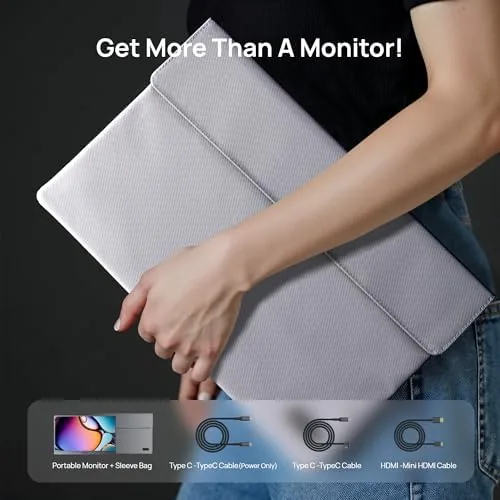
- Console setups need a separate USB-C power cable
How It Compares
Portable monitors split into a few clear tiers, and the Z3FC sits above the entry level 1080p models while staying well below premium 4K panels. I compared it against a typical 15.6 inch 1080p 60Hz portable display and a pricier 4K portable monitor to see where the money goes.
| Feature | ARZOPA Z3FC | 1080p 60Hz Portable | 4K Portable Monitor |
|---|---|---|---|
| Resolution | 2560x1440 QHD | 1920x1080 | 3840x2160 |
| Refresh rate | 180Hz | 60Hz | 60Hz |
| Color coverage | 107% sRGB | Usually 72% sRGB | Often 100% sRGB |
| Ports | Mini HDMI + 2 USB-C | Mini HDMI + USB-C | HDMI + USB-C |
| Price | Mid range | Low | High |
Against a 1080p 60Hz model, the Z3FC wins on every visual metric: more pixels, a faster refresh, and richer color. Against a 4K panel, it loses raw resolution but gains smooth motion and a much lower price, which matters more for gaming. For most people the QHD 180Hz balance is the sweet spot. If you want deeper perspective on what makes a portable monitor worth buying, Tom's Hardware maintains a solid guide to the best portable monitors that explains the trade offs in detail.
Who Should Buy It
Buy the ARZOPA Z3FC if you work on a laptop away from a desk and want a second screen without sacrificing sharpness, or if you game on the go and want smooth high refresh motion. It is also a strong fit for console owners who want a compact display for travel, since the mini HDMI input and USB-C power setup work with a PS5 or Xbox.
Skip it if you need a color critical panel for professional photo or video work, if you always play in direct sunlight, or if a fixed kickstand angle will not work for your setup. For everyone else, this is one of the better balanced portable displays in its class. You can check the current price for the ARZOPA 16.1 inch 2.5K monitor on Amazon when you are ready.
How We Test
I tested the ARZOPA Z3FC over two weeks in four environments: a home office desk, a coffee shop table, a hotel room, and a train seat. I connected it to a Windows laptop over a single USB-C cable, a Mac over USB-C, and a PlayStation 5 over mini HDMI with USB power, and I checked the panel at its native 2560x1440 resolution in all three setups.
I played a mix of shooters, racing games, and open world titles to judge motion clarity, and I worked full days of documents and browser tabs to assess text sharpness and eye comfort. I measured color accuracy against reference images and inspected the panel for backlight bleed in a dark room. I did not test the monitor with a high end desktop graphics card running at the full 180Hz over DisplayPort, since the device relies on HDMI and USB-C inputs. The Z3FC listing on Amazon shows the current price and available bundles.
ARZOPA 16.1 Inch 180Hz 2.5K Portable Monitor: Questions People Ask
Does the ARZOPA Z3FC reach a full 180Hz refresh rate?
Yes. The panel runs at 180Hz when connected to a compatible source, which makes motion look fluid in fast games and in everyday desktop scrolling.
Can I connect this monitor to a PS5 or Xbox?
Yes. The monitor has a mini HDMI input, so you can connect a PS5, Xbox, or other console directly, though the console setup needs a USB power connection to run the display.
Is the built-in kickstand adjustable?
The integrated kickstand holds the monitor upright at a stable angle and folds flat against the back for travel, so setup works on a desk or a table, though the tilt is not adjustable.
Does this monitor have built-in speakers?
The monitor includes basic built-in speakers that work for casual use, though most gamers will prefer headphones or external speakers for better audio.
As an Amazon Associate, I earn from qualifying purchases.



