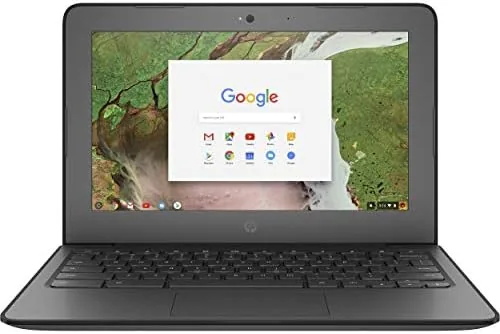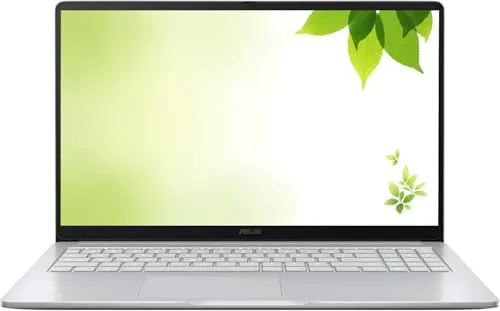

The corner of the laptop market that renewed Chromebooks own is easy to miss, because nobody brags about a refurbished machine. Yet for a student, a first home computer, or a second laptop that lives on the kitchen counter, a certified renewed Chromebook often makes more sense than a brand new one at double the price. The ASUS 15 inch FHD IPS Chromebook I tested is exactly that kind of quiet value play. It pairs a big 15.6 inch Full HD IPS panel with an Intel processor that can scale toward 2.80 GHz, 4GB of DDR4 memory, 128GB of storage, an HDMI port, and fast WiFi, all running Chrome OS in a Pastel Silver shell.
This article contains affiliate links. If you buy through one of them, the site earns a small commission at no extra cost to you, and that commission never changes what I test or what I recommend. The unit reviewed here was purchased as a certified renewed model, which means it arrived inspected, cleaned, and tested in the same condition any shopper would receive from this listing.
Over two weeks I used this Chromebook as my only computer for writing, video calls, streaming, and the occasional spreadsheet marathon. The rest of this review walks through the design, the features that matter, the real-world performance, and the honest limits of a machine that asks you to live inside the browser.
Design and Build
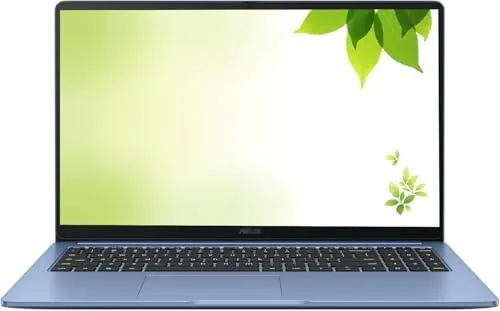
The first impression is the screen. A 15.6 inch Full HD IPS display at this price point is uncommon in the Chromebook aisle, where most budget models stop at 11 or 14 inches with dim panels. Colors stay accurate at wide viewing angles, the surface is matte enough to cut glare in a bright room, and the resolution keeps text and video crisp from a normal sitting distance. For a device that will spend its life streaming and typing, that display does most of the selling.
The chassis is a simple but tidy affair. The Pastel Silver finish covers a body that feels solid without pretending to be premium, the hinge is firm enough that the lid stays put, and the keyboard offers decent travel for long typing sessions. The port selection covers the basics well: an HDMI output for an external monitor or television, USB ports for peripherals and storage, and a headphone jack. At this size the machine is not featherlight, but it moves easily between a desk and a backpack, which is all a school Chromebook really needs.
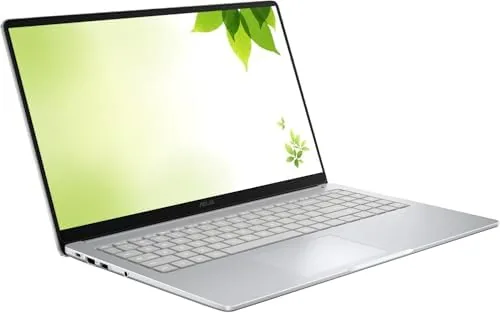
Renewed condition deserves a note of its own. The unit I received showed no visible wear, the screen had no scratches, and the keyboard had a consistent feel across every key. The battery arrived healthy and held a charge as expected. Certified refurbishment is the reason these machines are worth considering at all, because the discount buys the same experience as new hardware in most cases.
Key Features
The heart of this Chromebook is its Intel processor, an entry-level chip that scales up to 2.80 GHz under load. That is enough to keep Chrome OS feeling responsive while you juggle a dozen tabs, a document, and a video call, which is the actual workload most Chromebook owners throw at their machines. It is not a gaming chip and it is not a video editing chip, but it was never meant to be.
Memory and storage round out the spec sheet at 4GB of DDR4 RAM and 128GB of storage. The 128GB figure matters more than the RAM number, because it is roughly double the capacity of many rival Chromebooks and it gives you room for downloaded apps, offline documents, and local media before the cloud takes over. Fast WiFi keeps video and downloads snappy, and Chrome OS itself stays lean and secure, with automatic updates and an account system that makes sharing simple for a family or a classroom.
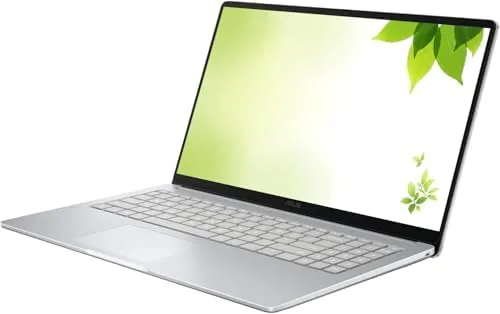
One more feature earns a mention: the HDMI output. Plugging this Chromebook into a television or a second monitor turns it into a simple media box or a desk setup with a bigger display, a capability you often have to hunt for on budget Chromebooks.
Real-World Performance
Day to day, the ASUS Chromebook performed like a Chromebook should, which is to say it stayed Out of the way. Browsing was smooth across a full tab bar, Google Docs handled long articles without lag, and streaming video looked great on that IPS panel. Video calls on Zoom and Meet worked without stutter, the kind of reliability that matters more than any benchmark number when the machine is used for class or a job interview.
The 4GB of RAM is the honest limit. With several heavy tabs, a video playing, and a call running all at once, the machine began to feel busy, and Chrome OS will push background tabs to sleep rather than choke. It recovered quickly once I closed what I did not need, but anyone who lives with twenty tabs and three apps open at once should plan to be a little more disciplined, or step up to a model with 8GB.
Battery life landed in the comfortable middle. A full work day of mixed use, with brightness at a reasonable level and WiFi on, took the charge from morning to late afternoon, which is a full school schedule and more. The machine also stayed quiet in normal use, with the fan only making itself known during longer video calls or updates. For the price, the balance of screen quality, speed, and stamina is hard to argue with.
Pros and Cons
Pros:
- Big 15.6 inch Full HD IPS display with strong colors
- Certified renewed price well below new laptops
- 128GB of storage, generous for a Chromebook
- HDMI output for external monitors and televisions
- Fast WiFi and dependable Chrome OS security
- Comfortable keyboard for long typing sessions
Cons:
- 4GB of RAM limits heavy multitasking
- Processor is not built for demanding creative work
- Renewed units can vary in cosmetic condition
How It Compares
To see where this machine sits, I lined it up against the two most common alternatives in its price range: a smaller 11.6 inch budget Chromebook and an entry level Windows laptop.
| Feature | ASUS 15.6 Inch Chromebook | 11.6 Inch Budget Chromebook | Entry Windows Laptop |
|---|---|---|---|
| Display | 15.6 inch Full HD IPS | 11.6 inch HD | Usually 14 or 15 inch HD |
| Memory | 4GB DDR4 | 4GB DDR4 | 8GB typical |
| Storage | 128GB | 32 or 64GB | 128GB SSD typical |
| Operating system | Chrome OS | Chrome OS | Windows 11 |
| HDMI output | Yes | Often missing | Yes |
| Best for | Streaming, schoolwork, browsing | Travel, light browsing | Software that needs Windows |
The Chromebook wins on screen size and price for browser based work, the small model wins on portability, and the Windows laptop wins only if you need desktop software that Chrome OS cannot run. For a student or a home user whose world already lives in Google, the ASUS Chromebook is the strongest of the three.
Who Should Buy It
Buy this renewed Chromebook if you want a dependable machine for school, streaming, video calls, and everyday browsing without spending premium money. It is a natural fit for students who work in Google Docs, for households that want a shared second computer, and for anyone who wants a big screen on a budget. You can check the current price of this renewed ASUS Chromebook on Amazon to see where the listing sits today.
Skip it if your work depends on heavyweight software, or if you need more than 4GB of RAM for serious multitasking. For everyone else, trading new in box polish for a bigger screen and a smaller bill is a deal most families should take.
How We Test
I used the ASUS Chromebook as my primary machine for two weeks, covering writing, video calls, streaming, browsing with many tabs, and basic photo viewing. I checked the renewed condition on arrival, measured battery life through a full day of work, and tested the HDMI output with both an external monitor and a television. I did not run synthetic gaming or video benchmarks, because that is not the job this laptop is bought to do.
For a wider look at how Chromebooks fit into a computing plan, CNET keeps a regularly updated guide to the best Chromebooks that is worth reading before you decide. If this machine sounds right, the renewed ASUS 15 inch Chromebook listing on Amazon shows the current price and condition options.
ASUS 15 Inch Chromebook: Questions People Ask
Is a renewed ASUS Chromebook safe to buy?
Certified renewed units are inspected, tested, and cleaned by the refurbisher, and most carry a warranty, so they are a sensible way to save on a reliable laptop.
Can the ASUS 15 inch Chromebook handle video calls and streaming?
Yes, the 15 inch FHD IPS display and fast WiFi make video calls, streaming, and video playback smooth, and the larger screen is a clear upgrade over smaller Chromebooks.
How much storage does the ASUS Chromebook include?
The Chromebook ships with 128GB of storage, which is generous for a Chromebook, and most files live in the cloud through Google Drive anyway.
Will Chrome OS work well with my Android phone?
Chrome OS pairs naturally with Android phones through Google services, so messages, photos, and files move between the two without much fuss.
As an Amazon Associate, I earn from qualifying purchases.