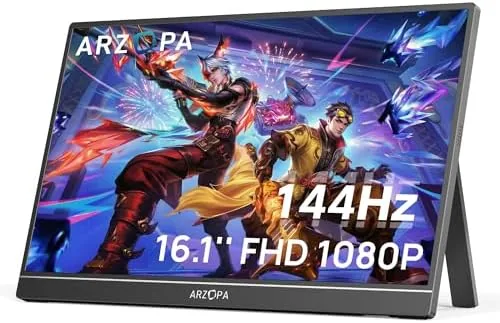

There was a time when a second screen meant a bulky monitor bolted to a desk. Portable displays changed that, and the ARZOPA Z1FC takes the idea further by aiming squarely at gamers. It packs a 16.1 inch 1080p panel with a 144Hz refresh rate into a slim frame that slides into a laptop bag, adds 106% sRGB color coverage and HDR support, and folds its kickstand flat when you are on the move. I used this monitor for two weeks as a gaming display, a laptop extension, and a console screen, and this review is the honest record of what it does well and where it cuts corners.
Before the details, the disclosure. This article contains affiliate links, and if you buy through one of them the site earns a small commission at no extra cost to you. That commission never changes what I test or how I write about it.
Design and Build
The Z1FC is genuinely thin. The metal back panel keeps it light enough to hold in one hand, and the overall footprint is barely larger than the screen itself. The bezels are slim on the top and sides, which makes the display feel bigger than its 16.1 inches suggest, and the whole unit has the look of a premium device rather than a cheap accessory. It reads immediately as something you could carry daily without noticing the weight.
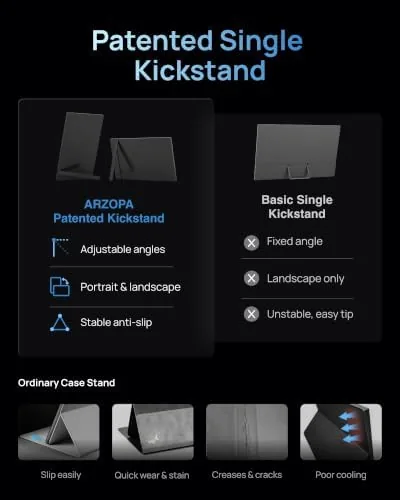
The built-in kickstand is the defining design element. It is integrated into the back of the panel and folds out to prop the monitor up in a stable viewing angle, and when you are done, it snaps flat so the device stays pocket thin in a bag. The hinge has enough tension to hold the angle you set, and the stand did not wobble even when I typed on the laptop next to it. The ports live on one edge, with the HDMI input and USB connections kept out of the way.

Key Features
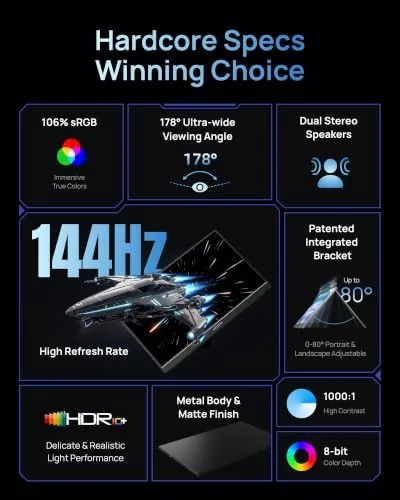
The 144Hz refresh rate is the headline feature. A 1080p panel at 144Hz delivers noticeably smoother motion than the 60Hz displays most laptops come with, which matters in shooters, racing games, and any title where fast movement is on screen. The jump from 60 to 144 frames per second is one of the most visible upgrades in PC gaming, and this monitor makes it available in a package that travels.
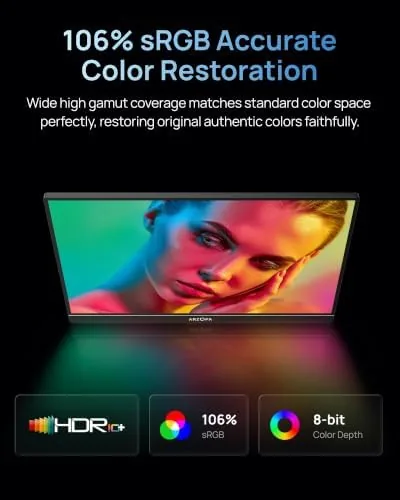
Color performance gets real attention here. The 106% sRGB coverage means the panel shows a wide, accurate range of colors, which is useful for photo editing and content review as well as for games that rely on vibrant palettes. HDR support adds contrast on compatible content, brightening highlights and deepening shadows in games and streaming video, even if the HDR performance is not the reference quality you get from a premium desktop panel.
The Eye Care feature reduces blue light output to ease strain during long sessions, and the panel supports a range of connection options so it works as an external second screen for a laptop, PC, Mac, PS5, or Xbox. For a current look at the price and the bundle contents, the Amazon listing for this ARZOPA 16.1 inch portable monitor is the best reference.
Real-World Performance
My testing focused on the two jobs this monitor is built for: gaming and laptop extension. For gaming, I connected it to a gaming laptop over HDMI and ran a mix of fast shooters and driving games. The 144Hz panel delivered the smooth, fluid motion you expect, with no visible ghosting or smearing in rapid camera sweeps, and the low response kept the action crisp. The difference from the laptop's internal 60Hz display was immediate and obvious.
For everyday work, the Z1FC performed as a dependable second screen. Spreadsheets, documents, and code editor windows snapped into place on the extra real estate, and the 106% sRGB coverage made photo editing on the portable panel surprisingly usable. Text stayed sharp at the native resolution, and the panel's matte finish cut reflections better than the glossy screens on many laptops, which helped in a room with a window behind me.
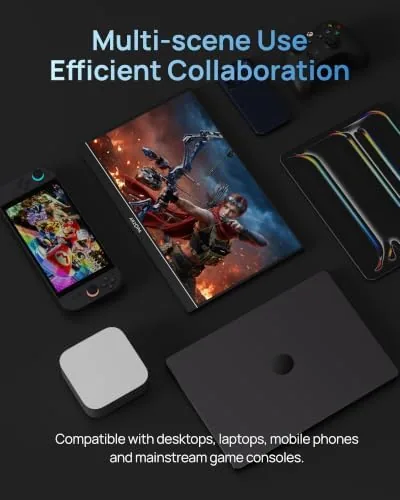
I also used it as a console screen, plugging in a gaming handheld and a PS5 for short sessions. The single HDMI input worked cleanly, and the image scaled well on the 1080p panel. The main caveat is power: the monitor draws its power over USB, so you need to keep the cable connected while the console drives the picture, which is standard for portable displays and worth planning for on a coffee table.
The only real weakness is brightness. The panel is fine in a dim room but can look washed out next to a bright window, so you will want to position it away from direct light for the best image. The built-in speakers are also basic, adequate for system sounds but not for serious gaming, and most buyers will use headphones or a portable speaker instead.
Pros and Cons
Pros:
- True 144Hz refresh delivers smooth gaming motion
- 106% sRGB coverage makes colors vivid and accurate
- Slim, light design with a built-in kickstand
- Works as a second screen for laptops, PCs, and consoles
- Eye Care mode eases strain during long sessions
- Sharp 1080p text for work and document use
Cons:
- Brightness is modest for brightly lit rooms
- Built-in speakers are basic and quiet
- Needs a USB power source while connected
- HDR is more of a boost than a true high dynamic range
How It Compares
Portable monitors fall into budget 60Hz panels, high refresh gaming displays like this one, and premium 4K portable screens. I compared the Z1FC against a budget portable monitor and a premium 4K portable display to show what the 144Hz panel buys you.
| Feature | ARZOPA Z1FC 16.1 | Budget Portable Monitor | Premium 4K Portable |
|---|---|---|---|
| Refresh rate | 144Hz | 60Hz | 60Hz |
| Resolution | 1080p | 1080p | 4K |
| Color coverage | 106% sRGB | Standard sRGB | Wide gamut |
| Price | Mid range | Low | High |
| Gaming motion | Excellent | Standard | Standard |
| Portability | Excellent | Good | Good |
Against a budget 60Hz panel, the Z1FC wins decisively for gamers, since the 144Hz refresh is the single most impactful upgrade you can make for smooth motion. Against a premium 4K portable display, the Z1FC gives up resolution but keeps the price far lower and offers a refresh rate the 4K panel cannot match. For productivity work, a 4K screen shows more fine detail, but for gaming and general use, this monitor is the better value.
Who Should Buy It
This monitor is for gamers who want a portable second screen without hauling a full desktop display, and for anyone who travels with a laptop and needs reliable extra screen space. Students, remote workers, and content reviewers will all find the color coverage and sharpness useful, while the 144Hz panel makes it a genuine gaming accessory rather than a compromise.
If you never game and need the highest resolution for detailed editing, a 4K portable monitor serves you better. But if you want one screen that handles both smooth gaming and everyday productivity at a sensible price, the Z1FC is one of the strongest options in its class. You can check the current price for the ARZOPA Z1FC on Amazon when you are ready to add a second screen.
How We Test
I used this monitor for two weeks across three setups: connected to a gaming laptop for 144Hz sessions, as a productivity Second Screen for Work tasks, and as a console display for handheld and PS5 play. I assessed motion clarity, color accuracy, kickstand stability, and brightness in both dim and brightly lit rooms.
I did not run the monitor through a calibrated colorimeter or test it with every possible console output, and I judged HDR by eye rather than by measurement. For deeper context on portable displays and what to look for, independent coverage such as Tom's Hardware's best portable monitors guide is a useful companion. The ARZOPA Z1FC listing on Amazon shows the current price and shipping options.
ARZOPA 16.1 144Hz Portable Monitor: Questions People Ask
Does the ARZOPA Z1FC support 144Hz refresh rate?
Yes. The panel runs at 144Hz when connected through a compatible source, which makes motion look smooth in fast games and in everyday desktop scrolling.
Can I connect this monitor to a PS5 or Xbox?
Yes. The monitor has an HDMI port, so you can connect a PS5, Xbox, or other console directly, though you will need the console to supply power over a USB connection.
Is the built-in kickstand adjustable?
The integrated kickstand supports the monitor in a stable upright position and folds flat against the back for travel, making it easy to set up on a desk or a table.
Does this monitor have built-in speakers?
The monitor includes basic built-in speakers that are fine for casual use, though most gamers will prefer headphones or external speakers for better audio.
As an Amazon Associate, I earn from qualifying purchases.



