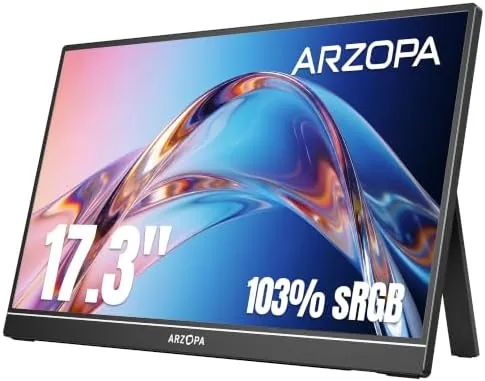

A laptop screen is never quite enough. You split windows, squint at a spreadsheet, and shuffle tabs because one display has to do every job at once. The ARZOPA A1M addresses that with a 17.3 inch panel that gives you real extra room without chaining you to a desk. It packs a 1080p IPS display with 103% sRGB coverage into a portable body with a built-in kickstand, and it connects over both HDMI and USB C, which means it works with laptops, Macs, phones, and consoles alike. I carried this monitor for two weeks through workdays and travel, and this review is the honest account of how it behaves.
Before the details, the disclosure. This article contains affiliate links, and if you buy through one of them the site earns a small commission at no extra cost to you. That commission never influences what I test or what I recommend.
Design and Build
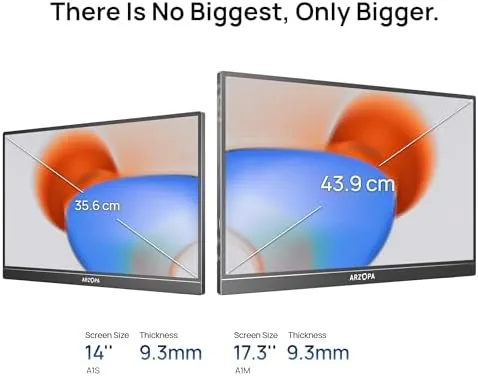
At 17.3 inches, this is a genuinely large portable display, and the size pays off in usable screen space. The panel uses an IPS design, which keeps colors consistent and viewing angles wide, so the picture does not wash out when you look at it slightly off center. The bezels are slim, and the body has a clean, professional look with a metal back that feels more expensive than the price suggests.
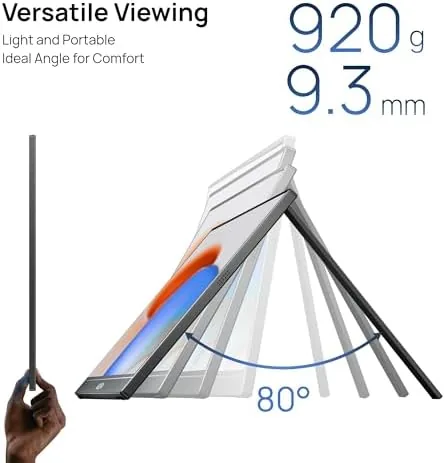
The built-in kickstand is well executed. It folds out from the back and props the monitor up at a comfortable viewing angle, and it holds the weight of the larger panel without tipping, even when you are typing hard on the laptop beside it. When travel time comes, the kickstand snaps flat and the whole unit slips into a laptop sleeve. The port arrangement is practical too, with the HDMI and USB C connections grouped along one edge so cables do not tangle across the desk.
Key Features
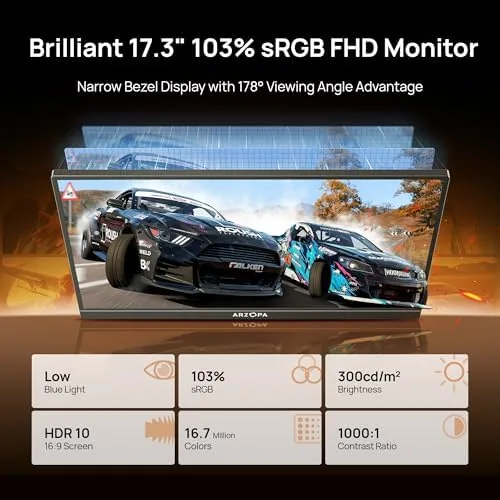
The 1080p IPS panel is the core of the experience. Full HD resolution on a 17.3 inch screen gives you crisp text and sharp detail, while the IPS technology delivers accurate colors from wide viewing angles. The 103% sRGB coverage means the display shows a broad, true-to-life color range, which makes it useful not just for productivity but for photo review and any work where color matters.
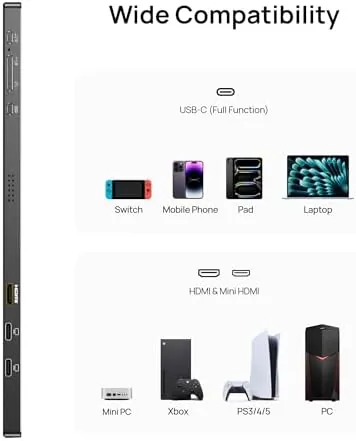
Connectivity is where this monitor shines. The HDMI input lets you plug in a laptop, a console, or a set-top box, while the USB C port carries both video and power from compatible devices, which means a single cable can run the entire display. That flexibility is the reason this monitor works as a phone screen too, since modern phones with USB C video output can drive the panel directly.
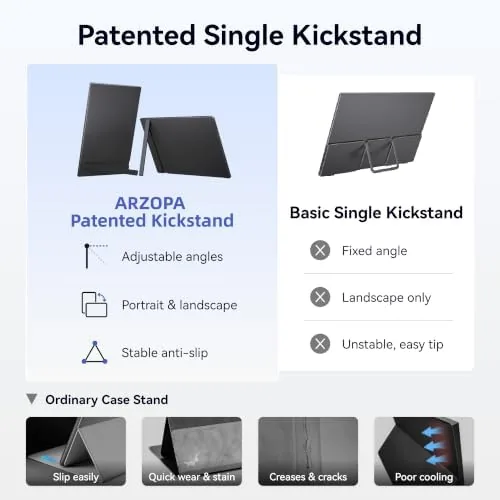
The built-in kickstand and the slim profile round out the package, letting you set up a full second screen anywhere a laptop can go. For a current look at the price and the included cables, the Amazon listing for this ARZOPA 17.3 inch portable monitor is the best reference.
Real-World Performance
I used this monitor as my daily second screen for two weeks. The size is the first thing you notice: the 17.3 inch panel gives you a genuinely roomy workspace, so I ran a document on the laptop screen while keeping the full portable display for spreadsheets and reference material. Text was sharp and comfortable to read all day, and the IPS viewing angles meant I could glance at the screen from an angle without the picture degrading.
The monitor handled motion well too. I connected it to a gaming laptop for evening sessions, and the 1080p panel delivered crisp, responsive gameplay with no visible tearing or stutter in the titles I played. The response was more than adequate for casual and mid paced games, and the panel handled both work and play without complaint. Colors in games looked rich, and the sRGB coverage made the display genuinely pleasant for media.
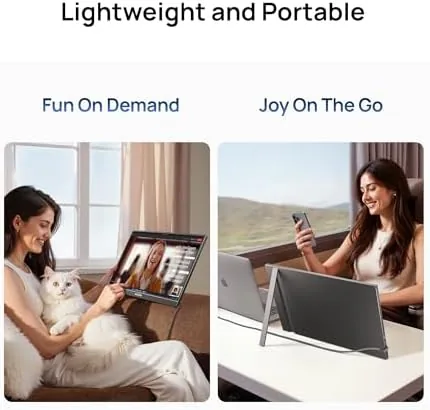
Travel was the real test. I packed the monitor in a laptop sleeve and set it up in a hotel room, on a train tray table, and at a friend's desk, and the kickstand made setup instant in every location. The single cable USB C connection was a genuine convenience, since one lead handled both picture and power when I plugged into a laptop or a phone. Over the two weeks the panel never flickered, dropped a connection, or developed any dead pixels.
The only real limitation is brightness in strong light. The panel is bright enough for normal indoor use and even a sunny room, but a direct window behind you will wash out the image, so positioning matters. The built-in speakers are also thin, fine for system audio and calls but not for music or games, which is standard for this category and easy to solve with headphones.
Pros and Cons
Pros:
- Large 17.3 inch screen gives a genuinely roomy workspace
- Sharp 1080p IPS panel with accurate 103% sRGB colors
- Dual HDMI and USB C inputs cover laptops, phones, and consoles
- Single cable USB C connection for video and power
- Built-in kickstand sets up instantly anywhere
- Wide viewing angles hold the picture from any position
Cons:
- Brightness washes out in direct sunlight or a bright window
- Built-in speakers are thin for music and games
- No touch input for those who want a tablet style screen
- Larger panel means a slightly heavier carry than 15 inch models
How It Compares
Portable monitors divide into compact 15 inch panels, larger 17 inch models like this one, and premium 4K or touchscreen displays. I compared the A1M against a 15 inch portable monitor and a premium touchscreen model to show what the bigger panel changes.
| Feature | ARZOPA A1M 17.3 | 15 Inch Portable Monitor | Premium Touchscreen |
|---|---|---|---|
| Screen size | 17.3 inches | 15 inches | 15 to 16 inches |
| Resolution | 1080p | 1080p | Higher options |
| Touch input | No | No | Yes |
| Ports | HDMI and USB C | Usually both | Usually both |
| Price | Mid range | Lower | Higher |
| Workspace feel | Roomier | Compact | Compact |
Against a 15 inch portable monitor, the A1M wins on usable space, which is the whole point of a second screen: the extra 2.3 inches of diagonal give you more room for windows and documents. Against a premium touchscreen model, the A1M gives up touch input and a higher resolution but keeps a much friendlier price. If you want to pinch and tap your display, the touchscreen is worth the premium; if you want the most work surface for the money, this 17.3 inch panel is the better value.
Who Should Buy It
This monitor is for anyone whose laptop screen feels too small, whether you work with documents and spreadsheets all day, review media, or play games in the evening. The 17.3 inch size makes it a genuine desktop replacement for travel, and the HDMI and USB C inputs mean it doubles as a console screen for the road. Students, remote workers, and digital nomads will all get real use from the extra space.
If your priority is the smallest possible carry weight or you need touch input for note taking, a smaller or touchscreen model serves you better. But if you want the most screen for the money in a package that still travels, this is one of the strongest picks in its class. You can check the current price for the ARZOPA A1M on Amazon when you are ready to expand your workspace.
How We Test
I used this monitor daily for two weeks as a productivity second screen and an evening gaming display. I set it up at a desk, in a hotel room, and on a train tray table, and I connected it over both HDMI and USB C to laptops, a phone, and a console to verify the full range of input options.
I did not run a calibrated colorimeter on the panel or test every possible phone model for USB C video output, and I judged color and brightness by eye across the test period. For a wider view of the portable monitor landscape, independent roundups such as TechRadar's best portable monitors guide are a useful comparison point. The ARZOPA A1M listing on Amazon shows the current price and shipping details.
ARZOPA 17.3 Portable Monitor: Questions People Ask
What ports does the ARZOPA A1M monitor have?
The monitor includes an HDMI input and USB C ports, which let you connect laptops, Macs, phones, and consoles, with power delivered over the USB C connection.
Can I use this monitor as a second screen for a laptop?
Yes. It plugs in as an external display over HDMI or USB C and works with Windows and Mac laptops, as well as with phones that support video output over USB C.
Is the kickstand built into the monitor?
Yes. The kickstand is integrated into the back panel, so the monitor stands up on its own without a separate stand or clamp when you are using it on a desk.
Does the monitor work with a PS5 or Xbox?
Yes. The HDMI input accepts a PS5 or Xbox directly, and you can use the monitor as a compact console screen with the power cable connected to a USB source.
As an Amazon Associate, I earn from qualifying purchases.



