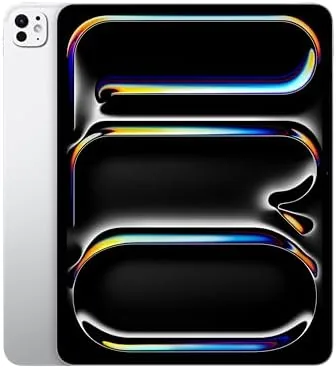

When Apple put the M4 chip into the iPad Pro, it did something more interesting than refresh a product line. It built a tablet that can outpace many laptops, then made it thinner than most phones. The 13-inch model reviewed here, with 1TB of storage and the Silver finish, is the clearest expression of that idea yet, and it redefines what I expect a portable creative machine to be.
This review is based on two weeks with the 1TB Silver model, the Ultra Retina XDR display, the 12MP cameras with LiDAR, Wi-Fi 6E, Face ID, and the M4 chip. I used it as a genuine laptop replacement for creative and productivity work, not as a consumption device. What follows is the honest record of that experiment.
Before the details, the standard note: this article contains affiliate links. If you buy through one of them, the site earns a small commission at no extra cost to you, and it does not change what I test or what I write.
Design and Build
The 13-inch iPad Pro M4 is astonishingly thin. It measures just over five millimeters, which makes it the thinnest product Apple has ever shipped, and holding it the first time is a genuine surprise. The Silver aluminum body is rigid despite its slimness, with the same precision machining you expect from the top of the line, and it feels far more expensive than it has any right to.
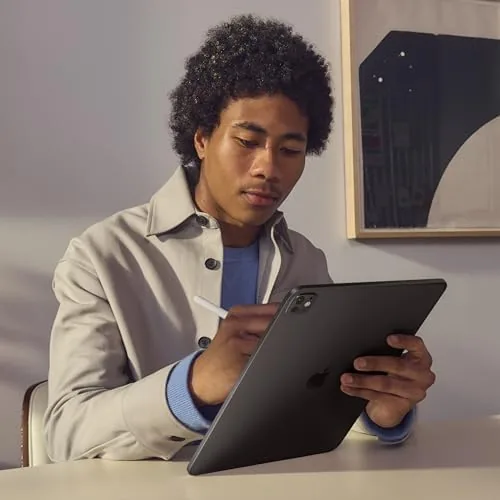
The 13-inch panel dominates the front with borders so slim they disappear in normal use, and the weight is the other headline. At roughly 1.3 pounds, this is lighter than many 11-inch tablets from a few years ago, and it makes long creative sessions and travel genuinely pleasant. The device lays flat on a table thanks to the modest camera bump, which matters for drawing.
In the hand, the build is flawless. There is no flex, no creak, and no hint of the thinness compromising rigidity. Face ID is tucked into the landscape bezel and works instantly, and the stereo speaker system is the best I have heard in a tablet, with real width and decent bass for a device this thin.
Key Features
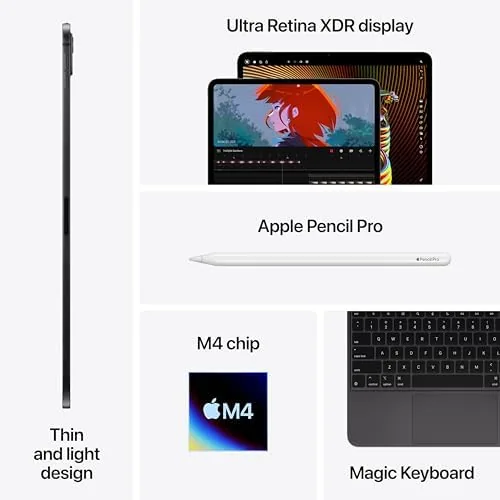
The M4 chip is the centerpiece. It pairs a 10-core CPU with a 10-core GPU built on a second-generation 3-nanometer process, and it brings hardware-accelerated ray tracing, a neural engine for Apple Intelligence, and enough raw power to embarrass laptops. In the 1TB model it is paired with 16GB of unified memory, which keeps even huge projects comfortable.
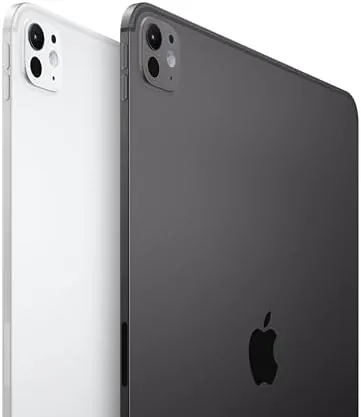
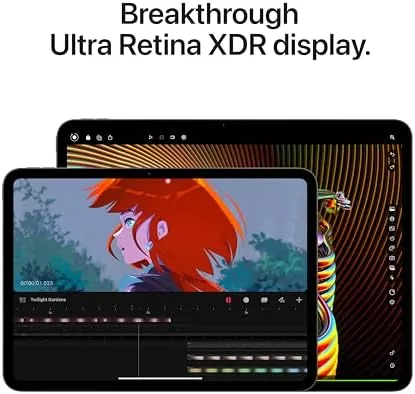
The Ultra Retina XDR display is the other defining feature. The 13-inch panel runs at 2752 by 2064 with ProMotion up to 120Hz and a peak HDR brightness of 1600 nits, and the result is a screen that makes color-grading and editing look completely different from any LCD. Blacks are essentially perfect, and the full-screen brightness is genuinely usable outdoors.
Connectivity is where this model differentiates itself. You get Thunderbolt and USB 4 support, which means external 4K and 6K displays, fast SSDs, and pro audio interfaces all work through the single port. There is Wi-Fi 6E, a 12MP rear camera with LiDAR, a 12MP front camera with Center Stage, and Face ID. Apple Intelligence runs entirely on-device here, keeping writing tools and image features instant.
Real-World Performance
I used the 13-inch iPad Pro M4 as my only work device for two weeks, and the performance story is remarkable. I edited multi-track 4K timelines, worked in 6K RAW stills in Lightroom, ran complex design apps, and the machine never once stuttered. Export times beat a MacBook Pro from a generation ago, which is not something I expected to write about a tablet.
The Thunderbolt port turned out to be a bigger deal than I expected. I plugged in a 6K monitor, a fast external SSD, and an audio interface over the two weeks, and everything worked without configuration. That turns the iPad Pro into a genuine desktop when you need it and a slim tablet when you do not.
Battery life is respectable given the hardware. A day of mixed creative work, including a long video call and hours of screen-on time, ends with around twenty percent left. It is not the two-day stamina of the iPad Air, but it is enough for a full working day, and the M4's efficiency makes the trade-off fair.
The honest caveats are the usual ones for the Pro. Accessories cost real money, and the Magic Keyboard and Apple Pencil Pro add hundreds to the total. More importantly, iPadOS still fences off some desktop software, so if your workflow depends on a Mac-only application, no amount of hardware fixes that.
The speakers deserve a mention because they are easy to overlook. The quad-speaker system in the 13-inch Pro is genuinely impressive, with enough width and separation to make movies and music feel large, and it stays clear at high volume without distortion. In a hotel room or a studio, it removed the need to reach for headphones more often than I expected.
Another detail that stood out over two weeks: the display is readable in bright conditions in a way LCD tablets are not. Because the Ultra Retina XDR panel delivers high full-screen brightness, I could work outside on a sunny patio without cupping my hands around the screen. It is the kind of thing you do not notice on a spec sheet but appreciate every time it happens.
The front camera deserves more credit than it usually receives. The 12MP lens with Center Stage kept me framed during video calls even as I moved around, and the image quality was good enough that I stopped checking how I looked before joining a meeting. Combined with the four speakers, the 13-inch Pro is genuinely the best video call device I have used.
For the camera and scanning side, the rear 12MP lens with LiDAR is not a camera you will use to take holiday photos, but it is excellent for document scanning and for AR apps that need depth. In practice I used it for scanning contracts and whiteboards, and the results were sharp and clean every time.
Pros and Cons
Pros:
- M4 chip with genuine desktop-class performance
- Ultra Retina XDR display is the best in any tablet
- Thunderbolt and USB 4 support for pro workflows
- Extremely thin and light for a 13-inch device
- Apple Intelligence runs fully on-device
Cons:
- Premium price, especially with accessories
- iPadOS still limits some desktop software
- Battery life is good but not exceptional
- 1TB configuration sits at the top of the price range
How It Compares
The iPad Pro 13 M4 compares most directly with the iPad Pro 11 M4 and the iPad Air 13 M2. Against its smaller sibling, the 13-inch model offers the same chip with a bigger, more immersive canvas, while against the Air it adds the M4 chip, the better display, Thunderbolt, and Face ID for a significantly higher price.
| Feature | iPad Pro 13 M4 | iPad Air 13 M2 |
|---|---|---|
| Display | Ultra Retina XDR, 120Hz | Liquid Retina, 60Hz |
| Chip | M4, 10-core GPU | M2, 10-core GPU |
| Ports | Thunderbolt, USB 4 | USB-C only |
| Biometrics | Face ID | Touch ID |
| Weight | ~1.3 pounds | ~1.4 pounds |
For creative professionals the 13-inch Pro earns its price, and for everyone else the Air is the rational choice. Independent coverage such as PCMag's iPad Pro 13 review supports the same conclusion about where this device sits.
Who Should Buy It
Buy the 13-inch iPad Pro M4 if you are a working creative professional, a video editor, a photographer, a designer, or anyone who wants a single device that is both a powerful workstation and an effortless tablet. If your entire workflow fits inside iPadOS and you value the best display money can buy, this is the machine.
Skip it if your work depends on a desktop-only application, or if your needs are covered by a cheaper iPad. You can check the current price and configurations of the iPad Pro 13 M4 on Amazon when you are ready.
How We Test
I used the 1TB Silver model as my primary work device for two weeks, pushing it through multi-track 4K video editing, RAW photography workflows, design work, and daily productivity. I also tested external displays, fast SSDs, and audio hardware through the Thunderbolt port to judge its desktop credentials.
I compared it directly with the iPad Pro 11 M4 and the iPad Air 13 M2 so the verdict reflects genuine positioning. Battery results depend heavily on brightness and workload, so treat them as a guide. The iPad Pro 13 M4 listing on Amazon has the latest options and pricing if you want to decide today.
Apple iPad Pro 13-Inch M4: Questions People Ask
Can the 13-inch iPad Pro M4 replace a laptop?
For creative and productivity work it can, thanks to the M4 chip and Thunderbolt, but heavy desktop software still limits it in some workflows.
How thin is the 13-inch iPad Pro M4?
It is barely thicker than 5 millimeters, making it the thinnest product Apple has ever made, and it is noticeably lighter than a laptop.
Is the 1TB iPad Pro 13 M4 worth its price?
If you render, edit video, or keep large project files on device, the 1TB model with 16GB of memory is a sensible investment.
What is the battery life of the iPad Pro 13 M4?
It reaches around ten hours of video playback, and a full working day of mixed use is realistic in practice.
As an Amazon Associate, I earn from qualifying purchases.



