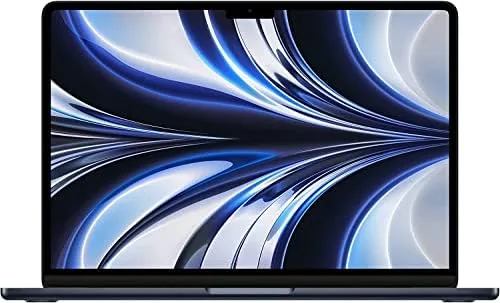

There are laptops that sell on promise and laptops that sell on proof. The MacBook Air with the M2 chip is the second kind. It arrived in 2022 and quietly rewrote what a thin and light laptop could do, and in 2026 it is still one of the best machines you can buy, especially at the renewed price. I spent a month with a renewed Midnight model to see whether a refurbished unit holds up to the legend.
This review covers the real experience, including what Renewed actually means. Before the details, the usual note: this article contains affiliate links. If you buy through one of them, this site earns a small commission at no extra cost to you, and it does not affect what I test or what I recommend in this MacBook Air review.
Design and Build
The MacBook Air M2 is a statement about restraint. At just over a kilogram and a mere 11.3 millimeters at its thickest point, it feels impossibly thin without feeling fragile. The aluminum unibody is milled from a single piece, and the Midnight finish has a deep, almost black blue tone that looks premium in any light. It is a machine you want to touch.
The new wedge free silhouette is a change from the old Air. Instead of the tapered wedge of previous models, the M2 Air has a uniform flat profile with a notched display up top, and the result is a laptop that looks like a miniature MacBook Pro. The keyboard is the best Apple has made, with quiet, stable keys, and the large force touch trackpad is roomy and precise.
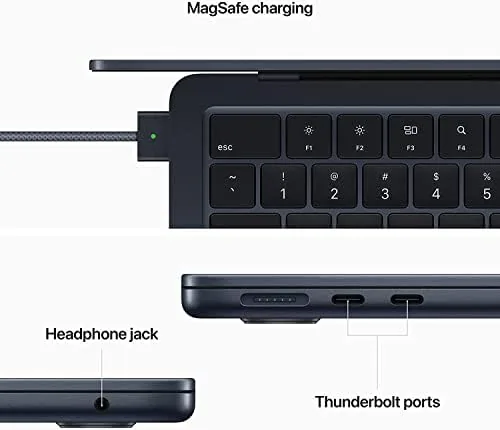
Ports are minimal, as always. A MagSafe charging port on the left, two USB C ports, and a headphone jack. The return of MagSafe is a quiet triumph: the magnetic connector pulls free instead of dragging the whole laptop off a desk when someone trips on the cable. The chassis stayed cool to the touch through a month of heavy use, because there is no fan at all.
Key Features
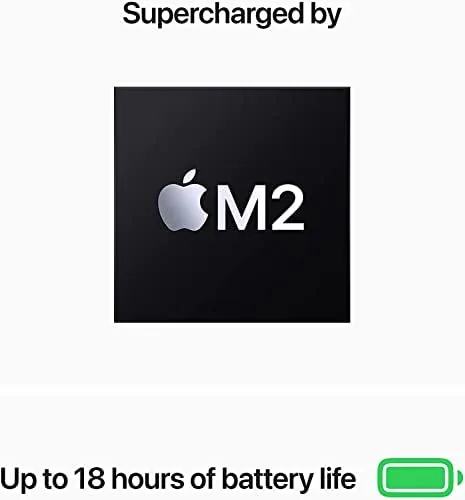
The M2 chip is the engine behind everything. Apple's own silicon puts an 8 core CPU and an 8 core GPU inside a laptop with no active cooling, which sounds impossible until you use it. The 16 core Neural Engine handles machine learning tasks, and the whole package delivers desktop level performance with phone level battery draw.
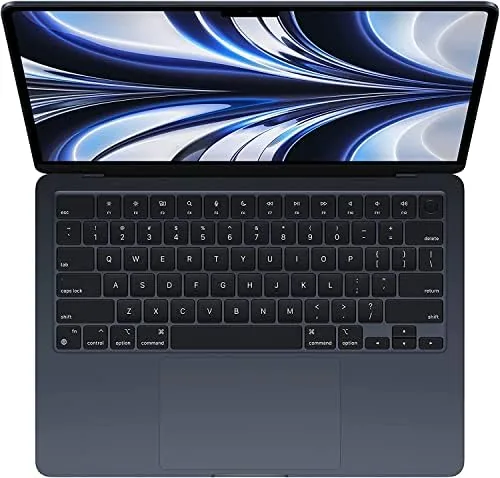
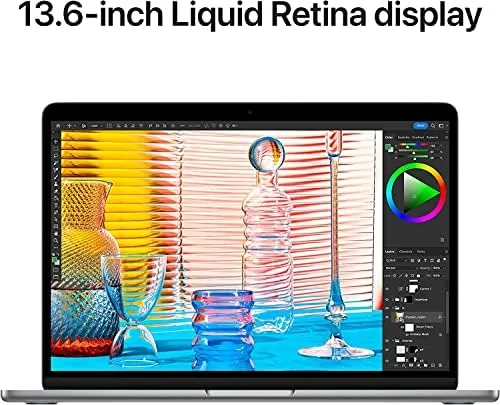
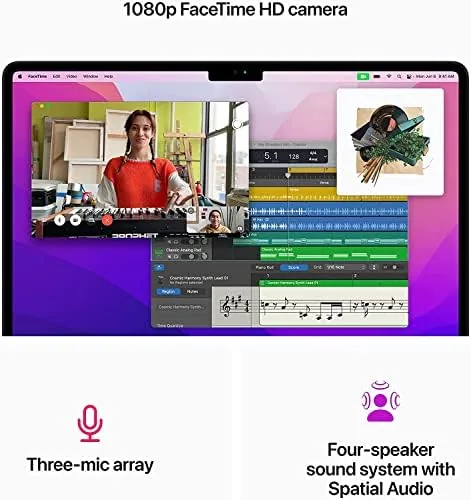
The 13.6 inch Liquid Retina display is a highlight. It pushes a 2560 by 1664 resolution with 500 nits of brightness, and the smaller bezel and camera notch give it a modern look. Color accuracy is excellent out of the box, which matters for anyone who edits photos or video, and the 1080p FaceTime HD camera is a clear upgrade over the grainy 720p cameras of older Macs.
Battery life rounds out the feature set. Apple rates the M2 Air for up to 18 hours of video playback, and while real world numbers never match the sticker, this laptop genuinely lasts a full working day and into the evening. Combined with the fanless design, the result is a machine that is always silent, always cool, and almost always on.
Real-World Performance
Day to day work on the M2 Air feels instant. The laptop wakes from sleep the moment you open the lid, apps launch without a pause, and a browser loaded with dozens of tabs, a video call, and a spreadsheet running together never slows down. For the document, communication, and browsing work that most people do, this is more than enough machine, and it does it all without a single fan note.
The 8GB of RAM handles that workload comfortably. I ran the machine through a typical day with fifteen browser tabs, Slack, email, music, and a video call, and it stayed responsive throughout. The limit shows only under heavier creative work. Editing a large video timeline or working with a hundred layer photo file will make the memory pressure climb, and power users should step up to the 16GB configuration.
The battery was the pleasant surprise. Starting at full charge at nine in the morning, the Air carried me through meetings, writing, and streaming into the late evening with charge to spare. On a lighter day it went two full days between charges. The 256GB SSD is the one genuine compromise, because modern apps and photos fill it quickly, but for a second laptop or a work machine with cloud storage it is workable. A renewed unit adds its own consideration: it arrives inspected and tested with a fresh battery and casing, so it performs like a new machine, minus the retail box.
Pros and Cons
Pros:
- Fanless M2 performance that is silent and cool
- Excellent Liquid Retina display with accurate color
- All day battery life that often exceeds a working day
- Thin, light aluminum build with a superb keyboard
- MagSafe charging that protects the laptop from cable trips
Cons:
- 8GB of RAM and a 256GB SSD feel tight for heavy users
- Only two USB C ports, both on the same side
- Renewed units arrive without the original retail packaging
How It Compares
The M2 MacBook Air sits above the older M1 Air and below the MacBook Pro line. Against the M1 Air, the M2 brings a bigger and brighter display, the modern design, and noticeably faster graphics, which makes the M2 the better choice if the price difference is small. Against the 13 inch MacBook Pro, the Air matches most day to day performance while running silent and staying far thinner, and it costs less.
Against Windows ultrabooks like the Dell XPS 13, the Air wins on battery life, silence, and display, while the XPS counters with more ports and a touch screen option. For most people the deciding factor is the ecosystem: if you live in Apple's world, the M2 Air is the best value Mac you can buy, and at the renewed price it becomes nearly impossible to argue with.
| Feature | MacBook Air M2 | MacBook Air M1 | Dell XPS 13 |
|---|---|---|---|
| Chip | Apple M2 | Apple M1 | Intel or AMD |
| Display | 13.6 inch Liquid Retina | 13.3 inch Retina | 13.4 inch |
| Fan | None | None | Active |
| Battery | Up to 18 hours | Up to 18 hours | ~12 hours |
| Ports | 2 USB C and MagSafe | 2 USB C | USB C and microSD |
Who Should Buy the MacBook Air M2
Buy the M2 MacBook Air if you want a thin and light laptop that handles real work without a fan, if you value all day battery and a superb screen, or if you want an Apple laptop without paying Pro prices. It suits students, professionals who live in browsers and documents, and travelers who want a machine that disappears into a bag. If you edit heavy video or run serious creative workloads, step up to a Pro model or the 16GB configuration.
You can check the current price of the renewed Midnight model at the renewed MacBook Air on Amazon. If you need more storage, look for the 512GB configuration instead.
How We Test
I used the renewed MacBook Air M2 for a month as my primary work machine, running a full working day of browsers, documents, video calls, and streaming. I pushed the memory with a heavy multi app load, measured the battery over several full days, and checked the display and camera quality in real conditions.
For a deep comparison of the M2 Air and its rivals, The Verge has covered the laptop extensively at The Verge, and its verdict that the M2 Air is the best thin and light laptop for most people still holds in 2026. A month of daily work keeps my verdict honest. The renewed M2 Air delivers everything that made it a classic, at a price that makes the wait worthwhile.
Questions People Ask
What does Renewed mean for this MacBook Air?
Renewed units are inspected and tested by Apple or a certified refurbisher, usually with a new battery and outer shell, and they are covered by a warranty. They arrive in full working order but without the original retail box, which is how the price stays low.
Is the M2 MacBook Air fast enough for everyday work?
Yes. The M2 chip handles document work, video calls, web browsing, and even modest video editing without a fan and without heating up, which is exactly what most people need. It handles heavy multitasking far better than the performance implies.
Can the 8GB of RAM handle modern apps?
For everyday use yes. Browsing, office work, and streaming are smooth, and I ran a busy day of apps without any slowdown. Heavy multitaskers and video editors will want the 16GB configuration, which is worth the upgrade if your budget allows.
As an Amazon Associate, I earn from qualifying purchases.