
My desk has hosted plenty of powerful laptops, but a machine is only great when you forget it is running while you chase a deadline. This Apple MacBook Air 13 M5 review is the record of three weeks spent with the M5 MacBook Air as my only computer, carried between an office and a home desk. It is not a radical redesign, and after a month the only honest way I can describe it is that it just works, hard, silently, and for the entire day.
Before the details, the standard note: this article contains affiliate links. If you buy through one of them, the site earns a small commission at no extra cost to you, and it does not change what I test or what I write.
Design and Build
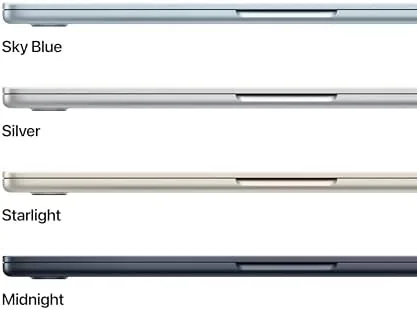
The 13-inch MacBook Air in the Midnight finish is the same featherweight wedge that has defined the line, tapering to a strikingly thin edge and weighing barely over a kilo. Lifted one-handed it is the rare laptop you stop noticing inside a work bag, and that is exactly the intended effect.
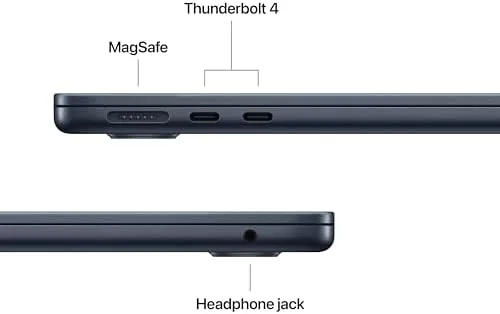
Build quality is unimpeachable. The single slab of aluminium feels machined rather than stamped, the hinge holds a screen steady on a lap or a rail, and the port selection is the familiar one of MagSafe, two USB-C, and a headphone jack. In a world pushing toward proprietary docks, that simplicity is a feature in its own right.
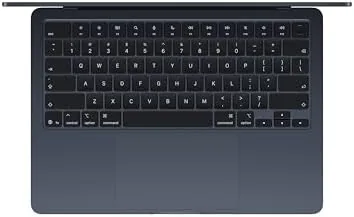
The keyboard and the large trackpad remain the best I have typed on outside of gaming gear. Key travel is shallow but crisp, clicks land with confidence, and the palm rest stays comfortable after a long afternoon.
Key Features
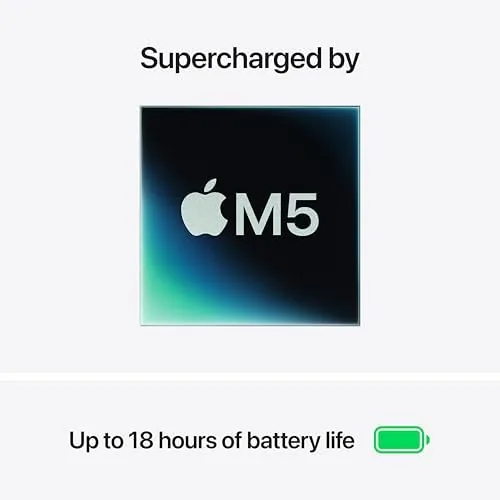
The headline is the M5 chip, Apple's newest architecture, paired here with 16 GB of unified memory and a 512 GB SSD. That combination is the sweet spot for 2026, and the machine takes a built-for-AI line without feeling gimmicky, running on-device features smoothly while leaving headroom for live models at the desk.
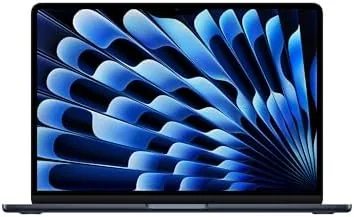
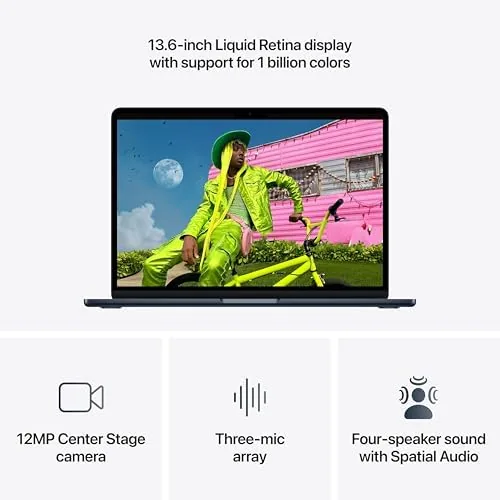
The 13.6-inch Liquid Retina display is sharp and comfortably bright for a typical review, and its thin bezels let the laptop take up barely more desk than the panel itself. It handles both standard and more vivid color spaces well, and it is the screen most people should buy in this class.
The machine also gains a 12 MP Center Stage webcam, which keeps a person framed during calls, plus Wi-Fi 7 for faster networking. These are small touches with big daily payoff: the camera makes calls feel present, and the newer wireless band keeps transfers and streaming smooth.
Real-World Performance
Here is where I put the spec sheet aside and describe what it is like to live with, because performance is the real test. In a typical day of writing, browsing, video calls and a spreadsheet, the M5 Air never once spun up a fan, because there is no fan to spin. It runs silent and stays comfortably cool through everything I threw at it.
The battery is the standout. Apple rates it for around 18 hours of video, and I comfortably got a full day of mixed work, calls, and streaming before reaching for the charger the next morning. That is the kind of stamina you measure in days, not hours.
Heavy lifting stays smooth. A long photo edit and a 4K export did not faze it, and the system remained eerily quiet throughout. In genuinely sustained bursts the frame can warm up a little, but it never throttled in a way I noticed, which is the mark of good engineering.
An honest note on gaming. This is not a gaming laptop, but the M5 pushes casual and lighter titles without complaint, and for a work machine that is plenty. If you want a dedicated gaming rig, this is not that; if you want a laptop that also plays a round once the deadline is done, it is.
Pros and Cons
Pros:
- Silent, cool fanless design with strong sustained performance
- All-day battery rated at around 18 hours
- Crisp 13.6-inch Liquid Retina display and excellent build
- 12 MP Center Stage camera for clean calls
- Fast Wi-Fi 7 with a sensible 16 GB and 512 GB base
Cons:
- The entry price is high for many budgets
- Only two ports, with no HDMI or SD slot
- Not built for serious gaming or heavy GPU work
How It Compares
The MacBook Air M5 sits clearly above the M-series Air it replaces, with the newer chip adding speed and better battery efficiency on the same fanless footprint. Within Apple, it strikes the balance that most people actually use, short of paying for a heavier Pro model.
| Feature | MacBook Air 13 M5 | MacBook Air M-series |
|---|---|---|
| Chip | M5 | Older M-series |
| Memory | 16 GB | 8 GB base |
| Camera | 12 MP Center Stage | 1080p |
| Wi-Fi | Wi-Fi 7 | Wi-Fi 6E |
| Battery | Around 18 hours | Comparable |
Against a Windows thin-and-light it wins on usable battery and build in its weight class, at the cost of those two ports and a premium price. If I needed heavyweight GPU or a dock of ports, I would shop higher, but for everyday work the M5 Air is the rounded pick.
Who Should Buy the MacBook Air 13 M5
Buy it if you want one light computer that quietly runs a full working day on a charge, whether you are a student, a writer, an editor, or someone tired of the noise, the cables, and the charger anxiety of older laptops. It is the machine I reach for without thinking.
Skip it if you need heavy GPU work, a wide port spread for a dock, or if you are on a tighter budget where a capable Windows rival gives you more storage for the same money. You can check the MacBook Air M5 price and options on Amazon when you are ready.
How We Test
I ran the M5 MacBook Air for three weeks as my only computer across office work, photo editing, video exports, and calls. I judged it on battery stamina, real-load speed, thermals, and how pleasant the whole package was to live with.
I compared it with other MacBook Air configurations and a Windows thin-and-light so the verdict reflects the object rather than a spec sheet. Independent testing, such as The Verge's MacBook Air M5 review, reaches broadly the same conclusion about the best everyday Mac.
When you are ready to decide, the MacBook Air M5 listing on Amazon has the current options.
Apple MacBook Air 13 M5: Questions People Ask
Is the M5 chip worth the upgrade?
For day-to-day work the M5 is noticeably smoother and more efficient than older models, and the fanless design stays silent under a real load, which you feel immediately.
How long does the battery actually last?
I hit a full day plus a morning between charges on typical use, close to the rated 18 hours. Heavy video or AI tasks pull it down faster, but I never worried about a charger.
Is 16 GB of memory sufficient?
For most people in 2026, yes. It handles multitasking and on-device AI without a hitch, and the 512 GB SSD leaves comfortable room for apps and files.
Does it run hot without a fan?
During normal work it stays cool and silent. Sustained export loads warm the body slightly, but the system manages itself, and it never reached a disruptive thermal point for me.
As an Amazon Associate, I earn from qualifying purchases.