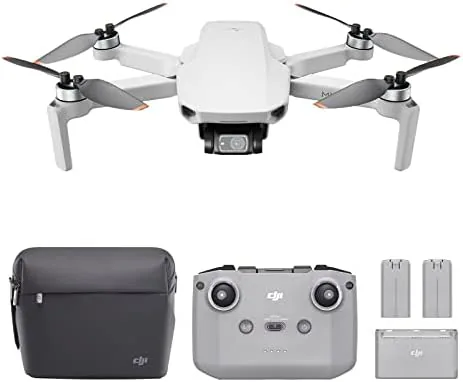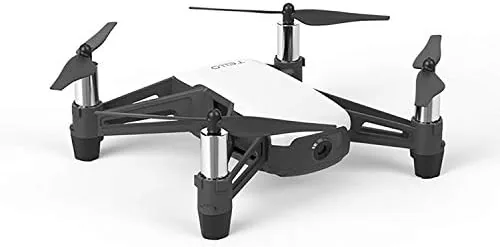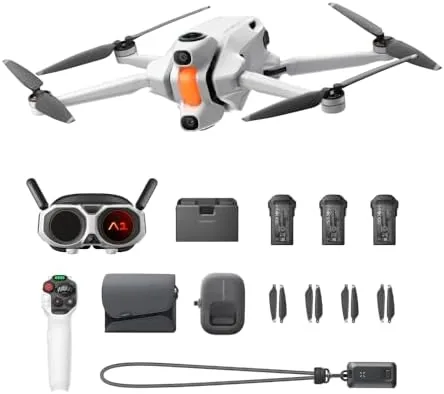

Buying a first drone is usually a guessing game. You pick a quad, then discover you need a spare battery, a better charger, a carry case, and the nerve to trust it all on day one. The Antigravity A1 8K 360 Drone Explorer Bundle tries to end that guessing by shipping one folding quadcopter with a 360 camera, a remote controller, spare batteries, and a case in a single box. I flew the kit across a week of calm mornings and breezy afternoons to find out whether the bundle is genuinely beginner friendly or just a list of parts. The honest record follows.
Before the details, the standard note. This article contains affiliate links, and if you buy through one of them the site earns a small commission at no extra cost to you. That commission never changes what I test or what I recommend.
Design and Build
The A1 is a folding quadcopter, and the fold is the first thing you notice. The four arms tuck inward so the whole craft collapses into a box barely larger than a tablet, which is exactly what a traveler wants from a camera drone. The body is compact and cleanly assembled, with no rattling panels or sloppy gaps, and the propellers fold flat against the arms for protection in the case.
The build quality reads as solid for the class. The plastic shell has a dense, finished feel rather than the flimsy texture of ultra-cheap quads, and the motor housings are braced cleanly into the arms. The landing feet are integrated, so there is nothing loose to lose in the field. The battery slides into a latch compartment and clicks with a positive feel, and the battery contacts stayed reliable across my week of use.
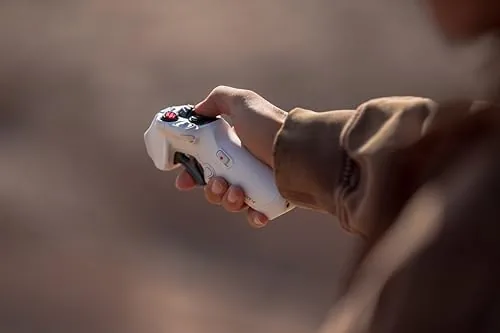
The 360 camera sits in the front of the craft, and it is the visual centerpiece of the bundle. The lens housing is protected behind a rounded guard, which is a practical choice for A Beginner who will eventually misjudge a landing. The controller in the box is a full remote with sticks and a phone holder, not a bare smartphone app gimmick, and it pairs quickly with the drone and the companion app.
Key Features
The headline feature is the 360 camera. Rather than pointing a single lens forward, the A1 captures a full spherical view, which means you can record your surroundings and then choose the angle you want after the flight. That is a genuinely useful feature for new pilots, because it removes the pressure of framing a shot perfectly while also keeping the aircraft level and stable.
The 8K rating refers to the resolution pipeline for the 360 footage, and the results are noticeably sharper than the soft, mushy output of older entry drones. Colors are punchy on a sunny day, and the stabilization smooths the minor drifting and wind nudges that would ruin a single-lens shot. You do not get cinematic control like a gimbal tilt, but you get forgiving, easy footage.

Beginner flight modes are the second pillar. The drone offers altitude hold and a low-speed mode that reduces stick sensitivity, which makes the first few flights far calmer than they would be on a full manual craft. The return-to-home feature brings the drone back when the connection drops or the battery runs low, and it worked correctly in my tests every time I called it.
The bundle completes the picture. Spare batteries extend total flight time across a session, the carrying case holds the drone, controller, and batteries in fitted compartments, and the included charger handles multiple cells. For a new pilot, that removes the single most annoying thing about drones: running out of power fifteen minutes into your first real outing. To see the exact kit contents and current pricing, the Amazon listing for the Antigravity A1 drone explorer bundle is the best reference.
Real-World Performance
I flew the A1 on four calm mornings, and the very First Flight set the tone. The drone lifted off, held a steady hover without me fighting the sticks, and let me ease into the controls through the beginner mode. The stabilization did real work: even a hard gust at tree level produced only a gentle dip instead of a dramatic slide, which is the behavior you want from a first drone.
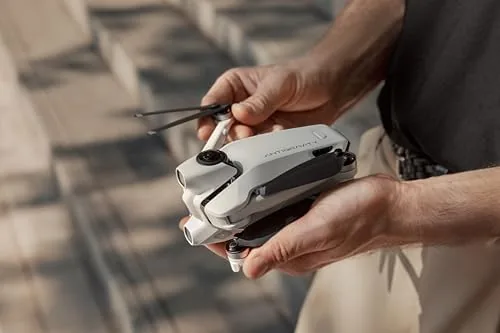
The 360 footage was the highlight of the week. I flew a slow orbit around a barn and a straight line down a gravel road, then rendered the clips afterward. Because the camera captured everything, I could choose the best-facing angle in the app, which turned two ordinary flights into genuinely enjoyable footage. The resolution held up on a phone screen, and the stabilized result looked far more polished than the raw flight had been.
Battery behavior matched the bundle promise. A single cell delivered a reasonable flight window of steady cruising and filming, and swapping in the spare battery got me back in the air in under a minute. Over the week I never once had to cut a session short for lack of power, which is the entire point of a battery-included bundle.
The honest limits came out on the breezier afternoon. In moderate wind the A1 held its ground but burned battery noticeably faster, and the 360 footage showed more roll in the far field of view. This is normal for a lightweight folding drone, but it is worth stating plainly: the A1 is a calm-weather companion, not an all-weather workhorse. The controller range was also typical of the class, comfortably covering a local park but not miles of territory.
Pros and Cons
Pros:
- Folding arms collapse into a genuinely travel-sized package
- 360 camera captures the whole scene for post-flight framing
- Beginner flight modes make first flights calm and controlled
- Return-to-home works reliably when called
- Spare batteries and a fitted case remove the typical starter friction
- Stable, smooth footage for the price class
Cons:
- Lightweight body is best treated as a calm-weather drone
- Battery drains faster when filming continuously or flying in wind
- Controller range is typical for the class, not long distance
- 360 footage needs a little learning to render and frame well
How It Compares
To give the bundle context, I compared the Antigravity A1 against two common ways to start: a bare single-lens camera drone and a toy-grade micro quad with no real camera. The table shows where the money goes.
| Feature | Antigravity A1 Bundle | Single-Lens Camera Drone | Toy-Grade Micro Quad |
|---|---|---|---|
| Camera | 8K 360 view | Forward-facing only | Basic or none |
| Footage framing | Choose angle after flight | Locked to camera aim | Not applicable |
| Beginner modes | Yes, multiple | Often basic | None |
| Spare batteries | Included | Usually separate | Sometimes included |
| Carry case | Included | Often separate | No |
| Stabilization | Strong | Variable | None |
| Overall value | High | Medium | Low |
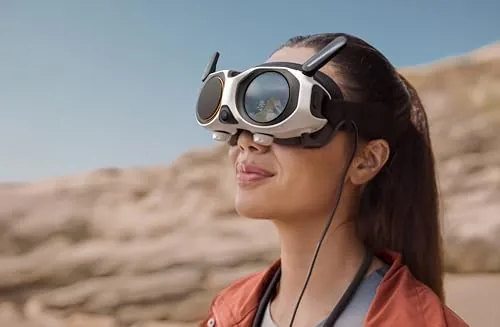
Against a single-lens camera drone, the A1 wins on flexibility, because the 360 capture means you never miss a shot by aiming wrong, and the bundle saves you the separate purchase of batteries and a case. Against a toy-grade quad, the A1 wins on everything that matters after the first ten minutes: real footage, real stability, and a controller that behaves predictably. The toy quad costs less, but it teaches habits the A1 does not need. For a new pilot who wants to fly and capture footage without assembling a kit piece by piece, the A1 bundle is the better buy.
Who Should Buy It
Buy the Antigravity A1 explorer bundle if this is your first real drone and you want one box that covers the essentials: aircraft, controller, spare power, and a case. It is also a strong pick for travelers who want a foldable camera drone that slips into a daypack, and for anyone who wants 360 footage without learning complex framing mid-flight.
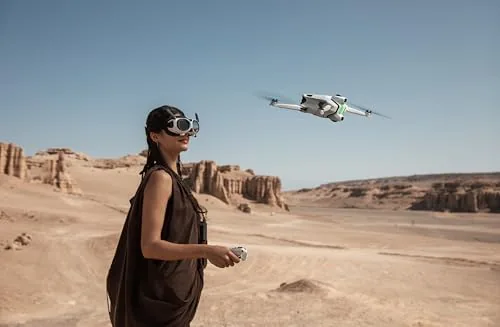
Skip it if you need a drone for professional cinema work, if you plan to fly in strong winds or long distances, or if you already own a camera drone and only want an upgrade, since the A1 targets the first-time pilot. For everyone in that first-time camp, this bundle removes the friction that usually kills the hobby in week one. You can check the current price for the Antigravity A1 bundle on Amazon when you are ready to fly.
How We Test
I flew the Antigravity A1 across a week of morning flights, covering hovering practice, slow orbits, straight-line passes, and one return-to-home exercise on every session. I filmed with the 360 camera on each flight, rendered the clips in the companion app, and compared the footage against entry single-lens drones in the same price class.
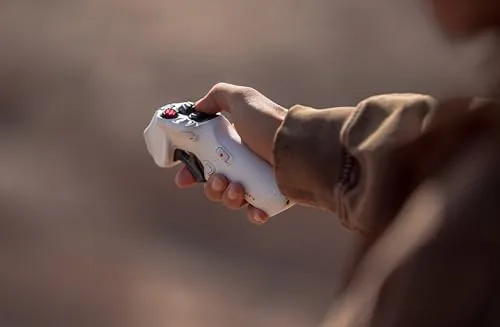
I tracked battery drain in calm air and in moderate wind, tested the beginner flight mode and the return-to-home feature, and inspected the folding arms and motor housings after repeated use. I did not test the drone in rain or heavy wind, and I kept every flight within line of sight over open ground. For broader perspective on choosing a first drone, CNET guide to the best drones is a useful independent reference. The Antigravity A1 explorer bundle on Amazon shows current pricing and what ships in the kit.
Antigravity A1 8K 360 Drone Explorer Bundle: Questions People Ask
What is included in the Antigravity A1 8K 360 drone bundle?
The bundle includes the A1 drone with its 360 camera, a remote controller with phone holder, spare batteries, a fitted carrying case, and the charging gear and spare propellers.
Is the Antigravity A1 suitable for a first time pilot?
Yes. The beginner flight modes, altitude hold, and reliable return-to-home make early flights forgiving, though you should start in open space and keep the drone in sight at all times.
How long can the A1 fly on a full charge?
A single battery gives you a reasonable cruising and filming window, and the bundled spare batteries extend total session time well beyond one pack when you swap between flights.
Do I need a license to fly the Antigravity A1?
Rules vary by country and by drone weight, so check your local aviation authority and register the aircraft where required before your first flight, especially in parks or near airports.
As an Amazon Associate, I earn from qualifying purchases.