
For anyone who spends real time on video calls, the Built-In laptop camera is the weak link. It frames you too far away, it hunts for light in any room that is not bright, and it makes you look like you are filming from the bottom of a well. The Anker PowerConf C300 is built to fix those specific problems: A 1080p sensor with autofocus, AI-powered framing that tracks you as you move, and a microphone array that filters out the background noise of a home office.
I used the PowerConf C300 as my primary webcam for two weeks of work calls, video reviews, and one long virtual workshop, and I tested it against two other webcams on the same desk. I wanted to know whether the AI framing is a gimmick or genuinely useful, how the camera handles a dim office, and whether the microphone is good enough to retire a separate mic. The verdict is mostly positive, with one or two honest limitations.
As always, a note on this review. It contains affiliate links, and if you buy through one of them the site earns a commission at no cost to you. That does not affect my testing or my conclusions.
Design and Build
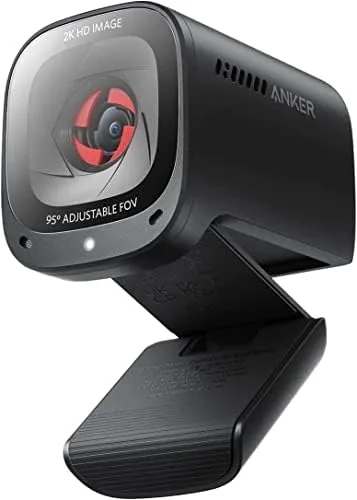
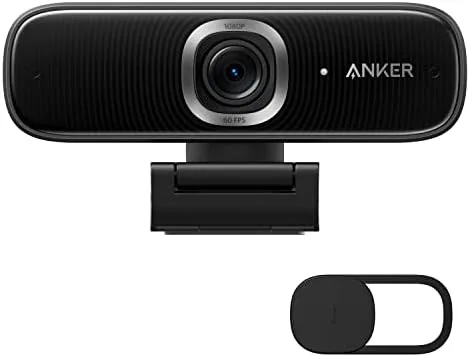
The PowerConf C300 is a compact puck-shaped camera with a matte black finish and a clip that mounts it securely on a monitor, laptop lid, or tripod. It is smaller than many premium webcams, which is a plus on a crowded desk, and the camera body tilts within its mount so you can aim it down at a desk or up at a standing setup.

The build quality is typical of Anker: solid, dense, and free of creaks. The USB cable is attached and on the short side, which is fine for a monitor mount but worth noting if your ports are far away. A privacy shutter sits behind the lens, a welcome touch for anyone who does not want to unplug the camera every night.
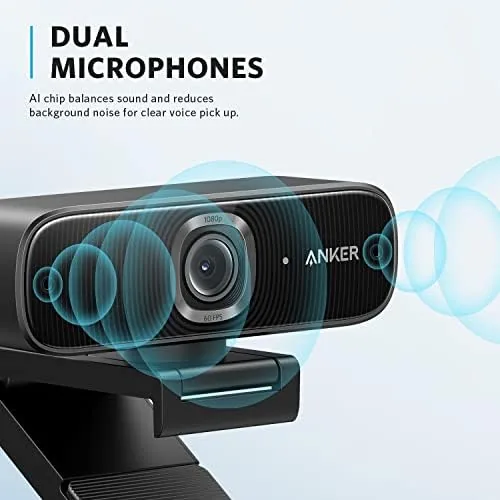
The microphone array is built into the body around the lens, so there is no separate mic to position. That is convenient, but it also means the camera should sit fairly close to your face, within about two or three feet, for the noise cancellation to work at its best.
Key Features
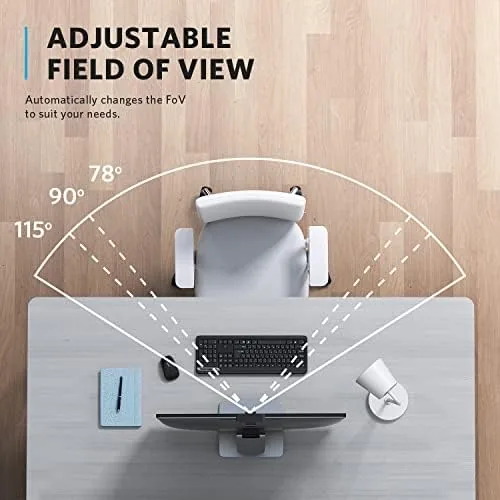
The headline feature is AI-powered framing. The camera detects your face and automatically crops the image to keep you centered as you move around, which is genuinely useful for calls where you stand up or shift in your chair. You can also disable it and manually choose a field of view, from a wide angle that shows your desk to a narrow crop that fills the frame with your face.
 Presenter" width="1200" height="800" loading="lazy" style="height:auto">
Autofocus is the second feature that sets the C300 apart from cheaper webcams. Fixed-focus lenses blur anything closer than about a foot from the camera, which is why product demos look soft on a budget webcam. The C300 refocuses quickly, so holding up a document or a product to the lens stays sharp.
The microphone array completes the package. The camera combines multiple microphones to reject background noise, and it is certified for Zoom, which means it should behave cleanly in Zoom's own audio processing. A 60 FPS mode is also on board for users who want smoother motion, and HDR plus low-light correction handle challenging lighting.
Real-World Performance
Video quality in a well-lit room is excellent. The image is sharp, colors are natural without the oversaturation you see on some webcams, and the autofocus keeps your face crisp even when you lean forward. On calls, colleagues commented that the picture looked noticeably better than the laptop camera without being asked.
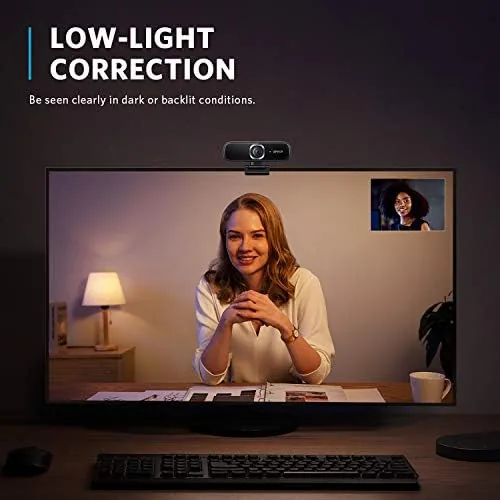
Low light is where the C300 does its best work. In an office lit only by a window on an overcast afternoon, the image stayed usable and clean instead of turning into a grainy mess, which is the failure mode of most built-in cameras. It is not night vision, and the picture does soften as the light drops, but the low-light correction buys you a lot of usable time before you need a lamp.
The microphone was the biggest surprise. In a room with a running fan and a mechanical keyboard, I recorded a test call and then reviewed the audio: the fan noise was largely gone and the keyboard was faint, while my voice stayed clear. It is not a studio microphone, and there is a slight flattening of tone compared with a dedicated USB mic, but for everyday calls it is more than enough to retire a separate microphone for most people.
Color balance was consistent across all of my sessions. The camera did not shift between warm and cool casts when I moved between rooms, and the exposure adjusted smoothly rather than pulsing when a cloud passed over the window. One participant on a call asked whether I had added lighting, which is the best sign I can give about how the image reads to the other end of a meeting.
The AI framing worked as advertised. When I leaned side to side during a workshop, the camera kept my face roughly centered without the jumpy reframing you see on some implementations. It is a subtle effect, which is exactly what you want, and it is easy to turn off if you prefer a fixed wide shot.
Pros and Cons
Pros:
- Sharp 1080p image with fast, reliable autofocus
- AI framing keeps you centered without hunting or jumping
- Noise-cancelling mics make a separate microphone optional for most calls
- Strong low-light and HDR handling
- Privacy shutter and Zoom certification
Cons:
- 60 FPS mode is best in brighter rooms and dims the image
- Short attached cable limits mounting options
- Built-in mic needs the camera within a few feet to shine
How It Compares
To judge the value, I compared the PowerConf C300 against a budget 1080p webcam and a premium 4K webcam on the same desk, using the same room and lighting. The comparison shows what the extra money buys.
| Feature | Anker PowerConf C300 | Budget 1080p Webcam | Premium 4K Webcam |
|---|---|---|---|
| Resolution | 1080p | 1080p | 4K |
| Autofocus | Yes, fast | No, fixed focus | Yes |
| AI framing | Yes | No | Varies |
| Microphone | Noise cancelling array | Basic single mic | Often none built in |
| Low-light handling | Good | Poor | Excellent |
| Price | Mid | Low | High |
Against a budget webcam, the C300 wins on autofocus, framing, microphone quality, and low light, which are the features that actually improve a call. Against a 4K model, it gives up raw resolution but keeps a built-in microphone and a far lower price. For most people working from home, the C300 is the sweet spot.
Who Should Buy It
The PowerConf C300 is for anyone who lives on video calls and wants to look and sound professional without building a multi-device studio. If you are tired of the laptop camera and do not want the hassle of a separate mic, this one box replaces both, with framing smarts that keep you centered when you move.

Skip it if you need 4K resolution for professional recording, or if you stream and already own a dedicated microphone and camera. For the everyday remote worker, teacher, or consultant, this is a strong, all-in-one upgrade. You can check the current price of the Anker PowerConf C300 on Amazon when you are ready.
How We Test
I used the PowerConf C300 as my main webcam for two weeks, covering live video calls, a recorded presentation, and a virtual workshop with multiple participants. I compared it side by side with a budget 1080p webcam and a premium 4K model in the same room, and I reviewed test recordings for sharpness, color, and audio quality.
I tested the noise cancellation with a fan running and a mechanical keyboard in the background, checked the AI framing by moving during a call, and evaluated low light in a dim office lit only by a window. I did not run lab measurements, because the questions that matter for a webcam are how you look and sound to the people on the other end. Independent guidance such as Tom's Hardware's best webcams is a good resource for broader comparisons.
The Anker PowerConf C300 listing on Amazon shows the current price and any bundle options.
Anker PowerConf C300: Questions People Ask
Does the Anker PowerConf C300 have autofocus?
Yes, the camera has a fast autofocus that keeps your face sharp even when you lean in or move around, unlike fixed-focus webcams that soften near the lens.
Is the PowerConf C300 compatible with Zoom?
Yes, it is Zoom certified and works as a standard USB webcam with Zoom, Teams, Meet, and other video platforms on both Windows and Mac.
How does the AI framing work?
The camera detects your face and crops the image automatically to keep you centered, and you can turn it off and choose your own field of view from the wide to narrow range.
Does the C300 need special software to work?
No, it works out of the box as a plug-and-play webcam, and the free AnkerWork software adds fine control over framing, exposure, and microphone settings.
As an Amazon Associate, I earn from qualifying purchases.