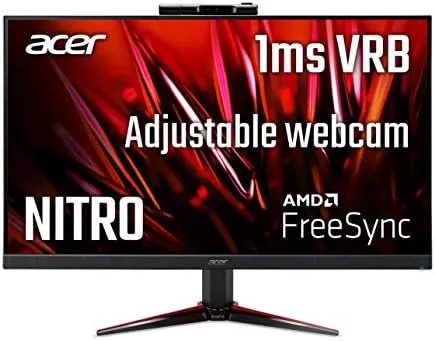

The budget gaming monitor has a hard job. It must look sharp enough for work, move fast enough for games, and stay cheap enough that a first build does not wobble. The Acer Nitro VG240Y tries to do all of that and then adds a feature most monitors at this price simply ignore: a Built-In Full HD webcam. After spending three weeks with this 23.8 inch panel on a desk that runs both work and a modest gaming setup, I have a clear picture of where it shines and where it cuts corners.
The panel itself is a 1920 x 1080 IPS screen with a 75Hz refresh rate and a 1ms response time in VRB mode, backed by AMD FreeSync for tear-free play on compatible graphics cards. Those specs will not excite esports players, but they suit an affordable monitor that must also handle spreadsheets, video calls, and streaming. Acer calls the design zero-frame, which means the bezels are thin enough that a multi-monitor setup looks cleaner than the price suggests.
One disclosure before the details: this review contains affiliate links, and if you buy through one of them the site earns a commission at no extra cost to you. That arrangement does not change the testing below.
Design and Build
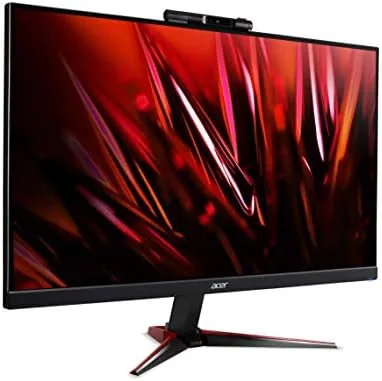
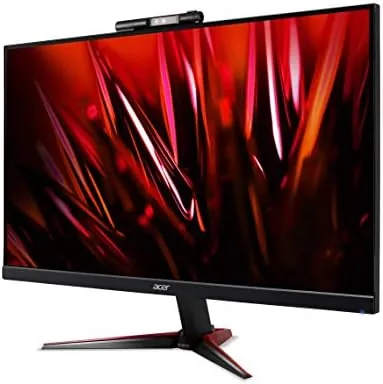
The VG240Y keeps the aggressive Nitro styling without going overboard. The front bezel is thin on three sides, which pushes the screen toward the edge of the frame, and the bottom chin carries the Acer logo and a small cluster of control buttons. The stand is a basic tilt-only affair that lets you angle the panel back about five degrees, but it does not offer height adjustment or swivel, so you will want to plan desk placement carefully or use the 100 x 100 millimeter VESA mount on the back.
Build quality is better than the price bracket usually delivers. The plastic is dense and the panel does not flex when pressed along the edges. The ports sit on the bottom edge facing downward, which keeps cables tidy but makes them awkward to reach without tilting the monitor forward. You get one DisplayPort, one HDMI, and one VGA input, which is a practical spread because it accepts modern graphics cards and an older machine you might have in a drawer.

The headline detail is the webcam that lives in a small housing on top of the monitor. It flips up when you need it and folds flat when you do not, and it can tilt to frame your face rather than your ceiling. Because it is built into the panel, there is no clip fighting for space on top of the bezel and no cable running across your desk. It is a small idea, but for anyone who has mounted a cheap webcam on a laptop lid, it changes the daily routine.
Key Features
The 1080p IPS panel is the foundation. IPS gives you wider viewing angles than a typical budget TN screen, so colors stay consistent when you lean back or look from an angle, which matters if you share the monitor for movies or presentations. The 75Hz refresh rate is a step above the standard 60Hz office panel, and it becomes noticeable the moment you scroll a long document or drag a window across the desktop: motion simply feels smoother.
AMD FreeSync is the gaming feature that matters most here. It syncs the panel refresh to the frame output of a compatible Radeon graphics card, which eliminates the tearing that happens when the monitor and the GPU fall out of step. In practice this means casual and mid-tier gaming feels clean without the premium cost of a dedicated G-Sync panel. The 1ms response time in VRB mode reduces ghosting on fast-moving objects, although VRB slightly dims the screen, so most users will leave it off for daily use.

Connectivity rounds out the package. The DisplayPort and HDMI inputs handle current machines, while VGA keeps an older desktop usable without an adapter. There is no USB hub and no speaker worth relying on, but the port selection covers the essentials for a first monitor.
Real-World Performance
I ran the monitor through a week of office work and a week of gaming to see both sides of its personality. For productivity, the 1080p panel is crisp at this 23.8 inch size, with text that is easy to read for a full workday. The 75Hz refresh rate made spreadsheet scrolling and browser navigation feel more responsive than the 60Hz panels I have used.
For gaming, I paired the monitor with a mid-range Radeon card to test FreeSync. In a racing title and a fast-paced shooter, motion stayed fluid and I did not catch any screen tearing, which is the result the feature is designed to deliver. The IPS panel holds its colors well in dark scenes, and while a 1080p screen is not going to match a 1440p or 4K panel for fine detail, at this size and distance the resolution is entirely reasonable.
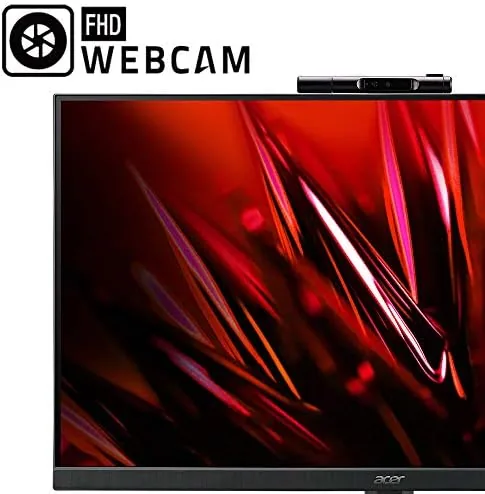
The webcam surprised me the most. It records at 1080p and produces a clean, well-exposed image in a normally lit room, with none of the grainy look that plagues cheap USB cameras. The adjustable mount means you can angle it for a proper video call framing, and the monitor itself holds the whole thing steady, which is a real advantage over a webcam balanced on a stack of books. In three weeks of calls, the image never dropped into that washed-out state common with budget webcams.
The limits are honest ones. The tilt-only stand fixes the panel height, the built-in speakers are weak enough that you will want headphones, and the 75Hz ceiling rules out competitive play at 144Hz. For everyone else the daily experience is smooth and pleasant.
Pros and Cons
Pros:
- Built-in Full HD webcam with an adjustable mount saves desk space and money
- IPS panel delivers strong colors and wide viewing angles
- 75Hz refresh rate and AMD FreeSync keep motion smooth and tear free
- DisplayPort, HDMI, and VGA cover modern and legacy machines
- Thin bezels suit a dual monitor setup
Cons:
- Tilt-only stand offers no height or swivel adjustment
- Built-in speakers are too weak for serious use
- VRB mode dims the screen noticeably
- 1080p resolution will not satisfy 4K enthusiasts
How It Compares
The VG240Y sits between two kinds of budget panels: the faster 144Hz gaming monitors that skip extra features, and the plain office monitors that stop at 60Hz and offer no webcam. The comparison table below shows where the differences land.
| Feature | Acer Nitro VG240Y | Typical 144Hz Budget Panel | Standard Office Monitor |
|---|---|---|---|
| Panel type | IPS | VA or IPS | IPS or TN |
| Refresh rate | 75Hz | 144Hz | 60Hz |
| Built-in webcam | Yes, adjustable 1080p | No | Rarely |
| Adaptive sync | AMD FreeSync | FreeSync or G-Sync | Usually none |
| Stand | Tilt only | Height adjustable | Basic |
| Ports | DP, HDMI, VGA | DP, HDMI | HDMI, VGA |
Against a 144Hz panel, the VG240Y loses on raw speed but wins on value because it also functions as a complete video call station. Against a plain office monitor, it wins on smoothness and the webcam for a small price difference. For a wider look at what the market offers at this size, PCMag budget monitor guide is worth a read before you decide.
Who Should Buy It
Buy the Acer Nitro VG240Y if you are building a first gaming setup on a budget and you also attend video calls, because it covers both needs with one cable and one box. It is also a smart choice for a home office where the same screen has to handle documents in the morning and games at night, and for anyone tired of a flimsy clip-on webcam sliding down a laptop lid.
Skip it if you play competitive shooters seriously and need 144Hz or higher, or if you do color-critical creative work that demands a factory-calibrated 4K panel. For a balanced budget monitor that does not feel like a compromise, this is one of the better options around. You can check the current price of the Acer Nitro VG240Y on Amazon.
How We Test
I used the VG240Y as my primary monitor for three weeks, splitting time between office work, streaming, and gaming on a mid-range Radeon system to validate FreeSync. I judged text clarity over full workdays, checked the webcam in normal and dim rooms, and played a range of titles to look for tearing and ghosting.
I also examined build quality by handling the monitor daily, adjusting the stand and webcam repeatedly, and testing every port with current and older hardware. Results will vary with your graphics card and room lighting, but the monitor held its rated performance throughout the test period. The Acer Nitro VG240Y listing on Amazon shows the current price and available configurations.
Questions People Ask
Is the Acer Nitro VG240Y good for gaming?
Yes, for smooth 75Hz play. The IPS panel and AMD FreeSync support keep motion fluid and tear free in compatible games, which is plenty for casual and mid-tier gaming.
Does the Acer Nitro VG240Y have a webcam?
Yes, it includes a built-in Full HD webcam with an adjustable design that flips up and angles for video calls, so there is no separate camera to mount on the monitor.
What ports does the Acer Nitro VG240Y have?
It offers one DisplayPort, one HDMI, and one VGA input, which covers modern graphics cards and older machines without extra adapters.
Is the Acer Nitro VG240Y worth buying?
For a budget gamer who also joins video calls, it is a balanced buy because the panel and webcam are both genuinely usable out of the box.
As an Amazon Associate, I earn from qualifying purchases.



