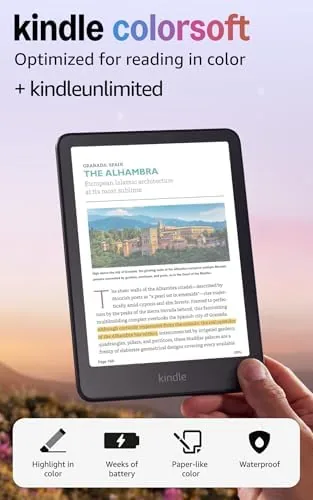

For years the argument for an e-reader rested on one trade. A Kindle gave you a distraction free screen and weeks of battery, and in return you gave up the covers, the diagrams, and the vivid layouts that make a tablet feel alive. The Amazon Kindle Colorsoft is the device that closes that gap, because it puts a color E Ink panel into the familiar 7 inch Kindle body without sacrificing the traits that made people switch in the first place. I read on it for a month, carried it on two trips, and worked through novels, magazines, and study material, and this review is the honest record of where color matters and where it does not.
Before the details, the standard note. This article contains affiliate links, and if you buy through one of them the site earns a small commission at no extra cost to you. That commission does not change what I test or what I recommend, and the device reviewed here was the newest model with the no ads option. If you want the current price, you can check the Kindle Colorsoft 16 GB listing on Amazon while you read.
The core promise of the Colorsoft is simple: a screen that shows thousands of colors instead of shades of gray, wrapped in the reading experience that made the Kindle famous. This review covers the design, the display, real reading performance, and whether the color upgrade is worth the step up in price.
Design and Build
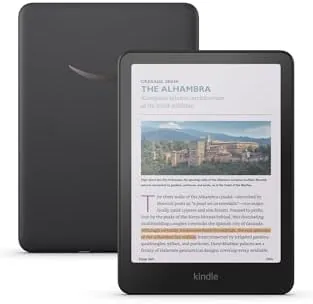
The Colorsoft keeps the design language of the current Kindle line. The body is a soft touch black plastic shell with a gently raised back edge that sits comfortably in one hand, and at about 7.8 ounces it is light enough to hold for a full evening of reading without cramping. The bezels are slim but still give you a natural place to grip, and the 7 inch display is bordered by a raised frame that protects the screen when you set the device down on a table.
The buttons and ports follow the current Kindle layout. There is a USB-C port on the bottom edge for charging, a power button, and no headphone jack, which is expected on a modern e-reader. The build quality is exactly what you expect from Amazon: solid, quiet, and unremarkable in the best way. The device has an IPX8 rating, which means it can survive a drop in a bathtub or a splash by the pool, a feature that has quietly become standard on premium Kindles and one that matters more than people think.
Key Features
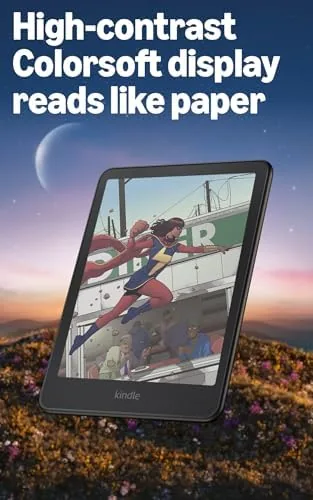
The headline feature is the color E Ink display. The panel uses a color filter layer over the standard E Ink substrate, which means it can render thousands of colors, a full library of book covers, comics, magazines, and illustrated cookbooks in something close to their intended look. The color is not as punchy as a tablet screen, and it is not meant to be. It sits in a soft, paper-like range that is easy on the eyes, and it dims and brightens in a way that feels natural rather than glowing.
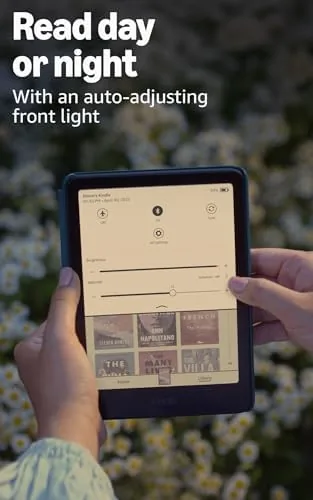
Black and white text remains the star. The panel runs at 300 ppi in grayscale, which is the sharpness standard that made modern Kindles so readable, and color content runs at a lower density that still looks clean at a normal reading distance. The adjustable warm light completes the package. You can shift the front light from a cool white to a deep amber, and the automatic mode adapts to the time of day, so evening reading is easier on the eyes without any fiddling.
The package also includes 16 GB of storage and three months of Kindle Unlimited with auto renewal. The no ads option keeps the lockscreen clean, and the bundle is a good way to sample the catalog while deciding whether the subscription is worth keeping.

Real-World Performance
The month of testing started with a novel, which is the most honest baseline for an e-reader. The grayscale text is the sharpest I have seen on any Kindle, and the contrast between black ink and the paper-white background is excellent in both direct sunlight and a dim room. Page turns are fast, and the refresh is clean, with none of the ghosting that older E Ink devices left behind.
Then came the material that color was built for. I loaded a travel magazine with dense layouts, a cookbook with full-page photography, and a graphic novel. The color presentation transformed each one. Maps in the magazine were legible where they were previously muddled, recipe photos carried the warmth of the real dish, and the comic pages looked like printed pages rather than scaled down scans. This is the case for the Colorsoft, and it is a strong one if your reading mixes in anything visual.
Reading speed stayed quick throughout. Amazon has tuned the refresh well enough that even color pages flip without the long flash that plagued early color E Ink devices, and the front light auto adjusts smoothly when I moved between a bright window seat and a shaded corner. The highlight and note tools work on color pages without trouble, and the dictionary lookup responds instantly, which keeps the reading flow intact.
Battery life is where a color display could have hurt, and it did not. With the front light set to about 60 percent and an average of one hour of reading per day, the Colorsoft ran for nearly three weeks between charges. Amazon quotes up to eight weeks with the light off, and I believe it, because the drain is gentle. On two short trips the device went into a case fully charged and came out with barely a dent in the battery meter, which is the quiet reliability that has always made Kindles feel different from tablets.
The one honest shortcoming is the physical bookmarks folder, and by that I mean the software. Syncing, collections, and the store all work as expected, but the color screen tempts you to buy visual content, and visual content eats the 16 GB faster than plain novels. A library of heavy comics and magazines will fill the space within a year, which is a real consideration even if most readers will never notice the limit.
Pros and Cons
Pros:
- Color E Ink display transforms covers, comics, and illustrated books
- Sharp 300 ppi grayscale text keeps classic novel reading excellent
- Adjustable warm light with automatic brightness eases evening reading
- Long battery life that approaches the classic Kindle benchmark
- IPX8 water resistance and durable, light 7.8 ounce build
- Clean no ads lockscreen and three months of Kindle Unlimited included
Cons:
- Color density is lower than grayscale at close inspection
- Color content fills the 16 GB of storage faster than plain books
- Premium price over the comparable grayscale Kindle
- Limited value for readers who only read text novels
How It Compares
The natural comparison is against the classic Kindle Paperwhite, which is the benchmark grayscale e-reader. The table below lines up the two devices.
| Feature | Kindle Colorsoft | Kindle Paperwhite |
|---|---|---|
| Display | 7 inch color E Ink | 7 inch grayscale E Ink |
| Text sharpness | 300 ppi | 300 ppi |
| Color content | Thousands of colors | None |
| Storage | 16 GB | 16 GB |
| Warm light | Adjustable with auto | Adjustable with auto |
| Water resistance | IPX8 | IPX8 |
| Typical battery | Up to 8 weeks | Up to 12 weeks |
| Price | Higher | Lower |
The choice is really about your reading diet. If you read novels, thrillers, and plain prose, the Paperwhite delivers the same sharp text for less money and slightly longer battery. If your shelves hold magazines, cookbooks, comics, or study material with diagrams, the Colorsoft earns its premium, because it turns content you previously skipped into content you will actually read.
Who Should Buy It
Buy the Kindle Colorsoft if your reading is visual at least some of the time. Magazine readers, cookbook collectors, comic fans, and students working with color charts or maps will all see a genuine improvement over a grayscale screen. It is also the right pick for anyone who wants one device that does everything a Kindle has always done while future proofing the library for color content.
Skip it if you read almost nothing but novels, or if you already own a recent Paperwhite and are happy with it. For those readers the upgrade is real but small, and the money is better spent on books. If you are in the market, the current price of the Kindle Colorsoft on Amazon is worth checking, since the bundle terms change with promotions.

How We Test
I used the Kindle Colorsoft as my primary reading device for a full month. I read three novels, two travel magazines, a cookbook, and a graphic novel, and I split time between a bright outdoor patio, a dim bedroom, and a noisy morning commute. I tracked battery drain by using the device for a measured hour each day, and I tested the warm light settings, the automatic brightness, and the note and dictionary tools on both grayscale and color pages.
I did not test water resistance by choice, and I treated the IPX8 rating as a safety margin rather than a feature to abuse. For a broader look at how the color e-reader market is shaping up, Wirecutter has a running guide to the best e-readers that tracks the category well. The Kindle Colorsoft listing on Amazon shows the latest bundle and pricing details.
Questions People Ask
How long does the Kindle Colorsoft battery last?
With the front light set to a reasonable level and about an hour of reading a day, the battery stretches well past two weeks and comfortably approaches the eight week mark under typical use.
Is the color display good for reading books?
The color adds real value for covers, magazines, comics, and study guides, while black and white text stays crisp at 300 ppi, which is where the screen feels most at home.
Is 16 GB of storage enough?
For most readers 16 GB holds a substantial library of several thousand books, though comics and audiobooks take up more space and will fill it faster.
Can I read at night with the warm light?
Yes, the adjustable warm light shifts the screen from cool white to amber tones, which eases evening reading and works well alongside the automatic brightness feature.
As an Amazon Associate, I earn from qualifying purchases.