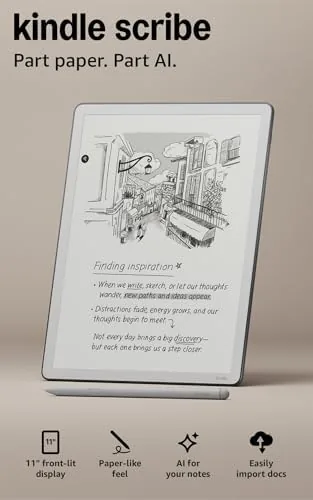

There are two kinds of people who buy an e-reader: people who want to read more, and people who want to read and write without staring at another glowing screen. The Kindle Scribe exists for the second group, and the 32GB model with the Premium Pen is the most complete expression of that idea yet. Its 11 inch paper-like display is big enough to read a novel page by page or hold a PDF full of small text, and the front light means you can use it in a dark room without a lamp. What makes it different from every other Kindle is the pen, and what makes it special is that you can write not only in notebooks but directly in the books and documents you are reading.
I spent three weeks living with the Kindle Scribe 32GB, using it as my reading device, my meeting notebook, and my PDF annotator. This review covers the display, the writing feel, the software that ties it together, and whether it truly replaces the paper notebook it claims to.
The usual disclosure applies: this article contains affiliate links, and if you buy through one of them the site earns a small commission at no extra cost to you. That commission does not influence my testing or my recommendations. You can see the current price of the Kindle Scribe 32GB on Amazon while you read.
Design and Build
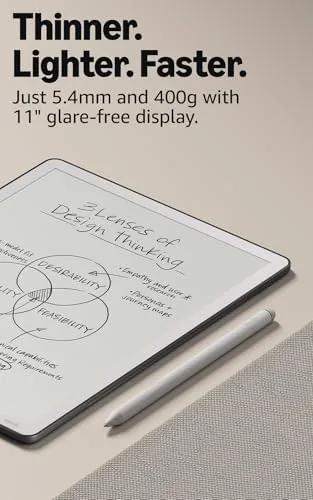
The Kindle Scribe feels like a premium writing instrument the moment you hold it. The front is a single sheet of glass protecting the display, and the back is a soft, matte surface that is comfortable to hold for long reading sessions. At about a pound it is noticeably heavier than a standard Kindle, which is the price of a screen this large, but it is lighter than any comparable tablet and balanced well enough that you can hold it one handed while reading in bed.
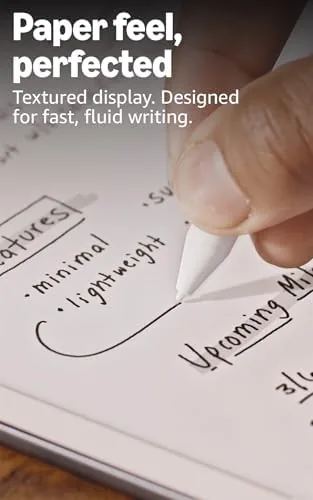
The Premium Pen attaches magnetically to the side of the device, where it charges and stays put until you pull it off. The magnetic hold is strong enough that the pen survives being tossed into a bag, which solves the single biggest problem with stylus devices: the pen that disappears. The pen has a small button on its side that switches to a highlighter or eraser depending on your settings, and the nib has a textured feel that writes with a satisfying drag.
Physical controls are minimal and welcome. A single power button sits on the top edge, and the USB-C port sits beside it for charging. That is the whole control surface, because everything else happens on screen, and after a few hours you stop thinking about the hardware entirely and just read and write.
Key Features
The display is the story. The 11 inch paper-like panel renders text with the crispness that Kindle readers have come to expect, and the adjustable warm front light lets you tune brightness and warmth from daylight white down to a soft amber glow for nighttime reading. The result is a screen that genuinely reads like paper, with no glare and no blue light flood, and it is large enough to display A Full page of a book without any eye strain.
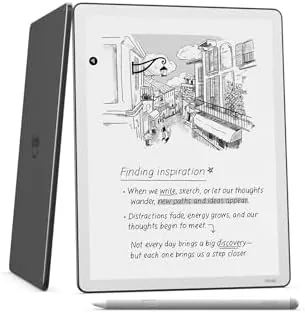
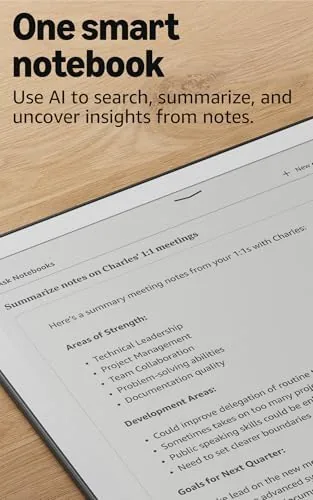
Writing is where the Scribe earns its keep. The device offers a library of notebook templates, from blank pages and lined paper to daily planners, to do lists, and music staff paper, and you organize them into folders that sync across your devices through the Kindle app. Handwriting is converted to text behind the scenes, so you can search your notes, export them as PDFs, or have them emailed to yourself for sharing.
The killer feature is writing in books. When you read a Kindle title, you can write directly in the margins with a sticky note style system that pins your handwriting to the exact page. The same applies to imported PDFs and documents, which you can send to the device through the Send to Kindle service and then mark up as if they were paper. For students, researchers, and anyone who annotates as they read, this turns the Scribe from a nice idea into a genuine tool.
Real-World Performance
I used the Kindle Scribe for everything my paper notebook used to do, and it handled the transition without complaint. Meeting notes, shopping lists, article outlines, and margin scribbles on books all live on the device now, and the search function finds a note written weeks ago faster than I could flip through paper. The handwriting recognition is impressively accurate with my print, and even messier cursive was mostly understood.
Reading performance is exactly what a Kindle should be. Pages turn instantly, the front light is smooth at every level, and the battery is the kind of battery that makes smartphones look wasteful. Amazon rates the Scribe for weeks of use, and in my testing a full week of daily reading and note taking barely dented the charge. You will stop thinking about battery life entirely.
The writing feel is the detail that surprises everyone. The screen has a subtle texture that provides resistance, so the pen glides with a paper-like drag instead of skating on glass. The tiny visual delay between pen and ink is barely perceptible, and after a few minutes your brain accepts that you are writing on paper, not a tablet. It is the closest thing to analog writing that I have used on a digital device.
Pros and Cons
Pros:
- Large 11 inch paper-like display that reads like print in any light
- Genuine writing feel with the Premium Pen and magnetic charging dock
- Write directly in books, documents, and notebooks, all searchable
- Battery lasts for weeks, not days
- Front light makes reading in the dark comfortable without a lamp
Cons:
- Heavier than a standard Kindle, especially one handed for hours
- Handwriting export and organization still trail dedicated note apps
- Color is absent by design, so highlighted PDFs look flat
- The Premium Pen is the right tool, and losing it means a replacement cost
How It Compares
The Kindle Scribe competes with both the rest of the Kindle line and with writing tablets like the reMarkable. The comparison below shows why it sits between them and why that position suits most buyers.
| Feature | Kindle Scribe 32GB | Standard Kindle | Writing Tablet |
|---|---|---|---|
| Display size | 11 inch paper-like | 6 inch e-ink | 10 inch e-ink |
| Front light | Yes, warm adjustable | Yes | No |
| Writing support | Full, with Premium Pen | None | Full |
| Book store | Amazon Kindle store | Amazon Kindle store | None built in |
| Storage | 32GB | 16GB | 8GB |
| Battery life | Weeks | Weeks | Weeks |
| Typical price | Mid | Lowest | High |
Against a standard Kindle, the Scribe trades portability and price for a display you can write on and a screen large enough for PDFs and magazines. Against a dedicated writing tablet, it gives up some note app polish but gains a front light and access to the largest ebook store in the world. For most people the Scribe is the better balance, because you can read any Kindle book and take notes in the same place.
Who Should Buy It
Buy the Kindle Scribe 32GB if you read with a pen in hand. Students who annotate textbooks, researchers who mark up papers, journalists who keep notebooks, and anyone who has a drawer full of half used paper journals will find the Scribe does the job better and keeps everything searchable.
It is also the right choice for anyone who wants to read more without adding screen time, because the paper-like display and weeks of battery life make it easy to reach for instead of a phone. The 32GB of storage holds thousands of books, a full PDF library, and years of notebooks, so you will never think about capacity.
Skip it if you only want a small, cheap Kindle for bedside reading, or if you already own a writing tablet you love and do not need the Amazon store. For readers and writers, the Kindle Scribe 32GB on Amazon is one of the best purchases you can make.
How We Test
I tested the Kindle Scribe 32GB over three weeks of daily use, treating it as both my reading device and my primary notebook. I read several full books on it, wrote and organized meeting notes, annotated PDFs, tested the handwriting to text conversion across different note styles, and used the front light from bright daylight down to a completely dark room.
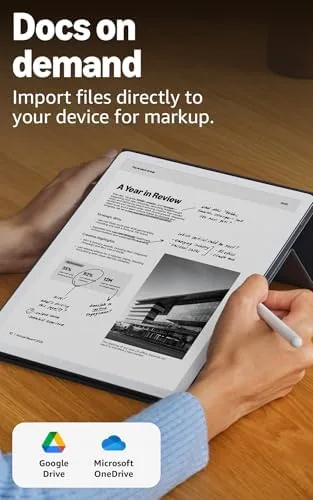
I measured battery life across a full week of mixed use, tested the Send to Kindle workflow with real documents, and evaluated the writing latency and feel in long sessions to see whether the paper-like experience holds up. I also assessed the search and export features, because a notebook you cannot search is just paper with extra steps. For a deep and critical look at how the Scribe compares with other e-paper writing devices, The Verge has reviewed the Kindle Scribe in detail and reached a similar conclusion about its unique position.
My verdict is that the Kindle Scribe 32GB genuinely replaces a paper notebook, and it does so without sacrificing the reading experience that makes Kindle so easy to love. The Kindle Scribe 32GB listing on Amazon shows the current price and available bundles.
Kindle Scribe: Questions People Ask
Can you write in books on the Kindle Scribe?
Yes, you can write directly in the margins of Kindle books and in imported PDFs and documents, with sticky note style annotations that keep your notes linked to the page.
Does the Kindle Scribe have a front light?
Yes, it has an adjustable warm front light, so you can read comfortably in the dark without a separate reading lamp.
How many books fit in the 32GB Kindle Scribe?
Thousands. A typical ebook takes only a few megabytes, so 32GB of storage is more than enough for an entire library plus a large collection of notebooks and PDFs.
Is the Kindle Scribe good for taking notes?
Yes, the Premium Pen writes with a paper-like feel, and the notebook feature organizes notes into folders that sync to the Kindle app and are easy to search.
As an Amazon Associate, I earn from qualifying purchases.