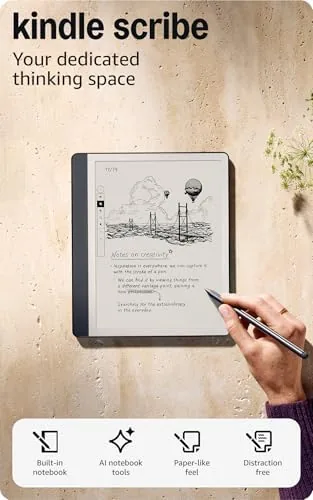

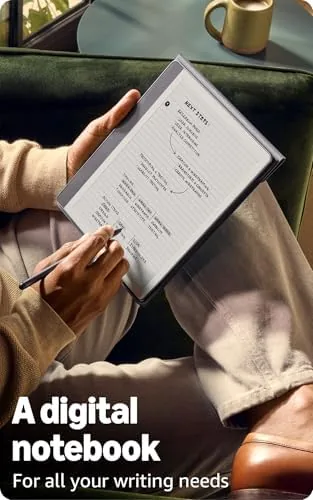
For years the e-reader market had a simple division: Kindles read, and tablets take notes. The Amazon Kindle Scribe exists to collapse that line. It is a 10.2 inch e-ink device with a Premium Pen in the box, so you can read a book on the same display where you jot meeting notes, mark up a PDF, or sketch an idea. The 2025 refresh added something genuinely new: built in AI notebook summarization that turns your handwritten scrawl into clean, readable text.
I used the Kindle Scribe with 16GB of storage in the Tungsten finish for a month as both a reading device and a work notebook. I read two books, annotated academic papers, kept a daily work journal, and leaned hard on the AI summarization feature. This review covers the writing feel, the reading experience, the AI tools, and who should trade a paper notebook for this.
Disclosure: This article contains affiliate links. If you buy through one of them, the site earns a small commission at no extra cost to you, and that commission does not affect what I test or what I write.
Design and Build
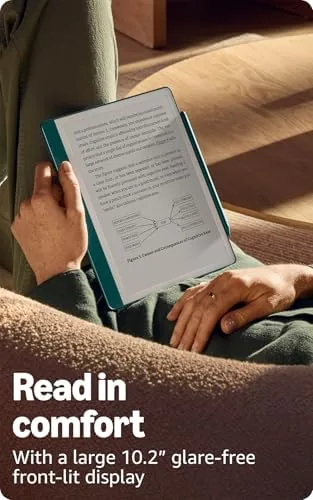
The Kindle Scribe is a large e-reader, and that is the point. The 10.2 inch display gives you room to write comfortably and to read PDFs without squinting, and the Tungsten finish looks closer to a premium notebook than a gadget. The body is lightweight for its size, and the soft touch back makes it comfortable to hold for long reading sessions.
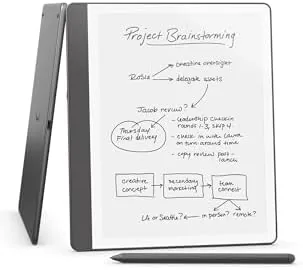
The included Premium Pen is the standout piece of hardware. It is a slim, weighted stylus that attaches magnetically to the edge of the device and charges there, so it is always with the Scribe and always topped up. The pen does not need a battery for writing, only for the eraser on the top end, and the tip glides across the display with a satisfying paper like friction.
Build quality is exactly what you expect from a flagship Kindle. The glass is smooth, the seams are tight, and the USB-C port handles charging. The Scribe is not waterproof, unlike the Paperwhite line, so it is not a bath companion, but it is sturdy enough for daily use across desk and couch. The page turn buttons, which some readers miss, are still absent, and you turn pages by tapping the screen as with other Kindles.
Key Features
The big feature story is the built in AI notebook summarization. You write notes by hand in a notebook, and the Scribe can summarize your pages into concise text, help you edit your writing, and even turn messy notes into a clean outline. Amazon positions this as the bridge between analog note taking and digital searchability, and it works surprisingly well.
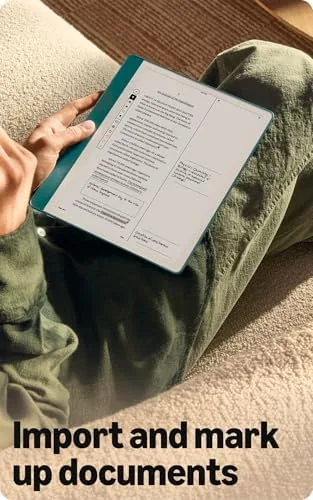
The reading and document side is equally capable. The Scribe opens Kindle books, of course, but it also handles PDFs and other documents, and it lets you write directly on the page of a PDF to annotate it. Sticky notes attach your writing to specific locations in a book, and the 300 ppi e-ink display keeps text razor sharp, which is important when you are reading small print in academic papers.
Storage is 16GB, which is plenty for a large book library plus documents and notebooks. The battery is rated for weeks of reading use, and the USB-C charging is quick. The device also supports the usual Kindle features: adjustable warm light, dark mode, the built in bookstore, and Goodreads integration. The Premium Pen is included rather than sold separately, which is a meaningful part of the value.
Real-World Performance
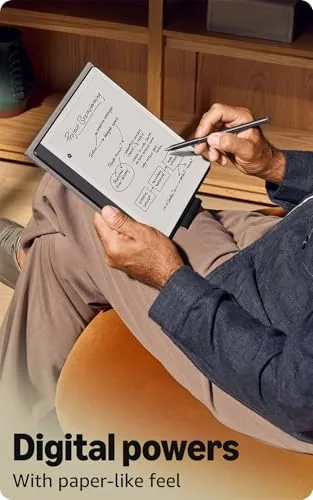
The writing experience is the core of the Scribe, and it is genuinely good. Writing on the display feels close to writing on paper, with a slight, pleasant resistance from the textured screen and an accurate pen tip that does not drift from your finger. Latency is low enough that the writing feels immediate, and the palm rejection works well, so you can rest your hand on the screen while you write without stray marks.
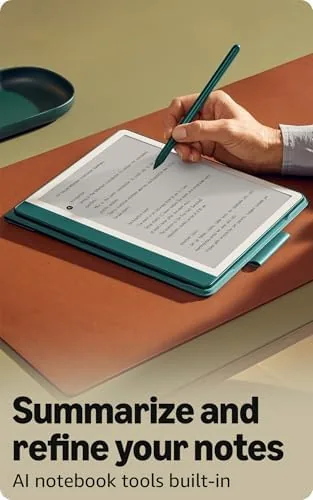
The AI summarization exceeded my expectations. I wrote a messy two page journal entry full of crossed out lines and abbreviations, and the Scribe produced a clean, coherent summary that captured the substance and even caught a point I had buried in a footnote. For meeting notes, the feature is genuinely useful: it turns a wall of shorthand into something you can actually search and share later.
Reading on the Scribe is excellent, with one caveat. The 10.2 inch display makes PDFs and documents comfortable to read at full size, and annotating them with the pen is a workflow that no standard Kindle can match. The caveat is size and weight: at nearly a pound, the Scribe is a two handed device, and holding it one handed for an evening novel is more tiring than with a Paperwhite.
Battery life lived up to the claim. I read daily, took notes in meetings, and used the AI features, and the Scribe needed charging roughly every week and a half, which is far better than any tablet. The writing tools are simple but complete, with lasso selection, rulers for straight lines, and multiple pen styles. There is no color, which limits some diagram work, but for text and ink, the Scribe is a focused tool that does its job.
Pros and Cons
Pros:
- Premium Pen included and excellent to write with
- Paper like writing feel with low latency
- AI notebook summarization works impressively well
- Excellent for reading and annotating PDFs
- Weeks of battery life even with daily note taking
- Sharp 300 ppi e-ink display
Cons:
- Large and heavy for one handed reading
- Not waterproof
- No color for diagrams and charts
- AI features require an internet connection
- Some workflows are easier on a real tablet
How It Compares
The Scribe sits between a Kindle and A Full tablet, and it is worth comparing it to both. The table below lines up the key differences.
| Feature | Kindle Scribe | Kindle Paperwhite | Apple iPad |
|---|---|---|---|
| Screen | 10.2 inch e-ink | 6.8 inch e-ink | 10.9 inch LCD |
| Stylus | Included Premium Pen | None | Optional Apple Pencil |
| AI summarization | Yes, built in | No | Partial via apps |
| Battery | Weeks | Weeks | Days |
| PDF annotation | Yes | No | Yes |
| Weight | About 1 pound | About 0.4 pounds | About 1.1 pounds |
The Scribe wins when you want a distraction free reading and writing device that lasts for weeks. The Paperwhite is the better pure reading device because it is lighter and cheaper. The iPad is more capable overall but is heavier, costs more with the pencil, and needs charging far more often. If your notes and your reading belong together, the Scribe is the unique answer. You can check the current price of the Kindle Scribe on Amazon to compare storage sizes.
Who Should Buy the Kindle Scribe
Buy the Scribe if you take handwritten notes for work or study and want them to be searchable and shareable without carrying a paper notebook and a Kindle. It is ideal for students annotating papers, professionals who journal or take meeting notes, and readers who want a large display for PDFs and magazines.
Skip it if you want a small, light device for one handed bedtime reading, or if you need color and the full app ecosystem of a tablet. For the note taking reader, the Scribe is the only device that does both jobs this well, and the included pen makes it a complete package out of the box.
How We Test
I used the Kindle Scribe for a month as both my primary reading device and my daily work notebook. I read two full books, annotated academic PDFs, kept a daily journal, and tested the AI summarization on handwritten meeting notes and journal entries. I tracked battery life across normal use and judged the writing feel, pen accuracy, and palm rejection during long writing sessions.
My impressions come from real reading and writing rather than lab measurement. For an independent technical take on the device, The Verge review of the Kindle Scribe covers the writing and AI features in depth. The Kindle Scribe listing on Amazon shows current pricing and the included accessories.
Kindle Scribe: Questions People Ask
Can you write directly on the Kindle Scribe?
Yes. The included Premium Pen lets you write and draw directly on the 10.2 inch e-ink display in notebooks, and you can also mark up PDFs and imported documents.
How does the AI notebook summarization work?
The Scribe summarizes your handwritten notebook pages into clean text notes, and it can also assist with editing and organizing your writing into a more readable form.
Is the Kindle Scribe good for reading PDFs and documents?
Yes. The large display, sharp 300 ppi resolution, and note taking on documents make it a strong tool for articles, reports, and academic papers.
How long does the Kindle Scribe battery last?
Kindle rates the Scribe for weeks of reading use, and even with daily note taking and document work my device only needed charging every week and a half or so.
As an Amazon Associate, I earn from qualifying purchases.