
Every smart TV review eventually has to answer the same two questions: how good is the panel, and how painful is the software? The Amazon Fire TV 50 Inch Omni QLED Series makes the first question easy to answer in the store and the second one complicated in the living room. It is a 4K QLED television with full array local dimming, Dolby Vision IQ, and the Fire TV Ambient Experience, all wrapped around the ad-supported Amazon interface. I spent three weeks with this set in my viewing room, running it through HDR movies, sports, gaming, and ambient mode, and this is the honest record.
A quick disclosure before the details. This article contains affiliate links, and if you buy through one of them the site earns a small commission at no cost to you. That commission does not change what I test or what I recommend.
Design and Build
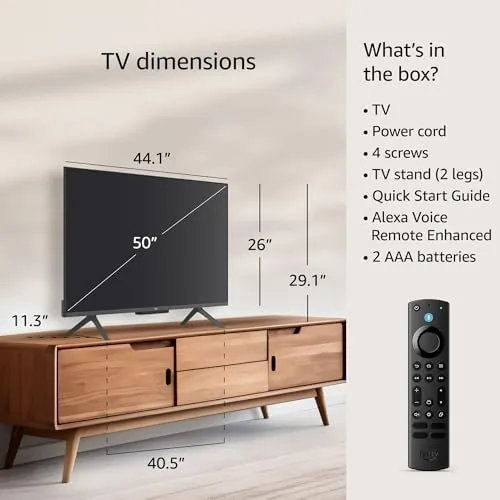
The Omni QLED has the look of a modern mid-range television. The bezels are slim on three sides with a slightly heavier chin, and the whole panel sits on two metal feet that allow you to slide the TV onto a typical media console. The rear is a clean textured plastic with the connections recessed into a side panel, which makes wall mounting and cable management straightforward.
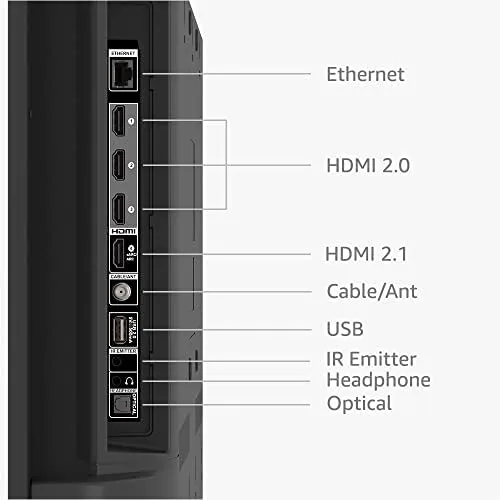
Connections are sensible for the price: three HDMI inputs, one of which supports eARC for a soundbar or receiver, plus USB, Ethernet, and an antenna input for over-the-air channels. The included remote is the standard Alexa Voice Remote, which is simple enough that a houseguest can work it without instructions, and its voice button works reliably across the Fire TV apps.
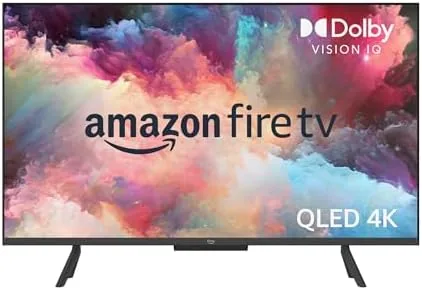
The standout design feature is the built-in far field microphones. The TV has an array that lets you say Alexa commands hands-free from across the room, no remote needed, and a physical switch on the side disconnects the microphones when you want privacy. That switch is a small detail that matters, because it turns the hands-free promise from a privacy concern into a user choice.
Key Features
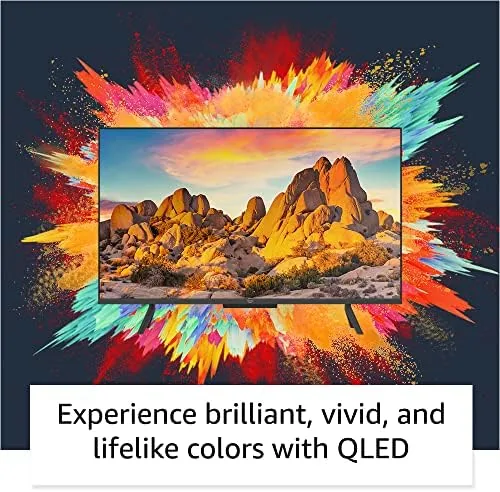
The panel is the reason this TV exists. It is a QLED display, which means a quantum dot layer that produces wider color coverage than a standard LED panel, and it is lit with full array local dimming, a feature you rarely find at this price. Local dimming turns off or dims zones of the backlight behind dark areas of the picture, which improves contrast in night scenes and makes letterbox bars actually look black.
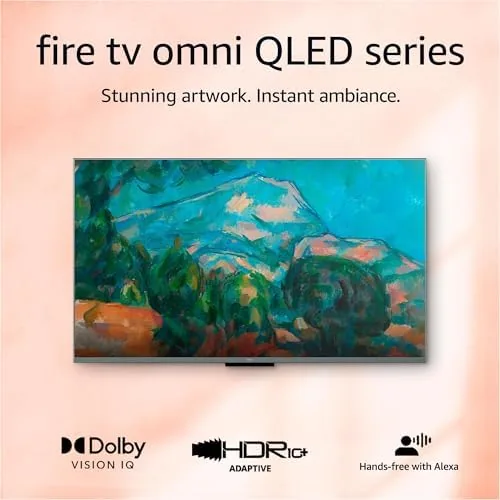
HDR support is comprehensive for the price. The TV handles Dolby Vision IQ, which uses the ambient light sensor to adjust the HDR picture to the brightness of the room, plus HDR10 and HLG for the wide range of sources that use those formats. When a Dolby Vision stream plays, the TV automatically picks the right picture mode, which removes the fiddling that usually comes with HDR content.
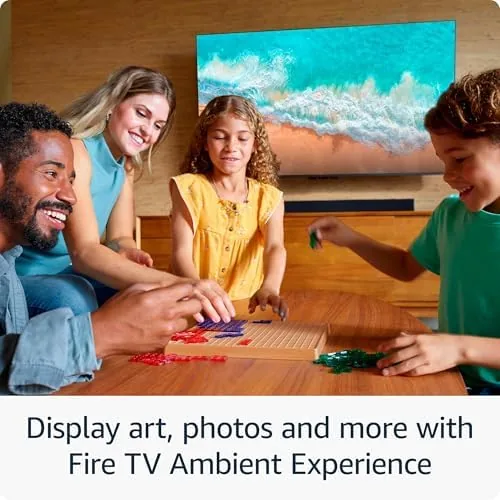
The Fire TV Ambient Experience is the differentiator Amazon wants to talk about. In ambient mode the television becomes a display rather than a TV: you can show art, family photos, or a dashboard of weather, calendars, and smart home widgets. The sensor that powers it is the same one that tunes Dolby Vision IQ, and the effect is convincing enough that the set genuinely disappears into a room when you are not watching it.
Hands-free Alexa ties it all together. You can ask the TV to play a show, dim a connected smart light, check the weather, or control compatible devices around the house, all without picking up the remote. For anyone already living in the Alexa ecosystem, this turns the television into a home hub. You can see the current price for the 50 inch Fire TV Omni QLED on Amazon when you are weighing it against other panels.
Real-World Performance
Daytime viewing is where this TV wins. The QLED panel gets genuinely bright, and I watched sports with the blinds open and the picture stayed legible, no straining to follow the ball. That brightness is the reason most people buy a QLED over a cheaper LED set, and the Omni QLED delivers it without the color washout you sometimes get on budget panels at high brightness.
HDR movies are the second win. I ran a stack of Dolby Vision titles, including night-heavy action films and moody drama, and the local dimming held up better than I expected at this price. Dark scenes showed real depth rather than the milky gray you see on edge-lit panels, and the Dolby Vision IQ tuning meant I did not have to touch the settings between a bright afternoon room and a dark evening one.
Gaming performance is acceptable but not enthusiast grade. The panel runs 4K at 60Hz, which covers the current console generation, and input lag in game mode was low enough that I did not notice it in racing games. There is no HDMI 2.1 at this price tier, so you miss variable refresh rate and 120Hz support, which matters only if you are chasing maximum performance on the newest consoles.
The software is where I have to be honest. Fire TV is fast enough, apps open quickly, and the app library is comprehensive, but the home screen is dense with sponsored rows and recommendations. It is the ad-supported Amazon model, and on a television it is far more prominent than on the streaming sticks. You can install third-party launchers to hide some of it, but the default experience will feel busy to anyone coming from a cleaner smart TV platform.
Pros and Cons
Pros:
- QLED panel with strong brightness for daytime viewing
- Full array local dimming improves contrast in HDR
- Dolby Vision IQ tunes itself to the room
- Ambient mode turns the set into an art display
- Hands-free Alexa with a physical microphone switch
- Comprehensive app library on the Fire TV platform
Cons:
- Home screen is dense with ads and recommendations
- No HDMI 2.1, capped at 4K 60Hz for gaming
- Local dimming zones limited for the deepest black levels
- Sound is thin, a soundbar is almost mandatory
How It Compares
A 50 inch 4K QLED at this price has clear rivals: the step-up OLED sets, the cheaper edge-lit LED TVs, and the competing smart platforms from Roku and Google TV. I compared the Omni QLED against all three categories to place it honestly.
| Feature | Fire TV Omni QLED | Entry OLED 50 Inch | Edge-Lit LED 4K |
|---|---|---|---|
| Brightness | High | Moderate | Moderate |
| Black levels | Good, local dimming | Excellent | Mediocre |
| HDR formats | Dolby Vision IQ, HDR10, HLG | Dolby Vision, HDR10 | HDR10 often |
| Gaming | 4K 60Hz, no VRR | 4K 60Hz to 120Hz | 4K 60Hz |
| Smart platform | Fire TV, ads | Varies | Varies |
| Price | Mid range | Premium | Low |
An OLED beats this TV on black levels and pixel-level contrast, but it costs substantially more, dims in bright rooms, and carries burn-in risk for static content. An edge-lit LED costs less but shows gray blacks and weaker HDR, which is exactly the compromise the Omni QLED exists to avoid. The real trade here is between picture quality and the Fire TV interface: the panel is better than the price suggests, and the software is busier than you might want. For detailed perspective on how budget QLED televisions perform, the review of the Fire TV Omni QLED from The Verge, published at theverge.com, covered the same strengths and caveats when the line launched.
Who Should Buy It
Buy the 50 inch Omni QLED if you watch a lot of HDR content, if your room has windows that make cheap panels look washed out, or if you already live in the Alexa ecosystem and want the TV to double as a smart home hub. The picture quality is genuinely strong for the money, and the ambient mode is a real feature, not a gimmick.
Skip it if you hate ad-supported interfaces, if you need HDMI 2.1 features for next-gen gaming, or if your viewing room is pitch black and you want OLED-level blacks. For most living rooms, this is a compelling value that hides one nagging compromise behind a very good panel. You can check the current price for the 50 inch Fire TV Omni QLED on Amazon when you are ready.
How We Test
I tested the 50 inch Omni QLED over three weeks in a dedicated viewing room. I ran the panel through daytime sports viewing with blinds open, a library of Dolby Vision HDR films to stress the local dimming, and console gaming at 4K 60Hz to measure input lag. I used ambient mode daily as an art display, and I tested the hands-free Alexa controls, including the physical microphone disconnect switch. I compared the set against an entry-level OLED and an edge-lit LED in the same room and lighting, and I used a calibration pattern set to check color, brightness, and black uniformity. I did not test the TV with an HDMI 2.1 source, since it does not support the feature, and I judged the built-in speakers separately from the soundbar in my setup. The Fire TV Omni QLED listing on Amazon shows the current price and available sizes.
Amazon Fire TV 50 Inch Omni QLED: Questions People Ask
Does the Fire TV Omni QLED support Dolby Vision HDR?
Yes. It supports Dolby Vision IQ, which adjusts the HDR picture using the ambient light sensor, along with HDR10 and HLG, so the set handles the major HDR formats you will find on streaming services.
Does the TV include hands-free Alexa?
Yes. The built-in far field microphones let you speak to Alexa directly from the TV, and a physical switch on the side disconnects the microphones completely when you want privacy.
What is the Fire TV Ambient Experience?
It is a mode that turns the television into an information and art display when you are not streaming, showing photos, artwork, weather, and smart home widgets instead of a blank screen.
How many HDMI inputs are on the 50 inch model?
The 50 inch Omni QLED carries three HDMI inputs, one of which supports eARC for a soundbar, plus USB, Ethernet, and an antenna input for over-the-air channels.
As an Amazon Associate, I earn from qualifying purchases.