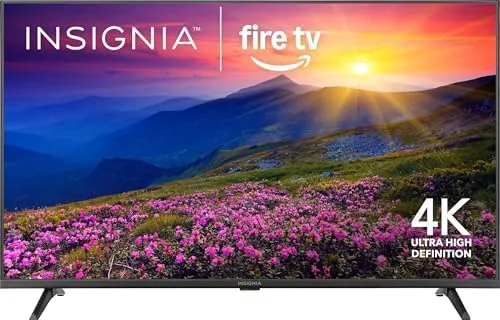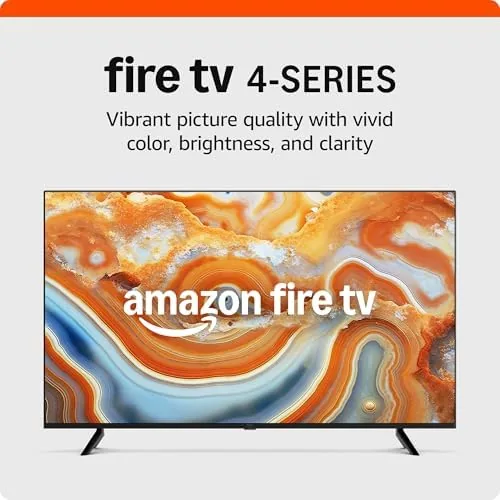

The living room has quietly stopped being about broadcast television and started being about apps. People cut the cable, and in the same breath they need a screen that puts every streaming service on one grid without an extra box under the TV. The Amazon Fire TV 43-inch 4-Series 4K UHD smart TV from the 2024 lineup is built for exactly that world. It bundles a 4K panel with the Fire TV operating system, Alexa voice control, and live TV streaming without a cable subscription, all in one clean package. I ran this set through a month of everyday viewing, gaming, and app hopping to find out whether the smart part of the smart TV holds up as well as the screen itself.
Before the details, the standard note. This article contains affiliate links, and if you buy through one of them the site earns a small commission at no extra cost to you. That commission never changes what I test or what I recommend.
Design and Build
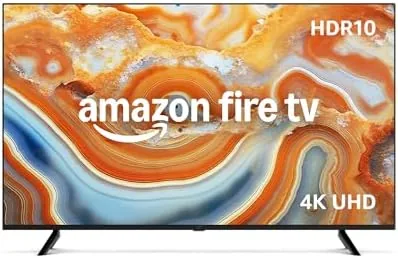
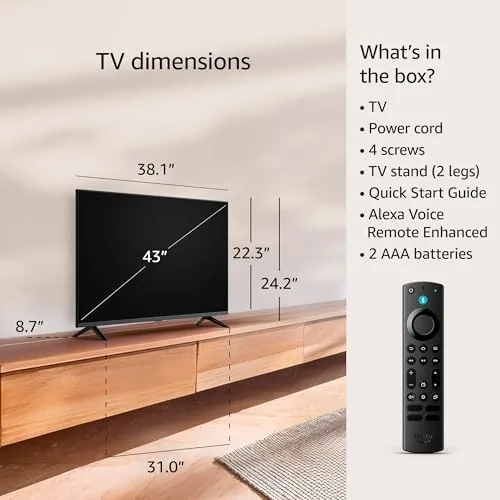
The 43-inch 4-Series follows the modern budget TV formula, and it executes it cleanly. The bezel is thin enough to keep the screen the star of the frame, and the matte black finish keeps the set looking restrained whether it is on a stand or mounted on a wall. The two feet are simple and sturdy, and the stand gives the panel a solid, stable base on a media console.
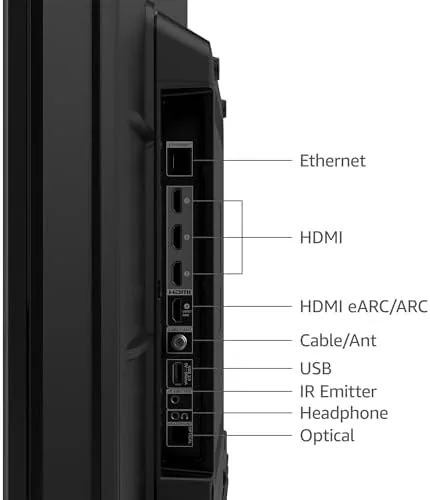
Connectivity is where the 2024 refresh shows its hand. The set carries three HDMI inputs with one supporting eARC, which means a soundbar or receiver can handle the audio duties over a single cable. There is also a USB port and optical audio output, so older audio gear still has a way in. The overall build feels appropriate for the price point: not luxurious, but well finished and free of the flex or rattles that cheaper sets sometimes bring out of the box.
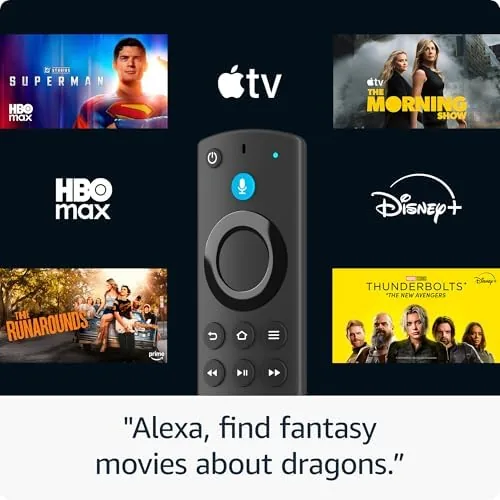
The included Alexa Voice Remote is the daily interface, and it is a genuinely comfortable remote. It pairs the classic button layout with voice search and dedicated buttons for the major streaming services, and the mic picks up voice commands clearly from across a room.
Key Features
The defining feature is the Fire TV platform built straight into the panel. There is no streaming stick to hide behind the set, no dongle to lose, and no second remote to juggle. Turn the TV on and you land in the Fire TV home screen, with your apps, live TV channels, and searchable content all on one grid. The platform carries the full catalog of major services including Prime Video, Netflix, Disney Plus, Hulu, and YouTube, plus hundreds of free ad supported channels.
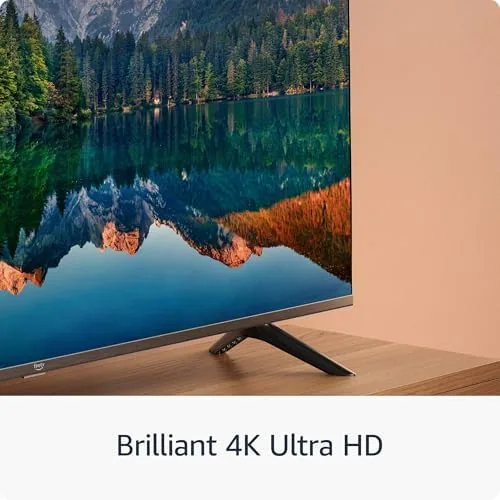
The 4K UHD panel supports HDR, and for the price the picture punches above its class. Bright outdoor scenes carry detail, and the upscaling engine does a respectable job with the 1080p content that still dominates a lot of viewing. The set also supports Dolby Digital Plus audio passthrough, so the sound sent to a soundbar keeps its punch.
Live TV Without cable is the headline use case. The Fire TV integrates free ad supported channels directly into the live tab, and apps like Amazon Freevee, Pluto TV, and Tubi bring hundreds of channels to the grid without a subscription. For a current look at pricing and bundle options, the Fire TV 43-inch 4-Series listing on Amazon is the place to check.
Real-World Performance
My first impression was speed. The 2024 4-Series is snappier than older Fire TV panels, with apps launching quickly and the home screen scrolling without the stutter that plagued budget smart TVs a few years ago. Booting from cold to the home screen took only a few seconds, and switching between Prime Video and Netflix felt near instant.
Picture quality in 4K content was the highlight. A nature documentary in HDR showed rich greens and believable skin tones, and the detail in dark scenes stayed respectable for this class of panel. The set cannot match the deep blacks and brightness of an OLED, and you will see the limit in a very dark room with letterbox bars, but in normal daytime viewing it is an easy, pleasant image.
Alexa voice control earned its place in daily use. Asking the remote to find a specific movie, launch an app, or skip to a channel worked reliably, and the voice search results pulled from across the installed services rather than just Amazon. The free live TV channel grid worked as advertised, and I watched news and documentary channels without any account setup beyond the TV itself.
Gaming was a mixed but acceptable story. In 4K at 60Hz, the panel handled a console session with no noticeable input lag for casual play, though competitive gamers will still want a gaming monitor or a pricier TV. The one real disappointment was the built in speakers, which are thin and lack bass. A soundbar is strongly recommended, and the eARC port makes adding one effortless.
Pros and Cons
Pros:
- Fire TV platform built in, no streaming device needed
- Alexa voice search and control work reliably
- 4K HDR picture punches above its price
- Live TV streaming without a cable subscription built in
- Snappy app launches and smooth home screen
- eARC and optical audio outputs for easy soundbar hookup
Cons:
- Built in speakers sound thin and lack bass
- Not a match for OLED contrast and brightness
- Fire TV home screen pushes ads and recommendations
- Only three HDMI inputs
How It Compares
Budget 4K smart TVs come down to the platform more than the panel these days. I compared the Fire TV 43-inch 4-Series against a comparable budget Roku TV and a Chromecast with Google TV style set.
| Feature | Fire TV 4-Series | Budget Roku TV | Google TV Set |
|---|---|---|---|
| Built in platform | Fire TV | Roku | Google TV |
| Voice assistant | Alexa | Roku Voice | Google Assistant |
| 4K HDR panel | Yes | Yes | Yes |
| Free live TV | Yes, integrated | Yes, via apps | Yes, via apps |
| eARC | Yes | Varies | Varies |
| Interface ads | Prominent | Light | Moderate |
Against a budget Roku TV, the Fire TV wins on voice integration and the integrated live TV grid, but Roku fans will prefer the cleaner, less ad driven home screen. Against a Google TV set, the Fire TV is a close call on features, and the deciding factor is usually whether your household lives in the Amazon ecosystem or the Google ecosystem. All three deliver a similar 4K panel at a similar price, so the real choice is the platform, and for Amazon households the Fire TV 4-Series is the natural fit.
Who Should Buy It
Buy the Fire TV 43-inch 4-Series if you want one appliance that replaces a streaming device and a TV, if you have cut the cord and want live channels without a cable bill, or if your household already leans on Alexa and Prime Video. It is an excellent value for a bedroom, apartment, or den where the budget is real and the picture needs to be solid, not spectacular.
Skip it if you are a home theater enthusiast who demands OLED contrast and deep blacks, if you have a pile of older HDMI devices that need more than three inputs, or if you prefer the ad free simplicity of a Roku interface. For everyone else, this is a dependable, fast, and genuinely cable free way to watch. You can check the current price for the Fire TV 43-inch on Amazon when you are ready to upgrade your screen.
How We Test
I tested the Fire TV 43-inch 4-Series over a month of daily viewing in a living room. I evaluated picture quality across 4K HDR films, upscaled 1080p broadcasts, and live ad supported channels, and I timed app launches and voice commands to judge the platform speed.
I also connected a soundbar through eARC to check audio sync, ran a gaming session to measure input lag, and set up the free live TV grid from scratch to confirm the cable free promise. For independent perspective on the 2024 Fire TV lineup, reviews such as CNET coverage of Amazon Fire TV are a useful reference. The Fire TV 43-inch 4-Series listing on Amazon shows current pricing and sizes.
Amazon Fire TV 43-Inch 4-Series: Questions People Ask
Does the Fire TV 4-Series need a separate streaming device?
No, the TV has the Fire TV platform built in, so apps, live TV channels, and Alexa work directly on the set without any extra box or stick.
What streaming apps are built in?
The Fire TV store covers the major services including Prime Video, Netflix, Disney Plus, Hulu, YouTube, and hundreds of live TV and free ad supported channels.
Is 4K worth it on a 43 inch screen?
Yes, at typical viewing distances the extra resolution sharpens text and fine detail in sports and nature shows, and 4K content is easy to find now.
Can I connect a soundbar to this TV?
Yes, the TV includes HDMI eARC and optical outputs, so you can plug in a soundbar or receiver and keep the audio in sync with the picture.
As an Amazon Associate, I earn from qualifying purchases.