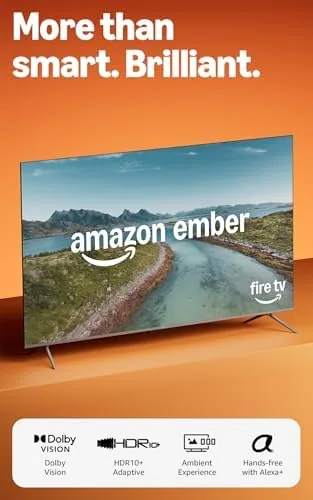

The living room television has become less about the panel and more about the platform glued to it. A giant screen with a sluggish interface feels old quickly, and a smart platform with nothing to show feels worse. The Amazon Ember 75 sits at the intersection, pairing a 75 inch 4K QLED panel with HDR10+ and Dolby Vision, Dolby Audio, a quad core processor, and the newest Fire TV software with Alexa+ built in. It is a television aimed squarely at households that want a big screen and a search that actually saves time. I spent three weeks with it in a bright, busy family room, watching movies, gaming on console, and asking Alexa+ to find things by name and genre.
Before the details, the standard note. This article contains affiliate links, and if you buy through one of them the site earns a small commission at no extra cost to you. That commission does not influence what I test or what I recommend, and the television reviewed here was set up exactly the way a customer would set it up.
The Ember 75 makes a statement just by being in the room. The rest of this review covers the design, the picture, the HDR handling, the Fire TV experience, the sound, and where the big screen fits against its competition.
Design and Build
At 75 inches the Ember is first and foremost a presence. The bezels are thin on three sides, which keeps the design from feeling dated, and the panel sits in a chassis that feels rigid and well assembled for the price bracket. Two wide feet install without tools in a few minutes and hold the television steady on a standard media console, and the back carries the usual VESA pattern for those who prefer a wall mount.
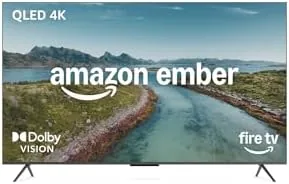
Ports are arranged on the side and rear for easy reach, with multiple HDMI inputs, USB, an optical audio out, and Ethernet for a wired network. The included Alexa Voice Remote has a responsive navigation ring and dedicated streaming buttons, and it controls the set over both IR and HDMI CEC. Setup is genuinely simple: the Fire TV platform walks through network and app configuration, and I was watching within fifteen minutes of unboxing.
Build quality holds up under normal use. The television runs cool even through long sessions, the stand feels planted, and the panel shows no visible flex or distortion. For a big screen at a value price, the construction is a pleasant surprise.
Key Features
The panel is the headline. The Ember 75 is a 4K Ultra HD QLED screen, using a quantum dot layer for brighter, more saturated color than a standard LED panel. It supports both major HDR standards, HDR10+ and Dolby Vision, which means the television automatically picks the best presentation from whichever streaming service you are watching rather than forcing you to choose a format.
Dolby Audio processing runs through the built in speakers, adding width and clarity to dialogue and music without needing an external soundbar for casual viewing. The quad core processor drives the entire experience, from responsive menus to quick app launches, and it is the component that keeps the big screen feeling modern rather than sluggish.
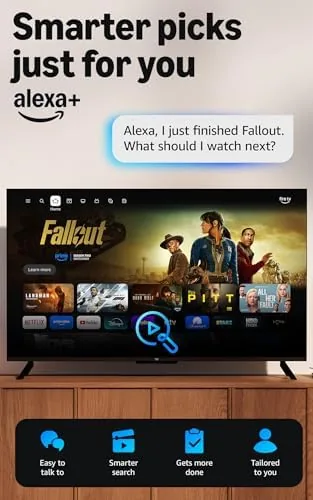
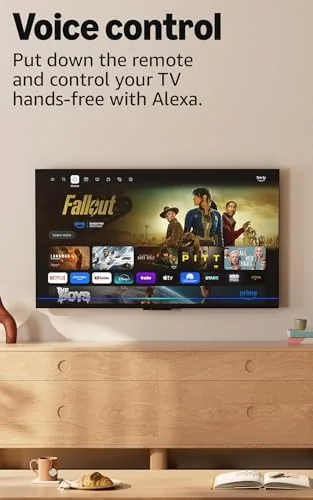
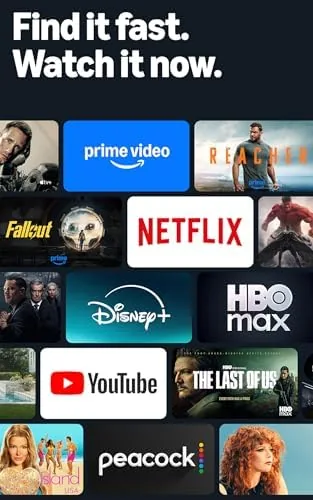
The real feature is the platform. Fire TV aggregates content from Netflix, Prime Video, Hulu, and hundreds of other apps into one search, and Alexa+ lets you ask for a show by name or a genre by voice. For a household that jumps between services, that single search removes a surprising amount of remote wrestling.
Real-World Performance
Picture quality is where the Ember 75 earns its keep. In a family room with daylight coming through two windows, the QLED panel kept contrast and color visible where cheaper sets wash out, and HDR content had real punch without looking blown out. Colors are vivid and a touch saturated, which most viewers find flattering.
The dual HDR support worked as promised. I watched Dolby Vision titles on a premium service and HDR10+ content from another, and the television switched formats automatically with no menu diving, so I never had to know which format a title used. Motion stayed clean in fast action scenes, with no obvious judder or tearing.
Gaming was a strong showing. The automatic low latency mode kept input lag low during a few hours of console play, and the brightness made HDR games look vivid on the big screen. The 75 inch canvas is genuinely immersive for cinematic titles.

Alexa+ is the most useful surprise. I asked for a show by name, asked for a recommendation by genre, and asked to jump to the next episode, and every command resolved quickly across the installed apps. The voice remote picked up speech from across the room, and the results grouped streaming options from different services so I could choose where to watch in one step. It is the feature that genuinely changes the daily routine.
Sound is a reasonable step above the tinny panels of the past. Dialogue stays clear even in action sequences, and Dolby Audio adds enough width that most casual viewers will not rush to buy a soundbar. Home theater enthusiasts will still want external audio, but for the default living room setup the speakers are respectable. For a full look at the feature list and current pricing, the Amazon Ember 75 listing on Amazon has everything.
Pros and Cons
Pros:
- Big, bright QLED panel with vivid color
- Supports both HDR10+ and Dolby Vision
- Fast, responsive Fire TV platform
- Alexa+ voice search across all apps
- Low input lag for console gaming
- Easy tool free stand and quick setup
Cons:
- Home screen is busy with promoted content
- Black levels fall short of OLED
- Built in audio is not soundbar level
- Hands free Alexa may not suit every household
How It Compares
The large screen smart TV market is crowded, and the Ember 75 competes against budget QLED sets, entry OLED models, and brand name mid range televisions. The table below lines up the main options.
| Feature | Amazon Ember 75 | Budget 4K LED | Entry OLED 75 |
|---|---|---|---|
| Panel | QLED | Standard LED | Self lit OLED |
| HDR formats | HDR10+ and Dolby Vision | HDR10 only | Dolby Vision |
| Smart platform | Fire TV with Alexa+ | Basic, slower | Varies by brand |
| Brightness | High | Moderate | Good, deep blacks |
| Gaming latency | Low, auto mode | Varies | Low |
| Price | Mid | Low | Premium |
Reviewers at CNET consistently note that Fire TV is among the friendliest smart platforms for households that stream from many apps. The budget LED is cheaper but misses dual HDR and a fast platform, while the OLED delivers deeper blacks at a significantly higher price. For a big family room screen that does everything well, the Ember 75 is the balanced value pick.
Who Should Buy It
Buy the Ember 75 if your household streams from multiple services and wants a genuinely large screen without paying OLED money. If your family flips between Netflix, Prime Video, and Hulu, the cross app Alexa+ search saves real time every night. If you watch in a bright room during the day, the QLED brightness serves you better than a dimmer panel, and if you game on console, the low latency mode and big canvas make it a strong living room centerpiece.
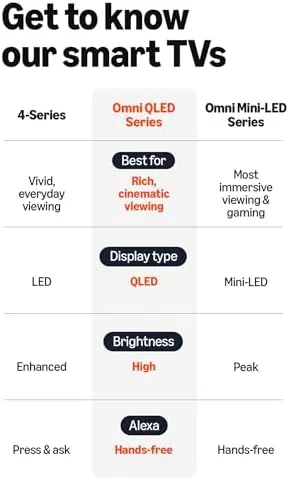
It is a weaker fit for picture purists who measure black levels and do not mind paying double for an OLED, for buyers who already prefer a separate streaming box, and for anyone who dislikes a home screen that promotes content. For the majority of families, the Amazon Ember 75 on Amazon is the practical big screen upgrade.
How We Test
I tested the Ember 75 for three weeks in a bright family room, the environment where value televisions most often fail. I watched Dolby Vision and HDR10+ content from multiple services, ran console gaming with the low latency mode, and used Alexa+ voice search daily to judge how often it resolved a request on the first try. I also evaluated the sound on dialogue heavy shows and music, and timed the out of box setup from unboxing to first playback.
I compared the experience against a budget LED set and an entry OLED in the same room, focusing on brightness in daylight, HDR handling, and how easy the platform is for a family to use. The Ember 75 won the value argument clearly, offering the features most households actually use at a size and price that leave room for better audio later. The Amazon Ember 75 listing on Amazon shows the current price and available sizes.
Amazon Ember 75 QLED: Questions People Ask
Does the Amazon Ember 75 support HDR10+ and Dolby Vision?
Yes. The panel supports both major HDR standards and switches between them automatically, so you get the best available picture from whichever streaming service you are watching without touching a menu.
How does Alexa+ help you find shows faster?
Alexa+ searches across every installed streaming app at once. You can name a title or a genre, and the results group options from different services so you choose where to watch in a single step.
Is the 75 inch size good for gaming?
Yes. The automatic low latency mode keeps input lag low for console play, and the bright QLED panel makes HDR games look vivid, so the big screen works well for both movies and gaming.
Can the Ember 75 be wall mounted?
Yes. The back panel carries the standard VESA mounting pattern, and the included feet offer a quick tabletop option that installs without tools, so either setup works from day one.
As an Amazon Associate, I earn from qualifying purchases.